
OpenPlan3D
What OpenPlan3D is
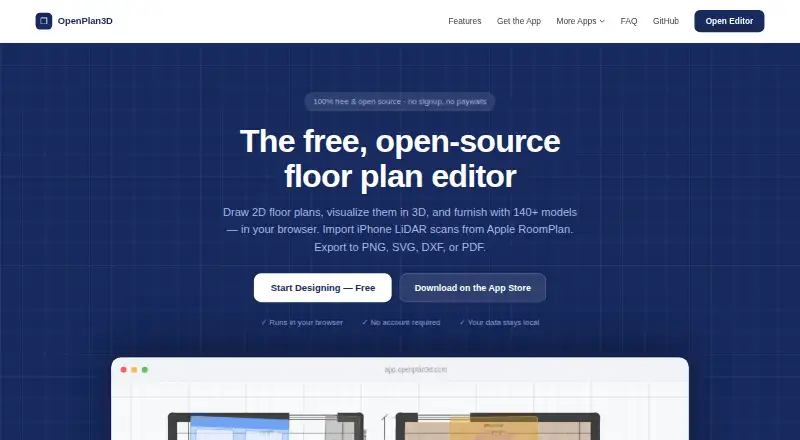
OpenPlan3D is a free floor-plan editor that runs in a browser, with tools for drawing layouts in 2D and viewing them in 3D. Create walls, rooms, doors, and windows with measurements, grid snapping, and imperial or metric units. Furnish designs with more than 140 models or import GLB and glTF meshes. The editor can also import Apple RoomPlan JSON scans and identify walls, doors, and windows in them. Export plans as PNG, SVG, DXF, PDF, or JSON; DXF exports are described for use with AutoCAD and other CAD software. OpenPlan3D Capture for iPhone and iPad uses Apple RoomPlan and requires a Pro device with a LiDAR sensor. It saves PNG, SVG, DXF, PDF, and USDZ files directly to the device. The editor’s plans are stored in the browser, according to its maker. The project is open source under the MIT License, and the maker says there is no account requirement, premium tier, or paywall.
Who it suits
It suits people planning interiors, furniture layouts, remodels, rentals, or real estate listings, as well as CAD workflows. iPhone or iPad users with a LiDAR-equipped Pro device can use Capture for scans.
What it does well
- Free plan includes all features and needs no account.
- Draws measured plans in imperial or metric units.
- Offers more than 140 furnishing models.
- Imports RoomPlan scans and exports multiple formats.
- Plans are stored in the user's browser, per maker.
What to know first
- Capture requires an iPhone or iPad Pro with LiDAR.
- Capture exports are saved directly to the device.
Plans
| Plan | Billed and limits | Price |
|---|---|---|
| Free | All features included · no premium tier or paywalls · no account required | Free |
As openplan3d.com lists them, read 30 Sept 2026. The maker's own page has the final word.
Getting started
- Open the editor at https://openplan3d.com/.
- Use it in a web browser; no account is required.
- Draw a plan or import an Apple RoomPlan JSON scan.
- Add furniture or import GLB or glTF meshes.
- Export the plan as PNG, SVG, DXF, PDF, or JSON.
- For device capture, use OpenPlan3D Capture on an iPhone or iPad Pro with LiDAR.
Verdict
OpenPlan3D combines 2D planning, 3D viewing, furnishing, scan import, and several export formats in a free editor. Its Capture app has a specific LiDAR-equipped device requirement.
Questions
How much does OpenPlan3D cost?
The Free plan costs nothing and includes all features. There is no premium tier or paywall.
Does OpenPlan3D require an account?
No. The Free plan does not require an account.
Which platforms does it support?
OpenPlan3D is available on the web and iOS. Its Capture app requires an iPhone or iPad Pro with a LiDAR sensor.
What can OpenPlan3D export?
The editor exports PNG, SVG, DXF, PDF, and JSON. Capture also exports USDZ.
Is OpenPlan3D open source?
Yes. The editor is open source under the MIT License, with source code available on GitHub.
Who makes OpenPlan3D?
It is built and operated by theLodgeStudio, described as a small independent studio.
Facts from OpenPlan3D's own pages
- 2D drawing
- The editor supports walls, rooms, doors, and windows with measurements, grid snapping, and imperial or metric units. · openplan3d.com, 30 Sept 2026
- 3D and furniture
- Users can view designs in 3D, furnish them with more than 140 models, or import GLB and glTF meshes. · openplan3d.com, 30 Sept 2026
- Capture exports
- The Capture app exports PNG, SVG, DXF, PDF, and USDZ files, which are saved directly to the device. · openplan3d.com, 30 Sept 2026
- Export
- The editor exports plans as PNG, SVG, DXF, PDF, or JSON. · openplan3d.com, 30 Sept 2026
- Import
- The editor imports Apple RoomPlan JSON scans and detects walls, doors, and windows from scans. · openplan3d.com, 30 Sept 2026
- Integrations
- The site describes DXF exports for AutoCAD and other CAD software, and RoomPlan scan import for iPhone and iPad. · openplan3d.com, 30 Sept 2026
- iPhone and iPad app
- OpenPlan3D Capture uses Apple RoomPlan and requires an iPhone or iPad Pro with a LiDAR sensor. · openplan3d.com, 30 Sept 2026
- Local storage
- The maker says editor plans are stored in the user's browser and not on its servers. · openplan3d.com, 30 Sept 2026
- Maker
- OpenPlan3D is built and operated by theLodgeStudio, described as a small independent studio. · openplan3d.com, 30 Sept 2026
- Open source
- The editor is open source under the MIT License, with its source code available on GitHub. · github.com, 30 Sept 2026
- Privacy
- The privacy policy says OpenPlan3D uses aggregate analytics, does not sell data, and does not share data for advertising. · openplan3d.com, 30 Sept 2026
- Purpose
- OpenPlan3D is a browser-based editor for drawing floor plans in 2D and visualizing them in 3D. · openplan3d.com, 30 Sept 2026
- Support and feedback
- The maker invites community contributions, feedback, and feature requests through its GitHub project. · openplan3d.com, 30 Sept 2026
- Use cases
- The maker lists real estate listings, remodeling, interior design, furniture planning, rentals, and CAD workflows as intended uses. · openplan3d.com, 30 Sept 2026
Where OpenPlan3D stands on Freedom251
- 2D CAD Software#12 of 41
- 3D Home Design Software#18 of 39
- Floor Plan Software#17 of 25