Freedom251 › Electrical Design Software
QElectroTech
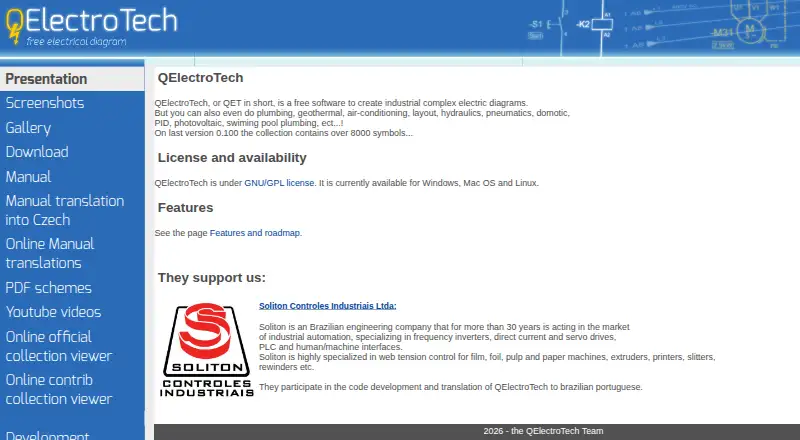
What QElectroTech is
QElectroTech is free desktop software for creating electrical diagrams, including complex industrial and power electronics drawings. It runs on Linux, macOS and Windows, and files can be edited across those supported systems without conversion or restriction. The symbol collection contains over 8,000 symbols, covering electrical, logic, pneumatic, hydraulic and fluid uses. Elements can be added by drag and drop; conductors connect aligned elements automatically, and linked elements can display project-updated cross references. An embedded editor lets users create custom symbols or other elements and store them in a user collection. Projects can be printed or saved as PDF, while drawings can be exported as SVG, PNG, JPG or BMP. Element information can be exported as CSV for spreadsheet editing and parts lists. The software can also be used for plumbing, geothermal, air-conditioning, hydraulics, pneumatics, home automation, PID and photovoltaic diagrams. It is GNU/GPL software with no licensing fees. QElectroTech supports DXF but not native DWG, and it does not perform simulation or calculations.
Who it suits
QElectroTech suits people creating electrical mapping and power electronics diagrams who want desktop tools across Linux, macOS or Windows. Its other diagram uses may also suit users working with the listed plumbing, HVAC, fluid or automation subjects.
What it does well
- Free GNU/GPL software with no licensing fees.
- Available on Linux, macOS and Windows.
- Symbol collection contains over 8,000 symbols.
- Drawings export to SVG, PNG, JPG or BMP.
- Supports DXF.
What to know first
- Does not support native DWG.
- Does not perform simulation or calculations.
- Desktop software; no mobile platform is listed.
Plans
| Plan | Billed and limits | Price |
|---|---|---|
| Free | Zero cost · no licensing fees · GNU/GPL | Free |
As qelectrotech.org lists them, read 4 Oct 2026. The maker's own page has the final word.
Getting started
- Visit the QElectroTech website to get started.
- Install the desktop software for Linux, macOS, or Windows.
- Create a project and add symbols from the collection using drag and drop.
- Create custom elements in the embedded editor if needed.
- Print or save the project as PDF, export a drawing image, or export element information to CSV.
QElectroTech is a free desktop application for building complex industrial electrical diagrams and related technical schematics. It suits engineers, electricians, maintenance teams and educators who need structured drawings across operating systems, rather than simulation or calculation. Its broad symbol library, custom-element editor and export options make it a strong no-license-cost choice for documentation-heavy work.
Overview
QElectroTech has been developed as free software since the project’s first experiments in 2006 and is distributed under the GNU/GPL. Its main job is electrical mapping, including power-electronics diagrams, but the same workspace can represent plumbing, geothermal, air-conditioning, hydraulics, pneumatics, home automation, PID and photovoltaic systems. That breadth is useful for teams documenting several kinds of installations without buying separate diagram tools.
The application runs offline on Linux, macOS and Windows. A project made on one supported desktop system can be opened and edited on another without conversion or platform restrictions, which is practical when a project moves between office and field computers.
Key features
Symbols and drawing workflow
The symbol collection contains more than 8,000 entries, covering electrical, logic, pneumatic, hydraulic and fluid work. Drag-and-drop placement keeps common components close to the canvas, while conductors connect aligned elements automatically. Linked elements can show cross-references that update automatically, reducing manual coordination in larger schematics.
Custom elements and outputs
An embedded editor lets you create symbols or other elements and save them in a personal user collection. That matters when a company uses proprietary components or a recurring internal standard. Projects can be printed or saved as PDF, and drawings can be exported as SVG, PNG, JPG or BMP for documentation, presentations and image-based workflows.
Element data can be exported to CSV, then edited in a spreadsheet to build a parts list or bill of materials. The download page also provides a Python terminal-block-generator plugin and utilities that convert DXF files into QElectroTech element files. DXF support helps with exchange, but the application does not provide native DWG support.
Scope and boundaries
QElectroTech is a diagramming tool, not an engineering calculator. It does not perform simulation or calculations, so users who need electrical analysis or validated system behavior will need a separate application. Its desktop focus and lack of native DWG support also make it less suitable for teams whose primary exchange format is DWG-based CAD.
Pricing
Free — free. The plan has zero licensing fees and is released under GNU/GPL terms. There are no seat charges or paid tiers described, making it suitable for individuals, classrooms and organizations that want to deploy the same desktop tool broadly without subscription commitments. The trade-off is that this is a diagram editor rather than a full CAD, simulation or calculation suite, so specialist capabilities must come from other software.
Platforms
QElectroTech is available for Linux, macOS and Windows desktop computers. Offline operation supports work without an internet connection, and files can move between those three systems without conversion or restrictions.
Who it's for
Choose QElectroTech for industrial electrical mapping, power-electronics documentation and mixed technical schematics where a large symbol catalog, reusable custom elements, automatic connections and cross-references save drafting time. It is also a sensible fit for maintenance and installation teams that need PDFs, images or spreadsheet-based parts lists from the same project.
Look elsewhere if your workflow depends on native DWG files, 3D or general-purpose CAD production, or built-in simulation and calculations. QElectroTech records and communicates a design; it does not validate the engineering behind it.
Pros and cons
- Pros: No licensing fees under GNU/GPL; more than 8,000 symbols; automatic conductor connections and updating cross-references; user-created symbol collections; PDF, SVG, PNG, JPG and BMP export; CSV parts-list data; Linux, macOS and Windows compatibility; offline use.
- Cons: No native DWG support; no simulation or calculations; desktop-only workflow; specialized plugins and DXF conversion tools may require additional setup.
Alternatives
For a wider drafting category, compare 2D CAD Software; for tools focused specifically on schematics, see Electrical Design Software.
- RoomSketcher is the better choice for floor plans and 2D/3D room visualization across mobile, web and desktop, with a freemium credit model.
- CMS IntelliCAD fits users who need DWG, DXF and DWF viewing or paid IntelliCAD editions rather than a dedicated electrical diagram editor.
- LiberoDraft offers free browser-based 2D CAD with locally saved drawings.
- LibreCAD is free open-source 2D CAD for general drafting on Linux, macOS and Windows.
- ProfiCAD is a freemium electrical-CAD option with a 30-day full-feature trial.
- TinyCAD is a free, open-source project supplied as-is.
- OpenPlan3D is an MIT-licensed open-source editor for iOS and the web.
- Draft it is a Windows drafting tool with an indefinitely usable free edition and paid upgrades.
Verdict
QElectroTech is an excellent fit for anyone who needs detailed electrical and technical diagrams without licensing costs, especially when cross-platform desktop files, custom symbols and parts-list exports matter. Choose another tool when native DWG exchange, CAD modeling, simulation or calculations are central to the job.
Verdict
QElectroTech offers diagram creation, symbol editing and several export formats without licensing fees. It is not suited to users who need native DWG support, simulation or calculations.
Questions
How much does QElectroTech cost?
The listed Free plan costs nothing and has no licensing fees.
Which platforms does it support?
QElectroTech is available for Linux, macOS, and Windows.
Is QElectroTech open source?
Yes. It is GNU/GPL software.
Can it open or export DWG files?
Native DWG support is listed as no. DXF support is listed as yes, and the download page lists tools for converting DXF files into QElectroTech element files.
Can it simulate circuits or perform calculations?
No. The project describes it as electrical mapping software that does not perform simulation or calculations.
What can I export?
Projects can be printed or saved as PDF. Drawings can be exported as SVG, PNG, JPG, or BMP, and project element information can be exported to CSV.
Facts from QElectroTech's own pages
- Audience
- The project’s presentation describes QElectroTech as intended for electrical mapping, including electrical and power electronics diagrams, and says it does not perform simulation or calculations. · qelectrotech.org, 4 Oct 2026
- Custom elements
- An embedded element editor lets users create their own symbols or other elements and store them in a user collection. · qelectrotech.org, 4 Oct 2026
- Documentation and export
- Projects can be printed or saved as PDF, and drawings can be exported as SVG, PNG, JPG or BMP images. · qelectrotech.org, 4 Oct 2026
- Drawing tools
- Elements can be added by drag and drop, conductors connect aligned elements automatically, and linked elements can display automatically updated cross references. · qelectrotech.org, 4 Oct 2026
- File compatibility
- The maker says files created on one of its supported desktop operating systems can be edited on another without conversion or restriction. · qelectrotech.org, 4 Oct 2026
- Founded
- 2007 · qelectrotech.org, 28 Sept 2026
- Integrations and utilities
- The download page lists a Python terminal block generator plugin and tools for converting DXF files into QElectroTech element files. · qelectrotech.org, 4 Oct 2026
- License and privacy
- QElectroTech is GNU/GPL software; its features page says it has no licensing fees and describes it as avoiding privacy violations and dependence on a company. · qelectrotech.org, 4 Oct 2026
- Other diagram types
- The maker says it can also be used for plumbing, geothermal, air-conditioning, hydraulics, pneumatics, home automation, PID and photovoltaic diagrams. · qelectrotech.org, 4 Oct 2026
- Parts lists
- Project element information can be exported to CSV for editing in a spreadsheet and making a parts list or bill of materials. · qelectrotech.org, 4 Oct 2026
- Project history
- The project’s presentation says its earliest experiments began in October 2006. · qelectrotech.org, 4 Oct 2026
- Purpose
- QElectroTech is free software for creating complex industrial electrical diagrams. · qelectrotech.org, 4 Oct 2026
- Support
- The project directs people with questions to its forum and also lists a dedicated IRC channel. · qelectrotech.org, 4 Oct 2026
- Symbol library
- The home page says the collection contains over 8,000 symbols, while the features page describes electrical, logic, pneumatic, hydraulic and fluid symbols. · qelectrotech.org, 4 Oct 2026
Where QElectroTech stands on Freedom251
- Electrical Design Software#9 of 41
- 2D CAD Software#14 of 41