Freedom251 › Electrical Design Software
PSCAD
What PSCAD is
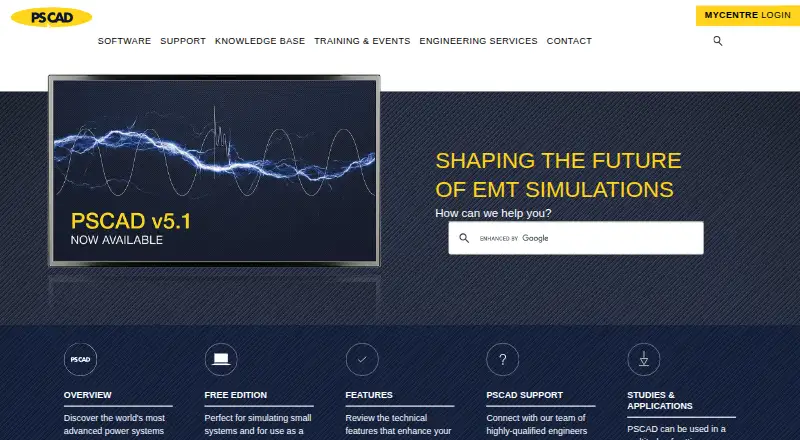
PSCAD is a graphical interface for the EMTDC electromagnetic transient simulation engine. It lets users build electrical circuits, run simulations, analyze results, and manage data. Its master library covers passive elements, machines, transmission lines and cables, protection, relaying, and FACTS controllers. During a simulation, online plots, controls, and meters let users change system parameters and observe the effects. PSCAD V5 also includes Python scripting for automating application and project operations, such as running simulations and changing parameters. Its C-language Co-Simulation API links EMTDC with external applications, although users must program the external application interface. In the Enhanced package, PRSIM converts PSS/E or PowerFactory network data to PSCAD. The Free Edition is a permanent license, with limits on network size, modules, output channels, and parallel simulations; it omits several interfaces and automation tools. PSCAD is desktop software for Windows, with setup instructions for Windows 10 64-bit or Windows 11 64-bit and an internet connection. It is developed by Manitoba Hydro International Ltd., a Manitoba Hydro subsidiary, and is headquartered in Winnipeg, Manitoba, Canada.
Who it suits
PSCAD suits electrical engineering users who need to construct circuits, run electromagnetic transient simulations, and analyze results in a Windows desktop environment. Its live controls, scripting, and co-simulation API are relevant to users who need to alter simulation parameters or connect external applications.
What it does well
- Master library includes machines, cables, protection, and FACTS controllers.
- Live plotting shows parameter changes during simulations.
- Python scripting can automate application and project operations.
- Enhanced package converts PSS/E or PowerFactory data to PSCAD.
- Permanent Free Edition license.
What to know first
- Free Edition is limited to 15 electrical nodes and 5 modules.
- Free Edition excludes MATLAB, Python Automation UI/library, Blackbox, and Co-Simulation Interface.
- Free Edition setup requires internet access and a MyCentre account.
Limits
The Free Edition is limited to 15 electrical nodes, 5 modules, 256 output channels, and 4 simultaneous parallel simulations. It excludes the MATLAB interface, Python Automation UI/library, Blackbox, and Co-Simulation Interface.
Plans
| Plan | Billed and limits | Price |
|---|---|---|
| PSCAD Free Edition | Free · Limited by network size · 4 simultaneous parallel simulations · 15 electrical nodes · No MATLAB interface or Python automation | Free |
| Educational Edition | Purchase or lease; contact sales for a quotation · Available only to educational facilities · Same features as Professional with limitations | On request |
| Professional Edition | Purchase or lease; contact sales for a quotation · Fully featured edition · Available to commercial users and educational facilities for teaching and research | On request |
As pscad.com lists them, read 10 Oct 2026. The maker's own page has the final word.
Getting started
- Visit https://www.pscad.com/.
- Use a Windows 10 64-bit or Windows 11 64-bit system with an internet connection.
- Create or use a MyCentre account for certificate licensing.
- Install the PSCAD V5 Free Edition and activate its certificate.
- Request a temporary Professional or Educational trial license from the sales desk if you want to evaluate either edition.
Verdict
Choose PSCAD if you need a Windows desktop interface for EMTDC circuit construction, simulation, and analysis. The Free Edition provides a permanent starting point, while users who need its excluded interfaces or higher network limits should consider another edition; paid edition prices require a sales quotation.
Questions
Is PSCAD free?
PSCAD offers a Free Edition priced at $0. It has limits on network size, modules, output channels, and simultaneous parallel simulations.
What does the Free Edition include?
It supports up to 15 electrical nodes, 5 modules, 256 output channels, and 4 simultaneous parallel simulations. Its license is permanent.
Which platforms does PSCAD support?
The listed platforms are API and Windows. PSCAD V5 Free Edition setup instructions specify Windows 10 64-bit or Windows 11 64-bit.
Can I try a paid edition?
A temporary trial license for Professional or Educational can be requested from the sales desk.
What do the Professional and Educational editions cost?
Their prices are not provided; contact sales for a quotation. Educational is available only to educational facilities, while Professional is available to commercial users and educational facilities for teaching and research.
Who develops PSCAD?
It is developed by the software development and engineering department within Manitoba Hydro International Ltd., a subsidiary of Manitoba Hydro.
Facts from PSCAD's own pages
- Automation
- PSCAD V5 embeds Python scripting to automate application and project operations, including running simulations and changing parameters. · pscad.com, 10 Oct 2026
- Co-simulation
- PSCAD V5 provides a C-language Co-Simulation API for linking EMTDC with external applications, with users responsible for programming the external application interface. · pscad.com, 10 Oct 2026
- Data conversion
- The PRSIM application in the Enhanced package converts PSS/E or PowerFactory network data to PSCAD. · pscad.com, 10 Oct 2026
- Free edition exclusions
- The Free Edition does not include the MATLAB interface, Python Automation UI/library, Blackbox, or Co-Simulation Interface. · pscad.com, 10 Oct 2026
- Free edition scope
- The Free Edition has limits of 15 electrical nodes, 5 modules, 256 output channels, and 4 simultaneous parallel simulations. · pscad.com, 10 Oct 2026
- Headquarters
- Winnipeg, Manitoba, Canada · pscad.com, 28 Sept 2026
- Licensing
- The Free Edition license is permanent; its activated certificate can be retained for a four-week period and refreshed when PSCAD launches with internet access. · pscad.com, 10 Oct 2026
- Live plotting
- Online plotting, controls, and meters let users alter system parameters during a simulation and view the effects while it runs. · pscad.com, 10 Oct 2026
- Maker
- PSCAD is developed by the software development and engineering department within Manitoba Hydro International Ltd., a subsidiary of Manitoba Hydro. · pscad.com, 10 Oct 2026
- Operating system
- The PSCAD V5 Free Edition setup instructions specify Windows 10 64-bit or Windows 11 64-bit and an internet connection. · pscad.com, 10 Oct 2026
- Purpose
- PSCAD is a graphical interface to the EMTDC electromagnetic transient simulation engine for constructing circuits, running simulations, analyzing results, and managing data. · pscad.com, 10 Oct 2026
- Security and access
- The setup documentation says the Free Edition requires internet access for its Windows 10/11 setup and uses certificate licensing through a MyCentre account. · pscad.com, 10 Oct 2026
- Simulation models
- Its master library includes models such as passive elements, machines, transmission lines and cables, protection, relaying, and FACTS controllers. · pscad.com, 10 Oct 2026
- Support
- The PSCAD technical team provides consulting, expert advice, in-depth training, and technical support for electromagnetic transient studies. · pscad.com, 10 Oct 2026
- Trial
- A temporary trial license for Professional or Educational can be requested from the sales desk to evaluate the software before purchase. · pscad.com, 10 Oct 2026
Where PSCAD stands on Freedom251
- Electrical Design Software#10 of 41