Freedom251 › Physics Simulation Software
ngspice
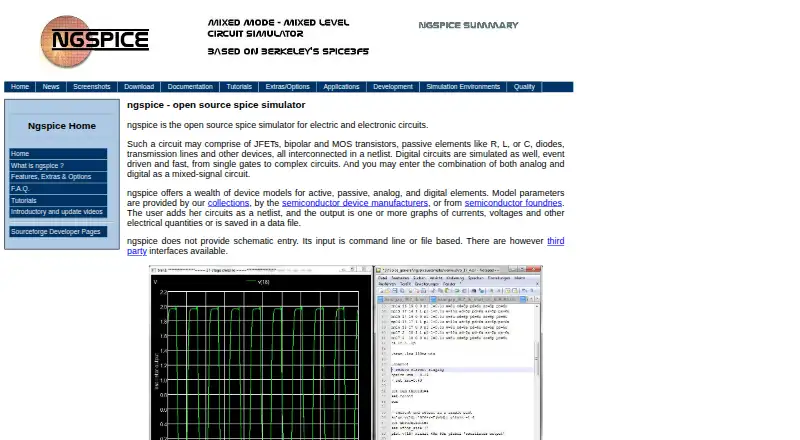
What ngspice is
ngspice is a free, open-source simulator for electric and electronic circuits. It simulates analog, digital, and mixed-signal circuits described in netlists, using models for active, passive, analog, and digital elements. Model parameters can come from collections, manufacturers, or foundries. SPICE compatibility allows use of PSPICE or LTSPICE device model parameters and netlists for discrete circuits. Mixed-signal co-simulation supports Verilog blocks compiled with Verilator and, since ngspice-44, VHDL blocks using GHDL. Its OSDI/OpenVAF interface integrates Verilog-A compact device models without programming on the ngspice side. The software can also be compiled as a shared library or DLL controlled by another application. Listed integrations include KiCad, Autodesk Fusion, and Python interfaces such as PySpice. It runs on Linux, macOS, and Windows, but has no schematic entry: input is command-line or file-based. The stable download page offers source archives and Windows binaries. Linux users are directed to their distributor or to compile from source; the project's own macOS release is currently unavailable there. Support includes mailing lists, forums, a bug tracker, FAQ, and documentation.
Who it suits
ngspice suits people working with circuit netlists who need analog, digital, or mixed-signal simulation. It may also suit developers integrating simulation through a library or listed interfaces.
What it does well
- Simulates analog, digital, and mixed-signal circuits.
- Supports PSPICE and LTSPICE models and netlists.
- Offers Verilog and VHDL co-simulation options.
- Can be compiled as a shared library or DLL.
- Free and open-source.
What to know first
- Does not provide schematic entry.
- Input is command-line or file-based.
- The project's macOS release is unavailable on its stable download page.
Limits
The free plan is the circuit simulator with command-line or file-based input and no schematic entry.
Plans
| Plan | Billed and limits | Price |
|---|---|---|
| ngspice | Free · Circuit simulator; command-line or file-based input; no schematic entry | Free |
As ngspice.sourceforge.io lists them, read 7 Oct 2026. The maker's own page has the final word.
Getting started
- Visit the ngspice website and open its stable download page.
- Choose a source archive or Windows binary, or use your Linux distributor or compile from source.
- Provide circuit descriptions through command-line or file-based netlist input.
- Use the documentation, FAQ, forums, or mailing lists for guidance.
ngspice is a free, open-source circuit simulator built for working from netlists and device models. It suits engineers, students, and developers who are comfortable with command-line or file-based input. Its SPICE compatibility and mixed-signal support make it capable, while the lack of schematic entry narrows its appeal.
Overview
ngspice simulates electric and electronic circuits across analog, digital, and mixed-signal designs. Its support for PSPICE and LTSPICE parameters and netlists for discrete circuits can help users carry existing SPICE materials into a simulation workflow. The trade-off is fundamental: circuits must be supplied through commands or files, so users who want to draw a schematic as their starting point will need another tool for that part of the work.
Key features
The simulator includes models for active and passive components as well as analog and digital elements. It can draw on model parameters from collections, manufacturers, and foundries, giving users working with established device models a broad basis for describing circuits.
Mixed-signal co-simulation supports Verilog blocks compiled with Verilator and VHDL blocks using GHDL since ngspice-44. The OSDI/OpenVAF interface integrates Verilog-A compact device models without requiring programming on the ngspice side. These capabilities suit designs that combine circuit simulation with hardware-description-language blocks or compact device models.
For developers, ngspice can be compiled as a shared library or DLL and controlled by a calling application. The project also lists integrations with KiCad, Autodesk Fusion, and Python interfaces including PySpice. This creates options for incorporating simulation into a broader software workflow, though the simulator itself still takes command-line or file-based input.
Pricing
The ngspice plan is free: free, billed Free. It includes the circuit simulator, command-line or file-based input, advanced electrical simulation, and standards libraries. There is no paid tier or seat-based price to weigh, but the free plan also has no schematic entry. Users who need a visual circuit editor should account for that workflow gap when considering the zero cost.
Platforms
ngspice supports Linux, macOS, Windows, and self-hosted deployment. The stable download page provides source archives and Windows binaries. Linux users are directed to their distributor or to compile from source, while the project's own macOS release is currently unavailable there; macOS users should check their distribution route before settling on it.
Who it's for
ngspice is a strong fit for circuit designers and learners who already describe circuits as netlists, need compatibility with PSPICE or LTSPICE material, or work with analog, digital, and mixed-signal models. Developers can also use its shared-library or DLL form under the control of another application. It is a weaker choice for anyone who depends on schematic capture as part of circuit creation.
Support resources include mailing lists, discussion forums, a bug tracker, an FAQ, and documentation. That gives users several project channels for getting help and finding guidance around a tool whose input workflow assumes technical familiarity.
Pros and cons
Pros
- Free plan includes advanced electrical simulation and standards libraries, with no paid tier required.
- PSPICE and LTSPICE compatibility can accommodate existing discrete-circuit netlists and device-model parameters.
- Verilator, GHDL, and OSDI/OpenVAF support extend simulation across mixed-signal blocks and Verilog-A compact models.
- Shared-library and DLL builds allow control by a calling application.
Cons
- No schematic entry; users must provide command-line input or files.
- Linux users need a distributor package or source compilation, and the project's stable download page currently has no macOS release.
Alternatives
For other free physics simulation options, see Physics Simulation Software. For software focused on electrical design, browse Electrical Design Software.
- OpenFOAM is another free, open-source option if you want a physics simulator whose support and code customisation are separate services.
- OpenSim is a free, open-source platform to consider if its platform availability suits your setup; downloading it requires a SimTK account.
- Xcos is free and distributed with Scilab, a fit if you prefer software packaged with that environment.
- SimFlow offers a free plan and a free trial across Linux, macOS, web, and Windows; consider it if you want a web option as well.
- GNU FisicaLab is free software under GNU GPL version 3 or later and supports Linux and Windows.
- FeenoX is a free option for users who want a tool with API and web platforms; it has no graphical interface and targets GNU/Linux.
- Step is a free option for Linux users.
- ASCEND is free, open-source software available for Linux, macOS, and Windows.
Verdict
Choose ngspice if you want a free circuit simulator with SPICE-compatible inputs, extensive model support, and mixed-signal integration, and you are prepared to work from netlists or files. The main reason to look elsewhere is the absence of schematic entry; it is not an all-in-one visual circuit-design workspace.
Verdict
ngspice provides circuit simulation and model integration through netlist-based input, with no schematic capture. Download options differ by platform, so Linux and macOS users should note the stated release guidance.
Questions
Is ngspice free?
Yes. The listed ngspice plan costs nothing, billed Free.
Which platforms does ngspice support?
Its listed platforms are Linux, macOS, self-hosted, and Windows. The stable download page offers Windows binaries and source archives; Linux users are directed to their distributor or source compilation, and the project's own macOS release is currently unavailable there.
Does ngspice include schematic capture?
No. Circuit input is command-line or file-based.
Can ngspice work with PSPICE or LTSPICE models?
Yes. Its SPICE compatibility supports PSPICE or LTSPICE device model parameters and netlists for discrete circuits.
Is ngspice open source?
Yes. ngspice is an open-source electric and electronic circuit simulator.
What integrations are listed for ngspice?
Listed integrations include KiCad, Autodesk Fusion, and Python interfaces including PySpice.
Facts from ngspice's own pages
- Circuit types
- It simulates analog, digital, and mixed-signal circuits described in netlists. · ngspice.sourceforge.io, 7 Oct 2026
- Compatibility
- It is SPICE-compatible and can use PSPICE or LTSPICE device model parameters and netlists for discrete circuits. · ngspice.sourceforge.io, 7 Oct 2026
- Downloads
- The stable download page offers source archives and Windows binaries, while noting that Linux users should use their distributor or compile from source and that its own macOS release is currently unavailable there. · ngspice.sourceforge.io, 7 Oct 2026
- Free plan
- Yes · ngspice.sourceforge.io, 21 Sept 2026
- Input limitation
- ngspice does not provide schematic entry; its input is command-line or file-based. · ngspice.sourceforge.io, 7 Oct 2026
- Mixed-signal integration
- It supports mixed-signal co-simulation with Verilog blocks compiled using Verilator and, since ngspice-44, VHDL blocks using GHDL. · ngspice.sourceforge.io, 7 Oct 2026
- Model integration
- The OSDI/OpenVAF interface integrates Verilog-A compact device models without requiring programming on the ngspice side. · ngspice.sourceforge.io, 7 Oct 2026
- Models
- It provides device models for active, passive, analog, and digital elements, and can use model parameters from collections, manufacturers, and foundries. · ngspice.sourceforge.io, 7 Oct 2026
- Platforms
- The source compiles on Linux, Windows, Mac, BSD, and Solaris; the download page also points macOS users to Homebrew. · ngspice.sourceforge.io, 7 Oct 2026
- Programming
- ngspice can be compiled as a shared library or DLL for control by a calling application. · ngspice.sourceforge.io, 7 Oct 2026
- Purpose
- ngspice is an open-source simulator for electric and electronic circuits. · ngspice.sourceforge.io, 7 Oct 2026
- Support
- The project offers mailing lists, discussion forums, a bug tracker, an FAQ, and documentation. · ngspice.sourceforge.io, 7 Oct 2026
- Third-party integrations
- The project lists integrations with KiCad, Autodesk Fusion, and Python interfaces including PySpice. · ngspice.sourceforge.io, 7 Oct 2026
Where ngspice stands on Freedom251
- Physics Simulation Software#3 of 89
- Electrical Design Software#5 of 41