Freedom251 › Physics Simulation Software
OpenSim
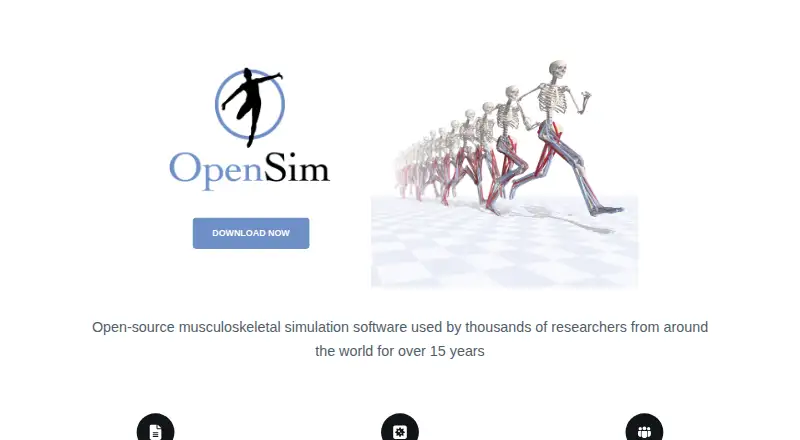
What OpenSim is
OpenSim is a free, open-source platform for modeling and simulating movement and interaction involving humans, animals, robots and their environment. Its graphical interface lets users visualize models and generate and analyze simulations. Models can include rigid bodies, joints, constraints, contact, muscles and other actuators. Movement-analysis tools cover inverse kinematics, inverse dynamics, static optimization and forward dynamics; Computed Muscle Control can generate muscle-driven forward simulations. The API can be used through Matlab, Python, Java and C++, while GUI scripting uses an embedded Jython shell. Plugins can add analyses and model components, but must be built for the same OpenSim version and platform. The GUI is distributed for 64-bit Windows and Mac; there is no public Linux GUI distribution, although the API source can be built for Linux. OpenSim 4.0 added reading of marker and force data in C3D files. The GUI and API use Apache 2.0, while models, examples and plugins may have separate licenses. Documentation, tutorials and a discussion forum are available. The project describes the platform as suitable for research and teaching; downloads require a SimTK account.
Who it suits
OpenSim suits researchers and educators modeling movement or interaction, and the project welcomes academic and commercial applications. Linux users can build the API from source, but the public GUI distribution is for Windows and Mac.
What it does well
- Includes tools for four types of movement analysis.
- API supports Matlab, Python, Java and C++.
- Can read marker and force data in C3D files.
- Documentation, tutorials and a discussion forum are available.
What to know first
- No public Linux GUI distribution.
- Plugins must match the OpenSim version and platform.
- Download requires a SimTK account.
Limits
OpenSim is free, with a listed price of $0. The GUI is distributed for 64-bit Windows and Mac; Linux support is through building the API from source.
Plans
| Plan | Billed and limits | Price |
|---|---|---|
| OpenSim | Free and open-source software platform · download requires a SimTK account | Free |
As opensim.stanford.edu lists them, read 30 Sept 2026. The maker's own page has the final word.
Getting started
- Open the OpenSim website.
- Create a SimTK account to download the software.
- Use the GUI on 64-bit Windows or Mac, or build the API for Linux.
- Use the free OpenSim platform.
Overview
OpenSim is a free, open-source platform for modeling and analyzing how people, animals, robots, and their surroundings move and interact. It is best suited to research and teaching that depends on movement mechanics. Its mix of model-building and analysis tools is substantial, but the GUI’s operating-system limits matter if you need a Linux desktop workflow.
Key features
Build and inspect movement models
OpenSim’s graphical interface lets users visualize models and generate and analyze simulations. Models can combine rigid bodies, joints, constraints, contact, muscles, and other actuators, so the platform can represent both a system’s structure and the forces involved in its movement. 3D visuals support model inspection, while data export helps move results into other workflows.
Analyze motion and muscle action
Tools for inverse kinematics, inverse dynamics, static optimization, and forward dynamics address different parts of movement analysis. Computed Muscle Control can generate muscle-driven forward simulations. This makes OpenSim a strong fit for work that needs more than visualization, though its analysis suite is most useful to people studying movement rather than general-purpose simulation.
Script and extend
The API can be used through Matlab, Python, Java, and C++, and the GUI includes an embedded Jython shell for scripting. Plugins can add analyses and model components, but must be built for the same OpenSim version and platform. That enables tailored workflows while making plugin compatibility a practical maintenance constraint.
OpenSim 4.0 added support for reading marker and force data from C3D files. The project also provides documentation, tutorials, and a discussion forum where users can seek help from experts. The GUI and API use the Apache 2.0 license; models, examples, and plugins may have separate licenses.
Pricing
OpenSim is free and open-source software. Its sole plan, OpenSim, costs nothing. There is no free trial because the software itself is free, and downloading it requires a SimTK account.
There are no paid tiers or published seat limits to weigh. The free plan suits academic, teaching, and commercial users who need its movement-modeling tools without a software charge. Users should account for the separate licenses that may apply to models, examples, and plugins.
Platforms
OpenSim is desktop software. Its GUI is distributed for 64-bit Windows and Mac, with no public Linux GUI distribution. The API source can be built for Windows, Mac, and Linux, so Linux users can work through the API but should not expect the standard graphical desktop application. API workflows are supported through Matlab, Python, Java, and C++.
Who it's for
OpenSim is aimed at research and teaching, particularly when a project needs to model and analyze movement in humans, animals, or robots. The project also welcomes commercial applications. It is a good choice for users who need detailed movement analysis, scripting, or custom model components; it is less suitable for those who require a Linux GUI or cannot manage version- and platform-matched plugins.
Pros and cons
- Pros: A free, Apache 2.0-licensed GUI and API provide a capable foundation for movement modeling, with a range of analysis methods and scripting options.
- Pros: Models can include bodies, joints, contact, muscles, and other actuators, and the platform supports 3D visualization, data export, and C3D marker and force data.
- Pros: Documentation, tutorials, and a discussion forum offer support for learning and troubleshooting.
- Cons: The public GUI is limited to 64-bit Windows and Mac, ruling out a standard Linux desktop experience.
- Cons: Plugins must match both the OpenSim version and platform, which can complicate upgrades or sharing custom extensions.
- Cons: Models, examples, and plugins may use licenses distinct from the Apache 2.0 license for the GUI and API.
Alternatives
Xcos is another free, open-source option distributed with Scilab, and supports Windows, Mac, and Linux. It may suit readers seeking a cross-platform alternative, while OpenSim is the more directly supported fit when human, animal, or robot movement modeling and analysis are central.
SimFlow offers a free plan, a free trial, and Linux, Mac, Windows, and web platforms. Consider it when those platform options matter more than OpenSim’s movement-analysis focus.
FeenoX is a free GNU GPLv3+ option targeting GNU/Linux, with API, web, and self-hosted availability but no graphical interface. It may fit users comfortable without a GUI; OpenSim is the better match for those who want its desktop visualization and movement tools.
FDTDX is free and open source for research, development, and commercial use, with Linux and self-hosted platforms. It is an alternative to consider if those deployment options fit your work.
DynamicalSystems.jl is free, community-built, and open source, with Windows, Mac, and Linux support. Choose it as an alternative when those qualities matter more than OpenSim’s movement-focused modeling and analysis.
myPhysicsLab offers free browser simulations, Apache 2.0 source code, and downloadable offline versions. It may suit readers looking for browser-based physics simulations rather than OpenSim’s movement-analysis workflow.
Open Source Physics is a free alternative available for web, desktop, and mobile platforms.
PhysSandbox provides more than 609 interactive simulators on the web, with no registration or paywalls. It may be a better fit when ready-made browser simulators are the priority.
Browse more options in Physics Simulation Software.
Verdict
Choose OpenSim if your research, teaching, or commercial work requires modeling and analyzing movement, and you value a free platform with an API and broad scripting support. Its main drawback is the lack of a public Linux GUI, alongside plugin compatibility requirements. If either constraint conflicts with your workflow, consider an alternative better suited to your platform or simulation needs.
Verdict
OpenSim offers modeling, simulation and analysis tools with scripting options across several languages. Check the GUI platform limitation and plugin compatibility requirements before choosing it.
Questions
How much does OpenSim cost?
The OpenSim plan is free. It is free and open source.
Which operating systems can run OpenSim?
The GUI is distributed for 64-bit Windows and Mac. The API source can be built for Windows, Mac, and Linux.
Is OpenSim open source?
Yes. The GUI and API are open source under Apache 2.0. Models, examples, and plugins may have their own licenses.
What can I model with OpenSim?
It models humans, animals, robots, and the environment, including movement and interaction. Models can include rigid bodies, joints, constraints, contact, muscles, and other actuators.
What support does OpenSim provide?
OpenSim provides documentation, tutorials, and a discussion forum where users can seek help from experts.
Facts from OpenSim's own pages
- Audience
- The project describes OpenSim as suitable for research and teaching and welcomes academic and commercial applications. · opensimconfluence.atlassian.net, 30 Sept 2026
- Authoring tools
- Yes · github.com, 21 Sept 2026
- Data export
- Yes · github.com, 21 Sept 2026
- Data import
- OpenSim 4.0 added support for reading marker and force data in C3D files. · opensimconfluence.atlassian.net, 30 Sept 2026
- Delivery mode
- desktop · github.com, 21 Sept 2026
- Extensibility
- Plugins can add analyses and model components, but must be built for the same OpenSim version and platform. · opensimconfluence.atlassian.net, 30 Sept 2026
- Free plan
- Yes · github.com, 21 Sept 2026
- Interface
- OpenSim includes a graphical interface for visualizing models and generating and analyzing simulations. · opensimconfluence.atlassian.net, 30 Sept 2026
- Lesson library
- Yes · github.com, 21 Sept 2026
- License
- The GUI and API are open source under Apache 2.0, while models, examples, and plugins may have their own licenses. · opensimconfluence.atlassian.net, 30 Sept 2026
- Linux API
- The API source can be built for Windows, Mac, and Linux. · opensimconfluence.atlassian.net, 30 Sept 2026
- Modeling
- Models can include rigid bodies, joints, constraints, contact, muscles, and other actuators. · opensimconfluence.atlassian.net, 30 Sept 2026
- Movement analysis
- OpenSim provides tools for inverse kinematics, inverse dynamics, static optimization, and forward dynamics. · opensimconfluence.atlassian.net, 30 Sept 2026
- Muscle simulations
- Computed Muscle Control can generate muscle-driven forward simulations of movement. · opensimconfluence.atlassian.net, 30 Sept 2026
- Purpose
- OpenSim models humans, animals, robots, and the environment, and simulates their interaction and movement. · opensimconfluence.atlassian.net, 30 Sept 2026
- Scripting
- The API can be used through Matlab, Python, Java, and C++, while GUI scripting uses an embedded Jython shell. · opensimconfluence.atlassian.net, 30 Sept 2026
- Security
- The pages reviewed describe OpenSim's software licenses but do not state security certifications or compliance programs. · opensimconfluence.atlassian.net, 30 Sept 2026
- Support
- OpenSim provides documentation, tutorials, and a discussion forum where users can seek help from experts. · opensim.stanford.edu, 30 Sept 2026
- Supported systems
- The GUI is distributed for 64-bit Windows and Mac; the documentation says there is no public Linux GUI distribution. · opensimconfluence.atlassian.net, 30 Sept 2026
- 3D visuals
- Yes · github.com, 21 Sept 2026
Where OpenSim stands on Freedom251
- Physics Simulation Software#2 of 89