Freedom251 › Landscape Design Software

Planner 5D
What Planner 5D is
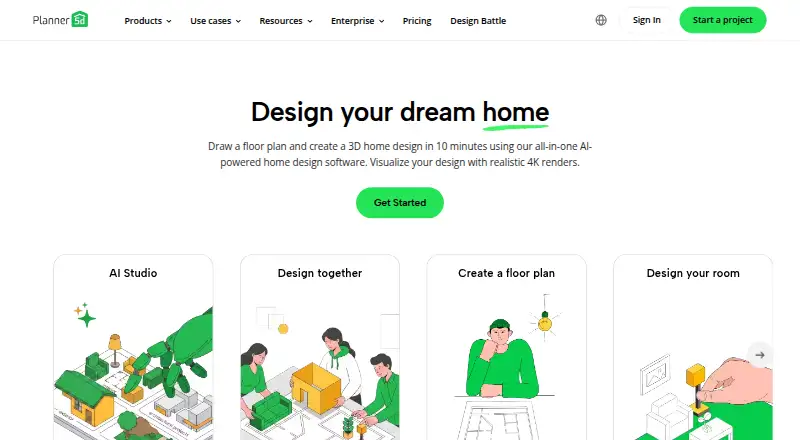
Planner 5D is a design app for creating home, landscape, and office plans in 2D and 3D. Users can draw floor plans, furnish and decorate rooms, and move between the two views. Its AI tools are described as helping generate ideas, explore layouts, and try styles. Existing JPG, PNG, PDF, DWG, and DXF plans can be uploaded for recognition; PRO users can export 2D plans in DWG or DXF.
The free plan has unlimited projects and core 2D/3D design, with half of the furniture catalog. Premium is listed at $59.99 a year and includes the full premium catalog, standard renders, plan conversion, and a budget widget. Professional is listed at $399.99 a year, with unlimited 4K renders, custom 3D model uploads, walkthroughs, panoramas, and CAD export. The pricing note also lists paid plans from $19.99/mo. Projects sync across supported devices using the same account, except Android-only subscriptions do not support cross-platform synchronization. Business integrations include Open API, SSO, CRM, e-commerce, shopping carts, ERP, and DataStore connectivity.
Who it suits
Planner 5D suits homeowners, renovators, and design enthusiasts planning rooms or landscapes, as well as interior designers, architects, and studios. Its free plan also gives non-professionals a way to create projects in 2D and 3D.
What it does well
- Free plan includes unlimited projects.
- Plans can be viewed and edited in 2D and 3D.
- Recognizes uploaded JPG, PNG, PDF, DWG, and DXF plans.
- Available on Android, iOS, macOS, web, and Windows.
What to know first
- Free plan includes only half the furniture catalog.
- Android-only subscriptions do not sync across platforms.
- Subscriptions auto-renew.
- Cancellation is required at least 24 hours before renewal to avoid another charge.
Limits
The free plan has no time limit and allows unlimited projects, but includes half of the furniture catalog. Premium costs $59.99 a year; Professional costs $399.99 a year and includes CAD export. The pricing note also lists paid access from $19.99/mo.
Plans
| Plan | Billed and limits | Price |
|---|---|---|
| Free | $0 · Unlimited projects · web and mobile · 50% furniture catalog · Design Battles | Free |
| Professional | $399.99 annually or $49.99 monthly · Unlimited 4K renders · custom 3D uploads · 360° walkthroughs and panoramas · CAD export · specs and price tools · branded profile | $33.33 a month |
| Premium | $59.99 annually or $19.99 monthly · Full 10K+ catalog · AI floor-plan upload · 3D model import from photos · standard renders · budget widget | $4.99 a month |
| Enterprise | Custom priced by scope and scale · White-label planner · owned catalogue · configurator · APIs · cart, CRM and ERP connections · analytics | On request |
As planner5d.com lists them, read 14 Oct 2026. The maker's own page has the final word.
Getting started
- Open planner5d.com or choose the app for Android, iOS, macOS, or Windows.
- Create a free account or choose a paid plan.
- Start a project by drawing a floor plan or uploading a JPG, PNG, PDF, DWG, or DXF plan.
- Furnish and decorate rooms, then switch between 2D and 3D views.
- Use the same account on supported devices to sync projects; Android-only subscriptions do not support cross-platform syncing.
Overview
Planner 5D is a design app for drawing home, landscape, and office plans, furnishing rooms, and viewing designs in 2D or 3D. It best suits people who want to work through a space visually, from homeowners and renovators to designers and studios. Its broad planning toolkit is appealing, but the Android subscription exception and auto-renewal terms deserve attention.
Founded in 2011 and headquartered in Vilnius, Lithuania, Planner 5D offers a free tier alongside paid plans. AI tools are described for generating ideas, exploring layouts, and trying styles; they complement the planning workflow rather than replacing it.
Key features
Draw, furnish, and view
Users can draw floor plans, furnish and decorate rooms, and switch between 2D and 3D views. That combination makes the app useful for evaluating room arrangements before committing to a design. It covers home, landscape, and office projects, though the supplied plan benefits focus largely on interior and floor-plan work.
AI, scenes, and tours
Planner 5D describes AI tools for idea generation, layout exploration, and style testing. Real-time scenes, 360° tours, VR/AR support, and AI visualization tools are also listed. These capabilities make the product broader than a basic plan editor, but the plan descriptions do not identify which tiers include each one.
Plan files and integrations
Users can upload JPG, PNG, PDF, DWG, and DXF plans for recognition. Professional users can export 2D plans in DWG or DXF, which is the stronger fit when editable CAD output matters. Enterprise integration options include Open API, SSO, CRM, e-commerce, shopping carts, ERP, and DataStore connectivity. Its B2B integration uses JavaScript and server-to-server REST APIs, with access provisioned after signing.
Accounts, privacy, and renewal
Projects sync across supported devices under the same account, but Android-only subscriptions do not support cross-platform synchronization. That exception can disrupt a workflow spanning phone and desktop. Subscriptions auto-renew; cancellation must be completed at least 24 hours before renewal to avoid another charge. Planner 5D says it uses reasonable organizational and technical safeguards but cannot guarantee absolute security. It also says it does not sell student data or use it for AI training or advertising.
Pricing
Planner 5D is freemium, with a free plan and a free trial. The maker’s paid-from figure is $19.99/mo. The plans below show distinct annual and custom options; the listed paid-from figure should not be mistaken for the annual plan rates.
| Plan | Price and terms | What it includes | Best suited to |
|---|---|---|---|
| Free | free; no time limit | Unlimited projects, core 2D/3D design, and 50% of the furniture catalog | People exploring layouts without a subscription, who can accept a partial catalog. |
| Premium | $59.99 a year; billed annually | Floor-plan upload and conversion to a 3D project, full premium furniture catalog, standard renders, and budget widget | Homeowners or renovators who need a complete furnishing catalog and plan conversion. |
| Professional | $399.99 a year; billed annually | Unlimited 4K renders, custom 3D model uploads, 360° walkthroughs and panoramas, and CAD export | Designers and studios for whom high-resolution output, custom models, tours, or CAD export justify the higher annual cost. |
| Enterprise | Custom pricing | White-label room planner, 3D product configurator, APIs, and cart, CRM, and ERP connections | Organizations needing branded planning or business-system integrations. |
The free plan has no project-count ceiling, but half the furniture catalog is a meaningful constraint for anyone trying to specify a complete room. Premium adds the full catalog and conversion, while Professional is the tier with 4K renders and CAD export. Enterprise is priced around scope and scale. Because subscriptions renew automatically, mark the cancellation deadline at least 24 hours ahead if you do not want another charge.
Platforms
Planner 5D runs on Android, iOS, macOS, web, and Windows, making it usable across mobile and desktop environments. Cross-device project syncing requires the same account, and Android-only subscriptions do not support cross-platform synchronization. If you plan to move projects between Android and other devices, that restriction may outweigh the platform breadth.
Who it's for
Planner 5D is a sensible choice for homeowners, renovators, and design enthusiasts who want to plan and furnish spaces in one 2D/3D workflow. Its Professional tools better suit interior designers, architects, and studios needing custom models, unlimited 4K renders, walkthroughs, or CAD export. Enterprise integration features point to larger organizations building a branded or connected planning experience. It is less compelling for an Android subscriber who depends on syncing projects to other platforms.
Pros and cons
- Pros: Unlimited projects on the free plan let users develop multiple designs without a project cap.
- Pros: Upload recognition covers common image, document, and CAD plan formats; Professional adds DWG or DXF export.
- Pros: Professional combines unlimited 4K renders, custom model uploads, and 360° walkthroughs for more presentation-focused work.
- Cons: The free plan includes only 50% of the furniture catalog, limiting furnishing choices until Premium.
- Cons: Android-only subscriptions cannot sync across platforms, a drawback for users who switch devices.
- Cons: Automatic renewal requires cancellation at least 24 hours before renewal to avoid another charge.
Alternatives
RoomSketcher is another freemium option on Android, iOS, macOS, web, and Windows; choose it if its two starting credits, one free AI floor-plan conversion, 2D/3D plans, snapshots, and AI Render fit your needs better.
AIFloorPlanBuilder is worth considering if you prefer one-time export bundles: its Starter plan is $30, paid once for 30 exports, while Growth is $62, paid once for 75 exports.
Luw.ai Studio is a different fit for AI image creation, with two daily free credits at 512×512 resolution and a watermark; its free tier excludes Video AI and Enhancement.
Ritn3D may suit a smaller collaborative project: its free plan includes three renders per month, a bird’s-eye view, sharing with up to five people, standard textures, and an unlimited floor-plan editor.
Treform offers a free plan and a Student quarterly option at $69 a month, billed once per term, with 30 AI edits and 25 renders per month.
magicplan is an alternative for users seeking flexible monthly project commitments; its Pro Flex plans start at 10 new projects per month and include unlimited users.
AI Floor Plan is a web-based freemium alternative.
BuildFloorPlan is a web-based freemium option with two free generations, sketch or image upload, a seven-day history window, and export of generated results.
For broader browsing, see AI Floor Plan Generators, AI Interior Design Generators, 3D Landscape Design Software, 3D Home Design Software, Landscape Design Software, and 3D Visualization Software.
Verdict
Choose Planner 5D if you want a single tool for drawing plans, furnishing spaces, and moving into 3D presentation, with a free tier for ongoing projects and paid tiers that add catalog depth or professional output. Look elsewhere if cross-platform syncing from an Android subscription is essential, or if the renewal terms do not suit how you manage subscriptions.
Verdict
Planner 5D covers plan drawing, room furnishing, and 3D design, with distinct free and paid options. Check its Android synchronization exception and subscription renewal terms if those affect your workflow.
Questions
Is Planner 5D free?
Yes. Its Free plan costs nothing, has no time limit, and includes unlimited projects and core 2D/3D design.
How much do the paid plans cost?
Premium is listed at $59.99 a year and Professional at $399.99 a year. The pricing note says paid access starts from $19.99/mo.
Which devices can I use?
Planner 5D lists Android, iOS, macOS, web, and Windows. Projects sync across supported devices with the same account, except Android-only subscriptions do not support cross-platform syncing.
Can I import or export floor plans?
You can upload JPG, PNG, PDF, DWG, and DXF plans for recognition. PRO users can export 2D plans in DWG or DXF.
Does Planner 5D have business integrations?
Its listed options include Open API, SSO, CRM, e-commerce, shopping carts, ERP, and DataStore connectivity. The B2B integration uses JavaScript and server-to-server REST APIs, with access provisioned after signing.
How do subscriptions renew?
Subscriptions auto-renew. The maker says cancellation must be completed at least 24 hours before renewal to avoid another charge.
Facts from Planner 5D's own pages
- 360 visualization
- Professional plans provide 360-degree walkthroughs and panorama renders. · planner5d.com, 14 Oct 2026
- AI design
- The app describes AI tools for generating ideas, exploring layouts, and testing styles. · planner5d.com, 30 Sept 2026
- AI plan recognition
- Uploaded floor-plan images or documents are processed into editable 3D layouts; recognition can take 10 minutes to 24 hours. · support.planner5d.com, 14 Oct 2026
- API architecture
- The B2B API has JavaScript and server-to-server REST layers; access is provisioned after signing. · support.planner5d.com, 14 Oct 2026
- API data
- The API can expose active-session product lists, project metrics, pricing-feed synchronization and cart-event payloads. · support.planner5d.com, 14 Oct 2026
- API embedding
- B2B deployments embed the planner in an iframe, authenticate users through the customer system and use session tokens generated through REST. · support.planner5d.com, 14 Oct 2026
- B2B API
- The B2B integration uses a JavaScript API and server-to-server REST API, with access provisioned after signing. · support.planner5d.com, 30 Sept 2026
- Business integrations
- Business integration options include Open API, SSO, CRM, e-commerce, shopping carts, ERP, and DataStore connectivity. · support.planner5d.com, 30 Sept 2026
- CAD export
- PRO users can export 2D plans in DWG or DXF for tools such as AutoCAD, Archicad and Revit. · planner5d.com, 14 Oct 2026
- Collaboration
- Projects can be shared by link for view-only access, with additional collaboration options on the web platform. · planner5d.com, 14 Oct 2026
- Company legal name
- The company identifies itself as UAB Planner5D, based at A. Goštauto St. 12A, Vilnius, Lithuania. · planner5d.com, 14 Oct 2026
- Company size
- LinkedIn lists Planner 5D as privately held with 51–200 employees. · linkedin.com, 14 Oct 2026
- Cross-device limitation
- Projects sync across supported devices with the same account, but Android-only subscriptions do not support cross-platform synchronization. · support.planner5d.com, 30 Sept 2026
- Data deletion
- Google Play states that data is encrypted in transit and users can request deletion. · play.google.com, 14 Oct 2026
- Documentation
- The help center lists 144 project-editing articles, 26 design articles, 8 rendering/export articles, 8 troubleshooting articles and 27 FAQs. · support.planner5d.com, 14 Oct 2026
- Education privacy
- Planner 5D says it does not sell student data or process it for AI training or advertising. · planner5d.com, 30 Sept 2026
- File import and export
- Users can upload JPG, PNG, PDF, DWG, and DXF floor plans for recognition; PRO users can export 2D plans in DWG or DXF. · planner5d.com, 30 Sept 2026
- Floor plans
- Users can draw walls, doors and windows from scratch, use templates, or upload plans for conversion into editable projects. · support.planner5d.com, 14 Oct 2026
- Floor plans and furnishings
- Users can draw floor plans, furnish and decorate rooms, and switch between 2D and 3D views. · planner5d.com, 30 Sept 2026
- Founded
- LinkedIn lists Planner 5D as founded in 2011; its newsroom says the project launched in September 2012. · linkedin.com, 14 Oct 2026
- Funding
- Crunchbase lists two seed rounds and IMI.VC as an investor, but amounts are obscured. · crunchbase.com, 14 Oct 2026
- Furniture catalogue
- The service advertises more than 10,000 furniture and decor items on its Android listing. · play.google.com, 14 Oct 2026
- Headquarters
- Vilnius, Lithuania · planner5d.com, 23 Sept 2026
- Home Scan
- A mobile Home Scan workflow can generate a floor plan from a recorded video, subject to device and subscription availability. · support.planner5d.com, 14 Oct 2026
Where Planner 5D stands on Freedom251
- Landscape Design Software#3 of 15
- Deck design software#1 of 5
- 3D Landscape Design Software#7 of 30
- 3D Architecture Software#5 of 18
- AI Interior Design Generators#8 of 26
- AI Floor Plan Generators#15 of 40
- 3D Home Design Software#15 of 39
- Kitchen design software#9 of 23
- Interior Design Software#8 of 19
- 3D Visualization Software#22 of 51
- Floor Plan Software#13 of 25
- Bathroom design software#8 of 14