Freedom251 › Virtual Tour Software

Kuula
What Kuula is
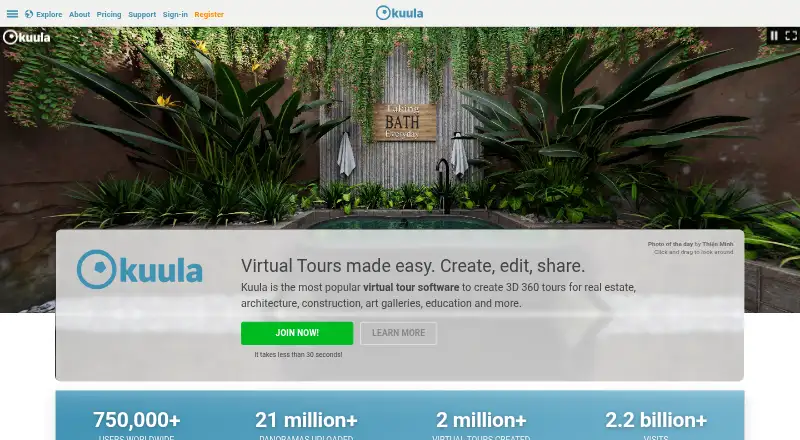
Kuula is 3D 360 virtual tour software for businesses and creators in fields including real estate, architecture, construction, art galleries, and education. Its Pro editor lets users upload panoramic photos, arrange and connect them into tours, and add custom hotspot icons, images, labels, audio, floor plans, and maps. Tours can be shared by link, embedded on websites, or posted on social media. Kuula accepts panoramic images from 360 cameras, DSLR cameras, and 3D software, as well as non-panoramic images. Tours can be viewed on phones and tablets, and on VR headsets with WebXR support without installing an app or additional software. Pro allows users to replace Kuula branding in links and embeds; Business adds multiple logos, a custom domain, permission-based access, password protection, and Google Analytics integration. The free Basic plan costs nothing and allows up to 300 posts and 100 uploads per month. Pro and Business prices are not shown, while Enterprise requires contacting Kuula.
Who it suits
Kuula suits companies using 3D 360 tours, professional panoramic photographers, and people creating 360 content. Its tour viewing options also suit audiences using phones, tablets, or WebXR-compatible VR headsets.
What it does well
- Tours can include hotspots, audio, floor plans, and maps.
- Supports panoramic and non-panoramic image uploads.
- Tours can be embedded or shared through links.
- WebXR-compatible headsets can view tours without extra software.
What to know first
- Basic is limited to 300 posts.
- Basic allows up to 100 uploads per month.
- Pro and Business prices are not shown.
Limits
Basic costs nothing and allows up to 300 posts and a maximum of 100 uploads per month, with self support. Pro allows up to 100,000 posts and Business allows unlimited posts; both have no monthly upload limits. Enterprise terms are arranged by contacting Kuula.
Plans
| Plan | Billed and limits | Price |
|---|---|---|
| Basic | Up to 300 posts · maximum 100 uploads per month · self support | Free |
| Business | Billed annually; monthly price not shown on the page opened · Unlimited posts · no monthly upload limits · premium support | On request |
| Enterprise | Contact Kuula · Enterprise-grade features · dedicated training and support program | On request |
| Pro | Billed annually; monthly price not shown on the page opened · Up to 100,000 posts · no monthly upload limits · standard support | On request |
As kuula.co lists them, read 2 Oct 2026. The maker's own page has the final word.
Getting started
- Open https://kuula.co/.
- Choose the Basic free plan or review the paid plan options.
- Use the Pro tour editor to upload panoramic photos and connect scenes.
- Add tour elements such as hotspots, labels, audio, floor plans or maps.
- Share the tour by link, embed it on a website or post it on social media.
Kuula is a web-first platform for turning panoramic and other images into navigable 3D 360 tours. It fits businesses, property and design professionals, galleries, educators, and panoramic photographers who need tours to open on ordinary devices as well as WebXR headsets. The free tier is useful for modest publishing volume; serious branded, controlled or high-volume work requires a paid plan.
Overview
Kuula’s workflow is based on uploading images, arranging them, and linking views into a tour. It accepts panoramas made with 360 cameras, DSLR cameras, or 3D software, plus non-panoramic images, so a project is not tied to one capture method. Finished tours can be distributed as links, embedded in websites, or shared as social posts.
Visitors can view tours on phones and tablets and on WebXR-compatible VR headsets without installing an app or extra software. That makes Kuula practical for property listings, architectural presentations, construction progress, exhibitions, education, and other public or client-facing experiences. Kuula says its subscription-funded service does not sell personal data, create advertising profiles, or use customer content for marketing.
Key features
- Connected tour editing: The Pro editor arranges and links panoramic photos into navigable scenes. Custom hotspot icons, images, labels, audio, floor plans, and maps let creators explain spaces and guide viewers instead of presenting an unannotated image sequence.
- Publishing and identity: Link sharing, embeds, and social posts cover the main distribution channels. Pro can replace Kuula branding with your logo in links and embeds. Business goes further with multiple logos and a custom domain, a meaningful distinction for agencies and companies presenting tours under their own brand.
- Access control: Business adds permission-based access and password-protected tours. Those controls are better suited to private client reviews, internal projects, or restricted property material than the public-facing approach of lower tiers.
- Measurement: Business connects with Google Analytics to track traffic and engagement across posts, tours, and hotspots, giving organizations a way to evaluate how viewers use an experience.
- Media and viewing support: Kuula supports real-time scenes, 360-degree tours, VR/AR viewing, mobile viewing, and video export. It does not provide AI visualization tools, so it is focused on assembling and presenting captured content rather than generating visualizations.
Pricing
Basic — 0.00 USD, free: The free plan allows up to 300 posts and a maximum of 100 uploads per month. It includes the knowledge base, tutorials, and support articles rather than direct support. This is a sensible starting point for occasional creators or small portfolios, but the post and monthly-upload ceilings make it a poor fit for a busy production pipeline.
Pro — custom pricing, billed annually: Pro raises capacity to 100,000 posts, removes monthly upload limits, and includes standard support. Its editor and branded links and embeds make it the practical tier for professional photographers and businesses publishing frequently. The page does not show a monthly price, so budget planning requires contacting Kuula.
Business — custom pricing, billed annually: Business also removes monthly upload limits and offers unlimited posts, plus premium support, multiple logos, a custom domain, permission-based access, password protection, and Google Analytics integration. Choose it when brand control, restricted access, or engagement reporting matters more than minimizing subscription cost.
Enterprise — custom pricing, contact Kuula: Enterprise adds enterprise-grade features and a dedicated training and support program. It is aimed at organizations needing structured rollout and higher-touch assistance rather than an individual creator’s workspace.
Paid subscriptions use a flat fee, can be canceled at any time, and renew automatically monthly or yearly unless canceled first.
Platforms
Kuula’s primary platform is the web, with Android and iOS support. Tours are viewable on phones and tablets, and WebXR-compatible headsets can display them without an additional app. This broadens audience access, although creation remains centered on the web editor.
Who it's for
Kuula is a strong fit for real-estate and architecture firms, construction teams, galleries, educators, companies producing branded 360 content, and professional panoramic photographers. Basic suits limited-volume publishing and evaluation. Pro fits regular client or public work; Business is the better choice for branded domains, private tours, and analytics. It is less suitable if the main requirement is AI-generated visualization rather than tour assembly.
Pros and cons
Pros
- Accepts panoramas from several capture and 3D-production workflows, plus ordinary images.
- Web, mobile, and WebXR viewing avoids forcing audiences to install software.
- Pro and Business provide progressively stronger branding, while Business adds access controls and analytics.
- Subscription funding and stated limits on data selling, profiling, and marketing use may reassure client-facing organizations.
Cons
- Basic is capped at 300 posts and 100 uploads per month, limiting sustained professional use.
- Pro and Business prices are custom and billed annually, making direct cost comparison difficult.
- AI visualization is absent, so generated design or staging workflows need another tool.
- Basic relies on self-support; higher-touch assistance starts with paid tiers.
Alternatives
Choose GoThru if you want a freemium option with Android, iOS, desktop, browser, and extension access, plus pay-as-you-go Street View tour pricing. Asteroom is better when a paid workflow with a free entry plan, trial, and a one-user professional tier is preferable, though its capture setup requires an Asteroom Pano Kit or 360 camera. Pick CloudPano for a paid service with a free plan, trial, and a Pro option priced at $22.50 a month when billed annually.
Google Street View is the choice for a free platform ecosystem, with API use charged pay-as-you-go per panorama. InsideMaps suits iOS and web users who prefer project-based property pricing and paid hosting after the first year. Choose Marzipano for a free, self-hosted-oriented tool with no account required. Matterport is an alternative when its free plan’s one active space and two-user allowance, or its paid space-based tiers, match your operation. RICOH360 Tours is worth considering for a free starter plan with unlimited active tours and storage plus AI virtual staging rooms.
For a broader comparison, see 3D Virtual Tour Software and 3D Visualization Software.
Verdict
Kuula is a good choice for organizations and photographers that need polished 360 tours to publish across web, mobile, and WebXR, with a clear upgrade path from limited free publishing to branded, private, measurable experiences. Choose Pro or Business when volume, identity, access control, or analytics justify custom annual pricing. Look elsewhere if you need AI visualization, transparent paid pricing, or a free plan without Basic’s publishing caps.
Verdict
Kuula provides tools for building, sharing, and viewing 3D 360 tours, with branding and access controls varying by plan. Check the Basic limits and contact Kuula for paid-plan pricing if those options are needed.
Questions
Is Kuula free?
Yes. Basic costs nothing and includes up to 300 posts and 100 uploads per month.
Which platforms can I use to view Kuula tours?
Kuula is available on web, Android and iOS. Tours can also be viewed on phones, tablets and VR headsets with WebXR support.
How can I share a tour?
You can share it through a link, embed it on a website or share a post on social media.
What do Pro and Business add?
Pro supports tour editing and lets you replace Kuula branding with your logo in links and embeds. Business adds multiple logos, a custom domain, permission-based access, password-protected tours and Google Analytics integration.
How are paid subscriptions billed?
Kuula says paid subscriptions have a flat fee and renew monthly or yearly unless canceled beforehand. The listed Pro and Business plans are billed annually, and their monthly prices are not shown.
Who provides Kuula support?
Basic includes the knowledge base, tutorials and support articles; Pro includes standard support, and Business includes premium support.
Facts from Kuula's own pages
- Analytics integration
- Business integrates with Google Analytics to measure traffic and engagement on posts, tours and hotspots. · kuula.co, 2 Oct 2026
- Branding
- Pro lets users replace Kuula branding with their own logo in links and embeds, while Business adds multiple logos and a custom domain. · kuula.co, 2 Oct 2026
- Founded
- 2016 · kuula.co, 28 Sept 2026
- Headquarters
- Los Angeles, California, United States · kuula.co, 28 Sept 2026
- Intended users
- Kuula describes its audience as companies using 3D 360 tours, professional panoramic photographers and people creating 360 content. · kuula.co, 2 Oct 2026
- Mobile and VR
- Tours can be viewed on phones and tablets and on VR headsets with WebXR support without installing an app or additional software. · kuula.co, 2 Oct 2026
- Privacy controls
- Business includes permission-based access and password-protected tours. · kuula.co, 2 Oct 2026
- Privacy statement
- Kuula says it is funded by subscriptions, does not sell personal data or build advertising profiles, and does not use customer content for marketing purposes. · kuula.co, 2 Oct 2026
- Product
- Kuula is 3D 360 virtual tour software for real estate, architecture, construction, art galleries, education and other businesses. · kuula.co, 2 Oct 2026
- Sharing
- Users can share tours through links, embed them on websites and share posts on social media. · kuula.co, 2 Oct 2026
- Subscription terms
- Kuula says paid subscriptions have a flat fee, can be canceled anytime, and auto-renew monthly or yearly unless canceled first. · kuula.co, 2 Oct 2026
- Support
- Basic includes access to the knowledge base, tutorials and support articles; Pro offers standard support and Business offers premium support. · kuula.co, 2 Oct 2026
- Supported uploads
- Kuula says it supports panoramic images from 360 cameras, DSLR cameras and 3D software, as well as non-panoramic images. · kuula.co, 2 Oct 2026
- Tour creation
- The Pro tour editor lets users upload panoramic photos, arrange and connect them to create virtual tours. · kuula.co, 2 Oct 2026
- Tour features
- Pro supports custom hotspot icons, images, labels, audio, floor plans and maps in tours. · kuula.co, 2 Oct 2026
Where Kuula stands on Freedom251
- Virtual Tour Software#5 of 20
- 3D Virtual Tour Software#9 of 31
- 3D Visualization Software#18 of 51