Freedom251 › 3D Virtual Tour Software
Google Street View
What Google Street View is
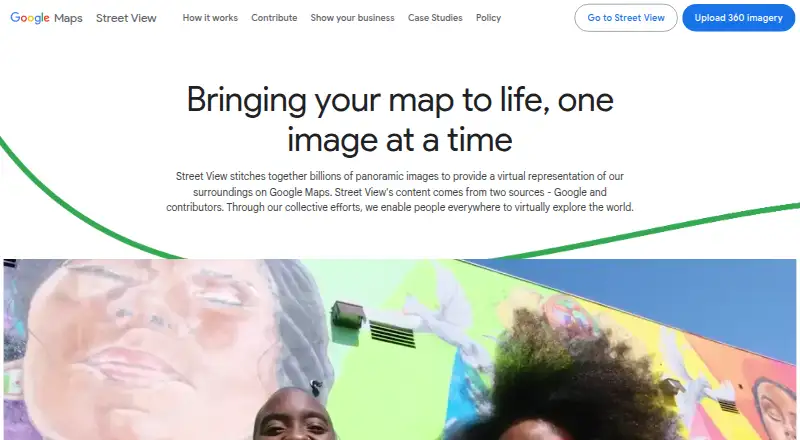
Google Street View brings panoramic imagery into Google Maps so people can explore a virtual representation of places. It also lets users look at historical imagery to see how locations have changed. Images come from Google and contributors, and they may date from a few months to a few years earlier, rather than showing a place in real time. With a compatible camera, contributors can capture 360-degree videos and upload them through Street View Studio. Studio includes multiple uploads, image previews, imagery statistics and capture route planning. Businesses can publish indoor and outdoor imagery or virtual tours to give customers a preview of their locations. Developers can add Street View to Android, iOS and web applications. Integration options include the Maps Embed API and Maps JavaScript API; the Street View Image API supplies static panorama images, and the Publish API sends 360 photos to Google Maps with position, orientation and connectivity metadata. Google says contributed imagery receives automatic face and license plate blurring. Users can request further blurring of a face, plate, house, car or body. Street View is free, while the Static API is billed per panorama and requires billing plus an API key or OAuth token.
Who it suits
Street View suits people who want to explore places in Google Maps or review historical imagery. It also serves businesses publishing location imagery and developers adding panoramas to Android, iOS or web applications.
What it does well
- Explore panoramic views of places through Google Maps.
- Historical imagery shows how locations have changed.
- Studio supports multiple uploads and capture route planning.
- Businesses can publish indoor and outdoor virtual tours.
- Developers have Android, iOS and web integration options.
- Contributed imagery receives automatic face and plate blurring.
What to know first
- Imagery may be months or years old, rather than real time.
- The Static API is billed per panorama and requires billing.
- Static API images are limited to 640 by 640 pixels.
Limits
The free plan is listed as free. The Street View Static API is pay-as-you-go per panorama, requires billing and an API key or OAuth token, and returns images up to 640 by 640 pixels.
Plans
| Plan | Billed and limits | Price |
|---|---|---|
| Google Street View | Street View Static API is pay-as-you-go per panorama; API requests require billing and an API key or OAuth token | Free |
As google.com lists them, read 8 Oct 2026. The maker's own page has the final word.
Getting started
- Open the Google Street View website.
- Use Street View on the web, Android or iOS.
- To contribute, capture 360-degree video with a compatible camera.
- Upload imagery through Street View Studio.
- For an application, use the Maps Embed API, Maps JavaScript API or Street View Image API.
- For static API requests, arrange billing and use an API key or OAuth token.
Google Street View is a panorama-based way to explore places on Google Maps, contribute imagery, and bring location views into apps. It best suits explorers, businesses sharing a venue, and developers who value Maps integration. Its reach is a strength, but imagery can be old and some API use is billed separately.
Overview
Street View combines imagery from Google and contributors into virtual representations of places on Google Maps. Historical imagery lets users look at how locations have changed, adding context for exploration and location research. It is not a live view: imagery may be from a few months to a few years earlier, so it is a poor basis for decisions that depend on current conditions.
Businesses can publish indoor and outdoor imagery or virtual tours to help customers preview a location. That makes Street View a practical choice for showing a place in a familiar map context; it is less compelling when a business needs a dedicated tour-production workflow beyond the features described here.
Key features
Capture and publishing
People with a compatible camera can capture 360 video and upload it to Street View Studio. Multiple uploads, previews, imagery statistics, and capture route planning support contributors managing more than a single image. The Street View Publish API publishes 360 photos to Google Maps with position, orientation, and connectivity metadata, which gives developers a way to place images coherently rather than merely upload files.
Embedding and APIs
Developers can add Street View to Android, iOS, and web applications. The Maps Embed API and Maps JavaScript API support embedding, while the Street View Image API returns static panorama images. That breadth makes Street View useful when an application needs Google Maps-based views, but the Static API's 640 by 640 pixel ceiling and per-panorama billing constrain high-volume or larger-image use.
Privacy and freshness
Google says contributed imagery is automatically blurred for faces and license plates. Users can request additional blurring of a face, plate, house, car, or body. These protections matter for public imagery, though they do not change the separate limitation that views may be months or years out of date.
Pricing
Google Street View: free. The free service covers Street View, making it accessible for exploration and publishing imagery. Static API use is pay-as-you-go per panorama; API requests require billing and an API key or OAuth token. Developers should budget for that usage rather than assume the free plan covers API delivery.
The Static API returns images up to 640 by 640 pixels. This limit, alongside per-panorama billing, makes it less suited to applications needing larger static images or predictable costs at substantial request volumes.
Platforms
Street View is available on Android, iOS, and the web, with API access for developers. The combination serves people exploring on mobile or desktop and teams adding views to applications. Businesses can publish imagery and use embed code to share tours.
Who it's for
Choose Street View to explore locations, inspect historical imagery, or give customers a preview of a business. It also suits contributors who want to upload 360 video and developers building location-aware experiences around Google Maps. Look elsewhere if the work requires current imagery, or if Static API image dimensions and per-panorama charges do not fit the application.
Pros and cons
Pros
- Historical imagery provides a way to see how a location changed over time.
- Studio supports multiple uploads, previews, statistics, and route planning for contributors.
- Businesses can publish indoor and outdoor imagery or tours for customer previews.
- Android, iOS, and web developer integrations provide several ways to add Street View to applications.
- Automatic face and plate blurring, with requests for additional blurring, addresses privacy concerns around contributed imagery.
Cons
- Imagery is not real time and may be months or years old, limiting use for current-condition checks.
- The Static API charges per panorama, requires billing and credentials, and caps returned images at 640 by 640 pixels.
Alternatives
3D Virtual Tour Software is a category directory for comparing tour tools.
- GoThru is worth considering for a freemium option with a free plan and pay-as-you-go tour pricing.
- Asteroom offers a free basic plan for one user, as well as a paid Professional plan at $39.90 a month; its basic plan requires an Asteroom Pano Kit or 360 camera.
- CloudPano has a free plan and a Pro plan at $22.50 a month billed annually, making it an option to compare for project-based tour publishing.
- InsideMaps has a free iOS capture app, with project prices dependent on property size and package; consider it when that capture and project-pricing model fits.
- Kuula offers a free Basic plan capped at 300 posts and 100 uploads per month, with self support; it is an option for users who can work within those limits.
- Marzipano provides a free tool with no account required.
- Matterport has a free plan limited to one active space and two users, with limited camera support; compare it if those boundaries suit the project.
- RICOH360 Tours offers a free starter plan with unlimited active tours and storage, alongside other listed capabilities.
Verdict
Google Street View is the right choice for exploring places, publishing location imagery, or adding Google Maps panoramas to an application. Its strongest case is the combination of broad map context, historical views, and contribution tools at no charge for the core service. Choose another approach when freshness is essential or when the Static API's image cap and per-panorama billing undermine the use case.
Verdict
Choose Google Street View to explore places, publish location imagery or add panoramas to an application. Its free service covers Street View, while developers using the Static API should account for per-panorama billing and its image size limit.
Questions
Is Google Street View free?
Street View has a free plan listed as free. The Street View Static API is billed per panorama.
Which platforms does it support?
The listed platforms are Android, iOS, web and API.
Can businesses publish virtual tours?
Yes. Businesses can publish indoor or outdoor imagery and virtual tours.
How can developers integrate Street View?
Options include the Maps Embed API, Maps JavaScript API, Street View Image API and Street View Publish API.
Does Street View show current imagery?
No. Imagery may be from a few months to a few years earlier.
Can people request additional blurring?
Yes. Users can request extra blurring of a face, plate, house, car or body.
Facts from Google Street View's own pages
- API billing and limits
- The Street View Static API is billed per panorama, requires billing and an API key or OAuth token, and returns images up to 640 by 640 pixels. · developers.google.com, 8 Oct 2026
- Business use
- Businesses can publish indoor and outdoor imagery or virtual tours to help customers preview their locations. · google.com, 8 Oct 2026
- Contribute imagery
- Users can capture 360 videos with a compatible camera and upload them to Street View Studio. · google.com, 8 Oct 2026
- Developer platforms
- Developers can add Street View to Android, iOS, and web applications. · developers.google.com, 8 Oct 2026
- Founded
- 1998 · google.com, 28 Sept 2026
- Headquarters
- Mountain View, California, USA · google.com, 28 Sept 2026
- Historical imagery
- Street View lets users view historical imagery to see how a location has changed over time. · google.com, 8 Oct 2026
- Image freshness
- Street View imagery is not real time and may be from a few months to a few years earlier. · google.com, 8 Oct 2026
- Image sources
- Street View imagery comes from Google and contributors. · google.com, 8 Oct 2026
- Integrations
- Street View can be embedded through the Maps Embed API or Maps JavaScript API, and static panorama images can be added with the Street View Image API. · developers.google.com, 8 Oct 2026
- Privacy
- Google says its contributed imagery uses automatic face and license plate blurring, and users can request additional blurring of a face, plate, house, car, or body. · google.com, 8 Oct 2026
- Publish API
- The Street View Publish API publishes 360 photos to Google Maps with position, orientation, and connectivity metadata. · developers.google.com, 8 Oct 2026
- Studio tools
- Street View Studio supports multiple uploads, image previews, imagery statistics, and capture route planning. · google.com, 8 Oct 2026
- Support
- Google's Street View site links to a Help Center and an image acceptance and policy page. · google.com, 8 Oct 2026
- What it does
- Street View combines panoramic images to provide a virtual representation of places on Google Maps. · google.com, 8 Oct 2026
Where Google Street View stands on Freedom251
- 3D Virtual Tour Software#4 of 31