Freedom251 › Subtitle Software
SubLime Captions
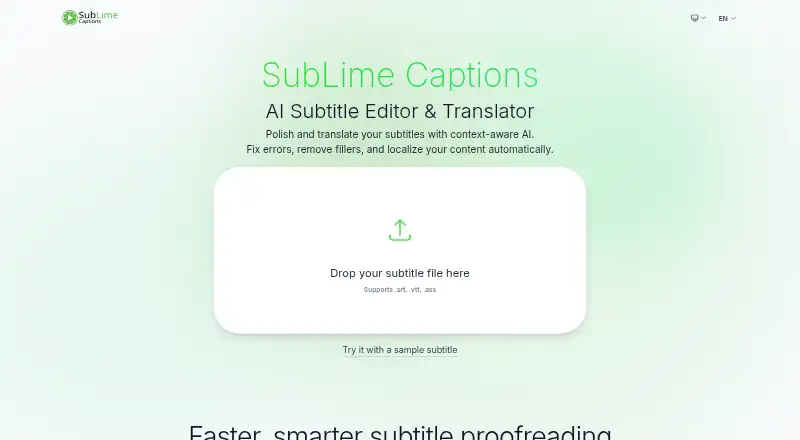
What SubLime Captions is
SubLime Captions is a web-based AI editor and translator for subtitle files in .srt, .vtt and .ass formats. Its proofreading feature can identify and correct spelling, punctuation and grammar issues. Users can give instructions in natural language to change tone, summarize content or adjust localization. Filters can remove filler words, stutters and profanity, and change punctuation. For translation, SubLime says it considers surrounding captions, terminology and style preferences. It also reads the full subtitle file to follow ongoing dialogue and tone. Listed translation languages include Chinese, English, Japanese, Korean, French and Spanish. The service says subtitle files are processed rather than stored permanently, and wiped when the session closes; it also says subtitle data is not used to train AI models. The free plan costs nothing. Its daily AI allowance is an estimate, not a fixed character limit: typical proofreading is estimated at roughly 15,000–80,000 subtitle characters, with the amount varying by language, task, context length and complexity. Users on the same public IP share the allowance, which resets daily at 00:00 UTC.
Who it suits
SubLime Captions suits people who edit or translate subtitle files and want proofreading, text adjustments or filters in a browser. The shared daily allowance may suit users whose needs fit its variable estimate.
What it does well
- Supports .srt, .vtt and .ass files
- Proofreads spelling, punctuation and grammar
- Natural-language instructions can adjust tone or localization
- Files are wiped when the session closes
- Subtitle data is not used to train AI models
What to know first
- Daily allowance is shared by users on the same public IP
- Allowance varies by language, task, context length and complexity
Limits
The Free plan has a daily AI allowance estimated at roughly 15,000–80,000 subtitle characters for typical proofreading. It varies by language, task, context length, and complexity, is shared among users on the same public IP, and resets daily at 00:00 UTC.
Plans
| Plan | Billed and limits | Price |
|---|---|---|
| Free | Daily AI allowance per public IP, roughly 15,000–80,000 subtitle characters for typical proofreading; shared by users on the same network; resets daily at 00:00 UTC | Free |
As sublimecaptions.com lists them, read 10 Oct 2026. The maker's own page has the final word.
Getting started
- Open the SubLime Captions website.
- Prepare a subtitle file in .srt, .vtt, or .ass format.
- Use proofreading, translation, filters, or natural-language instructions to edit the subtitles.
Verdict
SubLime Captions brings subtitle proofreading, editing and translation together in a web tool with a free plan. Consider the shared and variable daily allowance when deciding whether it fits your workload.
Questions
How much does SubLime Captions cost?
The Free plan costs nothing.
What file formats does it support?
It supports .srt, .vtt, and .ass files.
Which translation languages are listed?
Chinese, English, Japanese, Korean, French, and Spanish are among the listed languages.
How much can I use on the Free plan?
The daily allowance is an estimate of roughly 15,000–80,000 subtitle characters for typical proofreading. It varies by language, task, context length, and complexity, and is shared by users on the same public IP.
How does SubLime handle subtitle files and AI training?
The site says files are used for processing, not stored permanently, and wiped when the session closes. It also says subtitle data is never used to train AI models.
Facts from SubLime Captions's own pages
- AI training
- The site says subtitle data is never used to train AI models. · sublimecaptions.com, 10 Oct 2026
- Contextual translation
- SubLime says its translations use surrounding captions, terminology, and style preferences to produce natural subtitles. · sublimecaptions.com, 10 Oct 2026
- Custom instructions
- Users can give natural-language instructions to change tone, summarize content, or apply localization adjustments. · sublimecaptions.com, 10 Oct 2026
- File formats
- The site says it supports .srt, .vtt, and .ass files. · sublimecaptions.com, 10 Oct 2026
- Filters
- Flexible filters can remove filler words, stutters, and profanity, and adjust punctuation. · sublimecaptions.com, 10 Oct 2026
- Free plan
- Yes · sublimecaptions.com, 20 Sept 2026
- Languages
- The site lists Chinese, English, Japanese, Korean, French, and Spanish among its supported translation languages. · sublimecaptions.com, 10 Oct 2026
- Privacy
- The site says files are used for processing, not stored permanently, and wiped when the session is closed. · sublimecaptions.com, 10 Oct 2026
- Proofreading
- Its AI proofreading feature detects and fixes spelling, punctuation, and grammar issues. · sublimecaptions.com, 10 Oct 2026
- Purpose
- SubLime is an AI subtitle editor and translator for polishing and translating subtitle files. · sublimecaptions.com, 10 Oct 2026
- Support
- The site invites users with questions to get in touch. · sublimecaptions.com, 10 Oct 2026
- Subtitle translation
- Yes · sublimecaptions.com, 20 Sept 2026
- Usage allowance
- The daily allowance is an estimate, not a fixed character limit, and varies by language, task, context length, and complexity. · sublimecaptions.com, 10 Oct 2026
- Whole-file context
- The site says its AI reads the entire subtitle file to understand ongoing dialogue, terminology, and tone. · sublimecaptions.com, 10 Oct 2026
Where SubLime Captions stands on Freedom251
- Subtitle Software#15 of 31
- Subtitle tools#18 of 31