VideoLocalize
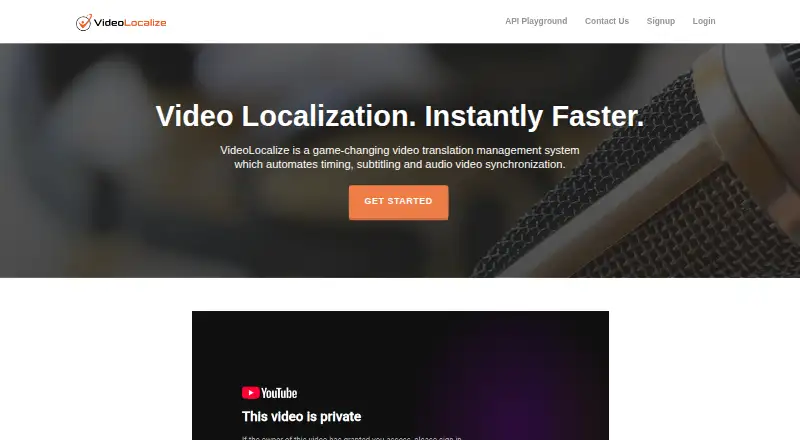
What VideoLocalize is
VideoLocalize is a cloud-based video translation management system for coordinating timing, subtitles, voice-over and audio/video synchronization. Word-count-per-minute guidance helps translators fit translated scripts to the original video's timeframe, while its karaoke-style voice-over approach helps talent keep speech within the original speaker's duration. The platform supports communication about audio and video work and sentence-level tracking for translations and voice-over. It provides auto-captioning and subtitle translation, and voice talent can record in a browser without installing software. The FAQ names MP4 and AVI among supported video formats and SRT as the currently supported subtitle format. Users can download finished audio and video after synchronization. Logged-in users can save videos directly to Dropbox through Subtitle Burner, and the maker lists an API for adding translation and dubbing to a product. The Free plan includes one user account, two jobs, videos up to four minutes, 1 GB of storage, 10 minutes of machine transcription and 30 minutes of auto-synchronization. Some features require a paid plan.
Who it suits
VideoLocalize may suit translators and voice talent coordinating subtitling, translation and dubbing projects. Its listed plans also include contributor allowances for freelancer, business and enterprise teams.
What it does well
- Word-count guidance supports translation timing.
- Voice talent can record in a browser.
- Finished synchronized audio and video can be downloaded.
- Free plan includes two jobs and 1 GB storage.
- API is listed for translation and dubbing integration.
What to know first
- Free plan limits videos to four minutes.
- Free plan includes only two jobs.
- SRT is the currently supported subtitle format.
- Some features require a paid plan.
Limits
The Free plan includes one account, two jobs, videos up to four minutes, 1 GB of storage, 10 minutes of machine transcription, and 30 minutes of auto-synchronization. Subtitle Burner processes videos under four minutes at no cost for logged-in accounts; longer videos cost USD$0.25 per minute. Unregistered users can use Subtitle Burner free with a watermark.
Plans
| Plan | Billed and limits | Price |
|---|---|---|
| Free | 1 user account · 2 jobs · 4-minute video length · 1 GB storage · 10 minutes of machine transcription · 30 minutes of auto-synchronization | Free |
| Freelancer | 1 user account · Unlimited jobs · Unlimited video length · 10 GB storage · 5 contributors · 100 minutes of machine transcription | On request |
| Business | 3 user accounts · Unlimited jobs · Unlimited video length · 50 GB storage · 30 contributors · 300 minutes of machine transcription | On request |
| Enterprise | 10+ user accounts · Unlimited jobs · Unlimited video length · 500+ GB storage · 100+ contributors · 1000+ minutes of machine transcription | On request |
As vtms.videolocalize.com lists them, read 20 Sept 2026. The maker's own page has the final word.
Getting started
- Open the VideoLocalize website.
- Try the service for free or choose the Free plan.
- Use the web platform without installing software.
- Record voice-over in a browser and coordinate translation and synchronization.
- Use the API to integrate translation and dubbing into a product.
Verdict
VideoLocalize combines translation timing, subtitle work, voice-over and synchronization in a browser-based platform. The free plan has limits on jobs, video length, storage and transcription, and some features require a paid plan.
Questions
Is VideoLocalize free?
Yes. It has a Free plan and is free to try; some features require a paid plan.
What does the Free plan include?
It includes one user account, two jobs, video length up to four minutes, 1 GB of storage, 10 minutes of machine transcription, and 30 minutes of auto-synchronization.
Which platforms does VideoLocalize support?
It is available on the web and through an API. The cloud platform does not require software installation.
Which video and subtitle formats are supported?
The FAQ names MP4 and AVI among supported video formats and SRT as the currently supported subtitle format.
Can users save videos to Dropbox?
Logged-in users can save videos directly to their Dropbox folder through the Subtitle Burner page.
What does Subtitle Burner cost?
Logged-in accounts can process videos under four minutes at no cost. Videos longer than four minutes cost USD$0.25 per minute; unregistered users can use it free with a watermark.
Facts from VideoLocalize's own pages
- API
- The maker’s About page lists a VideoLocalize API for integrating video translation and dubbing into a product with a few lines of code. · videolocalize.com, 4 Oct 2026
- Auto-captioning
- Yes · vtms.videolocalize.com, 20 Sept 2026
- Cloud platform
- VideoLocalize says it is a cloud-based online platform that does not require software installation, and voice talent can record in a browser. · vtms.videolocalize.com, 4 Oct 2026
- Collaboration
- The platform supports communication about audio and video work and sentence-level tracking of translations and voice-over. · vtms.videolocalize.com, 4 Oct 2026
- Company background
- The About page says Boffin Language Group was founded in China in 1996 and headquartered in Toronto since 2007. · videolocalize.com, 4 Oct 2026
- Dropbox
- The Subtitle Burner page says logged-in users can save videos directly to their Dropbox folder. · vtms.videolocalize.com, 4 Oct 2026
- Finished output
- Users can download the final audio and video after synchronization is complete. · vtms.videolocalize.com, 4 Oct 2026
- Formats
- The FAQ names MP4 and AVI among supported video formats and SRT as the currently supported subtitle format. · vtms.videolocalize.com, 4 Oct 2026
- Founded
- 2016 · vtms.videolocalize.com, 28 Sept 2026
- Free access
- The FAQ says VideoLocalize is free to try and that some features require a paid plan. · vtms.videolocalize.com, 4 Oct 2026
- Free plan
- Yes · vtms.videolocalize.com, 20 Sept 2026
- Intended use
- The About page says Boffin specializes primarily in Chinese, Korean, and Japanese language services and also handles software localization, QA testing, DTP, and audio/video engineering. · videolocalize.com, 4 Oct 2026
- Maker
- The About page says VideoLocalize was developed by Boffin Language Group for internal use beginning in June 2016 and later commercialized after winning a TAUS Innovation Award. · videolocalize.com, 4 Oct 2026
- Purpose
- VideoLocalize describes itself as a video translation management system that automates timing, subtitling, and audio/video synchronization. · vtms.videolocalize.com, 4 Oct 2026
- Subtitle Burner limits
- The Subtitle Burner page says logged-in accounts can process videos under four minutes at no cost and videos longer than four minutes for USD$0.25 per minute; unregistered users can use it free with a watermark. · vtms.videolocalize.com, 4 Oct 2026
- Subtitle translation
- Yes · vtms.videolocalize.com, 20 Sept 2026
- Translation timing
- It provides word-count-per-minute guidance to help translators fit translated scripts into the original video timeframe. · vtms.videolocalize.com, 4 Oct 2026
- Voice-over
- It uses a karaoke-style voice-over method to help voice talent fit speech into the original speaker’s timeframe. · vtms.videolocalize.com, 4 Oct 2026
Where VideoLocalize stands on Freedom251
- Subtitle tools#13 of 31
- Subtitle Software#16 of 31