Freedom251 › Stem Separation Software
StemDeck
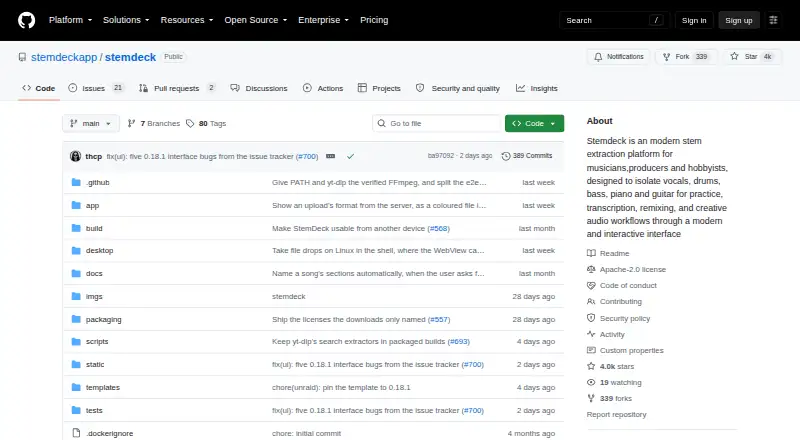
What StemDeck is
StemDeck separates songs into stems for practice, study, transcription, remixing, and other creative audio work. Its Demucs htdemucs_6s model separates vocals, drums, bass, guitar, piano, and other sounds. Users can import MP3, WAV, FLAC, OGG/Opus, MP4, and M4A files, or provide YouTube URLs. The workspace offers waveform lanes, mute and solo controls, volume adjustment, looping, and exports of individual stems or a custom mix. Song analysis includes BPM, key, scale, confidence, integrated LUFS, and sample peak level. StemDeck says processing runs locally and that the app does not transmit, store, cache, or redistribute audio. Internet access is needed for YouTube downloads and the initial model fetch of about 170 MB; the model is cached afterward. The project documents Docker and Unraid deployment, running the web server from source, and a local REST API. It is free, with no account, quota, uploads, or subscription, but handles one job at a time, supports up to six stems, and has no mobile app. Processing speed depends on local hardware.
Who it suits
StemDeck suits musicians, producers, teachers, hobbyists, and listeners who want a focused tool for practice, study, transcription, or remixing. It may also suit people who want local processing or to self-host the project.
What it does well
- Separates up to six instrument and vocal stem types.
- Accepts common audio files and YouTube URLs.
- Exports individual stems or a custom mix.
- Free with no account or quota.
What to know first
- Handles one job at a time.
- No mobile app is listed.
- Initial model fetch is about 170 MB.
- Processing speed depends on local hardware.
Limits
StemDeck handles one job at a time and supports up to six stems. Uploads can be up to 400 MB and tracks up to 60 minutes; processing speed depends on local hardware.
Plans
| Plan | Billed and limits | Price |
|---|---|---|
| StemDeck | Free, forever · no account, quota, uploads, or subscription · one job at a time | Free |
As github.com lists them, read 30 Sept 2026. The maker's own page has the final word.
Getting started
- Open the StemDeck website or use its desktop or web platform.
- For self-hosting, follow the Docker or Unraid deployment instructions, or run the web server from source.
- Allow the initial model fetch of about 170 MB; the model is cached afterward.
- Import a supported audio file or provide a YouTube URL.
- Use the waveform lanes and mixer controls, then export stems or a custom mix.
Overview
StemDeck is a free workspace for splitting songs into individual parts, inspecting their musical measurements, and exporting practice or remix material. It is best suited to musicians, teachers, producers, hobbyists, and listeners who want local, focused audio work rather than a full digital audio workstation. The combination of six-way separation, built-in controls, and self-hosting makes it unusually flexible for a no-cost tool, while throughput remains tied to the computer running it.
Key features
StemDeck uses the Demucs htdemucs_6s model to create vocals, drums, bass, guitar, piano, and other-sound stems. Six distinct parts are useful for learning a line, checking an arrangement, preparing a backing track, or experimenting with a remix. The practical limitation is that the server handles one job at a time, so a large collection must be processed sequentially and speed depends on local hardware.
It accepts MP3, WAV, FLAC, OGG/Opus, MP4, and M4A files, as well as YouTube URLs. Uploads can reach 400 MB and tracks can run for 60 minutes. Batch processing is supported, but the single active-job limit means batching improves organization rather than delivering concurrent throughput.
Waveform lanes provide mute, solo, volume, and looping controls. Individual stems or a custom mix can be exported as WAV or MP3. This covers rehearsal, transcription, teaching examples, and quick arrangement sketches; users seeking extensive multitrack editing or production features will still need a dedicated DAW.
Analysis includes BPM, key, scale, confidence, integrated LUFS, and sample peak level. These figures give a useful starting point for practice plans, level matching, and remix decisions, while the confidence value helps indicate when a detected key or scale deserves verification.
Processing runs locally: StemDeck says audio is neither transmitted nor retained, cached, or redistributed by the app. Internet access is required for YouTube downloads and for the initial model download of about 170 MB; the model is then cached. That is a meaningful privacy advantage for unreleased or sensitive recordings, with the trade-off that your machine must supply the processing resources.
The project documents Docker and Unraid deployment and running its web server from source. Its local REST API supports jobs, status checks, cancellation, stem streaming, video export, and server-sent job events, making it suitable for a controlled home server or an automation workflow as well as the desktop interface.
Pricing
StemDeck — free, forever. The free plan requires no account, subscription, quota, or upload allowance beyond the stated 400 MB file limit and 60-minute track limit. It includes batch processing, WAV and MP3 export, a desktop app, and API access. There is no free trial because the product is free permanently. One job at a time is the principal operational constraint, so this plan fits individual practice, teaching, and occasional remix work better than teams processing libraries in parallel.
Platforms
StemDeck is available through its API and web interface, with desktop support on Linux, macOS, and Windows. It can also be self-hosted, including documented Docker and Unraid setups. There is no mobile app, so phone-first workflows are not a match.
Who it's for
Choose StemDeck for private song practice, transcription, classroom demonstrations, home remixing, or local analysis when avoiding uploads matters. Self-hosting and the API also suit technically inclined users who want control over deployment or automation. Look elsewhere if you need mobile apps, cloud-scale parallel processing, or a broader production environment than its focused mixer and exporter provide.
Pros and cons
- Pros: Six useful stem categories cover common learning and remix tasks.
- Pros: Local processing and self-hosting keep audio under your control.
- Pros: Imports include common audio/video files and YouTube URLs, with 400 MB and 60-minute limits.
- Pros: Waveform controls, analysis metrics, exports, and REST endpoints form a coherent workflow.
- Cons: Only one job runs at a time, limiting high-volume work.
- Cons: Processing performance varies with your hardware.
- Cons: No mobile app and no indication of a full production-suite feature set.
Alternatives
Stem Separation Software is the broader category guide for comparing more tools.
Pick AudioShake instead if you want Android or iOS access, a free trial, or a starter allowance of 200 credits with MP3 export and files up to 10 minutes.
LALAL.AI is a freemium cross-platform option with a free relaxed queue, 200 MB files, and preview results.
Choose Moises for mobile apps and a free tier capped at five uploads per month and five-minute files.
Pymss is another free, open-source, local-running alternative.
Fadr fits users wanting MIDI detection and a Remix Maker, with a free basic tier and a $10 monthly Plus plan.
MVSEP suits users who prefer many AI models and a web service, though its unregistered tier limits files to 10 minutes and 100 MB.
Audiola is a free desktop app for Windows, macOS, and Linux.
Open-Unmix is a free, MIT-licensed self-hostable option.
Verdict
StemDeck is a strong choice for anyone who wants private, no-cost stem separation with analysis, basic editing, exports, and an API in one self-hostable package. Choose it for focused practice or remix work on a capable computer; look elsewhere for mobile use or sustained parallel processing.
Verdict
StemDeck pairs song separation with editing, analysis, and export tools, and can be self-hosted. Its one-job-at-a-time limit and dependence on local hardware are worth considering.
Questions
How much does StemDeck cost?
StemDeck is free forever, with no account or subscription.
Is there a free trial?
No. StemDeck is free rather than a trial plan.
What platforms does it support?
Its listed platforms include API, Linux, macOS, self-hosted, web, and Windows. There is no mobile app.
What files can I import and export?
Imports include MP3, WAV, FLAC, OGG/Opus, MP4, and M4A, as well as YouTube URLs. Exports are WAV or MP3.
Does StemDeck process audio locally?
StemDeck says audio processing runs locally and the app does not transmit, store, cache, or redistribute audio.
Can I self-host it or use an API?
Yes. The project documents Docker and Unraid deployment and running the web server from source. A local server exposes REST endpoints and server-sent job events.
Facts from StemDeck's own pages
- API
- The local server exposes REST endpoints for jobs, status, cancellation, stem streaming, and video export, plus server-sent job events. · github.com, 30 Sept 2026
- Audience
- StemDeck is aimed at musicians, producers, teachers, hobbyists, and listeners who want a focused tool for practice, study, or remixing. · stemdeck.app, 30 Sept 2026
- Audio analysis
- Song analysis includes BPM, key, scale, confidence, integrated LUFS, and sample peak level. · github.com, 30 Sept 2026
- Import formats
- It accepts MP3, WAV, FLAC, OGG/Opus, MP4, and M4A files, as well as YouTube URLs. · github.com, 30 Sept 2026
- Internet needs
- Internet is needed for YouTube downloads and the initial model fetch of about 170 MB; the model is cached afterward. · github.com, 30 Sept 2026
- Mixer and editing
- The workspace includes waveform lanes, mute and solo controls, volume adjustment, looping, and exports of individual stems or a custom mix. · github.com, 30 Sept 2026
- Notable limits
- The project describes one job at a time, up to six stems, and no mobile app; it also says processing speed depends on local hardware. · github.com, 30 Sept 2026
- Platforms
- Prebuilt desktop downloads are offered for macOS and Windows, and the web server can be run on macOS, Linux, or Windows. · github.com, 30 Sept 2026
- Privacy
- StemDeck says audio processing runs locally and audio is not transmitted, stored, cached, or redistributed by the app. · github.com, 30 Sept 2026
- Purpose
- StemDeck separates songs into stems for practice, study, transcription, remixing, and creative audio workflows. · github.com, 30 Sept 2026
- Self-hosting
- The project documents Docker and Unraid deployment as well as running the web server from source. · github.com, 30 Sept 2026
- Stem types
- The Demucs htdemucs_6s model separates vocals, drums, bass, guitar, piano, and other sounds. · github.com, 30 Sept 2026
- Support and project
- The maker links to GitHub issues and pull requests, Discord, Reddit, Instagram, and X; the project is licensed under Apache-2.0. · github.com, 30 Sept 2026
Where StemDeck stands on Freedom251
- Stem Separation Software#11 of 21