Freedom251 › Keyboard and Mouse Customization Software
SteelSeries GG
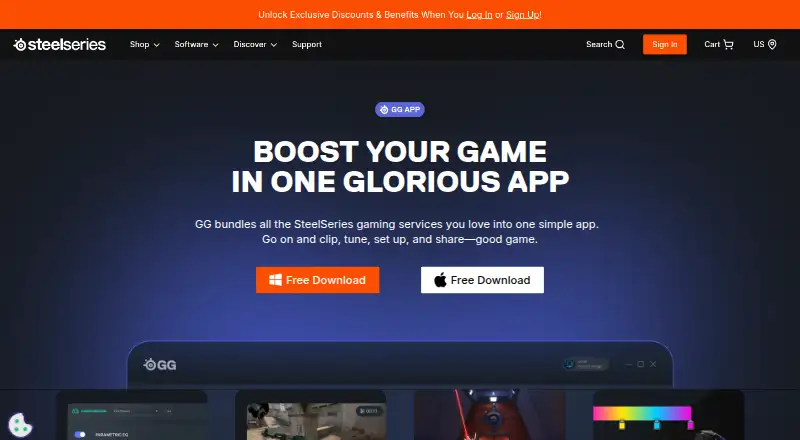
What SteelSeries GG is
SteelSeries GG is a free app that brings together SteelSeries services for gameplay clips, audio tuning, device setup, and sharing. Sonar can tune in-game audio, optimize chat, reduce microphone noise, balance game, chat, media, auxiliary, and microphone channels, and route apps such as Spotify or Discord to separate streams. It is described as working with any headset and microphone. Moments records gameplay and lets users share clips; its AI auto-clipping is available for selected games, including Fortnite, Counter-Strike 2, and Valorant. Engine customizes lighting, audio, macros, and other settings for compatible SteelSeries devices. Users can rebind buttons, save settings to game profiles, and set reactive lighting for button presses or in-game events in compatible GameSense titles. Engine also includes equalizer options, bass boost, virtual surround, and microphone presets. GG is listed for Windows and macOS, but its free download plan specifies Windows 10 or later. Sonar and Moments list Windows 10 (RS5+) as a requirement, while the Engine page offers a macOS 11+ download.
Who it suits
GG suits SteelSeries device owners who want to configure compatible gear, tune audio, or capture gameplay. Sonar and Moments are relevant to Windows users meeting their listed requirements.
What it does well
- Free download
- Sonar works with any headset and microphone
- Moments supports AI auto-clipping for selected games
- Engine saves compatible device settings to game profiles
What to know first
- Free download plan specifies Windows 10+
- Sonar requires Windows 10 (RS5+)
- Moments requires Windows 10 (RS5+)
- Engine customization is for compatible SteelSeries devices
Limits
The free plan is a download for Windows 10 or later. Sonar and Moments list Windows 10 (RS5+) as a requirement, and the Engine macOS download requires macOS 11+.
Plans
| Plan | Billed and limits | Price |
|---|---|---|
| SteelSeries GG | Windows 10+ · free Sonar, Moments and 3D Aim Trainer tools · SteelSeries device setup and customization | Free |
As steelseries.com lists them, read 15 Oct 2026. The maker's own page has the final word.
Getting started
- Open the SteelSeries GG website.
- Choose the free download for Windows 10 or later.
- Install GG on Windows or macOS; the Engine page offers a macOS 11+ download.
- Open Sonar for audio controls, Moments for gameplay clips, or Engine for compatible device settings.
SteelSeries GG is a free app that brings together audio tools, gameplay clips, and settings for compatible SteelSeries devices. It suits players who want those jobs in one place, especially those using Windows; Mac users have access to Engine, but not every feature runs on macOS.
Overview
GG’s strongest case is breadth: Sonar handles audio routing and microphone tuning, Moments captures gameplay, and Engine customizes supported gear. That combination can reduce the need to manage separate tools, but it is not a universal control panel for every device, and its feature requirements vary by component.
Key features
Sonar audio
Sonar can balance game, chat, media, auxiliary, and microphone channels, and route apps such as Spotify or Discord to separate streams. Its noise reduction and chat optimization are useful for players who want more control over voice and game audio. The page describes compatibility with any headset and microphone, but Sonar requires Windows 10 (RS5+)—a meaningful restriction for Mac users.
Moments capture
Moments records gameplay and supports sharing clips. AI auto-clipping works with selected games, including Fortnite, Counter-Strike 2, and Valorant, which makes it a better fit for players of those titles than for anyone seeking automatic highlights across any game. Moments also requires Windows 10 (RS5+).
Engine customization
For compatible SteelSeries devices, Engine covers lighting, audio settings, macros, button remapping, and game profiles. Reactive GameSense lighting can respond to button presses or events in supported games. Equalizer options, bass boost, virtual surround, and microphone presets add useful controls, though the device compatibility requirement makes Engine less relevant to people without SteelSeries gear.
Pricing
SteelSeries GG is free: the plan costs nothing and is described as a free download for Windows 10+. There is no free trial because the app is offered as a free plan. No paid tier is presented, so there is no upgrade quota or trial-renewal term to weigh. The practical trade-off is platform and device support, not a paid feature cap: Sonar and Moments require Windows 10 (RS5+), while Engine offers a macOS 11+ download and works with compatible SteelSeries devices.
Platforms
GG is available for Windows and macOS, but that broad platform support does not extend equally to every feature. Engine offers a macOS 11+ download; Sonar and Moments require Windows 10 (RS5+). Check the requirement for the component you intend to use rather than choosing by the app’s overall platform label.
Who it's for
Choose GG if you use compatible SteelSeries devices and want their profiles, macros, lighting, and audio controls alongside Windows-based audio routing or gameplay capture. It is also a sensible no-cost option for Windows players who want to clip supported games. Look elsewhere if you need Sonar or Moments on a Mac, or if you want device customization for hardware outside the SteelSeries ecosystem.
Pros and cons
Pros
- Several gaming utilities in one free app: audio controls, clip capture, and device customization serve distinct needs without a paid plan.
- Flexible audio routing: separate streams for game, chat, media, auxiliary, and microphone channels can help players manage a busy mix.
- Profiles and reactive lighting: compatible-device settings can be saved to game profiles, with GameSense responses for supported titles.
Cons
- Feature-specific Windows requirements: Sonar and Moments require Windows 10 (RS5+), so Mac users cannot rely on GG for those tools.
- Engine depends on compatible SteelSeries gear: its remapping, macros, and lighting controls are not a general-purpose device utility.
- Auto-clipping is selective: it is offered for selected games rather than every title.
Alternatives
For broader device-software comparisons, see Keyboard and Mouse Customization Software.
- Logi Options+ is a free macOS and Windows option for supported Logitech devices; choose it if your hardware is Logitech rather than SteelSeries.
- be quiet! IO Center is a free option spanning Linux, macOS, web, and Windows; consider it if that platform range better fits your setup.
- Logitech G HUB is free for Logitech G gaming mice and offers LIGHTSYNC RGB customization, device configuration, presets, and game profiles; choose it for Logitech G gear.
- Glorious CORE is free for configuring most Glorious products on macOS and Windows; cloud profile saving requires a Glorious ID.
- Rebind offers a free software mode on Linux, macOS, and Windows, with a Luau scripting runtime and no account or Rebind Link requirement; choose it if that scripting-focused approach suits your needs.
- HyperX NGENUITY is a free Windows-only option for compatible HyperX devices; choose it for that hardware.
- Fnatic OP Software is free early-access software for customizing supported Fnatic gear on macOS and Windows.
- Cosmic Byte Orbit is free for Cosmic Byte device owners and supports Linux, macOS, web, and Windows.
Verdict
SteelSeries GG is a strong free choice for players who own compatible SteelSeries gear and want device settings, audio tools, and gameplay clips under one roof. Its main reason to choose it is that mix of customization and gaming utilities at no cost; its main reason to look elsewhere is that Sonar and Moments are Windows-only, while Engine’s controls depend on SteelSeries hardware.
Verdict
GG combines audio tools, gameplay capture, and device settings in one free app. Check the operating-system requirements for each feature, since they differ across the app’s listed pages.
Questions
How much does SteelSeries GG cost?
The plan is listed as free, with a free download for Windows 10+.
Is there a free plan or trial?
Yes. The free plan is available; there is no free trial.
Which platforms does GG support?
GG is listed for macOS and Windows. Its download plan specifies Windows 10+, Sonar and Moments list Windows 10 (RS5+), and Engine offers a macOS 11+ download.
What does SteelSeries GG include?
It bundles Sonar audio tools, Moments gameplay recording and clip sharing, and Engine customization for compatible SteelSeries devices.
Can Sonar be used with any headset?
Sonar is described as working with any headset and any microphone.
Facts from SteelSeries GG's own pages
- 3D Aim Trainer
- 3D Aim Trainer supplies routines for improving aiming skills. · steelseries.com, 15 Oct 2026
- Audio controls
- Engine includes equalizer options, bass boost, virtual surround, and microphone presets. · steelseries.com, 4 Oct 2026
- Auto clipping
- Moments offers AI auto-clipping for selected games, including Fortnite, Counter-Strike 2, and Valorant. · steelseries.com, 4 Oct 2026
- Changelog example
- GG 55.0.0 added voice-triggered clipping and Rainbow Six Siege auto-clipping in early access. · techblog.steelseries.com, 15 Oct 2026
- Company background
- SteelSeries describes itself as an esports brand designed in Denmark since 2001. · steelseries.com, 4 Oct 2026
- Company facts
- LinkedIn lists SteelSeries as founded in 2001, headquartered in Chicago, Illinois, and employing 51–200 people. · linkedin.com, 15 Oct 2026
- Company offices
- SteelSeries lists teams in Chicago, Atlanta, Lille, Taipei, and Copenhagen. · steelseries.com, 4 Oct 2026
- Company ownership
- Crunchbase identifies SteelSeries A/S as the legal name and says the company was acquired by GN Group. · crunchbase.com, 15 Oct 2026
- Data sharing statement
- SteelSeries says it is not in the business of selling users’ personal data to third parties. · steelseries.com, 15 Oct 2026
- Device profiles
- Engine lets users rebind compatible device buttons, record macros, and save settings to game profiles. · steelseries.com, 4 Oct 2026
- Documentation and support
- SteelSeries maintains a Help Center with dedicated sections for GG, Sonar, Moments, Engine, Prism and related setup topics. · support.steelseries.com, 15 Oct 2026
- Engine
- Engine configures SteelSeries headsets, mice, keyboards, microphones and speakers, including firmware updates and RGB controls. · support.steelseries.com, 15 Oct 2026
- Engine customization
- Engine customizes lighting, audio, macros, and other settings for compatible SteelSeries devices. · steelseries.com, 4 Oct 2026
- Free plan
- Yes · steelseries.com, 19 Sept 2026
- Game profiles
- GG can show QuickSet game-based profile recommendations for supported devices. · support.steelseries.com, 15 Oct 2026
- GameSense capabilities
- The SDK documents illumination, OLED displays, tactile feedback, Moments support and GoLisp handlers. · github.com, 15 Oct 2026
- GameSense lighting
- Engine supports reactive lighting tied to button presses or in-game events, including compatible GameSense titles. · steelseries.com, 4 Oct 2026
- GameSense SDK
- SteelSeries publishes a GameSense SDK with documentation, tutorials and examples for sending game events to Engine. · github.com, 15 Oct 2026
- Limit: bundled bloat
- Tom’s Hardware criticized GG for bundling Engine with Sonar and Moments and described Engine as clunky and potentially overwhelming. · tomshardware.com, 15 Oct 2026
- Limit: local-only advanced controls
- PC Gamer reported that some advanced settings are available only in the local GG software, while the web app exposes fewer basic controls. · pcgamer.com, 15 Oct 2026
- Limit: Trustpilot reliability complaints
- Trustpilot’s review summary cites product failures, wireless connection drops and delayed or unhelpful warranty support among recurring complaints. · trustpilot.com, 15 Oct 2026
- Linux support
- SteelSeries support explicitly says GG does not support Linux. · support.steelseries.com, 15 Oct 2026
- macOS support
- SteelSeries says macOS is supported but receives a more limited update scope focused on critical updates. · support.steelseries.com, 15 Oct 2026
- Mac support
- The Engine page offers a macOS 11+ download. · steelseries.com, 4 Oct 2026
Where SteelSeries GG stands on Freedom251
- Keyboard and Mouse Customization Software#1 of 105
- RGB Lighting Software#10 of 33
- Gaming Peripheral Software#17 of 39