Freedom251 › Keyboard and Mouse Customization Software
Logi Options+
What Logi Options+ is
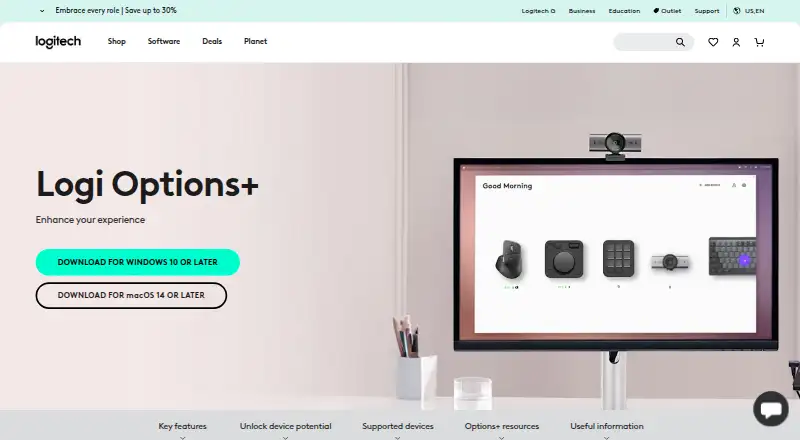
Logi Options+ is Logitech software for customizing supported mice, keyboards, lights, webcams, touchpads, presentation remotes, and MX Creative Console. It lets users adjust pointer and scrolling speed and direction, assign gestures, and set presets or custom actions for apps such as Chrome, Safari, Zoom, Office apps, Adobe apps, and Teams. Smart Actions can run several tasks from one click or keystroke. Actions Ring places selected tools in an on-screen overlay by the cursor, and the Marketplace offers plugins, profiles, and icon packs. Flow controls multiple computers and transfers text, images, and files; supported keyboards can switch among up to three devices with one key press. Mouse Spotlight effects include Highlight, Magnify, and Digital Laser. The software is free and listed for Windows and macOS; the stated requirements are Windows 10 or later and macOS 14 or later. Some options depend on device: Actions Ring and Marketplace exclude MX Webcam and MX Ink, while haptic feedback is currently available with MX Master 4.
Who it suits
It suits Logitech device owners who want to customize controls or coordinate work across multiple computers. Administrators can also deploy it remotely and configure enterprise settings.
What it does well
- Customizes a range of supported Logitech devices.
- Smart Actions combine tasks under one click or keystroke.
- Flow transfers text, images, and files between computers.
- Supported keyboards switch among up to three devices.
- Remote deployment supports SCCM, Intune, and Jamf.
What to know first
- Requires Windows 10 or later or macOS 14 or later.
- Actions Ring and Marketplace exclude MX Webcam and MX Ink.
- Haptic feedback is currently limited to MX Master 4.
Limits
Actions Ring and Marketplace are available with MX devices except MX Webcam and MX Ink. Haptic feedback for specific actions is currently available with MX Master 4.
Plans
| Plan | Billed and limits | Price |
|---|---|---|
| Logi Options+ | supported Logitech devices · Windows 10 or later · macOS 12 or later | Free |
As logitech.com lists them, read 28 Sept 2026. The maker's own page has the final word.
Getting started
- Visit the Logi Options+ website.
- Download the customization app for Windows 10 or later or macOS 14 or later.
- Install it and configure supported Logitech devices.
- Set pointer controls, gestures, or app-specific actions as needed.
- For business deployment, administrators can remotely deploy the app and configure enterprise settings.
Overview
Logi Options+ is Logitech’s free configuration utility for supported peripherals, aimed at people who want their mouse, keyboard, or other Logitech gear to behave differently across tasks. Its strongest case is the combination of fine-grained controls, app-specific actions, and cross-computer workflows; the main caveat is that some tools are restricted to particular MX devices.
It is a focused choice for Logitech owners, not a universal input-control app. Confirm that your device and operating system support the features you need before building a workflow around them.
Key features
Device controls and app profiles
Options+ adjusts pointer and scrolling speed, scrolling direction, sensitivity, and polling rate. Gesture assignments for mice and touchpads can handle navigation or media control, while macro support and per-app profiles give more room to tailor repeated work. Presets and custom actions cover Chrome, Edge, Safari, Zoom, Word, PowerPoint, Excel, Photoshop, Premiere Pro, Final Cut Pro, and Teams. That breadth is useful for people who move between applications, though the controls are relevant only with supported Logitech hardware.
Automation and shortcuts
Smart Actions bundle multiple tasks into one click or keystroke, a practical way to shorten recurring sequences. Actions Ring places customizable tools in an on-screen overlay at the cursor, and the Marketplace offers plugins, profiles, and icon packs. Both are limited to MX devices except MX Webcam and MX Ink, so they should not be treated as general features for every supported Logitech peripheral.
Multi-computer use and presentations
Flow lets users control multiple computers and operating systems and transfer text, images, and files between them. Supported keyboards can use Easy-Switch to change among as many as three devices with one key press. These features make Options+ more compelling for a multi-device desk than a utility focused only on remapping buttons. Spotlight Effects add Highlight, Magnify, and Digital Laser pointing effects for presentations; haptic feedback for specific actions is currently limited to MX Master 4.
Administration, security, and privacy
Organizations can silently deploy Options+ remotely and configure analytics, Flow, single sign-on, and automatic updates; deployment tools include SCCM, Intune, and Jamf. Administrators can also disable features using command-line parameters. Logitech describes its security approach as guided by NIST 800-53 and ISO/IEC 27001:2013, with TLS 1.2 or above for data in transit and encryption for local and AWS S3 server data. With consent, the app may collect usage and diagnostic data, but Logitech says it does not collect data entered using mice, keyboards, or touchpads.
Pricing
Logi Options+ — free. The free plan covers supported Logitech devices. There is no paid tier to weigh against the core controls, which makes it easy to try for an eligible setup. The trade-off is hardware and operating-system eligibility: the free price does not make its device-specific tools universal.
Platforms
Options+ supports Windows 10 or later and macOS 14 or later. Supported device categories include mice, keyboards, lights, webcams, touchpads, presentation remotes, and MX Creative Console. The operating-system threshold matters: the plan’s platform terms mention macOS 12 or later, while the supported-operating-system requirement is macOS 14 or later, so users should follow the stricter requirement when checking compatibility.
Who it's for
Choose Options+ if you own supported Logitech peripherals and want app-aware controls, macros, gestures, or a bridge between multiple computers. It is also a sensible option for organizations that need remote deployment and administrative controls. Look elsewhere if your hardware is outside Logitech’s supported range, if you need a feature that depends on a specific MX model, or if your Mac does not meet the operating-system requirement.
Pros and cons
- Pros: Broad device and app customization, including sensitivity, polling rate, macros, and per-app profiles, suits users who want more than basic button setup.
- Pros: Flow, Easy-Switch, and Smart Actions address distinct multi-device and repetitive-work needs without a software charge.
- Pros: Remote deployment, configurable administration, and stated encryption practices make it relevant to managed environments as well as individual desks.
- Cons: Several appealing tools have MX-specific eligibility, and haptic feedback is currently limited to MX Master 4.
- Cons: The supported operating-system threshold for macOS is 14 or later, despite the plan terms mentioning macOS 12 or later; older Macs should not assume compatibility.
Alternatives
Keyboard and Mouse Customization Software is the category directory for comparing options beyond a single maker’s utility.
- Logitech G HUB is another free Logitech utility; choose it when its stated focus on LIGHTSYNC RGB customization, device configuration, presets, and game profiles better matches your needs.
- Glorious CORE is free software for configuring Glorious products, with cloud profile saving requiring a Glorious ID; choose it for supported Glorious hardware.
- Rebind offers a free software mode with a Luau scripting runtime and no account or Rebind Link requirement; choose it if those terms or Linux support suit your setup.
- MonsGeek Driver provides free keyboard driver and configuration downloads for supported models; choose it for a compatible MonsGeek keyboard.
- ROCCAT Swarm II is free configuration software for compatible Turtle Beach devices; choose it if you use that hardware.
- NZXT CAM is a free Windows app whose system monitoring works without NZXT hardware; choose it when monitoring a Windows PC is the priority.
- Razer Synapse is another free option for macOS, web, and Windows.
- X-Mouse Button Control provides free Windows mouse-button remapping with application and window profiles; choose it for that narrower Windows use case.
Verdict
Logi Options+ is the right pick for Logitech users who want substantial device customization and practical tools for app-specific work or multiple computers, especially at no software cost. Its hardware-specific feature limits and macOS 14-or-later requirement are the clearest reasons to look elsewhere or verify compatibility first.
Verdict
Logi Options+ brings device controls, app-specific settings, and multi-computer features into one free utility. Check device eligibility and operating-system requirements before relying on a particular feature.
Questions
Is Logi Options+ free?
Yes. The plan is listed as free.
Which operating systems does Logi Options+ support?
It supports Windows 10 or later and macOS 14 or later.
Which devices can it customize?
Supported devices include mice, keyboards, lights, webcams, touchpads, presentation remotes, and MX Creative Console.
Can Logi Options+ control multiple computers?
Yes. Flow controls multiple computers and operating systems and transfers text, images, and files between them.
Do all supported devices have the same features?
No. Actions Ring and Marketplace exclude MX Webcam and MX Ink, and haptic feedback for specific actions is currently available with MX Master 4.
Who makes Logi Options+?
Logitech is the maker. Its headquarters are in Lausanne, Switzerland, and it was founded in 1981.
Facts from Logi Options+'s own pages
- Actions Ring
- Actions Ring is a customizable on-screen overlay that puts tools at the cursor. · logitech.com, 28 Sept 2026
- Actions Ring limit
- Actions Ring is currently available with MX devices except MX Webcam and MX Ink. · logitech.com, 28 Sept 2026
- App customization
- Supports presets or custom actions for apps including Chrome, Edge, Safari, Zoom, Office apps, Adobe apps, and Teams. · logitech.com, 27 Sept 2026
- App integrations
- App-specific settings support Google Chrome, Edge, Safari, Zoom, Word, PowerPoint, Excel, Photoshop, Premiere Pro, Final Cut Pro, and Microsoft Teams. · logitech.com, 28 Sept 2026
- Business deployment
- Can be mass deployed remotely using SCCM, Intune, and Jamf. · logitech.com, 27 Sept 2026
- Company identity
- Logitech Europe S.A. and its affiliates own Logitech and Logi trademarks. · logitech.com, 27 Sept 2026
- Device customization
- The app customizes supported Logitech mice, keyboards, lights, webcams, touchpads, presentation remotes, and MX Creative Console. · logitech.com, 28 Sept 2026
- Easy-Switch
- Enhanced Easy-Switch lets supported keyboards switch up to three devices with one key press. · logitech.com, 28 Sept 2026
- Encryption
- Data in transit uses HTTPS with TLS 1.2 or above, while local data is encrypted and server data is encrypted in AWS S3 using AWS Key Management Service. · secure.logitech.com, 28 Sept 2026
- Enterprise deployment
- Administrators can silently and remotely deploy the application and configure analytics, Flow, SSO, and automatic updates. · secure.logitech.com, 28 Sept 2026
- Feature disablement
- Features can be disabled using specified command line parameters. · logitech.com, 27 Sept 2026
- Flow
- Flow controls multiple computers and operating systems and transfers text, images, and files between them. · logitech.com, 28 Sept 2026
- Flow feature
- Controls multiple computers and operating systems and transfers text, images, and files. · logitech.com, 27 Sept 2026
- Founded
- 1981 · logitech.com, 23 Sept 2026
- Free plan
- Yes · logitech.com, 20 Sept 2026
- Gesture controls
- Assigns gestures to mouse buttons and touchpads for navigation and media control. · logitech.com, 27 Sept 2026
- Haptic feedback
- Haptic feedback for specific actions is currently available with MX Master 4. · logitech.com, 28 Sept 2026
- Haptic feedback limit
- Available with MX Master 4 at this moment. · logitech.com, 27 Sept 2026
- Headquarters
- Lausanne, Switzerland · logitech.com, 23 Sept 2026
- Macro support
- Yes · logitech.com, 20 Sept 2026
- Marketplace
- The Marketplace offers plugins, profiles, and icon packs. · logitech.com, 28 Sept 2026
- Marketplace limit
- The Marketplace feature is currently available with MX devices except MX Webcam and MX Ink. · logitech.com, 28 Sept 2026
- Per-app profiles
- Yes · logitech.com, 20 Sept 2026
- Pointer controls
- Adjusts pointer speed, scrolling speed, and scrolling direction. · logitech.com, 27 Sept 2026