Freedom251 › Keyboard and Mouse Customization Software
X-Mouse Button Control
What X-Mouse Button Control is
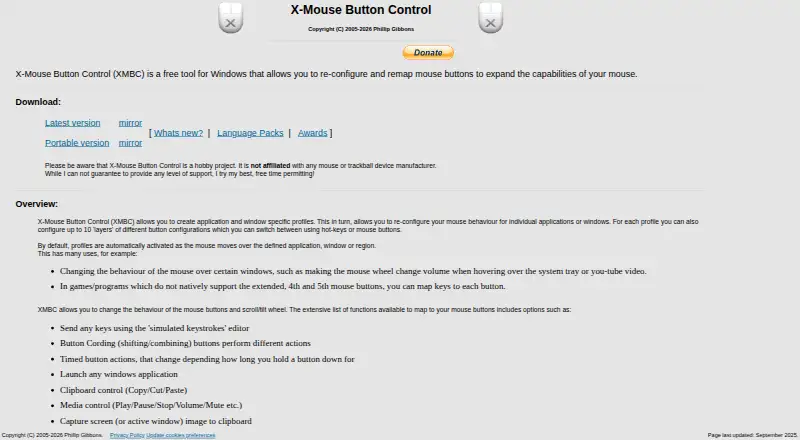
X-Mouse Button Control is free Windows software for changing what mouse buttons do. It supports remapping, macros, sensitivity controls, and profiles assigned to particular applications, windows, or regions. Each profile can contain up to 10 configurable layers, and profiles can activate automatically when the pointer moves over the selected area. Mappings can send simulated keystrokes, combine buttons, perform timed actions, launch Windows applications, control the clipboard or media, and capture the screen. XMBC supports up to five mouse buttons and works with 32-bit and 64-bit Windows; the installer selects the required version. The download page provides a latest release and a portable version. Listed supported systems include Windows 10 and 11 and GUI editions of Windows Server 2012 R2, 2016, 2019, and 2022. Older versions may work but are unsupported. The software is free to install and use.
Who it suits
It suits Windows users who want application-specific mouse mappings, macros, or sensitivity settings without paying. It is also relevant to people who need portable or layered profiles.
What it does well
- Free to install and use
- Application- and window-specific profiles
- Up to 10 layers per profile
- Supports macros and sensitivity controls
- Portable version available
What to know first
- Windows only
- Supports up to five mouse buttons
- Older Windows versions unsupported
- Support is not guaranteed
Limits
The free software supports up to five mouse buttons. Older Windows releases may work but are outside the listed supported systems.
Plans
| Plan | Billed and limits | Price |
|---|---|---|
| Free | Free to install and use · Windows mouse-button remapping · Application and window profiles | Free |
| X-Mouse Button Control | Free for anyone to install and use · Windows · supports up to 5 mouse buttons | Free |
As highrez.co.uk lists them, read 20 Sept 2026. The maker's own page has the final word.
Getting started
- Open the X-Mouse Button Control download page
- Choose the latest release or portable version
- Run the installer, which selects 32-bit or 64-bit Windows automatically
- Create profiles for applications, windows, or regions
- Assign button actions and configure layers
Verdict
X-Mouse Button Control focuses on detailed mouse remapping for Windows, with automatic profiles and varied button actions. Its five-button limit and Windows-only support define its scope.
Questions
How much does X-Mouse Button Control cost?
It is free to install and use. The listed plans are both priced at $0.
Which platforms does it support?
Windows is the listed platform, including 32-bit and 64-bit systems.
Does it support macros and profiles?
Yes. It supports macros, sensitivity controls, and profiles for applications, windows, or regions.
How many mouse buttons can it handle?
XMBC supports up to five mouse buttons.
Is there a portable version?
Yes. The download page offers both a latest version and a portable version.
Who makes XMBC?
Phillip Gibbons identifies himself as the maker, with Highrez/Highresolution Enterprises described as a personal hobby site.
Facts from X-Mouse Button Control's own pages
- Actions
- Button mappings include simulated keystrokes, button chording, timed actions, launching Windows applications, clipboard and media controls, and screen capture. · highrez.co.uk, 11 Oct 2026
- Architecture
- The software supports 32-bit and 64-bit Windows, and the installer selects the required version automatically. · highrez.co.uk, 11 Oct 2026
- Development focus
- The author says limited available time means development is primarily focused on bugs affecting current functionality rather than new features. · highrez.co.uk, 11 Oct 2026
- Downloads
- The page offers a latest version and a portable version. · highrez.co.uk, 11 Oct 2026
- Free plan
- Yes · highrez.co.uk, 20 Sept 2026
- License and warranty
- The included license says the software is free to install and use and is provided without warranty; the page says downloads are checked for known viruses when published. · highrez.co.uk, 11 Oct 2026
- Macro support
- Yes · highrez.co.uk, 20 Sept 2026
- Maker and business status
- The maker identifies Phillip Gibbons and says Highrez/Highresolution Enterprises is a personal hobby site, not a legal entity or commercial business. · highrez.co.uk, 11 Oct 2026
- Mouse limit
- XMBC supports up to five mouse buttons and relies on the standard mouse driver to send the fourth- and fifth-button messages. · highrez.co.uk, 11 Oct 2026
- Per-app profiles
- Yes · highrez.co.uk, 20 Sept 2026
- Privacy
- The optional crash reporter sends a Windows crash dump, settings file, and log file to the author's server; the privacy policy says no other contact is made to that webserver, apart from version checks via DNS. · highrez.co.uk, 11 Oct 2026
- Profiles
- It supports application- and window-specific profiles, with up to 10 configurable layers per profile. · highrez.co.uk, 11 Oct 2026
- Profile switching
- Profiles activate automatically as the mouse moves over a defined application, window, or region. · highrez.co.uk, 11 Oct 2026
- Purpose
- XMBC is a free Windows tool for reconfiguring and remapping mouse buttons. · highrez.co.uk, 11 Oct 2026
- Sensitivity controls
- Yes · highrez.co.uk, 20 Sept 2026
- Support
- The author describes XMBC as a hobby project, cannot guarantee a level of support, and directs users to the support forums and Discord server. · highrez.co.uk, 11 Oct 2026
- Supported operating systems
- windows · highrez.co.uk, 20 Sept 2026
- Windows support
- The page lists Windows 10 and 11 and GUI editions of Windows Server 2012 R2, 2016, 2019, and 2022 as currently supported; it says older versions may also work but are unsupported. · highrez.co.uk, 11 Oct 2026