Freedom251 › Keyboard and Mouse Customization Software

Pulsar Fusion
What Pulsar Fusion is
Pulsar Fusion is software for configuring compatible Pulsar gaming mice. Its Windows application supports multiple settings profiles, import and export of settings files, and up to three DPI profiles. Users can record advanced macros and assign them to mouse buttons. Wireless Fusion works with Pulsar wireless mice except the eS Series; Fusion2 is listed for wired Pulsar mice released after September 2024. Newer compatible models can use Pulsar’s browser-based software, while the Windows application is not compatible with macOS. Scroll-wheel movement in macros requires the compatible web driver. Using 4K or 8K polling also requires the corresponding receiver or dongle and a compatible mouse. Turbo Mode is in beta for CrazyLight, TenZ, and X2F models; it holds the sensor at a 20,000 FPS scanning rate and uses more battery. Some model firmware updates are handled within the software. Pulsar lists the software as free.
Who it suits
Fusion suits Pulsar mouse owners who want to adjust button assignments, DPI profiles, or macros. Users should check whether their mouse is supported by Fusion, Fusion2, or the browser-based software before choosing a version.
What it does well
- Supports multiple settings profiles on Windows
- Settings files can be imported and exported
- Up to three DPI profiles can be configured
- Macros can be assigned to mouse buttons
What to know first
- Windows software does not support macOS
- Wireless Fusion excludes the eS Series
- Scroll-wheel macro movement requires the web driver
- 4K and 8K polling need compatible hardware
Pulsar Fusion is configuration software for Pulsar gaming mice, with distinct tools for wireless models and newer wired models. It is best suited to Pulsar owners who want to tune buttons, sensitivity and profiles without paying for the software. Its appeal depends on having a compatible mouse: some advanced controls require Windows, a browser driver or specific receiver hardware.
Overview
Fusion combines practical mouse configuration with model-specific compatibility boundaries. Wireless Fusion supports Pulsar wireless mice other than the eS Series; Fusion2 wired software supports wired Pulsar mice released after September 2024. Pulsar also lists Fusion2 for newer wired and wireless models, so owners should match the download to their mouse rather than assume one application covers every device.
Some models receive firmware updates within the software. Pairing a 4K dongle requires Fusion alongside Pulsar's 4K Wireless Pairing tool, which does not support eS series dongles; eS owners are directed to support for pairing help. A reset option in the button assignment tab provides a route back to default mouse settings.
Key features
Profiles and controls
Windows users can save multiple settings profiles and import or export settings files, a useful distinction for players who maintain different configurations. Up to three DPI profiles can be configured, alongside button remapping and lighting control. These controls make Fusion more than a sensitivity utility, but the profile features belong to the Windows software.
Macros and polling
Windows Fusion can record advanced macros and assign them to mouse buttons. Scroll-wheel movement cannot be added in that software; it requires the compatible web driver. That split makes Fusion less convenient for users who want every macro control in one desktop application.
4K and 8K polling require both a compatible mouse and the corresponding receiver or dongle. Those rates are therefore not a software-only upgrade. Turbo Mode locks the sensor at a 20,000 FPS scanning rate and is beta-available for CrazyLight, TenZ and X2F models, with higher battery demand. It is a specialized option for compatible owners willing to trade battery life for that mode, not a universal setting.
Pricing
Fusion is free, with a free plan and no paid tier described. That suits Pulsar owners who need configuration tools without adding a software cost. The meaningful limits are compatibility and feature access rather than a stated plan quota: advanced macro recording and multiple profiles are Windows features, while scroll-wheel macro movement needs the compatible web driver.
Platforms
The desktop software is Windows-only; Pulsar's Windows software does not run on macOS. Newer compatible models can use Pulsar web software in a browser, which can also provide the driver required for scroll-wheel macro movement. Linux appears among the product's supported platforms, but the specific mouse functions described are tied to Windows or compatible browser software, so Linux users should confirm model support before relying on a particular control.
Who it's for
Fusion is the natural choice for Pulsar mouse owners who want to adjust DPI, remap buttons, manage settings profiles or assign macros at no software charge. It is less suitable for people who need a single cross-platform desktop tool, eS Series wireless support in Fusion, or advanced macro editing without a browser driver. Pulsar describes its gear as intended for esports pros and players; the software's model and receiver requirements still determine which functions an individual setup can use.
Pros and cons
- Pros: Free access covers profiles, up to three DPI profiles, button customization and lighting control for supported devices.
- Pros: Windows users can record advanced macros and assign them to mouse buttons; settings can be imported and exported.
- Cons: Wireless Fusion excludes eS Series mice, and wired support depends on release date and the correct Fusion2 software.
- Cons: Scroll-wheel macro movement requires a compatible web driver, while 4K/8K polling requires matching hardware.
- Cons: The Windows application is not compatible with macOS, and Turbo Mode increases battery demand.
Alternatives
Razer Synapse is another free option for readers seeking software with macOS, web and Windows platform support.
ROCCAT Swarm II is worth considering for compatible Turtle Beach devices; its free plan is device configuration software and it supports Android, iOS and Windows.
MonsGeek Driver suits keyboard owners looking for free keyboard driver and configuration downloads across macOS, web and Windows, with supported models varying by driver. 8BitDo Ultimate Software V2 is the relevant free choice for supported 8BitDo devices, with Windows 10 (1903) or above and macOS 13.0 or above required.
Akko Cloud Driver is another free option, with web, Windows and macOS support. Elgato Wave Link instead targets audio: its free software works with any microphone or audio interface on Windows and macOS, with no subscription or feature gates.
Glorious CORE is a free choice for configuring most Glorious products on Windows or macOS; saving profiles to the cloud requires a Glorious ID. Logitech G HUB is another free alternative for Logitech G device configuration on Windows and macOS.
Gaming Peripheral Software and Keyboard and Mouse Customization Software are useful lists for comparing more tools in those categories.
Verdict
Choose Pulsar Fusion if you own a supported Pulsar mouse and want free, focused control over its buttons, DPI, lighting and Windows profiles. Its main reason to look elsewhere is the patchwork of model, platform, driver and receiver requirements: users who need broad desktop compatibility or fewer hardware-dependent caveats should consider another peripheral utility.
Verdict
Pulsar Fusion provides profile, DPI, and macro controls for supported mice at no listed cost. Compatibility varies by mouse and software version, and some functions require a browser driver or specific receiver.
Facts from Pulsar Fusion's own pages
- Compatibility limitation
- Pulsar says the 4K pairing tool is not compatible with eS series dongles and directs users to support for help pairing an eS mouse. · pulsar.gg, 2 Oct 2026
- Device compatibility
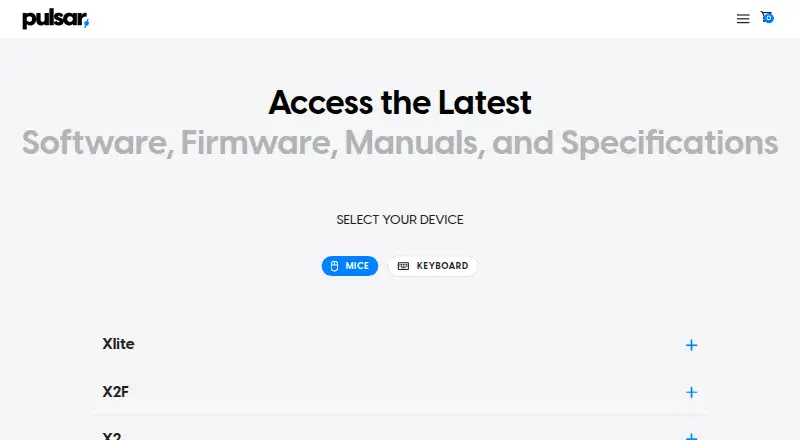
- The download page lists Fusion software for Pulsar wireless mice and separate Fusion2 software for newer wired and wireless mouse models. · pulsar.gg, 2 Oct 2026
- Device settings
- The Xlite CrazyLight software listing includes macro settings, button customization and firmware updates. · pulsar.gg, 2 Oct 2026
- DPI profiles
- Users can configure up to three DPI profiles. · support.pulsar.gg, 1 Oct 2026
- Firmware guidance
- The download page says firmware updates for some models are handled within the software and instructs users to install and open the latest software. · pulsar.gg, 2 Oct 2026
- Free plan
- Yes · pulsar.gg, 20 Sept 2026
- Intended audience
- Pulsar says its gear is intended for esports pros and players. · us.pulsar.gg, 2 Oct 2026
- Macro limit
- Adding scroll-wheel movement to macros is unavailable in the Windows software and requires the compatible web driver. · support.pulsar.gg, 1 Oct 2026
- Macros
- The Windows software can record advanced macros and assign them to mouse buttons. · support.pulsar.gg, 1 Oct 2026
- Macro support
- Yes · pulsar.gg, 20 Sept 2026
- Mac support
- The Windows software is not compatible with macOS, but newer compatible models can use Pulsar web software in a browser. · support.pulsar.gg, 1 Oct 2026
- Pairing
- Pulsar's support guide instructs users to download Fusion with the 4K Wireless Pairing tool to pair a 4K dongle. · support.pulsar.gg, 2 Oct 2026
- Payment security
- Pulsar says direct-payment information is stored on Shopify servers encrypted through PCI-DSS. · pulsar.gg, 1 Oct 2026
- Polling requirements
- 4K and 8K polling require the corresponding receiver or dongle and a compatible mouse. · support.pulsar.gg, 1 Oct 2026
- Privacy data
- Pulsar says its products, services, apps, software, and devices may send hardware model, firmware version, operating-system version, device identifiers, and IP or location information. · pulsar.gg, 1 Oct 2026
- Profiles
- The Windows software supports multiple settings profiles and exporting or importing settings files. · support.pulsar.gg, 1 Oct 2026
- Purpose
- Pulsar describes its wireless mouse software as a tool for customizing Pulsar wireless gaming mice. · pulsar.gg, 2 Oct 2026
- Settings restore
- Pulsar's support guide says users can restore mouse settings to default from the button assignment tab in Fusion software. · support.pulsar.gg, 2 Oct 2026
- Support
- Pulsar Support provides a submit-a-ticket option for users with further questions. · support.pulsar.gg, 2 Oct 2026
- Turbo Mode
- Turbo Mode locks the sensor at a 20,000 FPS scanning rate and is beta-available for CrazyLight, TenZ, and X2F models, with higher battery demand. · support.pulsar.gg, 1 Oct 2026
- Web and PC access
- The Xlite CrazyLight software listing says it supports a web version called Bibimbap and PC software. · pulsar.gg, 2 Oct 2026
- Wired compatibility
- Fusion2 wired software supports Pulsar wired mice released after September 2024. · pulsar.gg, 1 Oct 2026
- Wireless compatibility
- The wireless Fusion software supports all Pulsar wireless mice except the eS Series. · pulsar.gg, 1 Oct 2026
Where Pulsar Fusion stands on Freedom251
- Keyboard and Mouse Customization Software#34 of 105
- Gaming Peripheral Software#23 of 39