Freedom251 › Keyboard and Mouse Customization Software
HP Accessory Center
What HP Accessory Center is
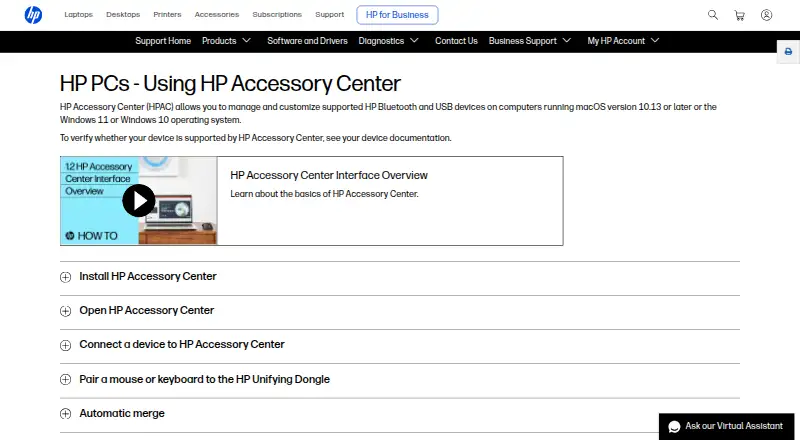
HP Accessory Center is a free Windows and macOS app for managing supported HP Bluetooth and USB keyboards, mice, and keypads. Available controls depend on the device model. Users can assign keystrokes, shortcut combinations, or commands such as opening an application to programmable buttons and keys. Supported mice can be adjusted for pointer sensitivity, DPI, scrolling speed, and scroll direction, with some settings linked to particular applications. The dashboard manages accessory connections and shows battery status, while configurable alerts warn when batteries reach a chosen level. HP also describes switching a monitor, keyboard, and mouse between two or more connected computers, although only one monitor can be switched. Network settings support clipboard synchronization and file sharing, and Secure Pairing transfers files and clipboard information to another computer on the same network. The app includes tutorials, a manual link, firmware checks, and automatic updates after new Microsoft Store releases. HP lists Windows 10, Windows 11, and macOS 10.13 or later; the App Store plan specifies macOS 12.0 or later.
Who it suits
It suits people using supported HP keyboards, mice, keypads, or other compatible accessories who want button customization, device switching, or battery alerts. Device compatibility should be checked in the accessory documentation.
What it does well
- Free plan with no listed subscription fee
- Custom buttons, shortcuts, and application commands
- Mouse DPI and scrolling controls
- Battery status and configurable alerts
- Switches accessories between multiple computers
What to know first
- Only supported HP accessories are configurable
- Available controls vary by device model
- HP webcams are no longer supported
- Pairing sequence must be entered within 30 seconds
Limits
The app works only with supported HP accessories, and available functions vary by device model. Webcam configuration is no longer supported, and multi-computer switching supports only one monitor.
Plans
| Plan | Billed and limits | Price |
|---|---|---|
| HP Accessory Center | Supported HP accessories only · macOS 12.0 or later on the App Store version | Free |
As support.hp.com lists them, read 11 Oct 2026. The maker's own page has the final word.
Getting started
- Open the HP Accessory Center page or download it from Microsoft Store or the App Store
- Install it on Windows 10, Windows 11, or supported macOS
- Connect supported HP Bluetooth or USB accessories
- Use the dashboard to manage accessory connections
- Configure buttons, mouse settings, battery alerts, or device switching
Verdict
HP Accessory Center provides free controls for supported HP accessories, including customization, battery monitoring, and multi-computer switching. Its usefulness depends on device compatibility, and HP directs webcam users to Poly Lens instead.
Questions
What does HP Accessory Center cost?
It is free, with a 0.00 USD free plan for supported HP accessories.
Which operating systems are supported?
HP lists Windows 10, Windows 11, and macOS 10.13 or later. The App Store plan specifies macOS 12.0 or later.
Can it configure HP webcams?
No. HP Accessory Center no longer supports HP webcams; HP directs users to Poly Lens.
Can it switch devices between computers?
Yes. A monitor, keyboard, and mouse can switch between two or more connected computers, with only one monitor switchable.
Does it provide battery information?
It shows battery status for supported accessories and lets users set low-battery alert levels.
Facts from HP Accessory Center's own pages
- Application settings
- Some mouse settings and button functions can be assigned to specific applications. · support.hp.com, 11 Oct 2026
- Battery notifications
- Users can enable low-battery notifications and adjust the battery level that triggers them. · support.hp.com, 11 Oct 2026
- Battery status
- The app shows battery status and lets users configure low-battery alerts for supported accessories. · apps.apple.com, 11 Oct 2026
- Button assignments
- Users can assign keystrokes or commands, such as opening an application, to programmable buttons or keys. · support.hp.com, 11 Oct 2026
- Button customization
- Users can assign supported accessory buttons to open favorite applications or run shortcut key combinations. · apps.apple.com, 11 Oct 2026
- Compatibility limit
- HP lists Windows 10, Windows 11, and macOS 10.13 or later, and says device support should be checked in that device's documentation. · support.hp.com, 11 Oct 2026
- Connections
- The app provides a dashboard to view and manage supported HP accessory connections. · apps.apple.com, 11 Oct 2026
- Device switching
- HP says users can connect a monitor, keyboard, and mouse to two or more computers and switch between computers using the app. · support.hp.com, 11 Oct 2026
- Downloads
- HP says HP Accessory Center is available from Microsoft Store and the App Store. · support.hp.com, 11 Oct 2026
- Free plan
- Yes · apps.apple.com, 22 Sept 2026
- Mouse settings
- For supported mice, users can adjust pointer sensitivity and DPI, scrolling speed, and scroll direction. · support.hp.com, 11 Oct 2026
- Multi-computer use
- HP Accessory Center can switch a monitor, keyboard, and mouse between two or more computers when the devices are connected to both computers; only one monitor can be switched. · support.hp.com, 11 Oct 2026
- Network sharing
- The settings include network communication for clipboard sync and file sharing with other devices connected to HP Accessory Center. · support.hp.com, 11 Oct 2026
- Operating systems
- HP says the app manages supported HP Bluetooth and USB devices on Windows 10, Windows 11, or macOS 10.13 or later. · support.hp.com, 11 Oct 2026
- Pairing limit
- HP says a pairing sequence must be entered within 30 seconds or the pairing process must be repeated. · support.hp.com, 11 Oct 2026
- Per-app profiles
- Yes · apps.apple.com, 22 Sept 2026
- Privacy disclosure
- HP Inc. indicates on the App Store listing that the app does not collect data; Apple says this developer-provided privacy information has not been verified by Apple. · apps.apple.com, 11 Oct 2026
- Purpose
- HP Accessory Center lets users tailor settings for supported HP accessories. · apps.apple.com, 11 Oct 2026
- Secure pairing
- HP describes Secure Pairing as a way to transfer files and clipboard information to another computer on the same network. · support.hp.com, 11 Oct 2026
- Sensitivity controls
- Yes · apps.apple.com, 22 Sept 2026
- Support
- The app includes a Manual link, and HP directs users to its support website when a device is not listed. · support.hp.com, 11 Oct 2026
- Supported devices
- The app can configure supported keyboards, mice, and keypads; available functions depend on the device model. · support.hp.com, 11 Oct 2026
- Supported operating systems
- cross-platform · apps.apple.com, 22 Sept 2026
- Tutorials
- The app provides product tutorials that highlight supported accessory features and how to use them. · apps.apple.com, 11 Oct 2026