Freedom251 › Keyboard and Mouse Customization Software
Solaar
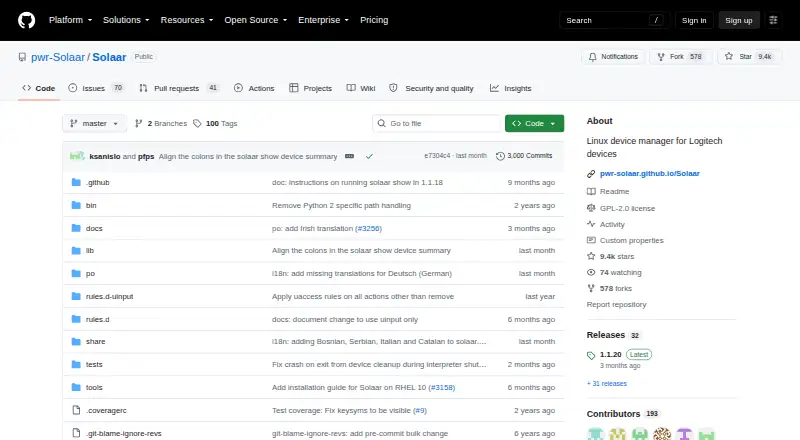
What Solaar is
Solaar is free software for managing Logitech keyboards, mice, trackpads, and other supported devices on Linux. Devices can connect through Unifying, Bolt, Lightspeed, or Nano receivers, USB, or Bluetooth. Solaar can pair and unpair supported hardware, show information such as battery status, and change available settings. Depending on the device and receiver, settings may include scroll behavior, sensitivity, backlighting, function keys, polling rate, and onboard memory; some devices also support key or button remapping. User-editable rules can react to device notifications, such as changing the speed of certain thumb wheels. Solaar runs as a graphical application or command-line interface and stores device settings in ~/.config/solaar/config.yaml. The project is distributed under GNU GPL version 2 or later. Bluetooth connections themselves still use normal Bluetooth mechanisms.
Who it suits
Solaar is for Linux users with supported Logitech peripherals who want device information and configurable controls. It can suit users who prefer either a graphical interface or command line.
What it does well
- Free plan with no listed charge
- Supports multiple Logitech receiver types, USB, and Bluetooth
- Offers graphical and command-line interfaces
- Can remap controls on some devices
- Includes editable notification rules
What to know first
- Works only with Logitech peripherals
- Available features vary by device and receiver
- Does not connect or disconnect Bluetooth devices
- No macro support listed
Plans
| Plan | Billed and limits | Price |
|---|---|---|
| Solaar | Linux only · Logitech devices only · features depend on device and receiver | Free |
As github.com lists them, read 3 Oct 2026. The maker's own page has the final word.
Verdict
Solaar provides broad management and customization for supported Logitech hardware on Linux. Check device and receiver compatibility first, since controls differ and other manufacturers’ peripherals are excluded.
Facts from Solaar's own pages
- Bluetooth limitation
- Solaar does not handle connecting or disconnecting Bluetooth devices; those connections use the usual Bluetooth mechanisms. · pwr-solaar.github.io, 3 Oct 2026
- Customization
- For some devices, users can remap keys or buttons and configure settings such as scroll behavior, sensitivity, backlighting, and function keys. · pwr-solaar.github.io, 3 Oct 2026
- Device connections
- It supports many Logitech devices connected through Unifying, Bolt, Lightspeed, or Nano receivers, USB, or Bluetooth. · github.com, 3 Oct 2026
- Device limitations
- Supported features vary by device and receiver, and Solaar does not work with peripherals from other companies. · pwr-solaar.github.io, 3 Oct 2026
- Device management
- It can pair and unpair supported devices, display device information such as battery status, and change supported device settings. · pwr-solaar.github.io, 3 Oct 2026
- Free plan
- Yes · github.com, 22 Sept 2026
- Interfaces
- Solaar can run as a graphical application or through a command-line interface. · pwr-solaar.github.io, 3 Oct 2026
- License
- The project is distributed under the GNU General Public License, version 2 or later. · pwr-solaar.github.io, 3 Oct 2026
- Local settings
- Solaar stores device setting information in the local file ~/.config/solaar/config.yaml. · pwr-solaar.github.io, 3 Oct 2026
- Macro support
- No · github.com, 22 Sept 2026
- Onboard device memory
- Yes · github.com, 22 Sept 2026
- Polling rate control
- Yes · github.com, 22 Sept 2026
- Purpose
- Solaar is a Linux manager for Logitech keyboards, mice, trackpads, and other supported devices. · pwr-solaar.github.io, 3 Oct 2026
- Rules
- Solaar can process device notifications with user-editable rules, such as changing the speed of some thumb wheels. · pwr-solaar.github.io, 3 Oct 2026
- Security context
- The documentation notes that some Logitech receivers and devices have security issues and that Logitech provides firmware updates to address them. · pwr-solaar.github.io, 3 Oct 2026
- Sensitivity controls
- Yes · github.com, 22 Sept 2026
- Support
- The project asks users to report bugs through issues in its GitHub repository and welcomes contributions. · pwr-solaar.github.io, 3 Oct 2026
- Supported operating systems
- cross-platform · github.com, 22 Sept 2026