Freedom251 › Keyboard and Mouse Customization Software
Mouser
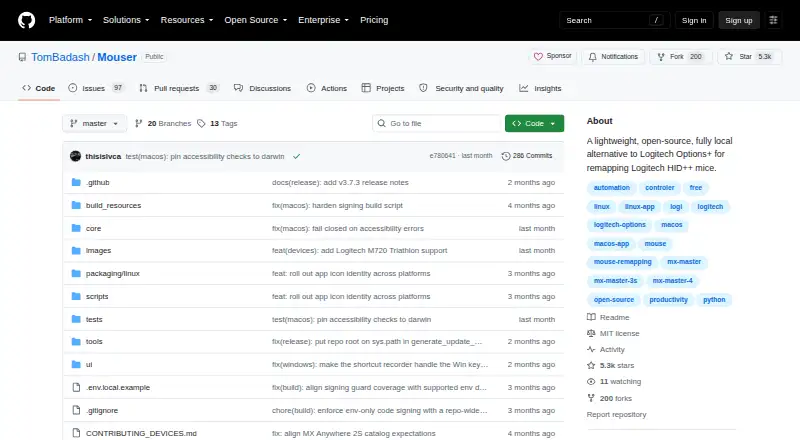
What Mouser is
Mouser is free, open-source software that remaps Logitech HID++ mice locally on Windows, macOS and Linux. Programmable buttons can be assigned to clicks, keyboard shortcuts or built-in actions, with automatic profile changes when the foreground application changes. Controls include DPI, Smart Shift, scroll-direction inversion and gesture-button swipes. Dedicated layouts cover MX Master and MX Anywhere models, while other detected HID++ mice use a fallback interface. Bluetooth and Logi Bolt connections support all three platforms and can reconnect automatically. Configuration and processing remain on the user’s computer, without telemetry, cloud service or a Logitech account. Downloads include Windows, macOS Apple Silicon, macOS Intel and Linux builds. The interface supports English, Simplified Chinese and Traditional Chinese. Mouser is MIT licensed and accepts issue reports and contributions through GitHub. macOS needs Accessibility permission, and Linux needs access to hidraw, input-event and uinput paths. Logitech Options+ must be closed because both applications compete for HID++ access. Linux application detection works with X11 and KDE Wayland; other Wayland compositors use the default profile.
Who it suits
Mouser suits Logitech HID++ mouse owners who want local, open-source remapping across Windows, macOS or Linux. It is particularly relevant to users needing per-application mappings and device controls.
What it does well
- Free open-source software
- Local processing without telemetry
- Automatic application profiles
- Bluetooth and Logi Bolt support
- DPI and Smart Shift controls
What to know first
- Options+ must be closed
- macOS requires Accessibility permission
- Linux Wayland support is limited
- Mappings remain global across devices
Plans
| Plan | Billed and limits | Price |
|---|---|---|
| Free | Open-source software · no paid tiers stated | Free |
As github.com lists them, read 12 Oct 2026. The maker's own page has the final word.
Verdict
Mouser provides local Logitech mouse remapping with broad desktop-platform support and useful device controls. Check the required permissions, Linux compositor behavior and Options+ conflict before using it.
Facts from Mouser's own pages
- Application profiles
- It can switch button mappings automatically when the foreground application changes. · github.com, 11 Oct 2026
- Button remapping
- It remaps programmable mouse buttons to mouse clicks, built-in actions, or custom keyboard shortcuts. · github.com, 12 Oct 2026
- Compatibility limitation
- Logitech Options+ must be quit before running Mouser because the two applications compete for HID++ access. · github.com, 11 Oct 2026
- Configuration limit
- Mappings are still global across devices even though layout overrides are stored per detected device. · github.com, 12 Oct 2026
- Connections
- Bluetooth and Logi Bolt connections are supported on Windows, macOS, and Linux. · github.com, 11 Oct 2026
- Connectivity
- Bluetooth and Logi Bolt transports are supported on Windows, macOS, and Linux, with automatic reconnection. · github.com, 12 Oct 2026
- Device controls
- Features include DPI and pointer speed controls, Smart Shift, scroll mode switching, scroll inversion, and gesture swipes. · github.com, 12 Oct 2026
- Device support
- The project lists dedicated layouts for MX Master and MX Anywhere models, with detection and fallback UI for other Logitech HID++ mice. · github.com, 11 Oct 2026
- Downloads
- The README provides downloadable release archives for Windows, macOS Apple Silicon and Intel, and Linux. · github.com, 12 Oct 2026
- Free plan
- Yes · github.com, 22 Sept 2026
- Integration requirement
- Logitech Options+ must be closed because both apps compete for HID++ access. · github.com, 12 Oct 2026
- Language support
- The interface supports English, Simplified Chinese, and Traditional Chinese. · github.com, 11 Oct 2026
- License
- The project is licensed under the MIT License. · github.com, 12 Oct 2026
- Linux app profiles
- Linux per-application detection supports X11 and KDE Wayland; other Wayland compositors use the default profile. · github.com, 12 Oct 2026
- Linux limitation
- Linux application detection works with X11 and KDE Wayland; GNOME and other Wayland compositors fall back to the default profile. · github.com, 11 Oct 2026
- macOS setup
- macOS requires Accessibility permission for Mouser to intercept mouse events. · github.com, 11 Oct 2026
- Maker
- The GitHub profile identifies TomBadash as an M.Sc. student in Cyber AI and a researcher at the Offensive AI Lab at Ben-Gurion University. · github.com, 12 Oct 2026
- Per-app profiles
- Yes · github.com, 22 Sept 2026
- Permissions
- macOS requires Accessibility permission, while Linux requires access to hidraw, input event, and uinput device paths. · github.com, 12 Oct 2026
- Privacy
- The project states that processing and configuration stay on the user’s machine, with no telemetry, cloud service, or Logitech account required. · github.com, 12 Oct 2026
- Profiles
- It can automatically switch button mappings when the foreground application changes. · github.com, 12 Oct 2026
- Purpose
- Mouser is a lightweight, open-source, fully local alternative to Logitech Options+ for remapping Logitech HID++ mice. · github.com, 12 Oct 2026
- Sensitivity controls
- Yes · github.com, 22 Sept 2026
- Support and contributions
- The project invites users to report issues and contribute code, fixes, and features through GitHub. · github.com, 11 Oct 2026