
SimScale
by SimScale
What SimScale is
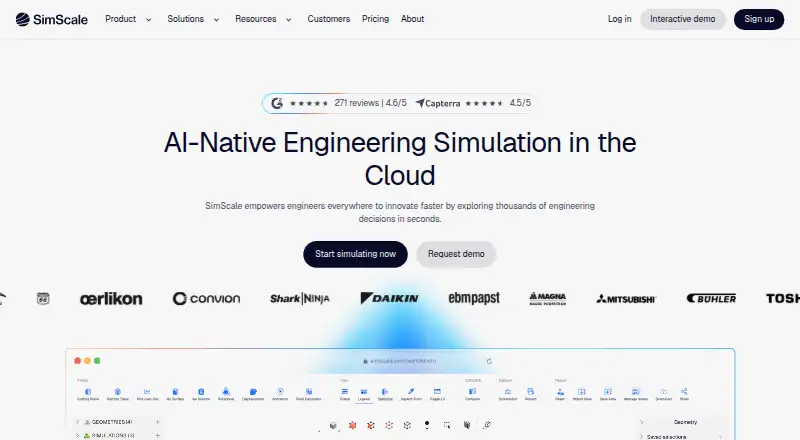
SimScale is a cloud-based engineering simulation platform accessed through a web interface. It covers structural mechanics, fluid dynamics, thermodynamics, electromagnetics, and multiphysics. Engineering AI can orchestrate simulation setup, execution, evaluation, and documentation, while Physics AI provides predictions using models linked to high-fidelity simulation. The Community plan is free for testing and learning and includes selected analysis types, 10 unrestricted simulations, up to 3,000 core hours, and one user. After the maximum simulation limit, output becomes qualitative rather than quantitative. Mechanical, Professional, and Enterprise plans have custom pricing; Professional simulations are unlimited when sufficient core hours are available. Teams can share projects and workflow templates, and visitors who only review simulations are free with every plan. The platform supports multiple devices and integrates with CAD systems including SolidWorks, Autodesk Fusion, Inventor, PTC Creo, Solid Edge, FreeCAD, Rhino, and Onshape. Subscriptions can be paid by purchase order or invoice and canceled anytime, with renewal stopping after the current contract period. SimScale was founded in 2012 and is headquartered in Munich, Germany.
Who it suits
SimScale may suit engineering teams working with the physics areas it supports and seeking cloud simulation. The Community plan is intended for testing and learning; paid options include plans for structural and thermal work, higher-fidelity work, and broader roll-outs.
What it does well
- Covers structural, fluid, thermal, and electromagnetic simulation
- Community plan includes 10 unrestricted simulations
- Teams can share projects and workflow templates
- Supports multiple devices through a web interface
- Visitors reviewing simulations are free with every plan
What to know first
- Community output becomes qualitative after the limit
- Community plan is limited to 10 simulations
- Paid plan prices are custom and not listed
- Offline access is not available
Plans
| Plan | Billed and limits | Price |
|---|---|---|
| Community | 10 simulations · 3,000 core hours · 1 user | On request |
| Mechanical | Unlimited simulations · 192-core largest computing instance | On request |
| Professional | Unlimited simulations · 10,000 core hours · 192-core largest computing instance | On request |
| Enterprise | Unlimited simulations · Custom core hours · Custom computing instance · Custom number of users | On request |
As simscale.com lists them, read 28 Sept 2026. The maker's own page has the final word.
Overview
SimScale is a cloud engineering simulation platform spanning several areas of physics, aimed at engineers and teams that need to run and share analyses through a web interface. Its broad discipline coverage and CAD connections are meaningful strengths; the free tier is capped, and paid plans use custom pricing.
Key features
Structural mechanics, fluid dynamics, thermodynamics, electromagnetics, and multiphysics sit within one platform. That breadth suits teams working across disciplines, although analysis types and computing capacity vary by plan. SimScale says users can run multiple high-fidelity design variants simultaneously without local hardware or queue constraints, a practical advantage for comparison-heavy work.
Engineering AI orchestrates setup, execution, evaluation, and documentation; Physics AI predicts outcomes using models linked to high-fidelity simulation. These tools may help teams standardize recurring work, but both are included in Enterprise rather than the lower plans.
Teams can share projects and workflow templates, while visitors who only review simulations are free on every plan. The supported CAD systems include SolidWorks, Autodesk Fusion, Inventor, PTC Creo, Solid Edge, FreeCAD, Rhino, and Onshape. API access, Onshape CAD associativity, dedicated API support, and custom integrations make SimScale more suitable for connected engineering workflows than a standalone solver. Enterprise-grade security backs its cloud-native architecture.
Pricing
SimScale is freemium. The Community plan is free for testing and learning, with selected analysis types, 10 unrestricted simulations, up to 3,000 core hours, and one user. Once the simulation limit is reached, output becomes qualitative rather than quantitative, so this tier is best for learning and limited evaluation, not sustained quantitative work.
Mechanical has custom pricing and targets structural and thermal work. It provides private projects, standard structural and thermal analysis, live support, unlimited simulations when sufficient core hours are available, and a largest computing instance of 192 cores. It is the focused paid option for teams that do not need the broader fluid analysis in Professional.
Professional also has custom pricing. It adds standard fluid analysis alongside structural and thermal work, private projects, a custom computing quota, unlimited simulations subject to core-hour availability, 10,000 core hours, and a largest instance of 192 cores. That makes it the more suitable tier for higher-fidelity workloads across those disciplines.
Enterprise uses custom pricing, custom core hours, a custom computing instance, and a custom number of users. It includes Engineering AI, Physics AI, dedicated API support, and custom integrations, making it the tier for broad roll-outs rather than small teams seeking a fixed, published package.
Subscriptions can be paid by purchase order or invoice. They can be canceled at any time, with renewal stopping after the current contract period. Visitors who only review simulations are free on every plan.
Platforms
SimScale runs in a web interface and works across multiple devices. Offline access is not available. Data export, authoring tools, 3D visuals, and a lesson library are supported, making the platform useful for both creating and reviewing simulation work, but dependent on connectivity.
Who it's for
SimScale is a strong fit for engineering teams that need shared cloud simulation across multiple physics areas, CAD-linked workflows, or capacity to compare design variants without local hardware. Community suits learning and initial evaluation; Mechanical and Professional address paid structural, thermal, and fluid work. It is a weaker fit for users who need offline access, a published paid price, or unrestricted quantitative output on a free plan.
Pros and cons
- Broad physics coverage: structural, fluid, thermal, electromagnetic, and multiphysics work can sit in one platform.
- Useful collaboration and integrations: shared projects, workflow templates, free review-only visitors, numerous CAD links, and API options suit team workflows.
- Cloud scale: multiple high-fidelity variants can run without local hardware or queue constraints.
- Free tier has firm limits: 10 unrestricted simulations and 3,000 core hours constrain ongoing work, and output turns qualitative after the simulation cap.
- Paid costs are hard to budget from the outset: all paid tiers use custom pricing, and Professional's unlimited simulations still depend on core-hour availability.
- Offline work is not supported: use requires access to the web platform.
Alternatives
For a broader directory, see Physics Simulation Software. Consider OpenSim if a free, open-source platform with Linux, macOS, Windows, and API support better suits your needs; downloading it requires a SimTK account. OpenFOAM is another free option for users seeking software across Windows, macOS, and Linux.
Xcos is worth considering if you want free, open-source software distributed with Scilab. Choose SimFlow if its free plan and trial better fit your starting point, or if you want a Linux, macOS, web, or Windows option. FeenoX may suit users seeking free GNU GPLv3+ software who can work without a graphical interface; it targets GNU/Linux. Other free options include ngspice for Windows, macOS, or Linux, Step for Linux, and ASCEND for Windows, macOS, or Linux.
Verdict
Choose SimScale if your engineering team needs collaborative, cloud-based simulation across multiple physics areas and can budget for custom-priced paid plans. Its breadth, CAD connections, and ability to run variants without local hardware are the main reasons to choose it. Look elsewhere if offline access or predictable published pricing is essential, or if the Community plan's simulation and output limits are too restrictive.
Verdict
SimScale offers a web-based route to engineering simulation across several physics areas, with collaboration and CAD integrations. The free Community plan has a 10-simulation limit, and paid plan prices are custom.
Facts from SimScale's own pages
- API Integration
- The platform offers API access, Onshape CAD associativity, dedicated API support, and custom integrations. · simscale.com, 28 Sept 2026
- Authoring tools
- Yes · simscale.com, 21 Sept 2026
- Billing Method
- Subscriptions can be paid by purchase order or invoice. · simscale.com, 28 Sept 2026
- CAD Integrations
- Supported CAD systems include SolidWorks, Autodesk Fusion, Inventor, PTC Creo, Solid Edge, FreeCAD, Rhino, and Onshape. · simscale.com, 28 Sept 2026
- Cancellation Terms
- Subscriptions can be canceled anytime and stop renewing after the current contract period. · simscale.com, 28 Sept 2026
- Company Reach
- SimScale is trusted by more than 900,000 engineers worldwide. · simscale.com, 28 Sept 2026
- Data export
- Yes · simscale.com, 21 Sept 2026
- Delivery mode
- web · simscale.com, 21 Sept 2026
- Device Support
- SimScale can be used across multiple devices. · simscale.com, 28 Sept 2026
- Engineering AI
- Engineering AI orchestrates simulation setup, execution, evaluation, and documentation. · simscale.com, 28 Sept 2026
- Founded
- 2012 · simscale.com, 28 Sept 2026
- Free plan
- Yes · simscale.com, 21 Sept 2026
- Free Plan Limits
- The Community plan includes 10 unrestricted simulations and up to 3000 core hours. · simscale.com, 28 Sept 2026
- Free Output Limit
- After the maximum simulation limit, users see qualitative rather than quantitative output. · simscale.com, 28 Sept 2026
- Headquarters
- Munich, Germany · simscale.com, 28 Sept 2026
- Lesson library
- Yes · simscale.com, 21 Sept 2026
- Offline access
- No · simscale.com, 21 Sept 2026
- Paid Simulation Limit
- Professional simulations are unlimited when sufficient core hours are available. · simscale.com, 28 Sept 2026
- Physics AI
- Physics AI provides instant prediction using models linked to high-fidelity simulation. · simscale.com, 28 Sept 2026
- Platform Access
- SimScale provides cloud simulation through an easy, instantly accessible web interface. · simscale.com, 28 Sept 2026
- Pricing Model
- Community is free; Mechanical, Professional, and Enterprise are custom-priced. · simscale.com, 28 Sept 2026
- Security Level
- The cloud-native architecture is backed by enterprise grade security. · simscale.com, 28 Sept 2026
- Simulation Scale
- Users can run multiple high-fidelity design variants simultaneously without local hardware or queue constraints. · simscale.com, 28 Sept 2026
- Supported Physics
- The platform covers structural mechanics, fluid dynamics, thermodynamics, electromagnetics, and multiphysics. · simscale.com, 28 Sept 2026
Where SimScale stands on Freedom251
- CFD software#2 of 22
- Simulation & CAE Software#2 of 18
- CAE Software#2 of 11
- Physics Simulation Software#18 of 89