Freedom251 › Documentation Generators
Scaladoc
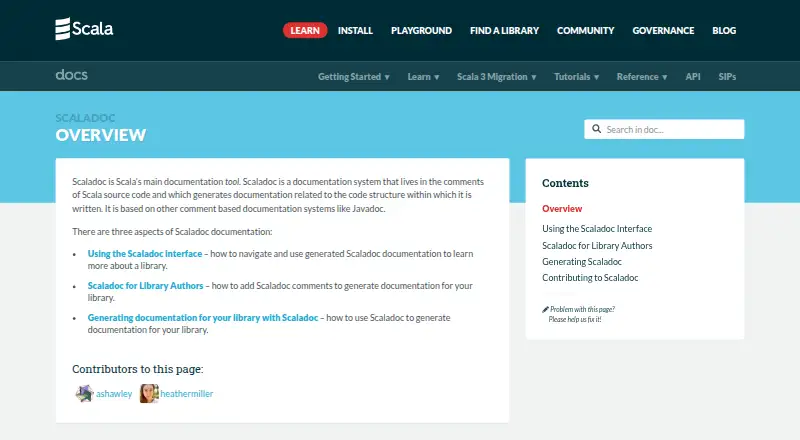
What Scaladoc is
Scaladoc is Scala’s main documentation tool, generating material about source-code structure from comments in Scala code. Library authors can use it to document their work, while library users can consult the resulting API references. Comments support Markdown in Scala 3 and legacy Wikidoc syntax, with tags for parameters, type parameters, return values, exceptions, examples, versions, and deprecation. Documentation can be inherited from superclasses and traits, implicitly or through the @inheritdoc tag. Scaladoc generates HTML through sbt or its command-line tool; sbt is described as the easier option for complex projects. Generated pages can include package breadcrumbs, type hierarchies, linear supertypes, known subclasses, and links to online source when available. It can also create static sites for documentation and blog posts. Search by method or field type is supported, although the feature remains in development. Inputs include Scala source code, TASTy files, and JAR files. The tool is free, with no paid plans or usage limits stated.
Who it suits
It suits Scala library authors who need to generate API documentation and library users consulting that documentation. Developers can generate HTML output through sbt or the command-line tool.
What it does well
- Generates HTML API documentation
- Supports Markdown in Scala 3 and legacy Wikidoc
- Can inherit comments from superclasses and traits
- Accepts Scala source, TASTy, and JAR files
What to know first
- Search by method and field type is still in development
- Direct command-line use is harder for complex projects
Plans
| Plan | Billed and limits | Price |
|---|---|---|
| Scaladoc | No paid plans or usage limits stated | Free |
As docs.scala-lang.org lists them, read 9 Oct 2026. The maker's own page has the final word.
Getting started
- Open the Scala documentation website.
- Prepare Scala source code, TASTy files, or JAR files.
- Add documentation comments using supported markup and tags.
- Generate HTML documentation with sbt or the scaladoc command-line tool. Use sbt for complex projects.
Scaladoc is Scala’s source-comment documentation generator, built for library authors and developers who need API references that reflect code structure. It is a strong fit for Scala projects; teams with complex builds will find sbt the more practical generation route.
Overview
Scaladoc turns comments into structured HTML references, so library users can navigate documentation alongside the code’s types and relationships. It accepts Scala source code, TASTy files and JAR files, making it useful for publishing API documentation from more than one form of Scala input. It is not a general-purpose documentation system for unrelated languages or APIs.
The output can include package breadcrumbs, linear supertypes, known subclasses and type hierarchies, as well as links to online source when available. Those structural cues help readers understand where a symbol sits in a library, rather than leaving them with a flat collection of descriptions.
Key features
Comments support Markdown in Scala 3 and legacy Wikidoc syntax. Tags such as @param, @tparam, @return, @throws, @example, @since and @deprecated give authors a way to document individual code entities consistently. Scaladoc can also inherit comments from superclasses and traits, implicitly or through @inheritdoc, which can reduce repeated explanations in class hierarchies.
API documentation can be generated with sbt or the scaladoc command-line tool. The direct command is harder to use for projects with multiple source files and library dependencies, so sbt is the better fit for complex builds. Scaladoc can also produce static sites for documentation and blog posts alongside API references, extending its role beyond symbol-level documentation.
Search can locate methods and fields by type, a useful capability when a reader knows the shape of a value but not its name. That search feature is still in development, so it should not be treated as a finished centerpiece of the documentation workflow.
Pricing
Scaladoc is open source and free: its plan costs nothing. There is no free trial because the tool is already free, and no paid plan or usage cap is stated. That makes it straightforward for individual contributors and teams to adopt without per-seat or quota trade-offs.
Platforms
Scaladoc is listed for Linux, macOS, Windows and web. Its generated documentation is HTML, while the documentation workflow centers on Scala code and the Scala ecosystem.
Who it's for
Scaladoc suits Scala library authors who want comments close to source, developers responsible for generating library documentation, and library users who need a structured API reference. It is less suitable as a language-agnostic publishing tool or where a project needs a mature type-based search experience as a core requirement.
Pros and cons
- Pros: Scala-aware references can expose type hierarchies, supertypes, subclasses and source links, which helps readers navigate complex APIs.
- Pros: Comment tags, supported markup and inherited documentation provide several ways to keep explanations tied to code entities.
- Pros: Free, open-source use avoids paid tiers and stated usage limits.
- Cons: The command-line route becomes harder with multiple source files and dependencies; complex projects are better served by sbt.
- Cons: Type-based search is still in development, limiting confidence in it as a mature discovery feature.
Alternatives
For broader documentation-generation needs, browse Documentation Generators. Choose Asciidoctor when you need an open-source documentation processor with core converters for HTML 5, DocBook 5 and man pages; PDF support is also mentioned. JSON Schema for Humans is a better fit for generating static HTML or Markdown documentation from JSON Schema.
Kotlin/JS is the relevant alternative when the goal is compiling Kotlin for JavaScript rather than documenting Scala APIs. Scalar fits API documentation workflows that need an editor and SDK tooling, with its free plan capped at three APIs, one SDK of up to 25 endpoints, one editor seat and 50 Agent Scalar credits. Sphinx is another open-source documentation option that can be installed locally or self-hosted.
Swagger Codegen is the better choice when documentation needs to be generated from OpenAPI specifications alongside API clients and server stubs. Swift Package Manager is a free open-source package management tool, while DocFX is an open-source static site generator that requires .NET SDK 8.0 or higher.
Verdict
Choose Scaladoc if you publish Scala libraries and want API documentation grounded in source comments, with navigable type structure and no stated usage caps. Look elsewhere if you need a general-purpose generator, or if complex builds make a direct command-line workflow undesirable and sbt is not part of your setup.
Verdict
Scaladoc turns code comments into structured Scala documentation and supports both API references and static sites. For complex projects, sbt is described as the easier generation route.
Questions
How much does Scaladoc cost?
Scaladoc is free and open source. The listed plan is free.
Does Scaladoc have a free plan or trial?
It has a free plan. There is no free trial.
What platforms does Scaladoc support?
The listed platforms are Linux, macOS, web, and Windows.
What inputs can Scaladoc use?
It accepts Scala source code, TASTy files, and JAR files.
What output does it generate?
It generates HTML API documentation and can create static sites for documentation and blog posts.
How can I generate Scaladoc?
You can use sbt or the scaladoc command-line tool. The documentation describes sbt as easier for complex projects.
Facts from Scaladoc's own pages
- Audience
- Scaladoc documentation helps library users learn about a library, library authors write documentation, and developers generate library documentation. · docs.scala-lang.org, 9 Oct 2026
- Comment inheritance
- Scaladoc can inherit comments from superclasses and traits implicitly or through the @inheritdoc tag. · docs.scala-lang.org, 9 Oct 2026
- Comment tags
- Tags include @param, @tparam, @return, @throws, @example, @since, and @deprecated for documenting code entities. · docs.scala-lang.org, 9 Oct 2026
- Generated interface
- Generated Scaladoc can show package breadcrumbs, linear supertypes, known subclasses, type hierarchies, and links to online source when available. · docs.scala-lang.org, 9 Oct 2026
- Generation
- API documentation can be generated as HTML using sbt or the scaladoc command-line tool, with sbt described as the easier option for complex projects. · docs.scala-lang.org, 9 Oct 2026
- Integrations
- The Scala documentation names sbt as the easiest and most commonly used way to generate Scaladoc from Scala code. · docs.scala-lang.org, 9 Oct 2026
- Limit
- The direct scaladoc command is harder to use with complex projects containing multiple Scala source files and library dependencies. · docs.scala-lang.org, 9 Oct 2026
- Maintainer context
- The Scala Center describes itself as an independent not-for-profit center at EPFL that coordinates open-source development of Scala libraries and tools. · scala.epfl.ch, 9 Oct 2026
- Markup
- Scaladoc comments support markup, including Markdown in Scala 3 and legacy Wikidoc syntax. · docs.scala-lang.org, 9 Oct 2026
- Purpose
- Scaladoc is Scala’s main documentation tool and generates documentation related to the structure of Scala source code from comments in that code. · docs.scala-lang.org, 9 Oct 2026
- Search
- Scaladoc supports searching for methods and fields by their types, and the documentation describes this feature as still in development. · docs.scala-lang.org, 9 Oct 2026
- Security
- The Scala security policy says releases are cryptographically signed with PGP keys and encourages private vulnerability reports. · scala-lang.org, 9 Oct 2026
- Static sites
- Scaladoc can create static sites for documentation and blog posts alongside generated API documentation. · docs.scala-lang.org, 9 Oct 2026
Where Scaladoc stands on Freedom251
- Documentation Generators#13 of 37