Freedom251 › Integrated Development Environments

RustRover
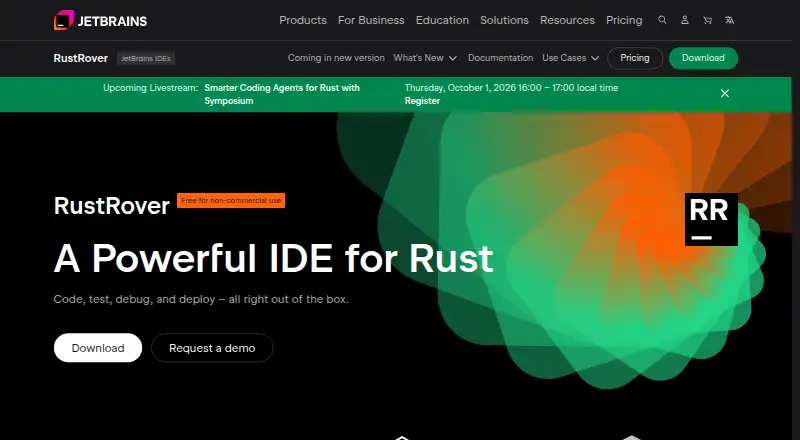
What RustRover is
RustRover is a cross-platform IDE for Rust developers to code, test, debug, and deploy. Its project analysis supports completion, inspections, refactoring, navigation, usage searches, and syntax highlighting. Coding tools include context-aware suggestions and generation, on-the-fly analysis, quick-fixes, smart refactorings, and live templates. RustRover can install rustup and helps manage Rust files and crate dependencies in Cargo.toml. It includes debugging, build, and testing tools, along with project management and dev container support. RustRover 2026.1 supports AI agents such as GitHub Copilot and Cursor through the Agent Client Protocol. Plugins from JetBrains Marketplace and custom repositories can add integrations and other features. It runs on Windows, macOS, and Linux, but not BSD-based systems. New users can try the full-featured IDE for 30 days. The non-commercial plan costs nothing for learning, self-education, qualifying open-source contributions, content creation, and hobby development; it requires a JetBrains Account. Commercial individual use is $6.90 a month.
Who it suits
It suits Rust developers who want coding, testing, debugging, and project tools in one IDE. The free non-commercial plan is for learning, self-education, qualifying open-source contributions, content creation, and hobby development.
What it does well
- Context-aware completion, generation, and quick-fixes
- Includes debugging, build, and testing tools
- Can install rustup and manage Cargo.toml dependencies
- Supports Windows, macOS, and Linux
- Full-featured 30-day trial for new users
What to know first
- BSD-based operating systems are not supported
- Non-commercial plan requires a JetBrains Account
- Non-commercial tier collects detailed code-related data by default
- Commercial individual plan costs $6.90 a month
Limits
The free non-commercial plan is restricted to learning, self-education, qualifying open-source contributions, content creation, and hobby development. New users can access the full-featured trial for 30 days; commercial individual use is $6.90 a month.
Plans
| Plan | Billed and limits | Price |
|---|---|---|
| RustRover Non-Commercial | Free · For learning, self-education, qualifying open-source contributions, content creation, and hobby development · Requires JetBrains Account · AI Free included | Free |
| RustRover Commercial — Individual | $6.90 per month · Commercial development · AI Free included · Activated with JetBrains Account, offline key, or license server | $6.90 a month |
As jetbrains.com lists them, read 30 Sept 2026. The maker's own page has the final word.
Getting started
- Visit the RustRover website and choose the download for Windows, macOS, or Linux.
- Start the 30-day full-featured trial, or select the non-commercial plan for an eligible use.
- Create or use a JetBrains Account for the non-commercial plan.
- Open a Rust project and use RustRover’s rustup and Cargo.toml support to manage its setup.
- Add plugins from JetBrains Marketplace or a custom plugin repository if needed.
RustRover is a Rust-focused IDE for developers who want editing, project understanding, Cargo management, testing, debugging, and deployment in one desktop application. It is best suited to Rust learners, hobbyists, open-source contributors, and commercial developers working on substantial projects. The main decision is whether its deep Rust tooling justifies a commercial subscription and JetBrains account for your work.
For category comparisons, see Rust IDEs, Integrated Development Environments, and IDE Software.
Overview
RustRover brings Rust-aware development into a cross-platform workspace rather than treating Rust as a collection of editor extensions. Its project analysis understands code structure for completion, inspections, navigation, refactoring, usage searches, and syntax highlighting. That concentration is valuable when a project spans many crates and modules, but it is unnecessary if you only need a fast text editor.
The IDE covers coding, building, testing, debugging, and deployment, with project management and dev container support included. BSD-based operating systems are excluded; supported desktop platforms are Windows, macOS, and Linux.
Key features
Rust-aware editing and analysis
Context-aware code completion and generation, quick-fixes, smart refactorings, live templates, and on-the-fly analysis are aimed at reducing repetitive work while you edit. Project analysis adds inspections, navigation, finding usages, and syntax highlighting across the codebase. These tools favor developers who routinely trace relationships or make broad changes; a minimalist workflow may find the surrounding IDE heavier than necessary.
Cargo, builds, tests, and debugging
RustRover can install rustup and helps manage Rust files and crate dependencies in Cargo.toml. Built-in build tools, integrated testing, and an integrated debugger keep common verification and diagnosis tasks in one place. This makes it a sensible choice for projects where repeated build-test-debug cycles matter, rather than for occasional single-file edits.
Agents, plugins, and safety controls
Version 2026.1 supports AI agents including GitHub Copilot and Cursor through the Agent Client Protocol. JetBrains Marketplace plugins and custom plugin repositories can add integrations and other capabilities, giving teams room to adapt the environment. When opening a first-time project from an unknown source, Safe Mode restricts code execution and build-related activity, a useful precaution before trusting unfamiliar code.
The non-commercial tier may send anonymized usage statistics and collects detailed code-related data by default; those settings can be disabled. Commercial-license users receive direct support, while other users can ask questions through the RustRover Slack channel or email. JetBrains' Trust Center describes its security practices and identifies SOC 2 Type II and GDPR compliance.
Pricing
RustRover Non-Commercial
free, billed Free. This tier is for learning, self-education, qualifying open-source contributions, content creation, and hobby development. It requires a JetBrains Account and includes AI Free. It is the appropriate route for personal and qualifying non-commercial work, not ordinary paid development.
RustRover Commercial — Individual
$6.90 a month, billed $6.90 per month. It is for commercial development and includes AI Free. Activation works with a JetBrains Account, offline key, or license server. The monthly individual plan is the relevant choice for freelancers and employees using RustRover for paid work.
Trial
New users can use the full-featured RustRover for 30 days. That period is long enough to assess whether its project analysis and integrated workflow earn a place in your daily toolchain before selecting a qualifying free use or commercial license.
Platforms
RustRover runs on Windows, macOS, and Linux. BSD-based operating systems are not supported, so BSD users need another editor or IDE.
Who it's for
Choose RustRover if you want a dedicated Rust environment with structural code assistance, Cargo dependency help, integrated builds, tests, and debugging. The non-commercial plan fits students, self-learners, hobbyists, content creators, and qualifying open-source contributors. Commercial Rust developers gain a fuller fit from the individual subscription, especially when a license server or offline activation is useful.
Look elsewhere if you need BSD support, prefer an open-source editor, or do not want telemetry enabled by default in the non-commercial tier. A lightweight editor can also be a better match for small scripts and quick changes.
Pros and cons
Pros
- Deep Rust project assistance: analysis, inspections, navigation, refactoring, and usage finding address large-codebase work.
- Complete development loop: Cargo support, builds, testing, and debugging are integrated rather than split across tools.
- Flexible extension and agent support: Marketplace and custom plugins, plus GitHub Copilot and Cursor via the Agent Client Protocol, broaden integrations.
- Useful project protection: Safe Mode limits execution and build activity for unknown projects.
Cons
- Commercial work costs $6.90 per month: paid development cannot rely on the free non-commercial tier.
- Non-commercial telemetry requires attention: anonymized statistics and detailed code-related collection are enabled by default, though settings can disable them.
- No BSD support: the supported platform set stops at Windows, macOS, and Linux.
- JetBrains Account requirement for free use: the Non-Commercial plan cannot be used without an account.
Alternatives
Qt Creator is a freemium option with an open-source plan and support for Android, iOS, Linux, macOS, web, and Windows; choose it when Qt-oriented, broader platform coverage matters.
Zed offers a free Personal plan with 2,000 accepted edit predictions and external-agent or API-key support; pick it when you want a lighter code-editor approach.
CodeLite is a free GPLv2 IDE for Linux, macOS, and Windows, suitable when a fully free IDE is the priority.
Fresh is free and open source with no paid tiers or stated usage limits; choose it for an explicitly GPL-licensed option.
Kate is a free text editor for Linux, Windows, and macOS.
Lapce is a free open-source code editor for Linux, macOS, and Windows.
GNOME Builder is a free Linux desktop tool for x86_64 and aarch64 systems.
Huly Code is free to use.
Verdict
RustRover is the strongest fit for Rust developers who want project-aware assistance and an integrated Cargo, build, test, and debug workflow. Its free non-commercial tier makes it practical for learning and qualifying personal work, while commercial users should budget $6.90 per month. Choose another tool if BSD compatibility, open-source licensing, or a simpler editor is more important than Rust-specific depth.
Verdict
RustRover brings Rust editing, project analysis, and build and test workflows into a cross-platform IDE. Its free tier is limited to specified non-commercial uses, while individual commercial use is listed at $6.90 a month.
Questions
Is RustRover free?
It has a free non-commercial plan for learning, self-education, qualifying open-source contributions, content creation, and hobby development. A JetBrains Account is required.
How much is the commercial individual plan?
RustRover Commercial — Individual is $6.90 a month.
Is there a free trial?
Yes. New users can try the full-featured IDE for 30 days.
Which platforms does RustRover support?
It runs on Windows, macOS, and Linux. BSD-based operating systems are not supported.
Can RustRover connect to AI agents or plugins?
RustRover 2026.1 supports AI agents including GitHub Copilot and Cursor through the Agent Client Protocol. Plugins from JetBrains Marketplace and custom repositories can add integrations and other features.
Who makes RustRover?
JetBrains makes RustRover. The company describes itself as a software company headquartered in Amsterdam, Netherlands.
Facts from RustRover's own pages
- AI agents
- RustRover 2026.1 supports AI agents including GitHub Copilot and Cursor through the Agent Client Protocol. · jetbrains.com, 30 Sept 2026
- Cargo workflow
- RustRover can install rustup and helps manage Rust files and crate dependencies in Cargo.toml. · jetbrains.com, 30 Sept 2026
- Code assistance
- It provides context-aware code completion and generation, on-the-fly analysis, quick-fixes, smart refactorings, and live templates. · jetbrains.com, 30 Sept 2026
- Company
- JetBrains describes itself as a software company making tools for software developers and teams, headquartered in Amsterdam, Netherlands, and founded in February 2000. · jetbrains.com, 30 Sept 2026
- Company security
- JetBrains' Trust Center provides information about security practices and identifies SOC 2 Type II and GDPR compliance. · jetbrains.com, 30 Sept 2026
- Headquarters
- Amsterdam, Netherlands · jetbrains.com, 23 Sept 2026
- Plugin integrations
- Plugins from JetBrains Marketplace and custom plugin repositories can extend RustRover with integrations and other features. · jetbrains.com, 30 Sept 2026
- Project analysis
- Project analysis enables code completion, inspections, refactoring, navigation, finding usages, and syntax highlighting. · jetbrains.com, 30 Sept 2026
- Project safety
- For a first-time project from an unknown source, RustRover offers Safe Mode, which restricts code execution and build-related activities. · jetbrains.com, 30 Sept 2026
- Purpose
- RustRover is an IDE for Rust developers to code, test, debug, and deploy. · jetbrains.com, 30 Sept 2026
- Support
- Direct support service is available to commercial-license users; users can also ask questions in the RustRover Slack channel or email support. · jetbrains.com, 30 Sept 2026
- Supported systems
- RustRover is a cross-platform IDE for Windows, macOS, and Linux; BSD-based operating systems are not supported. · jetbrains.com, 30 Sept 2026
- Telemetry
- The product page says the non-commercial tier may send anonymized usage statistics and collects detailed code-related data by default, which users can disable in settings. · jetbrains.com, 30 Sept 2026
- Trial
- New users can try the full-featured RustRover for 30 days. · jetbrains.com, 30 Sept 2026
Where RustRover stands on Freedom251
- Integrated Development Environments#36 of 65
- IDE Software#32 of 53
- Rust IDEs#10 of 13