
Lapce
What Lapce is
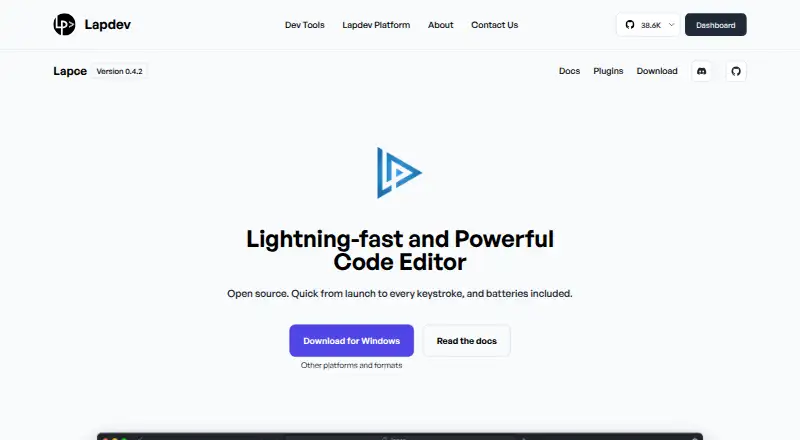
Lapce is a free, open-source code editor written in Rust for Windows, Linux, and macOS. It uses a native graphical interface with GPU acceleration through Floem. For code intelligence, it provides Tree-sitter syntax highlighting and LSP support for completion, diagnostics, and code actions. Developers can connect to a remote machine to work in an environment matching a production server, and the built-in terminal opens at the workspace path. Editing options include multiple cursors and built-in Vim-like modal controls. Lapce supports extensions, and its plugins can be written in any programming language that compiles to WASI. Available downloads include Linux tar.gz builds for x86 and ARM, Windows system installer and portable x86 builds, and a universal macOS DMG. The product page displays version 0.4.2. Documentation covers setup, settings, keybindings, remote development, themes, terminal use, multiple cursors, syntax highlighting, and plugin development. Lapce is maintained by the Lapce team, and Lapce and Floem are described as open-source projects.
Who it suits
Lapce suits developers looking for an open-source editor on Linux, macOS, or Windows. Its remote development, terminal, and modal editing features may suit varied coding workflows.
What it does well
- Available for Windows, Linux, and macOS.
- Includes LSP completions, diagnostics, and code actions.
- Supports remote development.
- Has built-in Vim-like modal editing and multiple cursors.
- Plugins can be written in languages that compile to WASI.
What to know first
- The product page displays version 0.4.2.
- Linux x86 and ARM builds are listed as tar.gz downloads.
- Windows portable build is listed for x86.
Plans
| Plan | Billed and limits | Price |
|---|---|---|
| Lapce | Open source code editor | Free |
| Lapce editor | No paid edition is listed · open-source desktop editor · Linux, Windows, macOS · built-in LSP, terminal, Vim mode, remote development, WASI plugins | Free |
As lap.dev lists them, read 29 Sept 2026. The maker's own page has the final word.
Getting started
- Visit the Lapce website.
- Choose a download for Linux, Windows, or macOS.
- Install or launch the build for your system.
- Use the setup documentation to configure the editor.
Overview
Lapce is a free, open-source code editor written in Rust for developers who want language-aware editing, remote workspaces and an integrated terminal. It is particularly well suited to Rust programmers and to users who prefer Vim-style controls, while remaining a general-purpose editor for other languages. The main trade-off is that its broad, extensible foundation is not the same as a specialized IDE with a commercial support tier.
A native GUI powered by GPU acceleration through Floem gives the application a modern desktop foundation. Its combination of code intelligence, modal editing, multi-cursor support and remote connectivity makes it a credible everyday workspace rather than a minimal text editor.
Key features
Tree-sitter provides syntax highlighting, while Language Server Protocol support adds completion, diagnostics and code actions. Together, these features bring language-aware assistance into the editing flow instead of limiting Lapce to colored text and manual navigation. Compiler diagnostics and Cargo support strengthen its fit for Rust projects, although the quality of assistance still depends on the relevant language-server setup.
Remote development lets Lapce connect to another machine and work in an environment aligned with a production server. That is useful when local and deployed toolchains differ, or when source and dependencies belong on a remote host. Developers who work entirely on one local machine gain less from this capability.
Built-in Vim-like modal editing suits keyboard-driven users who already understand modal commands. Multi-cursor editing covers a different need: applying the same change at several locations without repeated manual edits. A terminal opens at the workspace path, keeping project commands adjacent to the files they affect.
Plugins can be written in any language that compiles to WASI. That gives extension authors flexibility beyond one mandated programming language, while still imposing WASI compatibility as the practical boundary. Documentation covers setup, the command palette, settings, keybindings, modal editing, remote development, themes, terminal use, multiple cursors, syntax highlighting and plugin development.
Pricing
Lapce costs nothing under the Lapce plan. It is an open-source code editor with no paid tier, seat charge, renewal or usage quota to manage. That makes it suitable for individual developers, students, teams and open-source projects that want the complete product without a subscription decision.
Platforms
Lapce runs on Linux, macOS and Windows. Downloads include Linux tar.gz builds for x86 and ARM, a Windows system installer and portable x86 builds, and a universal macOS DMG. This range supports both conventional desktop installation and portable Windows use, with ARM Linux coverage for compatible hardware.
Who it's for
Choose Lapce if you want a cross-platform editor with Rust-aware tooling, LSP completion and diagnostics, Cargo support, a terminal and remote development in one application. Vim users and developers who frequently make repeated edits also have concrete reasons to prefer it.
It is less suitable when you need a narrowly specialized IDE, a paid support arrangement or tooling beyond what your language server and available plugins provide. Its open-source model favors users comfortable shaping an editor through settings and extensions.
Pros and cons
Pros
- Free and open source: the full editor is available without paid plans, seat limits or recurring charges.
- Useful language intelligence: Tree-sitter and LSP cover highlighting, completion, diagnostics and code actions, with Cargo and compiler diagnostics for Rust work.
- Remote development: connecting to a production-like machine can reduce environment differences.
- Flexible editing: built-in Vim modes and multi-cursor editing support distinct, efficient workflows.
- Extensible foundation: WASI-compatible plugins can be authored in any language that compiles to WASI.
Cons
- Language-server dependence: language-aware features are tied to the support and setup of each language server rather than a bespoke toolchain for every language.
- Remote work is specialized: users who never develop on another machine will not benefit much from that feature.
- No paid support tier: organizations seeking commercial service or a specialized IDE offering must look elsewhere.
Alternatives
RustRover is the more focused choice when you want a dedicated Rust IDE and are eligible for its free non-commercial plan. For a broadly extensible open-source editor, Zed offers a free personal plan with 2,000 accepted edit predictions and external-agent or API-key support.
Qt Creator fits readers who need a Qt-oriented environment and can use its open-source version under the stated framework obligations. CodeLite is another free, GPLv2 IDE for Linux, macOS and Windows, while Fresh is a free, open-source editor with no paid tiers or usage limits stated.
Kate is a free cross-platform text editor for readers who want that simpler positioning. GNOME Builder is the alternative for Linux desktop users seeking a free environment limited to x86_64 and aarch64. Huly Code is a free-to-use option. Browse Rust IDEs, Go IDEs, Text Editors or Code editors for wider comparisons.
Verdict
Lapce is a strong recommendation for developers who want a free, open-source, cross-platform editor with Rust-friendly diagnostics, modal editing, remote development and room for WASI-based extensions. Its main reason to choose it is the breadth of that core toolkit without a subscription. Look elsewhere if your work demands a specialized IDE, commercial support or language tooling that cannot be supplied through the available LSP and plugins.
Verdict
Lapce combines code intelligence, remote development, and extension support in a free editor. The listed version is 0.4.2.
Questions
How much does Lapce cost?
The listed Lapce plan is free, and the pricing model is free.
Which operating systems does Lapce support?
Lapce supports Linux, macOS, and Windows.
Is Lapce open source?
Lapce is described as an open source code editor. The About page also describes Floem as an open source project.
Can Lapce connect to a remote machine?
Yes. It can connect to a remote machine for development in an environment matching a production server.
Can I add extensions?
Yes. Lapce supports extensions, and plugins can be written in any programming language that compiles to WASI.
Facts from Lapce's own pages
- Architecture
- The frontend, filesystem access, plugins and language servers communicate through lapce-proxy, which also runs on remote machines. · docs.lapce.dev, 15 Oct 2026
- Availability disclaimer
- The maker's terms say the site may experience interruptions and that uninterrupted, secure or error-free operation is not guaranteed. · lap.dev, 15 Oct 2026
- Code intelligence
- Lapce includes Tree-sitter syntax highlighting and LSP support for completion, diagnostics, and code actions. · lap.dev, 29 Sept 2026
- Community support
- The project directs users to Discord, Reddit and Matrix for discussion and feedback. · github.com, 15 Oct 2026
- Company transparency
- The opened official pages do not state a legal entity name beyond Lapdev, headquarters, founding year, employee count or funding. · lap.dev, 15 Oct 2026
- Current site version
- The product page displays Lapce version 0.4.2. · lap.dev, 15 Oct 2026
- Documentation
- Lapce documentation includes setup, command palette, settings, keybindings, modal editing, remote development, themes, terminal, multiple cursors, syntax highlighting, and plugin development. · docs.lapce.dev, 29 Sept 2026
- Documentation depth
- The GitBook documentation covers setup, workspaces, remote SSH, terminal profiles, keybindings, syntax grammars, architecture and plugin publication, but its introduction page says it was last updated a year ago. · docs.lapce.dev, 15 Oct 2026
- Downloads
- The official site offers Linux x86_64 and ARM64 archives, Windows x86_64 installer and portable builds, and a universal macOS disk image. · lap.dev, 15 Oct 2026
- Extension support
- Yes · lap.dev, 22 Sept 2026
- Free plan
- Yes · lap.dev, 22 Sept 2026
- Interface
- Lapce uses a native GUI with GPU acceleration through Floem. · lap.dev, 29 Sept 2026
- Language intelligence
- Built-in LSP support supplies completion, diagnostics and code actions. · lap.dev, 15 Oct 2026
- Latest stable release
- GitHub lists v0.4.6 as the latest stable release, dated January 21, 2026, with a nightly channel also available. · github.com, 15 Oct 2026
- License
- The project is released under the permissive Apache License 2.0. · github.com, 15 Oct 2026
- Limit: debugging
- A 2023 review praised SSH editing but said the reviewer could not find debugging or DAP support and hoped for fuller plugin documentation. · raygervais.ca, 15 Oct 2026
- Limit: Linux packaging
- A C++ developer report noted that Linux downloads were a tarball or single binary and expressed a preference for AppImage or Flatpak packaging. · lorendb.dev, 15 Oct 2026
- Limit: maturity
- MacGeneration reported that Lapce was still pre-alpha, had a small volunteer team, limited extensions and could not open one large test text file that other editors handled. · macg.co, 15 Oct 2026
- Limit: plugin ecosystem
- Open Source For You said the plugin ecosystem was still developing and less mature than VS Code's. · opensourceforu.com, 15 Oct 2026
- Limit: stability and ecosystem
- HysenLabs advised against Lapce when mature APIs, production stability or a large niche-plugin ecosystem are required, because the project remains pre-1.0 and WASI extensions are young. · hysenlabs.com, 15 Oct 2026
- Limit: stability complaints
- Reddit users reported Windows instability, frequent bugs, missing daily-use features and a plugin ecosystem behind VS Code. · reddit.com, 15 Oct 2026
- Limit: user interface
- The same report described focus loss after resizing, absent middle-click paste, inability to drag selected text, low-contrast defaults and non-resizable sidebar sections. · lorendb.dev, 15 Oct 2026
- Limit: Vim and crashes
- Hacker News commenters described incomplete Vim keybindings, hangs and crashes, and said the editor was not ready as a daily driver. · news.ycombinator.com, 15 Oct 2026
- Local data handling
- The architecture documentation says the app stores file content locally and the proxy reads and writes files on disk. · docs.lapce.dev, 15 Oct 2026
Where Lapce stands on Freedom251
- Text Editors#1 of 82
- Go IDEs#1 of 24
- Code editors#2 of 45
- Editor Software#2 of 32
- Rust IDEs#1 of 13