Freedom251 › Integrated Development Environments
TRAE
What TRAE is
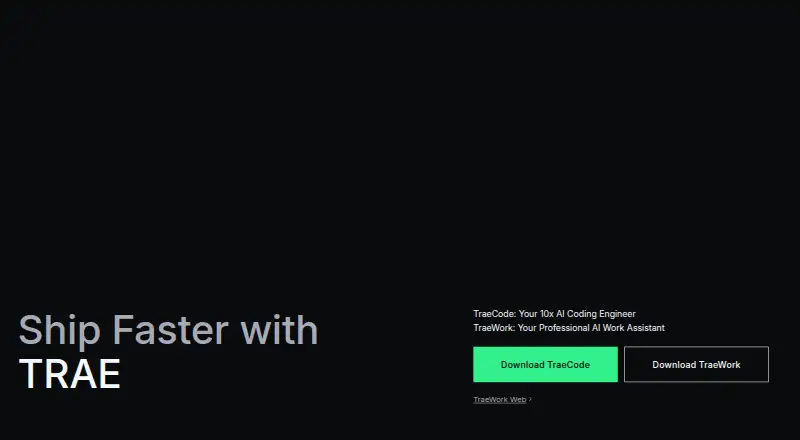
TRAE offers TRAE IDE for AI-assisted software development and TRAE Work as an AI work assistant. TRAE IDE combines IDE mode with SOLO mode, an autonomous coding agent for end-to-end tasks. Users can create custom agents, have agents act as sub-agents on complex work, and connect external resources through Model Context Protocol integrations. TRAE SOLO integrates with Vercel for deployment and Vercel AI Gateway model access; TRAE IDE and SOLO also integrate with Supabase services and Supabase MCP for backend and project operations. The Free plan costs nothing and lists 5,000 autocomplete requests per month and two concurrent cloud tasks. Lite costs $3 a month, billed monthly, and lists $5 basic usage plus bonus usage and premium model availability. A 14-day Pro trial is for new users who add a payment method within 48 hours after signup. TRAE says codebase files are stored locally, although files may be temporarily uploaded for embedding during indexing before plaintext is deleted. Enterprise says code is encrypted in transit, not stored on its servers, and not used to train models; it is SOC 2 Type 2 certified.
Who it suits
TRAE IDE is intended for software developers and engineering teams, while TRAE Work is described as an AI workspace for professionals. The listed plans and integrations may suit users seeking AI-assisted coding or work assistance.
What it does well
- Free plan includes 5,000 monthly autocomplete requests.
- Supports custom agents and sub-agents.
- Offers multiple model choices.
- Integrates with Vercel and Supabase.
- Enterprise repo indexing supports up to 100K files.
What to know first
- Pro trial requires a payment method within 48 hours.
- Code files may be temporarily uploaded during indexing.
- Enterprise CLI and VPC deployment are marked coming soon.
- Lite costs $3 a month.
Limits
The Free plan includes 5,000 autocomplete requests per month and two concurrent cloud tasks. The Pro trial lasts 14 days and is available to new users who add a payment method within 48 hours after signup.
Plans
| Plan | Billed and limits | Price |
|---|---|---|
| Free | 5,000 autocomplete requests per month · 2 concurrent cloud tasks | Free |
| Pro+ | $60 basic usage · Unlimited autocomplete · 15 concurrent cloud tasks | On request |
| Ultra | $200 basic usage · Unlimited autocomplete · 20 concurrent cloud tasks | On request |
| Pro | per month · Monthly token allowance · 14-day trial for eligible new users | $10 a month |
| Lite | per month · $5 basic usage + bonus usage · premium model availability | $3 a month |
As trae.ai lists them, read 20 Sept 2026. The maker's own page has the final word.
Getting started
- Visit https://www.trae.ai/.
- Choose a listed platform: web, Windows, macOS, Linux, or iOS.
- For desktop installation, use the macOS or Windows download or a Linux .deb package.
- Create an account and choose the Free plan, or review the listed paid plans.
- To pursue the 14-day Pro trial, add a payment method within 48 hours after signup.
TRAE is a development environment that pairs an AI-assisted IDE with an autonomous coding agent, alongside a separate AI work assistant. It is best suited to developers and engineering teams who want agent-led coding in their workflow, though professionals seeking a work assistant may find TRAE Work more relevant. The free tier offers a way to start, but paid-plan quotas and the Pro trial’s eligibility conditions deserve close attention.
Overview
TRAE IDE combines standard IDE work with SOLO, an agent designed to carry out end-to-end coding tasks. Users can also create custom agents and use them as sub-agents on complex work, extending the product beyond autocomplete. TRAE Work is a separate AI workspace aimed at professionals, not a substitute for the IDE’s coding tools.
For developers, the strongest case is the combination of agent work, model choice and project integrations. The main trade-offs are plan-dependent concurrent task limits and an indexing process that may temporarily upload files for embedding.
Key features
IDE and coding agents
TRAE IDE includes multiple model options, codebase indexing, a built-in terminal and extension support. SOLO handles autonomous coding tasks, while custom agents and sub-agents let users shape work across more complex tasks. This makes TRAE a better fit for developers who want an agent involved in project work than for people seeking only a lightweight code-completion tool.
Integrations and indexing
Agents can reach external resources through Model Context Protocol integrations. TRAE SOLO integrates with Vercel for deployment and access to Vercel AI Gateway models; TRAE IDE and SOLO also connect to Supabase services and Supabase MCP for backend and project operations. Those integrations can bring deployment and backend work closer to the coding workflow.
TRAE says codebase files are stored locally, but files may be temporarily uploaded for embedding during indexing; plaintext is deleted afterward. That distinction matters to teams evaluating how project code is handled. TRAE Enterprise says code is encrypted in transit, is not stored on its servers or used to train models, and that the service is SOC 2 Type 2 certified.
Pricing
TRAE uses a freemium model. The Free plan costs nothing and includes 5,000 autocomplete requests per month and two concurrent cloud tasks. It is a practical starting point, but the monthly autocomplete cap and small task allowance may constrain regular agent-heavy work.
Pro, Pro+ and Ultra have custom pricing. Pro includes $20 basic usage, unlimited autocomplete and 10 concurrent cloud tasks; Pro+ raises basic usage to $60 and concurrent tasks to 15; Ultra provides $200 basic usage and 20 concurrent tasks. These tiers suit developers who need more simultaneous cloud work and do not want an autocomplete cap, but the price should be confirmed before choosing among them.
Lite costs $3 a month, billed per month, and includes $5 basic usage plus bonus usage and premium model availability. It is a low-cost paid option, but its stated usage allowance is smaller than the higher tiers’ basic-usage amounts.
A 14-day Pro trial is available to new users who add a payment method within 48 hours after signing up. That short window is important: users who miss it are not eligible under the stated terms. Compare the trial conditions with the plan’s task allowance and intended usage before committing.
Platforms
TRAE is listed for iOS, Linux, macOS, the web and Windows. Desktop downloads include macOS and Windows versions and Linux .deb packages, alongside an iOS download. Enterprise repo indexing supports up to 100K files and 150M lines of code. Enterprise integrations include IDE and plugin availability; CLI and VPC deployment are marked as coming soon.
Who it's for
TRAE IDE is designed for software developers and engineering teams who want autonomous coding, custom agents and project integrations alongside a conventional IDE. TRAE Work is aimed at professionals seeking an AI workspace. Developers who mainly need a basic editor, or teams that cannot accept temporary file uploads during indexing, should weigh other options.
Pros and cons
- Pros: SOLO supports end-to-end coding tasks, with custom agents and sub-agents for more complex workflows.
- Pros: Vercel and Supabase integrations connect coding work with deployment and backend operations.
- Pros: Free offers 5,000 monthly autocomplete requests and two concurrent cloud tasks, providing a usable entry point.
- Cons: The Free tier caps autocomplete and concurrent tasks, while paid-plan pricing beyond Lite is custom.
- Cons: The Pro trial requires a payment method within 48 hours of sign-up, which narrows eligibility.
- Cons: Indexing may temporarily upload files for embedding, a consideration for sensitive codebases.
Alternatives
For a broader set of IDE options, browse Integrated Development Environments. To compare products focused on AI-assisted editing, see AI Code Editors; for tools centered on generating code, see AI Code Generators.
Omnis Studio is worth considering when a lifetime-free Community Edition and a five-concurrent-user deployment limit suit the project. Choose LabVIEW when its Community Edition’s personal, non-commercial terms fit better. Qt Creator offers an open-source version, with Qt framework use subject to LGPL/GPL obligations. C++Builder has a Community Edition for readers considering a different development environment.
Ecere SDK is a free open-source option under the New BSD license. Allegro CL may suit users interested in a free Express Edition with limited technical support. Apache NetBeans is free for commercial and non-commercial use under Apache License 2.0. Architect is another option to compare.
Verdict
Choose TRAE if you are a developer or engineering team looking for an AI-assisted IDE with autonomous coding, customizable agents and useful Vercel and Supabase connections. Its free tier makes it possible to begin without a paid plan, and its paid tiers raise task capacity substantially. Look elsewhere if you need predictable paid pricing before evaluation, cannot accept the indexing upload process, or want a straightforward editor without agent workflows.
Verdict
TRAE combines an AI-assisted IDE and coding agent with a separate work assistant. Review the plan allowances, trial eligibility, and indexing details before choosing a setup.
Questions
Is TRAE free?
Yes. The Free plan is listed as free and includes 5,000 autocomplete requests per month and two concurrent cloud tasks.
Does TRAE offer a free trial?
Yes. New users can get a 14-day Pro trial if they add a payment method within 48 hours after signing up.
Which platforms does TRAE support?
The listed platforms are Windows, macOS, Linux, iOS, and web. Desktop downloads are listed for macOS and Windows, with Linux .deb packages and an iOS download.
What does TRAE do for developers?
TRAE IDE offers IDE mode and SOLO, an autonomous coding agent. Users can create custom agents, use sub-agents, and connect external resources through MCP integrations.
What integrations are listed?
SOLO integrates with Vercel for deployment and Vercel AI Gateway model access. TRAE IDE and SOLO also integrate with Supabase services and Supabase MCP.
What security provisions does Enterprise state?
TRAE Enterprise says code is encrypted in transit, not stored on its servers, and not used to train models. It also states SOC 2 Type 2 certification.
Facts from TRAE's own pages
- Agents
- Users can create custom agents, and agents can act as sub-agents on complex tasks. · trae.ai, 11 Oct 2026
- Coding workflow
- TRAE IDE combines IDE mode with SOLO mode, an autonomous coding agent for end-to-end tasks. · trae.ai, 11 Oct 2026
- Desktop and mobile
- The download page lists TRAE desktop downloads for macOS and Windows, Linux .deb packages, and an iOS download. · trae.ai, 11 Oct 2026
- Enterprise integrations
- The enterprise page lists IDE and plugin availability, with CLI and VPC deployment marked coming soon. · trae.ai, 11 Oct 2026
- Enterprise limits
- Enterprise repo indexing supports up to 100K files and 150M lines of code. · trae.ai, 11 Oct 2026
- Enterprise security
- TRAE Enterprise says code is encrypted in transit, is not stored on its servers, is not used to train models, and the service is SOC 2 Type 2 certified. · trae.ai, 11 Oct 2026
- Intended users
- TRAE Work is described as an AI workspace for professionals, while TRAE IDE is designed for software developers and engineering teams. · trae.ai, 11 Oct 2026
- MCP integrations
- TRAE agents can access external resources through Model Context Protocol integrations. · trae.ai, 11 Oct 2026
- Product
- TRAE offers TRAE IDE for AI-assisted software development and TRAE Work as an AI work assistant. · trae.ai, 11 Oct 2026
- Security
- The site says codebase files are stored locally, though files may be temporarily uploaded for embedding during indexing, after which plaintext is deleted. · trae.ai, 11 Oct 2026
- Supabase
- TRAE IDE and SOLO integrate with Supabase services and Supabase MCP for backend and project operations. · trae.ai, 11 Oct 2026
- Trial eligibility
- The 14-day Pro trial is for new users who add a payment method within 48 hours after sign-up. · trae.ai, 11 Oct 2026
- Vercel
- TRAE SOLO integrates with Vercel for deployment and Vercel AI Gateway model access. · trae.ai, 11 Oct 2026
Where TRAE stands on Freedom251
- Integrated Development Environments#33 of 65
- AI Code Editors#15 of 26
- AI Code Generators#36 of 54
- AI Code Generation Software#19 of 27