Freedom251 › Electrical Design Software
LabVIEW
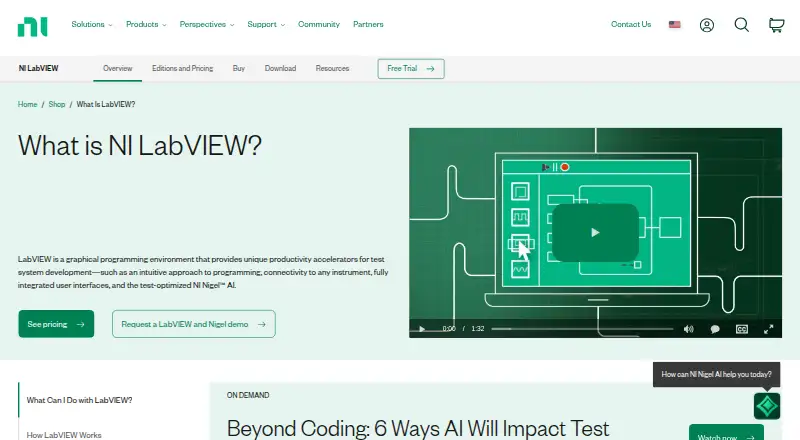
What LabVIEW is
LabVIEW is a graphical programming environment for engineers building automated test and measurement applications. Its G language uses dataflow programming, supports parallel execution, and includes interactive debugging. LabVIEW connects with instruments from any vendor and offers more than 7,000 instrument drivers. Engineering analysis functions and a native user interface help users monitor and control tests. Editions can integrate source code written in Python and C/C++, and call code from .NET and MathWorks MATLAB.
The Community Edition is free for personal, non-commercial, non-industrial use. NI’s Professional edition adds Application Builder, NI Nigel AI, software engineering tools, and Report Generation, Database Connectivity, and Advanced Signal Processing Toolkits. Professional trials last seven days: the downloadable trial can connect to physical hardware, while the web-based trial uses simulated hardware. NI lists Windows and Linux support for LabVIEW editions; starting with LabVIEW 2025 Q3, the Community Edition is the only macOS edition. Running a LabVIEW application on each target computer requires a perpetual deployment license. NI began in 1976, and Emerson acquired the company in 2023.
Who it suits
LabVIEW suits engineers developing automated test and measurement applications, from voltage measurements to space missions. Its instrument connectivity, engineering analysis, and test control interface support work involving instruments and automated tests.
What it does well
- Connects with instruments from any vendor.
- Offers more than 7,000 instrument drivers.
- Supports dataflow programming and parallel execution.
- Includes engineering analysis and a native test control interface.
- Integrates code from Python, C/C++, .NET, and MATLAB.
What to know first
- The free Community Edition excludes commercial and industrial use.
- Community Edition cannot be used for teaching or research at degree-granting institutions.
- Each target computer running a developed application needs a perpetual deployment license.
Limits
The Community Edition is restricted to personal, non-commercial, non-industrial use and cannot be used for teaching or research at a degree-granting institution. Professional downloadable and web-based trials provide seven days of access; NI says the downloadable trial may be extended up to 45 days after first opening it.
Plans
| Plan | Billed and limits | Price |
|---|---|---|
| LabVIEW Community Edition | Free · Personal, non-commercial, non-industrial use only · not for teaching or research at degree-granting institutions | Free |
| LabVIEW Professional perpetual | Perpetual license; price not shown on the opened page · Development license · includes Nigel AI and Application Builder | On request |
| LabVIEW Base subscription | Annual subscription; price not shown on the opened page · Development license · subscription ends unless renewed | On request |
| LabVIEW Full subscription | Annual subscription; price not shown on the opened page · Development license · subscription ends unless renewed | On request |
| LabVIEW Full perpetual | Perpetual license; price not shown on the opened page · Development license · purchased version continues to work | On request |
| LabVIEW Professional subscription | Annual subscription; price not shown on the opened page · Development license · includes Nigel AI and Application Builder | On request |
| LabVIEW Base perpetual | Perpetual license; price not shown on the opened page · Development license · purchased version continues to work | On request |
As ni.com lists them, read 8 Oct 2026. The maker's own page has the final word.
Getting started
- Visit the LabVIEW website.
- Choose the Community Edition, a development license, or a Professional trial.
- For a Professional trial, choose the downloadable version for physical hardware or the web-based version for simulated hardware.
- Check that the computer meets the listed minimums of 4 GB RAM, 12 GB disk space, and 1024 × 768 screen resolution.
- Obtain a perpetual deployment license for each target computer that will run a developed application.
LabVIEW is a graphical programming environment for engineers building automated test and measurement applications. It is strongest when a project depends on connecting instruments, analyzing readings, and controlling tests; it is a less natural fit for software work without those needs.
Overview
LabVIEW uses G, a dataflow language with parallel execution and interactive debugging. That model fits measurement-led applications, where readings, analysis, and control are closely linked. Integrated testing and build tools, project management, and a native interface for monitoring and controlling tests support the broader development workflow.
NI says LabVIEW connects to instruments from any vendor and provides more than 7,000 instrument drivers. Engineering analysis functions help work with test data, while code integrations let teams bring in C/C++ and Python source or call .NET and MATLAB code. This combination is useful when test software must work with established code, though LabVIEW’s focus remains specialized rather than general-purpose.
NI describes LabVIEW as memory-safe and says it generates software bills of materials for the product through its Secure Development Lifecycle. Minimum system requirements are 4 GB RAM, 12 GB disk space, and a 1024 × 768 screen.
Key features
- Instrument connectivity: Vendor-independent access and a library of more than 7,000 drivers suit benches with varied equipment. That breadth is most valuable when hardware integration is central, not for projects with no instrument-control component.
- Graphical test programming: G’s dataflow model, parallel execution, and interactive debugging are tailored to engineering applications. Teams whose work is primarily conventional text-based software may prefer a development environment built around that style.
- Analysis and control: Engineering analysis functions and a native test-monitoring interface keep measurement work and operation together, rather than requiring separate tools for those tasks.
- Code integration: LabVIEW can integrate C/C++ and Python source and call .NET and MATLAB code. This helps teams reuse work across languages, but does not remove the need to develop and license LabVIEW applications themselves.
- Professional toolkit: Professional includes Application Builder, NI Nigel AI, software engineering tools, and Report Generation, Database Connectivity, and Advanced Signal Processing Toolkits. These additions suit development teams needing application building and specialized workflow tools, but are not part of the free Community Edition.
Pricing
LabVIEW uses a freemium model, with a free Community Edition and seven-day Professional trials. Development licenses are available as Base, Full, and Professional editions, with annual subscription or perpetual options. These have custom pricing.
| Plan | Price and term | What it means |
|---|---|---|
| Community Edition | free | Free for personal, non-commercial, non-industrial use. It cannot be used for teaching or research at a degree-granting institution. |
| Base subscription | Custom pricing; annual subscription | Development license; access ends unless renewed. |
| Full subscription | Custom pricing; annual subscription | Development license; access ends unless renewed. |
| Professional subscription | Custom pricing; annual subscription | Development license including Nigel AI and Application Builder; access ends unless renewed. |
| Base perpetual | Custom pricing; perpetual license | The purchased version continues to work. |
| Full perpetual | Custom pricing; perpetual license | The purchased version continues to work. |
| Professional perpetual | Custom pricing; perpetual license | Development license including Nigel AI and Application Builder. |
The Professional downloadable and web-based trials provide seven days of access. NI says the downloadable trial may be extended up to 45 days after first opening it; it can connect to physical hardware. The web-based trial uses simulated hardware only, so it cannot serve as a substitute for checking a physical test setup.
A development license does not cover running a developed application on other computers: each target computer needs its own perpetual deployment license. A single-seat license includes technical support, new and previous version downloads, and LabVIEW Core 1 on-demand. Subscription buyers should also account for renewal, while perpetual licenses keep the purchased version working.
Platforms
NI lists Windows and Linux support for LabVIEW editions. Starting with LabVIEW 2025 Q3, the Community Edition is the only macOS edition. LabVIEW is also categorized for web use, and NI offers a web-based trial, but that trial connects only to simulated hardware.
Who it's for
LabVIEW is aimed at engineers developing test and measurement systems, from voltage measurements to space missions. It is a particularly strong match for teams that need to connect instruments, process measurements, and build controls around tests. The free edition can suit personal projects, but its restrictions rule it out for commercial, industrial, teaching, and degree-granting research use. Commercial teams should weigh the development plan against the additional perpetual deployment licenses required for every target computer.
Pros and cons
- Pro: More than 7,000 instrument drivers and support for instruments from any vendor make LabVIEW a capable choice for mixed-equipment test setups.
- Pro: G combines dataflow programming and parallel execution with interactive debugging, while built-in analysis and a native test interface support the measurement workflow.
- Pro: C/C++, Python, .NET, and MATLAB integrations can accommodate teams with code and tools already in use.
- Con: The Community Edition excludes commercial and industrial use, as well as teaching or research at degree-granting institutions, limiting where the free option is appropriate.
- Con: Every computer running a LabVIEW-developed application requires a separate perpetual deployment license, which adds a distinct licensing decision to application distribution.
- Con: The web trial uses simulated hardware only; teams that need to evaluate a physical setup must use the downloadable trial.
- Con: Annual development subscriptions end unless renewed, while the perpetual plans avoid that renewal condition but still require a separate deployment license for each target computer.
Alternatives
For teaching-oriented MATLAB coursework, MATLAB Grader is a free option with a MATLAB license current under maintenance; LMS integration requires a qualifying academic license. It is a better fit for that coursework use case than LabVIEW’s restricted Community Edition.
If the need is electrical design rather than instrument-connected test programming, compare Electrical Design Software. For broader development environments, see Integrated Development Environments.
KiCad, ProfiCAD, LibrePCB, LTspice, ngspice, QElectroTech, and DIgSILENT PowerFactory are additional options to compare.
Verdict
Choose LabVIEW when engineering work depends on instrument connectivity, measurement analysis, and test control in one development environment. Its language model and driver library are purpose-built for that combination. Look elsewhere if you need a general-purpose development environment, or if per-computer deployment licensing and the Community Edition’s use restrictions do not fit your project.
Verdict
Choose LabVIEW for engineering work that combines automated testing, instrument connectivity, and graphical programming. The free Community Edition is limited to personal, non-commercial, non-industrial use, and deploying applications requires a perpetual license for every target computer.
Questions
Is LabVIEW free?
The Community Edition costs nothing. It is for personal, non-commercial, non-industrial use and cannot be used for teaching or research at a degree-granting institution.
How long is the Professional trial?
The downloadable and web-based Professional trials provide seven days of access. NI says the downloadable trial may be extended up to 45 days after first opening it.
Which operating systems does LabVIEW support?
NI lists Windows and Linux support for LabVIEW editions. Starting with LabVIEW 2025 Q3, the Community Edition is the only macOS edition.
Can LabVIEW work with physical instruments?
LabVIEW can connect to instruments from any vendor and offers more than 7,000 instrument drivers. The downloadable trial can connect to physical hardware; the web-based trial uses simulated hardware.
What does the Professional edition include?
It includes Application Builder, NI Nigel AI, software engineering tools, and Report Generation, Database Connectivity, and Advanced Signal Processing Toolkits.
What does it cost to deploy a LabVIEW application?
A perpetual deployment license is required for each target computer running an application developed with LabVIEW. Prices for the listed development plans are not provided in the plan details.
Facts from LabVIEW's own pages
- Analysis and interfaces
- LabVIEW includes engineering analysis functions and native user interfaces for monitoring and controlling tests. · ni.com, 8 Oct 2026
- Code integration
- LabVIEW can integrate text-based source code including C/C++ and Python, and call code from .NET and MATLAB. · ni.com, 8 Oct 2026
- Code integrations
- LabVIEW editions support integrating code written in Python, C/C++, .NET, and MathWorks MATLAB software. · ni.com, 7 Oct 2026
- Deployment
- A deployment license is required for each target computer running an application developed with LabVIEW, and deployment licenses are perpetual. · ni.com, 8 Oct 2026
- Deployment licensing
- Distributing LabVIEW applications requires a perpetual deployment license for each target computer. · ni.com, 7 Oct 2026
- Founded
- 1976 · ni.com, 28 Sept 2026
- Free edition limit
- The Community Edition is free for personal, non-commercial, non-industrial use and cannot be used for teaching or research at a degree-granting institution. · ni.com, 7 Oct 2026
- Hardware connectivity
- NI says LabVIEW can connect to instruments regardless of vendor and cites more than 7,000 available instrument drivers. · ni.com, 8 Oct 2026
- Headquarters
- Austin, Texas, United States · ni.com, 28 Sept 2026
- Maker
- NI says it began in 1976 and that Emerson acquired NI in 2023. · ni.com, 7 Oct 2026
- Maker history
- NI says three engineers started the company in 1976 and that Emerson acquired NI in 2023. · ni.com, 8 Oct 2026
- Operating systems
- NI lists Windows and Linux support for LabVIEW editions, and says the Community Edition is the only macOS edition available starting with LabVIEW 2025 Q3. · ni.com, 7 Oct 2026
- Professional edition
- The Professional edition includes the Application Builder, NI Nigel AI, software engineering tools, and Report Generation, Database Connectivity, and Advanced Signal Processing Toolkits. · ni.com, 7 Oct 2026
- Programming
- It uses G, a graphical high-level language with dataflow programming, inherent parallelism, and interactive debugging. · ni.com, 8 Oct 2026
- Purpose
- LabVIEW is a graphical programming environment for developing automated test and measurement systems. · ni.com, 8 Oct 2026
- Security
- NI says LabVIEW is memory-safe and that it generates software bills of materials for LabVIEW as part of its Secure Development Lifecycle. · ni.com, 7 Oct 2026
- Support
- A single-seat purchase includes an NI software service agreement with technical support, version downloads, and LabVIEW Core 1 on-demand, with perpetual-license benefits included for the first year. · ni.com, 8 Oct 2026
- System requirements
- NI lists minimum requirements of 4 GB RAM, 12 GB disk space, and 1024 × 768 screen resolution. · ni.com, 8 Oct 2026
- Trial
- The downloadable trial lasts seven days and may be extended for up to 45 days after first opening; the web-based sandbox provides seven days of access. · ni.com, 8 Oct 2026
- Trial hardware access
- The downloadable trial can connect to physical hardware, while the web-based trial uses simulated hardware only. · ni.com, 7 Oct 2026
- Trial limitation
- The web-based trial can connect only to simulated hardware, while the downloadable trial can connect to physical hardware. · ni.com, 8 Oct 2026
- Who it is for
- NI describes LabVIEW as an engineers’ tool for test and measurement applications, from voltage measurements to space missions. · ni.com, 8 Oct 2026
Where LabVIEW stands on Freedom251
- Electrical Design Software#4 of 41
- Oscilloscope Software#2 of 8
- Integrated Development Environments#20 of 65