Freedom251 › 3D Scanning Software
RealityScan
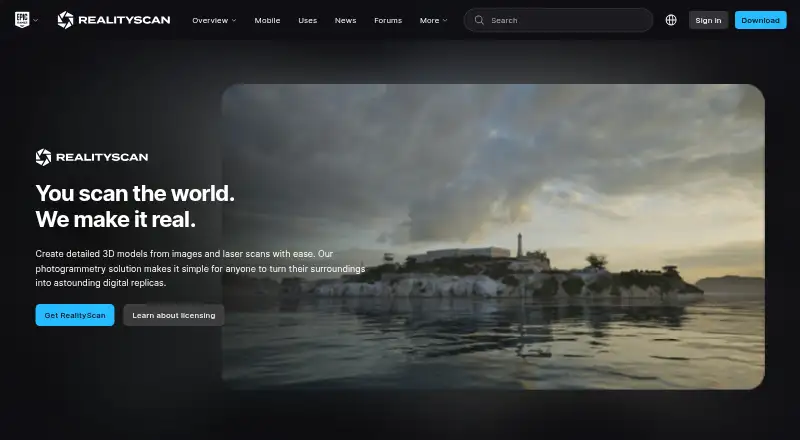
What RealityScan is
RealityScan creates 3D models from images and laser scans through photogrammetry. Its desktop software provides a pipeline for producing photorealistic models and precise point clouds, with tools for cleanup, optimization, image layers, scalable worldbuilding, and workflow automation. RealityScan Mobile adds real-time point-cloud feedback, automatic capture, augmented-reality scaling, camera controls, and masking. Processed mobile models can be uploaded to Sketchfab or exported to the device for use in other 3D software. Mobile apps are free on Android and iOS. Individuals and small businesses with less than $1 million USD in revenue in the past 12 months, educational institutions, and students can use the product for free. A RealityScan seat for individuals and businesses over that threshold costs $1,250 a year and includes updates for one year; a 30-day trial is also offered. Desktop installation requires the Epic Games Launcher and an Epic Games account. Listed operating systems include 64-bit Windows 8/8.1/10/11 or Windows Server 2008+, and Ubuntu 24.04 or Fedora 39. Tutorials, guides, documentation, sample datasets, and community forums are available.
Who it suits
RealityScan suits people and organizations creating 3D models from images or laser scans, from mobile capture to desktop photogrammetry. Free use is available to eligible individuals, smaller businesses, educational institutions, and students.
What it does well
- Mobile capture offers real-time point-cloud feedback.
- Processed mobile models can be exported to other 3D software.
- Free eligibility includes students and educational institutions.
- Tutorials, documentation, sample datasets, and forums are provided.
What to know first
- Desktop installation requires an Epic Games account and Launcher.
- Sample datasets may only be used for non-commercial purposes.
- A seat costs $1,250 a year for businesses over the revenue threshold.
Limits
Free use of all features is limited to individuals and small businesses with less than $1 million USD in revenue over the previous 12 months, educational institutions, and students. Other users need a seat priced at $1,250 a year; the trial lasts 30 days. Sample datasets may only be used for non-commercial purposes.
Plans
| Plan | Billed and limits | Price |
|---|---|---|
| Free | Individuals and small businesses under $1 million USD in revenue in the past 12 months, educational institutions, and students · all features · learning materials · community forums | Free |
| RealityScan seat | $1250 per seat per year. · For individuals and businesses over $1 million USD in gross annual revenue · includes all features, learning materials, community forums, and updates for one year | $1,250 a year |
As realityscan.com lists them, read 2 Oct 2026. The maker's own page has the final word.
Getting started
- Visit the RealityScan website.
- For mobile capture, install RealityScan Mobile on an iOS or Android device; it is available for free.
- For desktop use, install the Epic Games Launcher and sign in with an Epic Games account.
- Check that the desktop system is among the listed Windows or Linux versions.
- Choose the free license if eligible, or start the 30-day seat trial.
- Use tutorials, guides, documentation, sample datasets, or community forums to learn the workflow.
RealityScan turns photographs and laser scans into detailed 3D models, with a mobile capture app and desktop photogrammetry software. It suits students, eligible small businesses, and production teams that need a complete modeling pipeline; its strongest distinction is that the same product spans field capture and high-fidelity desktop processing.
Overview
RealityScan combines photorealistic object and scene representation with tools for cleanup, optimization, image layers, scalable worldbuilding, and workflow automation. Its desktop pipeline also produces precise point clouds at any scale, making it more than a mobile scanning utility. The trade-off is a desktop setup tied to Epic: installation requires both the Epic Games Launcher and an Epic Games account.
Key features
Capture and processing
RealityScan Mobile provides real-time point-cloud feedback, automatic capture, augmented-reality scaling, camera controls, and masking. Those tools make it useful for collecting and checking capture data in the field, while the desktop application handles the broader photogrammetry workflow. Mobile scans can be uploaded to Sketchfab or exported directly to a device for use in other 3D software.
Production and outputs
Image layers, cleanup, optimization, and automation support work beyond a single object scan, including larger worldbuilding workflows. RealityScan also supports orthophoto, point-cloud, and GIS data exports, as well as ground control points. That range is relevant to users who need spatial outputs alongside visual models.
Pricing
The free plan costs nothing and includes all features, learning materials, and community forums. It is available to individuals and small businesses with less than $1 million USD in revenue over the past 12 months, educational institutions, and students. This is a broad feature set, but the revenue threshold means larger businesses need a paid seat.
A RealityScan seat costs $1,250 per seat per year, billed annually. It is for individuals and businesses over $1 million USD in gross annual revenue and includes all features, learning materials, community forums, and updates for one year. The license is per seat, so teams should account for each user who needs access. A 30-day trial is offered for seats. RealityScan Mobile is free on iOS and Android.
Sample datasets are restricted to non-commercial use under the EULA, and Epic’s Privacy Policy also governs use of the software. These terms matter for teams evaluating sample material or reviewing software privacy conditions.
Platforms
RealityScan is available on Android, iOS, Linux, and Windows, with desktop deployment. The desktop download supports Windows 8, 8.1, 10, and 11 64-bit, Windows Server 2008 or later, Ubuntu 24.04, and Fedora 39. The Epic Games Launcher and an Epic Games account are required for desktop installation, an extra dependency to consider in managed environments.
Who it's for
RealityScan is a strong fit for students, educational institutions, and smaller businesses seeking a full-featured photogrammetry pipeline without a software charge, provided they meet the free-plan eligibility rules. Larger businesses can use the same feature set through paid seats, but the annual per-seat price makes it a more deliberate choice for teams. Users who only need a lightweight mobile scanner may not need the desktop workflow or its installation requirements.
Pros and cons
- Pros: All features are included on the free plan for eligible users, rather than reserved for paid tiers.
- Pros: Mobile capture tools connect to a desktop pipeline and support several downstream spatial exports, including point clouds and GIS data.
- Pros: Tutorials, guides, documentation, sample datasets, and community forums support learning and workflow development.
- Cons: Businesses above the $1 million USD revenue threshold need paid seats at $1,250 per seat per year.
- Cons: Desktop installation depends on Epic Games Launcher and an Epic Games account, which may not suit users seeking a standalone installer.
- Cons: Sample datasets cannot be used commercially, limiting their role in commercial evaluation or production.
Alternatives
COLMAP is a free alternative for users who want photogrammetry across Linux, macOS, web, or Windows without RealityScan’s stated revenue-based eligibility for free use.
WebODM is worth considering for users who prefer software that runs locally and offline; its free installation option is a contrast to RealityScan’s Epic Launcher requirement.
KIRI Engine suits users looking for a mobile and web-based option with a free tier supporting up to 150 photos per scan, a 2 GB scan limit, unlimited scans, and free exports.
Polycam is another mobile-oriented option for Android and iOS users; its free plan has limited space, object and AI captures, with GLTF exports and public link sharing.
Qlone may suit users focused on object scanning on iOS or macOS, though premium export, animated AR view, and 4K scanning require an upgrade.
3DF Zephyr is an alternative for Windows users who want a perpetual free personal-use license, accepting a 50-photo or video-frame limit, single GPU, and limited exports and editing.
Krynth is a web option for occasional scans: its free tier allows one Quartz scan per month, with watermarked output, 14-day hosting, and no commercial rights.
Nerfstudio is another free option.
For more choices, browse AI 3D Scanning Software, Photogrammetry Software, and 3D Scanning Software.
Verdict
Choose RealityScan if you qualify for its free plan or need a full desktop photogrammetry pipeline linked to mobile capture and spatial exports. Its broad toolset and free access for eligible users are compelling; look elsewhere if your business exceeds the revenue threshold and the $1,250 annual seat cost or Epic-based desktop installation is a poor fit.
Verdict
RealityScan combines mobile capture tools with a desktop photogrammetry pipeline and a free option for eligible users. Check the licensing threshold and desktop installation requirements for your intended use.
Questions
Is RealityScan free?
Yes. Individuals and small businesses with less than $1 million USD in revenue over the past 12 months, educational institutions, and students can use all features for free. RealityScan Mobile is also free on iOS and Android.
How much does a RealityScan seat cost?
A RealityScan seat costs $1,250 a year. It includes all features, learning materials, community forums, and updates for one year.
Is there a free trial?
Yes. The licensing page offers a 30-day trial for RealityScan seats.
Which platforms does RealityScan support?
The listed platforms are Android, iOS, Linux, and Windows. Desktop installation requires the Epic Games Launcher and an Epic Games account.
What can I do with RealityScan Mobile?
It provides point-cloud feedback, automatic capture, augmented-reality scaling, camera controls, and masking. Processed models can be uploaded to Sketchfab or exported to the device.
Can sample datasets be used commercially?
No. The EULA says sample datasets may only be used for non-commercial purposes.
Facts from RealityScan's own pages
- Desktop installation
- Desktop installation requires the Epic Games Launcher and an Epic Games account. · realityscan.com, 2 Oct 2026
- Desktop system requirements
- The download page lists Windows 8/8.1/10/11 64-bit or Windows Server 2008+ and Linux Ubuntu 24.04 or Fedora 39 as supported operating systems. · realityscan.com, 2 Oct 2026
- Features
- Listed features include photorealistic object and scene representation, cleanup and optimization, image layers, scalable worldbuilding workflows, and workflow automation. · realityscan.com, 2 Oct 2026
- Headquarters
- Cary, North Carolina, United States · realityscan.com, 28 Sept 2026
- Learning and support
- The maker provides tutorials, guides, documentation, sample datasets, and community forums. · realityscan.com, 2 Oct 2026
- License eligibility
- Individuals and small businesses making less than $1 million USD in revenue in the past 12 months, educational institutions, and students can use RealityScan for free. · realityscan.com, 2 Oct 2026
- Mobile availability
- RealityScan Mobile is available for free on iOS and Android devices. · realityscan.com, 2 Oct 2026
- Mobile capture
- RealityScan Mobile provides real-time point-cloud feedback, automatic capture, accurate scaling in augmented reality, camera controls, and masking. · realityscan.com, 2 Oct 2026
- Mobile exports
- RealityScan Mobile can upload processed models to Sketchfab or export models directly to the device for use in other 3D software. · realityscan.com, 2 Oct 2026
- Privacy terms
- The RealityScan EULA states that Epic’s Privacy Policy also governs use of the software. · realityscan.com, 2 Oct 2026
- Professional pipeline
- The desktop software provides an end-to-end photogrammetry pipeline for high-fidelity photorealistic 3D models and precise point clouds at any scale. · realityscan.com, 2 Oct 2026
- Purpose
- RealityScan creates detailed 3D models from images and laser scans using photogrammetry. · realityscan.com, 2 Oct 2026
- Trial
- The licensing page offers a 30-day trial for RealityScan seats. · realityscan.com, 2 Oct 2026
- Use restriction
- The EULA says sample datasets may only be used for non-commercial purposes. · realityscan.com, 2 Oct 2026
Where RealityScan stands on Freedom251
- 3D Scanning Software#9 of 29
- Photogrammetry Software#12 of 34
- AI 3D Scanning Software#15 of 24