Freedom251 › 3D Scanning Software

Creaform.OS
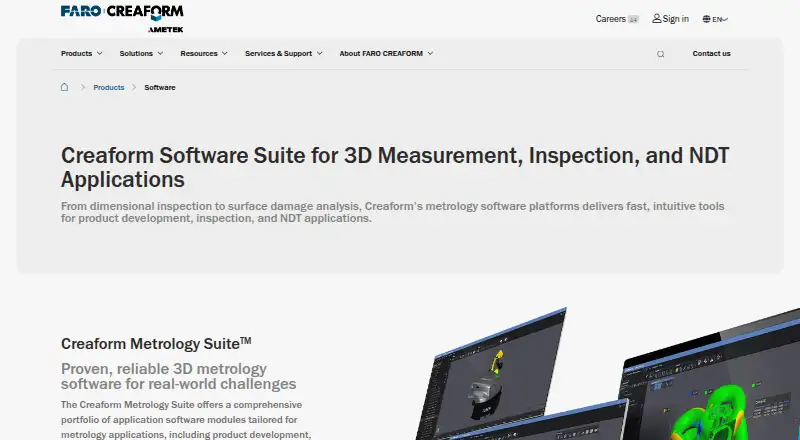
What Creaform.OS is
Creaform.OS is operating software included with Creaform 3D measuring and scanning devices. Its acquisition workflow supports Creaform 3D scanners, optical CMMs, and probe and photogrammetry workflows, with real-time capture and mesh reconstruction. The software runs on Windows 11 and supports exports to IGES, STEP, and DXF. Its interface, tools, embedded content, and tutorials are designed to help users learn the scanners and optical CMMs. Creaform's Metrology Suite includes Scan-to-CAD, Inspection, Automation, and Dynamic Tracking modules. Scan-to-CAD supports feature extraction and CAD modeling from 3D scan data for product development, reverse engineering, and additive manufacturing. Inspection supports dimensional checks for quality assessment and control; Automation provides a digital twin environment for automated quality control and 3D measurement. Dynamic Tracking measures multiple objects' positions and orientations over time for assembly monitoring and robot calibration. A free Creaform.OS Viewer can display 3D meshes and complete inspection programs and help review results with colleagues or clients. The main software is paid, with pricing on request.
Who it suits
Creaform.OS suits Windows users working with Creaform measuring and scanning devices, optical CMMs, probes, or photogrammetry workflows. The Viewer may suit colleagues and clients reviewing inspection results.
What it does well
- Included with Creaform measuring and scanning devices.
- Supports real-time capture and mesh reconstruction.
- Exports to IGES, STEP, and DXF.
- Free Viewer displays meshes and inspection programs.
- Metrology Suite lists four modules.
What to know first
- Main software pricing is available on request.
- The software is specified for Windows 11.
- Free Viewer is for visualization and result review.
Limits
The free Viewer is for visualizing 3D meshes and complete inspection programs and reviewing inspection results. Basic and Select Customer Care plans exclude VXintegrity module updates.
Plans
| Plan | Billed and limits | Price |
|---|---|---|
| Creaform.OS Viewer | Visualizes 3D meshes and complete inspection programs · Reviews inspection results | Free |
As creaform3d.com lists them, read 8 Oct 2026. The maker's own page has the final word.
Getting started
- Visit the Creaform software website.
- Use the free Creaform.OS Viewer download to visualize meshes and inspection programs.
- For application modules, ask a Creaform expert or request a demo.
- Choose the relevant Metrology Suite modules for your workflow.
Verdict
Creaform.OS pairs acquisition workflows with metrology modules for scan-to-CAD, inspection, automation, and tracking. The free Viewer covers visualization and result review; buyers of the main software need to request pricing.
Questions
Is Creaform.OS free?
Creaform.OS is paid, with pricing on request. Creaform.OS Viewer is free of charge.
What does the free Viewer do?
It visualizes 3D meshes and complete inspection programs, and supports review of inspection results with colleagues and clients.
Which platforms are supported?
The supported platform is Windows 11.
What modules are in the Metrology Suite?
Scan-to-CAD, Inspection, Automation, and Dynamic Tracking.
What does Creaform.OS work with?
Supported inputs include Creaform 3D scanners, optical CMMs, and probe and photogrammetry workflows.
What is included in Customer Care?
Customer Care inclusions cover technical support, self-support tools, e-learning, software upgrades, and fixes. Basic and Select exclude VXintegrity module updates.
Facts from Creaform.OS's own pages
- Acquisition
- The software supports hardware and software synergy during acquisition. · creaform3d.com, 8 Oct 2026
- Automation
- The Automation module provides a digital twin environment for automated quality control and automated 3D measurements. · creaform3d.com, 8 Oct 2026
- Buying
- The maker directs prospective customers to ask an expert or request a demo for help selecting application modules. · creaform3d.com, 8 Oct 2026
- Collaboration
- The Viewer lets users review inspection results with colleagues and clients to support validation and approval. · creaform3d.com, 8 Oct 2026
- Core product
- Creaform.OS is integrated operating software included with all Creaform 3D measuring and scanning devices. · creaform3d.com, 8 Oct 2026
- Dynamic Tracking
- Dynamic Tracking measures the position and orientation of multiple objects in space and time and supports assembly monitoring and robot calibration. · creaform3d.com, 8 Oct 2026
- Founded
- 2002 · creaform3d.com, 28 Sept 2026
- Free viewer
- Creaform.OS Viewer is downloadable and free of charge, and lets users visualize 3D meshes and complete inspection programs. · creaform3d.com, 8 Oct 2026
- Headquarters
- Lévis, Québec, Canada · creaform3d.com, 28 Sept 2026
- Inspection
- The Inspection module provides dimensional inspection for quality assessment and quality control. · creaform3d.com, 8 Oct 2026
- Metrology modules
- Creaform’s Metrology Suite includes Scan-to-CAD, Inspection, Automation, and Dynamic Tracking modules. · creaform3d.com, 8 Oct 2026
- Onboarding
- Its interface, tools, embedded content, and tutorials are designed to help new users learn the scanners and optical CMMs. · creaform3d.com, 8 Oct 2026
- Scan-to-CAD
- Scan-to-CAD supports feature extraction and CAD modeling from 3D scan data for product development, reverse engineering, and additive manufacturing. · creaform3d.com, 8 Oct 2026
- Software updates
- Customer Care Program software inclusions cover technical support, self-support tools, e-learning, software upgrades, and fixes; the listed Basic and Select plans exclude VXintegrity module updates. · creaform3d.com, 8 Oct 2026
- Support
- Creaform describes customer support for technical issues and training for beginner, intermediate, and advanced skill levels. · creaform3d.com, 8 Oct 2026
Where Creaform.OS stands on Freedom251
- 3D Scanning Software#6 of 29