Freedom251 › Drone Mapping Software

WebODM
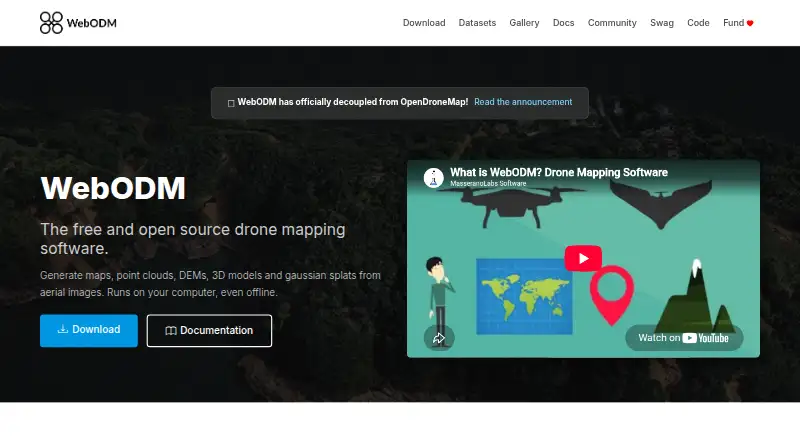
What WebODM is
WebODM turns aerial imagery into georeferenced maps, point clouds, digital elevation models, textured 3D models, and Gaussian splats. It runs on the user's computer, including offline, and accepts photos or videos from any drone, including JPG, TIFF, video files, and multispectral imagery. Exports include high-resolution GeoTIFF, PNG, LAS/LAZ, OBJ, and OGC 3D Tiles. Mapping tools include measurements, plant-health indexes, ground-control points, elevation contours, rolling-shutter correction, and sharing links. WebODM uses ODX, a free, open-source photogrammetry engine, and can connect to processing nodes that speak the NodeODX API. It also provides an API with token authentication; tokens expire after six hours by default. Model-level and row-level permissions govern viewing, adding, editing, and deleting objects. WebODM is free to install and use. Optional cloud plans include Starter at $24 a month billed yearly, Pro at $35 a month billed yearly, and Business at $99 a month billed yearly. Listed minimum requirements are 8 GB RAM and 20 GB free disk space.
Who it suits
WebODM suits people who need to turn drone imagery into mapping and 3D outputs, including when working offline. Its mapping tools and exports also support workflows involving measurements, ground-control points, and GIS data.
What it does well
- Runs locally and works offline
- Accepts imagery from any drone
- Exports GeoTIFF, LAS/LAZ, OBJ, and more
- Includes measurements and ground-control points
- Free to install and use
What to know first
- Minimum requirements include 8 GB RAM
- Minimum requirements include 20 GB free disk space
- Larger datasets have higher recommended requirements
- Cloud plans are billed yearly
Limits
The free WebODM plan runs locally and offline. The download page lists minimum requirements of 8 GB RAM and 20 GB free disk space, and recommends 16 GB RAM and 100 GB disk space for larger datasets.
Plans
| Plan | Billed and limits | Price |
|---|---|---|
| WebODM | 100% free to install and use · runs locally and offline | Free |
| Starter | Billed Yearly · 12 maps per 30 days, then pay per map · up to 1,500 images per map · max 1 concurrent task · 25 GB cloud storage | $24 a month |
| Pro | Billed Yearly · unlimited maps · up to 1,500 images per map · max 2 concurrent tasks · 100 GB cloud storage | $35 a month |
| Business | Billed Yearly · unlimited maps · up to 3,000 images per map · max 4 concurrent tasks · 1,000 GB cloud storage | $99 a month |
| Pay As You Go | pay per map · up to 1,500 images per map · max 30 concurrent tasks · temporary cloud storage | On request |
As webodm.org lists them, read 15 Oct 2026. The maker's own page has the final word.
Getting started
- Visit the WebODM website.
- Choose the local WebODM installation or a cloud plan.
- For local use, make sure the computer meets the listed minimum requirements of 8 GB RAM and 20 GB free disk space.
- Provide drone photos or videos in a supported format.
- Use WebODM’s mapping tools and export the resulting data.
WebODM is a local and cloud-capable photogrammetry platform for turning drone imagery into maps, terrain data and 3D assets. It suits survey, mapping, agriculture and development workflows that need broad import and export support, offline processing and an API. Its free local edition is unusually capable, while hosted plans trade local control for quotas, storage and concurrent-task limits.
Overview
WebODM processes photos or video from any drone, including JPG, TIFF, video files and multispectral imagery. It produces georeferenced maps, point clouds, digital elevation models, textured 3D models and Gaussian splats. Because the software runs on the user’s computer, local jobs can continue without an internet connection. That is a strong fit for field teams or organizations that cannot send imagery to a cloud service.
The processing foundation is ODX, a free, open-source photogrammetry engine usable from the command line or inside other software. The surrounding ecosystem includes NodeODX, CloudODX, PyODX, ClusterODX, OpenSplat, OATS and CameraLib, giving technical teams more ways to automate or extend a deployment.
Key features
Mapping tools go beyond image-to-model conversion. WebODM supports measurements, plant-health indexes, ground-control points, elevation contours and rolling-shutter correction. Those functions make it more useful for analysis and survey work than a simple 3D reconstruction utility. Sharing links help distribute results to other stakeholders.
Exports cover common GIS and 3D workflows: high-resolution GeoTIFF and PNG, LAS/LAZ point clouds, OBJ models and OGC 3D Tiles. Processing can be sent to nodes that implement the NodeODX API, including NodeODX, NodeMICMAC, ClusterODX and WebODM Lightning. The API authenticates through /api/token-auth/, with tokens expiring after six hours by default. Model-level and row-level permissions can control who views, adds, edits or deletes objects, which is important for multi-user installations.
UAV4GEO describes its cloud service as using SSL encryption, firewalled data centers, password or secure-key access and encrypted passwords. Hardware still matters for local work: 20 GB of free disk space and 8 GB of RAM are minimums, while larger datasets are recommended to have 100 GB of disk space and 16 GB of RAM.
Pricing
| Plan | Price and limits |
|---|---|
| WebODM | free. Free to install and use, runs locally and offline. |
| Starter | $24 a month, billed yearly. 12 maps per 30 days, then pay per map; up to 1,500 images per map, one concurrent task and 25 GB cloud storage. |
| Pro | $35 a month, billed yearly. Unlimited maps, up to 1,500 images per map, two concurrent tasks and 100 GB storage. |
| Business | $99 a month, billed yearly. Unlimited maps, up to 3,000 images per map, four concurrent tasks and 1,000 GB storage. |
| Pay As You Go | Custom pricing. Pay per map, up to 1,500 images per map, up to 30 concurrent tasks and temporary cloud storage. |
The free WebODM plan is the clearest choice for individuals who can supply their own hardware and do not need hosted storage. Starter is aimed at occasional cloud processing, but its 12-map allowance and single task can become restrictive; additional maps are charged per map. Pro removes the map quota and doubles concurrency, making it more suitable for regular production. Business is the better fit for larger image sets, parallel work and substantial cloud archives. Pay As You Go favors irregular bursts where a recurring annual bill is harder to justify, but its temporary storage is less suitable for long-term project hosting.
Platforms
WebODM supports API, Linux, macOS, self-hosted, web and Windows deployments. That combination supports local desktop-style processing, browser access and server automation. Cloud plans add hosted processing, while the free edition keeps processing on your own machine.
Who it's for
Choose WebODM for drone operators, surveyors, agricultural analysts, researchers and developers who need geospatial exports, control points or repeatable processing. It is especially compelling when offline operation, open-source components or integration through API and processing nodes matter. Readers without at least the recommended hardware, or teams wanting a fully managed service without infrastructure decisions, should favor a hosted plan or another product.
Pros and cons
Pros
- Powerful free local edition: no software charge, offline operation and extensive photogrammetry outputs.
- Broad data handling: accepts drone photos, video and multispectral imagery and exports GIS, point-cloud and 3D formats.
- Serious workflow controls: ground-control points, permissions, API access and distributed processing support professional projects.
- Flexible deployment: local, self-hosted, web and cloud-node options cover different operational requirements.
Cons
- Hardware burden for local users: even minimum RAM and storage requirements can exclude modest computers, while larger datasets need considerably more.
- Cloud tiers impose limits: Starter caps maps and concurrency, and every hosted tier limits images per map.
- Annual billing: Starter, Pro and Business prices are billed yearly, reducing flexibility for short projects.
- API token lifetime: six-hour default expiry requires token renewal in long-running integrations.
Alternatives
MagiScan is a better fit for mobile-first capture across Android and iOS, with a free tier offering a few new-user scans and a subscription option.
COLMAP suits users seeking a free tool on Linux, macOS, web or Windows without WebODM’s broader hosted-plan structure.
MicMac is another free, open-source photogrammetric suite for Linux, macOS and Windows, released under the CeCILL-B licence.
OpenMVG is appropriate when an open-source library under the MPL-2.0 licence is the priority, including Android, iOS, Linux, macOS, self-hosted and Windows environments.
PIX4Dcatch is worth choosing for mobile LiDAR capture, GPS georeferencing, point measurement and GCP creation on Android, iOS and Windows.
RealityScan is a freemium option for individuals, small businesses under $1 million in recent revenue, educational institutions and students on supported mobile and desktop platforms.
KIRI Engine favors web and mobile users who want a free Basic tier with up to 150 photos per scan, 2 GB per scan and unlimited scans.
MetaScan is aimed at mobile and web users needing a limited free library, one HD reconstruction per month and sharing or figurine-ordering features.
Verdict
WebODM is the strongest choice for technically capable users who want no-cost, offline photogrammetry with professional GIS and 3D exports, extensibility and self-hosting. Look elsewhere if you need lightweight mobile capture, a fully managed workflow or cloud processing without annual commitments and quota management.
Verdict
WebODM offers local photogrammetry processing, a range of mapping tools, and several export formats at no installation cost. Check the stated hardware requirements and cloud-plan billing terms against your needs.
Questions
Is WebODM free?
Yes. The WebODM plan costs nothing and is free to install and use locally.
What do the cloud plans cost?
Starter costs $24 a month billed yearly, Pro costs $35 a month billed yearly, and Business costs $99 a month billed yearly. Pay As You Go charges per map; no price is listed.
What platforms does WebODM support?
It supports API, Linux, macOS, self-hosted, web, and Windows.
Can WebODM work offline?
Yes. The software runs on the user’s computer even when offline.
Is WebODM open source?
WebODM runs with ODX, a free and open-source photogrammetry engine. Developers can use ODX from the command line or integrate it into software.
What are the cloud plan limits?
Starter includes 12 maps per 30 days, up to 1,500 images per map, one concurrent task, and 25 GB cloud storage. Pro includes unlimited maps, up to 1,500 images per map, two concurrent tasks, and 100 GB storage; Business includes unlimited maps, up to 3,000 images per map, four concurrent tasks, and 1,000 GB storage.
Facts from WebODM's own pages
- 3D models
- It produces textured OBJ models and OGC 3D Tiles. · webodm.org, 15 Oct 2026
- Access control
- WebODM provides model-level and row-level permissions that control whether users can view, add, edit or delete objects. · docs.webodm.org, 30 Sept 2026
- Accuracy limitation
- An independent WebODM guide says results without GCPs or RTK/PPK depend on drone GPS, which can have errors of several metres. · webodm.it, 15 Oct 2026
- AGPL obligation
- Hysen Labs explains that network users of modified WebODM versions must be offered the corresponding source code under AGPL-3.0. · hysenlabs.com, 15 Oct 2026
- API
- The public API is documented as OpenAPI 2.0 and uses basic authentication terminology with token-based examples. · docs.webodm.org, 15 Oct 2026
- API authentication
- Clients obtain a token from /api/token-auth/ and send it in an Authorization JWT header; tokens expire after six hours by default. · docs.webodm.org, 15 Oct 2026
- API coverage
- Documented endpoints cover projects, tasks, processing nodes, users, permissions, uploads, task control and result downloads. · docs.webodm.org, 15 Oct 2026
- Company founder
- UAV4GEO says Piero Toffanin founded the company in 2014 and created WebODM. · uav4geo.com, 15 Oct 2026
- Company headquarters
- UAV4GEO states that it is located in St Petersburg, Florida, United States. · uav4geo.com, 15 Oct 2026
- Company ownership context
- The official UAV4GEO page says the company is privately run without private-equity ownership. · uav4geo.com, 15 Oct 2026
- Contour tools
- Elevation contours can be previewed and exported to AutoCAD, Shapefile and GeoPackage. · webodm.org, 15 Oct 2026
- Dataset limit on minimum RAM
- With 8 GB RAM, the download page warns that processing more than about 100 images may not be possible. · webodm.org, 15 Oct 2026
- Ecosystem
- The WebODM ecosystem includes NodeODX, CloudODX, PyODX, ClusterODX, OpenSplat, OATS and CameraLib. · webodm.org, 30 Sept 2026
- Elevation models
- It creates digital surface and terrain elevation models. · webodm.org, 15 Oct 2026
- Exports
- Listed exports include GeoTIFF, PNG, LAS/LAZ, OBJ and OGC 3D Tiles. · webodm.org, 15 Oct 2026
- Founded
- 2016 · webodm.org, 23 Sept 2026
- Gaussian splats
- The software can generate and display Gaussian splats for photorealistic rendering. · webodm.org, 15 Oct 2026
- GPU acceleration
- CUDA GPU processing is available to speed up dataset processing. · webodm.org, 15 Oct 2026
- Ground control points
- Ground control points can be created and used to improve positional accuracy. · webodm.org, 15 Oct 2026
- Hardware limit
- The download page lists 20 GB free disk space and 8 GB RAM as minimum requirements, with 16 GB RAM and 100 GB disk space recommended for larger datasets. · webodm.org, 30 Sept 2026
- Image inputs
- It accepts photos or videos from any drone and supports JPG, TIFF, video files and multispectral imagery. · webodm.org, 30 Sept 2026
- Independent output evidence
- The University of Florida walkthrough reports orthophoto, surface-model, point-cloud, textured-model, camera-parameter, camera-shot and quality-report outputs. · ask.ifas.ufl.edu, 15 Oct 2026
- Independent processing-node evidence
- The University of Florida walkthrough says separate processing nodes can distribute workloads and improve efficiency for large datasets. · ask.ifas.ufl.edu, 15 Oct 2026
- Independent technical review
- Hysen Labs describes the project as AGPL-3.0 software deployed as a four-container self-hosted stack, mainly written in Python. · hysenlabs.com, 15 Oct 2026
Where WebODM stands on Freedom251
- Drone Mapping Software#1 of 23
- AI 3D Scanning Software#2 of 24
- Photogrammetry Software#3 of 34