Freedom251 › AI 3D Scanning Software

COLMAP
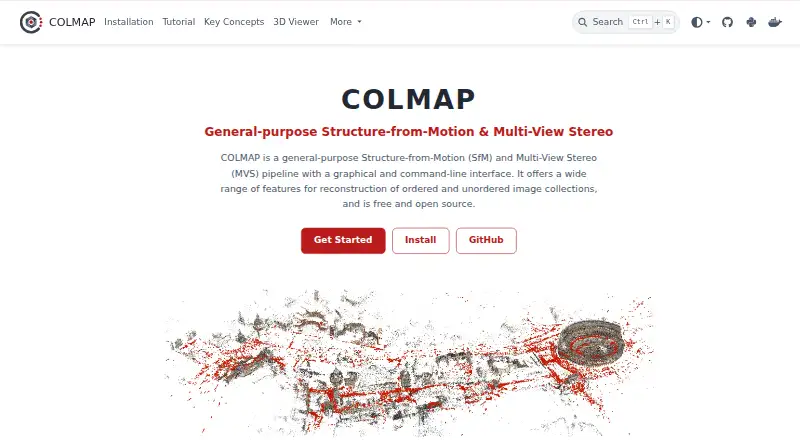
What COLMAP is
COLMAP is a free pipeline that reconstructs 3D scenes from ordered or unordered image collections. Its Structure-from-Motion stage estimates camera poses and sparse 3D structure; its Multi-View Stereo stage uses PatchMatch stereo and stereo fusion to create dense point clouds and meshes. Users can work through a graphical interface or a command line. The GUI's automatic reconstruction tool takes an image folder and produces sparse and dense results in a workspace folder. PyCOLMAP provides Python bindings for most functionality, and COLMAP can be built as a library for C++ projects. Feature extraction options include SIFT, ALIKED, and LoMa; the latter two require ONNX support at build time. The software supports a range of camera models and multi-camera rigs. It can be installed from pre-built binaries or built from source; macOS also has a Homebrew formula, and a pre-built Docker image includes CUDA support. The library uses the new BSD license, while third-party dependencies have separate licenses. The project describes COLMAP as research software that may occasionally exit ungracefully when constraints are not met.
Who it suits
COLMAP suits researchers and developers reconstructing scenes from image collections, whether using its GUI, command line, Python bindings, or C++ library.
What it does well
- Supports ordered and unordered image collections.
- Offers both graphical and command-line interfaces.
- Produces sparse and dense reconstructions.
- Provides Python bindings and a reusable C++ library.
- Includes a pre-built CUDA-enabled Docker image.
What to know first
- ALIKED and LoMa require ONNX support at build time.
- Windows binaries are not officially signed.
- The project notes occasional ungraceful exits when constraints are unmet.
- Third-party dependencies have separate licenses.
Plans
| Plan | Billed and limits | Price |
|---|---|---|
| COLMAP | — | Free |
As colmap.github.io lists them, read 30 Sept 2026. The maker's own page has the final word.
Getting started
- Open https://colmap.github.io/
- Choose a pre-built binary or build COLMAP from source
- On macOS, use the Homebrew formula if preferred
- Alternatively, use the pre-built Docker image with CUDA support
- Start with the GUI automatic reconstruction tool and an image folder, or use the command-line interface
COLMAP is a Structure-from-Motion and Multi-View Stereo pipeline that turns ordered or unordered image collections into 3D reconstructions. It suits technically minded users who want control over a local reconstruction workflow or integration into Python and C++ projects. Its breadth of interfaces and reconstruction stages is compelling, but its research-software caveat and unsigned Windows binaries call for care.
Overview
COLMAP combines incremental Structure-from-Motion (SfM), which estimates camera poses and sparse 3D structure, with Multi-View Stereo (MVS), which can build dense point clouds and meshes. That makes it a substantial option for moving from a set of images to multiple forms of 3D output rather than only a viewing or modeling tool.
The automatic reconstruction tool lowers the number of steps needed to begin: give it an image folder and it produces sparse and dense reconstructions in a workspace folder. Users who need more control can work through the graphical interface or command line. The trade-off is that the project describes itself as research software; when constraints are not met, it may occasionally exit ungracefully, so it is a less reassuring fit for workflows that demand predictable failure handling.
Key features
From sparse to dense
The incremental SfM pipeline recovers camera poses and sparse geometry, while the MVS pipeline uses PatchMatch stereo and stereo fusion to produce dense point clouds and meshes. This pairing suits image-based reconstruction where both camera alignment and fuller geometry matter. Point cloud export is supported.
Automation and integration
The GUI's automatic reconstruction takes a folder of images and writes its results to a workspace folder, a direct starting point for users who do not need to script each stage. PyCOLMAP exposes most functionality through Python bindings, including reconstruction and robust geometric estimators. COLMAP can also be built as a reusable library and linked into C++ source code, which makes it a stronger fit for developers embedding reconstruction than for people seeking only a standalone consumer app.
Algorithms and cameras
Feature extraction supports SIFT, ALIKED, and LoMa. ALIKED and LoMa require ONNX support at build time, so choosing those algorithms can affect setup. A wide range of camera models and multi-camera rigs is supported, useful for varied capture hardware.
Pricing
COLMAP is free. Its COLMAP plan costs nothing, with API access. There is no paid tier to weigh against a restricted entry plan in the published pricing model, making it accessible for individual use and software integration without a subscription charge. The library uses the new BSD license; third-party dependencies have separate licenses.
Platforms
COLMAP is listed for Linux, macOS, web, and Windows, with desktop deployment. Installation options include pre-built binaries or building from source; macOS users can also install through Homebrew. A pre-built Docker image includes CUDA support. Windows users should note that the provided binaries are not officially signed and may trigger a Windows Defender warning.
Who it's for
COLMAP is a good fit for researchers, developers, and technically capable 3D users who need an image-based reconstruction pipeline with both sparse and dense outputs, camera-model flexibility, and Python or C++ integration. It is less suited to users who prioritize a polished, predictable consumer workflow: the project’s research-software warning and the possibility of ungraceful exits matter when reliability and guided operation are central.
Pros and cons
Pros
- Complete reconstruction path: SfM and MVS cover sparse geometry through dense point clouds and meshes.
- Several ways to work: GUI, command line, Python bindings, and a reusable C++ library serve both direct use and custom development.
- Flexible capture support: Multiple feature algorithms, camera models, and multi-camera rigs accommodate varied reconstruction setups.
- Free to use: The plan costs nothing and includes API access.
Cons
- Research-software reliability caveat: The tutorial warns that unmet constraints can occasionally lead to an ungraceful exit, a concern for users who need robust recovery.
- Windows warning: Unsigned provided binaries may prompt Windows Defender, adding friction to installation.
- Build considerations: ALIKED and LoMa feature extraction require ONNX support at build time, so those options may demand extra setup.
Alternatives
- AI 3D Scanning Software is a useful category to explore for other image-based 3D tools.
- Photogrammetry Software helps compare options focused on turning photographs into models.
- 3D modeling software is a broader category for users whose priority is modeling rather than reconstruction from images.
- Nerfstudio is another free option, with Linux, Windows, web, API, and self-hosted platforms.
- Polycam may suit mobile-first users who want Android or iOS support and a free plan with limited space, object, and AI captures, GLTF exports, and public link sharing.
- RealityScan is worth considering for users looking for an option across Android, iOS, Linux, and Windows.
- WebODM may suit users who want a free tool that runs locally and offline, with Linux, macOS, Windows, web, API, and self-hosted platforms.
- KIRI Engine offers a free plan with up to 150 photos, a 2 GB maximum per scan, unlimited scans, and free exports; it supports Android, iOS, web, and API access.
- OpenDroneMap is another free option with Linux, macOS, Windows, API, and self-hosted platforms.
- 3DF Zephyr may fit Windows users seeking a personal-use free plan, though it is limited to 50 photos or video frames, one GPU, and limited exports and editing.
- Luma AI Video Generator is an alternative to consider for users seeking a video-generation tool.
Verdict
Choose COLMAP if you want a free, extensible pipeline that can take image collections through sparse and dense 3D reconstruction, especially if Python or C++ integration matters. Its breadth is the main reason to choose it; its research-software reliability caveat is the main reason to look elsewhere when dependable, guided operation is more important than control.
Verdict
COLMAP offers a free route from image collections to sparse and dense 3D outputs, with GUI, CLI, Python, and C++ options. Users should account for the project's research-software caveat and the unsigned Windows binaries.
Questions
Is COLMAP free?
Yes. COLMAP is available free of charge.
Which platforms does it support?
The listed platforms are Linux, macOS, Windows, and the web.
Is COLMAP open source?
The COLMAP library is licensed under the new BSD license. Third-party dependencies have separate licenses.
Does COLMAP have a graphical interface?
Yes. It provides both a graphical user interface and a command-line interface.
Can developers use COLMAP from Python or C++?
PyCOLMAP provides Python bindings for most functionality. COLMAP can also be built as a library linked into C++ source code.
How can I install it?
Users can install pre-built binaries or build from source. macOS has a Homebrew formula, and a pre-built Docker image includes CUDA support.
Facts from COLMAP's own pages
- Automatic reconstruction
- The GUI automatic reconstruction tool takes a folder of input images and produces sparse and dense reconstructions in a workspace folder. · colmap.github.io, 30 Sept 2026
- Camera support
- COLMAP supports a wide range of camera models and multi-camera rigs. · colmap.github.io, 30 Sept 2026
- C++ integration
- COLMAP can be built as a reusable library that can be included and linked against C++ source code. · colmap.github.io, 30 Sept 2026
- Dense reconstruction
- Its Multi-View Stereo pipeline uses PatchMatch stereo and stereo fusion to produce dense point clouds and meshes. · colmap.github.io, 30 Sept 2026
- Docker
- COLMAP provides a pre-built Docker image with CUDA support. · colmap.github.io, 30 Sept 2026
- Feature algorithms
- COLMAP supports SIFT, ALIKED, and LoMa feature extraction, with ALIKED and LoMa requiring ONNX support at build time. · colmap.github.io, 30 Sept 2026
- Free plan
- Yes · colmap.github.io, 20 Sept 2026
- Installation
- Users can install pre-built binaries or build from source, and Homebrew provides a macOS formula. · colmap.github.io, 30 Sept 2026
- Interfaces
- COLMAP provides both a graphical user interface and a command-line interface. · colmap.github.io, 30 Sept 2026
- License
- The COLMAP library is licensed under the new BSD license, while third-party dependencies are separately licensed. · colmap.github.io, 30 Sept 2026
- Purpose
- COLMAP is a general-purpose Structure-from-Motion and Multi-View Stereo pipeline for reconstructing ordered and unordered image collections. · colmap.github.io, 30 Sept 2026
- Python integration
- PyCOLMAP provides Python bindings for most of COLMAP's functionality, including reconstruction and robust geometric estimators. · colmap.github.io, 30 Sept 2026
- Research software
- The tutorial describes COLMAP as research software that may rarely exit ungracefully when some constraints are not fulfilled. · colmap.github.io, 30 Sept 2026
- Security
- The provided Windows binaries are not officially signed and may trigger a Windows Defender security warning. · colmap.github.io, 30 Sept 2026
- Sparse reconstruction
- Its incremental Structure-from-Motion pipeline recovers camera poses and sparse 3D structure. · colmap.github.io, 30 Sept 2026
- Support
- The project directs users to GitHub Discussions for questions and the GitHub issue tracker for bug reports and feature requests. · colmap.github.io, 30 Sept 2026
Where COLMAP stands on Freedom251
- AI 3D Scanning Software#3 of 24
- Photogrammetry Software#5 of 34
- 3D modeling software#34 of 147