Freedom251 › Photo Backup Software

Rawback
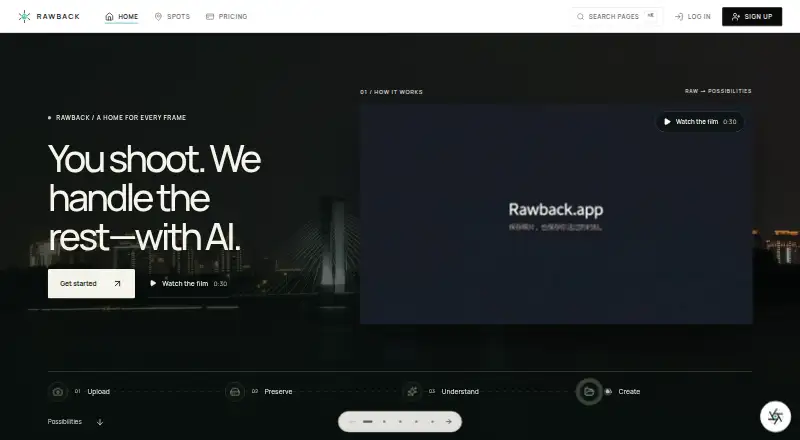
What Rawback is
Rawback is an AI platform for photographers to preserve, organize, understand, and create from photo libraries. Its features include image analysis and ratings, people recognition, conversational editing, Dream recaps, travel stories, gear and places features, and album-story drafting. Camera files can be transferred through FTP, FTPS, or SFTP; accepted formats include JPEG, PNG, HEIC/HEIF, WebP, and several RAW formats. Originals do not expire by default while they remain within a plan's storage allowance, and users can configure automatic archiving and optional deletion periods. The desktop client monitors local libraries and supports background uploads on Apple silicon Macs and Windows 10/11 x64. The iPhone app requires iOS 26 or later and is marked as coming soon. AI features are off until users consent. When enabled, images, thumbnails, or related content may be sent to listed AI providers depending on the feature and settings. The free plan costs nothing. Paid plans start at $4.99 a month; Lite includes 200 GB storage and an MCP connector for Claude and ChatGPT.
Who it suits
Rawback suits photographers who want to organize photo libraries, use AI features, and transfer camera files to the service. Users considering its iPhone app should note its stated requirement and coming-soon status.
What it does well
- Free plan includes 5 GB storage.
- Accepts several RAW formats and common image formats.
- Originals do not expire by default within storage allowance.
- Paid plans include an MCP connector.
- Desktop client supports Apple silicon and Windows 10/11 x64.
What to know first
- iPhone app requires iOS 26 or later.
- iPhone app is marked coming soon.
- AI features require consent and may send image content externally.
- Third-party SDK use and production deployment require written approval.
Limits
The Free plan includes 5 GB of storage, 200 AI credits per month and 500 face recognitions per month. Originals remain available by default only while they fit within the plan's storage allowance. The Core SDK is publicly downloadable, but third-party use and production deployment require written approval.
Plans
| Plan | Billed and limits | Price |
|---|---|---|
| Free | forever · 5 GB storage · 200 AI credits/month · 500 face-recognition/month · public sharing | Free |
| +5,000 AI credits | monthly add-on · Requires a paid plan | $11.99 a month |
| Pro | monthly · 600 GB storage · 5,000 AI credits/month · 5,000 face-recognition/month · MCP connector · public and restricted sharing | $14.99 a month |
| +100 GB storage | monthly add-on · Requires a paid plan | $1.99 a month |
| +2 TB storage | monthly add-on · Requires a paid plan | $24.99 a month |
| +15,000 AI credits | monthly add-on · Requires a paid plan | $27.99 a month |
| +1,000 AI credits | monthly add-on · Requires a paid plan | $2.99 a month |
| Max | monthly · 3 TB storage · 20,000 AI credits/month · 20,000 face-recognition/month · MCP connector · unlimited sharing · priority processing | $44.99 a month |
The first 8 of 10 plans, as rawback.app lists them, read 21 Oct 2026. The maker's own page has the final word. Every plan
Getting started
- Visit the Rawback website and choose the Free plan or a paid plan.
- For camera transfers, configure FTP, FTPS or SFTP.
- Install the desktop client on an Apple silicon Mac or Windows 10/11 x64 device to monitor a local library and upload in the background.
- Explicitly consent to AI features if you want to use them.
- Connect Claude, ChatGPT or another MCP client using the connector included with paid plans.
Overview
Rawback is a photo-library platform that pairs cloud preservation and organization with AI tools for working with images. It is best suited to photographers who want camera-transfer options and AI-assisted ways to explore a collection. Its RAW support and broad feature set stand out, but storage ceilings and the terms of AI processing matter before committing.
Key features
Rawback can analyze and rate images, group faces, support conversational editing, create Dream recaps, and draft album stories. These tools make it more than a destination for backups: they can help users interpret and revisit a library. The monthly AI-credit and face-recognition quotas, however, may constrain frequent use, so photographers should weigh expected activity against the plan limits.
Originals do not expire by default while they remain within the plan’s storage allowance. Users can configure automatic archiving and optional deletion periods, which gives them control over retention; it does not remove the need to manage a finite storage quota.
Camera setups can transfer over FTP, FTPS, or SFTP, and Rawback accepts JPEG, PNG, HEIC/HEIF, WebP, and several RAW formats by default. The native desktop client monitors local libraries and uploads in the background on Apple silicon Macs and Windows 10/11 x64. Paid plans also include an MCP connector for Claude, ChatGPT, or another MCP client, a useful extension for people who want to connect their library to those tools.
AI features remain off until users explicitly consent. Once enabled, a feature may send images or thumbnails and related content to OpenAI, Google Gemini, Tencent Cloud, or a provider configured by the user, depending on the feature and settings. Rawback says data is encrypted in transit with TLS and at rest where the cloud provider supports it; production access is restricted to authorized personnel with authentication and audit logging. Anyone uncomfortable with this provider-sharing model can leave AI disabled, but will give up the AI functions that distinguish Rawback.
Pricing
Rawback’s free plan costs nothing, billed forever, and includes 5 GB of storage, 200 AI credits per month, 500 face-recognition uses per month, and public sharing. It is a sensible way to assess the service, but the storage cap is modest for a growing photo archive.
Lite costs $4.99 a month, billed monthly, for 200 GB, 1,500 AI credits and 1,500 face-recognition uses per month, the MCP connector, and public and restricted sharing. This is the practical starting point for a photographer who needs more than a trial-sized archive and wants the paid integrations.
Pro costs $14.99 a month, billed monthly, and raises those allowances to 600 GB, 5,000 AI credits, and 5,000 face-recognition uses per month. It keeps the same sharing options and MCP connector as Lite, so its case rests on needing more storage and usage capacity.
Max costs $44.99 a month, billed monthly, and provides 3 TB, 20,000 monthly AI credits, 20,000 monthly face-recognition uses, the MCP connector, public, restricted, and unlimited sharing, plus priority processing. It is aimed at large libraries and heavier use; the higher price is difficult to justify if the smaller quotas are enough. Users seeking more storage or custom features can contact Rawback for custom pricing.
Platforms
Rawback lists API, iOS, Linux, macOS, web, and Windows support, but the native iPhone app requires iOS 26 or later and its App Store listing is marked coming soon. That makes the iPhone route less immediate than the platform list alone suggests. The Core SDK is publicly downloadable, but third-party use and production deployment require written approval from Rawback.
Who it's for
Rawback is a strong candidate for photographers who want bundled cloud storage, RAW uploads, desktop background transfers, configurable retention, and AI tools in one service. It is less suitable for people who need a large free archive, unrestricted storage, or AI processing without sharing content with an external provider.
Pros and cons
- Pros: FTP, FTPS, and SFTP plus several common image and RAW formats give photographers flexible camera-transfer options.
- Pros: Configurable archiving and deletion periods offer more control over originals than a fixed retention schedule.
- Pros: Paid plans combine storage, AI quotas, and an MCP connector, with Max adding unlimited sharing and priority processing.
- Cons: The free plan’s 5 GB cap is restrictive for a substantial photo library.
- Cons: AI processing can involve sending image content to third-party providers, which may not suit privacy-sensitive collections.
- Cons: The native iPhone app is not yet available through its App Store listing, and requires iOS 26 or later.
- Cons: Production use of the Core SDK requires written approval, limiting independent deployment.
Alternatives
For a broader comparison, browse Photo Backup Software. Consider IDrive if you want a cross-platform backup service with a free tier and a 100 GB plan for one user at $0.25 a month.
PhoneCopy is another freemium alternative; its free Basic plan covers contacts, calendars, tasks, notes, two devices, and a 1 GB media pack, making it a better match for users focused on syncing personal data as well as media. Ente Photos offers a 10 GB free plan with one replica and 100 Locker items, and may suit someone who prioritizes those allowances over Rawback’s AI-oriented workflow.
Choose PhotoSync if its transfer-focused approach fits better: its free plan covers basic transfers, while full-size transfers, RAW, NAS, and cloud features are paid. Tonfotos may suit users who prefer a free lifetime license with the paid version’s functionality, subject to a limit on the number of people in photos.
Fotoback is more tailored to family photo organization, with a free 5 GB encrypted backup and a basic baby timeline for one child profile. Immich is the alternative for users who want a free photo service running on their own server. Pho may appeal to those who value an open-source core sync engine with Pro features extending it.
Verdict
Choose Rawback if you want a photographer-oriented archive that combines RAW and camera transfers with AI tools, desktop uploads, and paid MCP access. Its strongest reason to buy is that combination; its clearest reasons to look elsewhere are the limited free storage, provider sharing when AI is enabled, and the iPhone app’s coming-soon status.
Verdict
Rawback combines photo-library organization, upload options, and AI tools with a free tier and paid storage plans. Review AI data sharing, the iPhone app status, and storage limits before choosing a plan.
Questions
Is Rawback free?
Yes. The Free plan costs nothing, billed forever, and includes 5 GB of storage.
How much do paid plans cost?
Lite costs $4.99 a month, Pro costs $14.99 a month and Max costs $44.99 a month.
Which platforms does Rawback list?
Its listed platforms are API, iOS, Linux, macOS, web and Windows. The native iPhone app requires iOS 26 or later and is marked as coming soon.
Does Rawback support RAW photos?
Yes. Several RAW formats are accepted by default, alongside JPEG, PNG, HEIC/HEIF and WebP.
Does Rawback connect to Claude or ChatGPT?
The MCP connector for Claude and ChatGPT is included with paid plans.
When does Rawback process images with AI?
AI features are off until users explicitly consent. When enabled, images or related content may be sent to listed providers or a configured provider depending on the feature and settings.
Facts from Rawback's own pages
- AI capabilities
- AI features include image analysis and ratings, conversational editing, face grouping, Dream recaps, and album-story drafting. · rawback.app, 4 Oct 2026
- AI consent
- AI processing is disabled until the user explicitly consents, and the setting applies across devices and upload methods. · rawback.app, 21 Oct 2026
- AI data sharing
- The privacy policy says enabled AI features may send images or thumbnails and related content to OpenAI, Google Gemini, Tencent Cloud, or a user's configured provider depending on the feature and settings. · rawback.app, 4 Oct 2026
- AI features
- Published AI capabilities include analysis, quality scoring, scene categories, image conversation, conversational editing, face recognition, dream recaps and album stories. · rawback.app, 21 Oct 2026
- AI providers
- Depending on enabled features, Rawback may send content to OpenAI, Google Gemini, Tencent Cloud IAI, Stripe's AI gateway or a user-configured provider. · rawback.app, 21 Oct 2026
- Camera integration
- The CLI can control Canon cameras over CCAPI, including shooting, settings, card browsing, downloads and live view. · github.com, 21 Oct 2026
- Changelog event
- Rawback Desktop version 1.0.17, dated September 2, 2026, added environment switching and updated video probing behavior. · rawback.app, 21 Oct 2026
- Changelog limit
- A Desktop changelog entry dated August 12, 2026 says camera connection requires a paid plan. · rawback.app, 21 Oct 2026
- CLI
- The CLI supports uploads, library search, albums, Markdown stories, dreams, shares, usage inspection and structured JSON output. · github.com, 21 Oct 2026
- CLI formats
- Documented image support includes JPEG, PNG, WebP, GIF, TIFF, HEIC/HEIF, BMP, AVIF and RAW formats including CR2, CR3, NEF, ARW, DNG, RAF, ORF, PEF, RW2, SRW and X3F. · rawback.app, 21 Oct 2026
- CLI protocols
- CLI photo uploads use SFTP with resumable transfers and duplicate skipping. · rawback.app, 21 Oct 2026
- CLI security
- CLI credentials and upload state are stored under ~/.rawback, with restrictive Unix permissions and a requirement that manually created config.yml use mode 0600. · rawback.app, 21 Oct 2026
- Company facts
- The opened EvoniaAI page identifies a founder contact and email but does not state a legal entity name, headquarters, founding year, employee count or funding. · evoniaai.github.io, 21 Oct 2026
- Company identity
- Rawback is presented as a public project of EvoniaAI, an AI company that says it builds agents and AI platforms. · evoniaai.github.io, 21 Oct 2026
- Core SDK
- Rawback publishes a typed Node.js Core SDK with generated services for photos, albums, articles, dreams, shares, usage, pricing and account data. · rawback.app, 21 Oct 2026
- Desktop requirements
- The macOS desktop client supports Apple-silicon arm64, while the Windows client supports Windows 10/11 x64. · rawback.app, 21 Oct 2026
- Desktop signing
- The macOS desktop downloads are signed and notarized; the Windows installer is unsigned. · rawback.app, 21 Oct 2026
- Desktop support
- The native desktop client supports Apple silicon Macs and Windows 10/11 x64 for monitoring local photo libraries and background uploads. · rawback.app, 4 Oct 2026
- GitHub activity
- The public CLI repository shows 197 commits and was updated September 6, 2026. · github.com, 21 Oct 2026
- GitHub organization
- The rawback-app GitHub organization publicly lists a TypeScript CLI repository and a Ruby Homebrew tap repository. · github.com, 21 Oct 2026
- Independent project description
- EvoniaAI describes Rawback as an AI photo platform offering organization, smart tags, face detection, scene recognition, EXIF extraction and secure uploads. · evoniaai.github.io, 21 Oct 2026
- Integrations
- The MCP connector can connect Rawback to Claude, ChatGPT, or another MCP client, and is included with paid plans. · rawback.app, 4 Oct 2026
- iOS availability
- The native iPhone app requires iOS 26 or later, and its App Store listing is marked coming soon. · rawback.app, 4 Oct 2026
- iOS status
- The native iOS app is listed as coming soon and requires iOS 26 or later. · rawback.app, 21 Oct 2026
Where Rawback stands on Freedom251
- Photo Backup Software#11 of 25