Freedom251 › Photo Management Software

Ente Photos
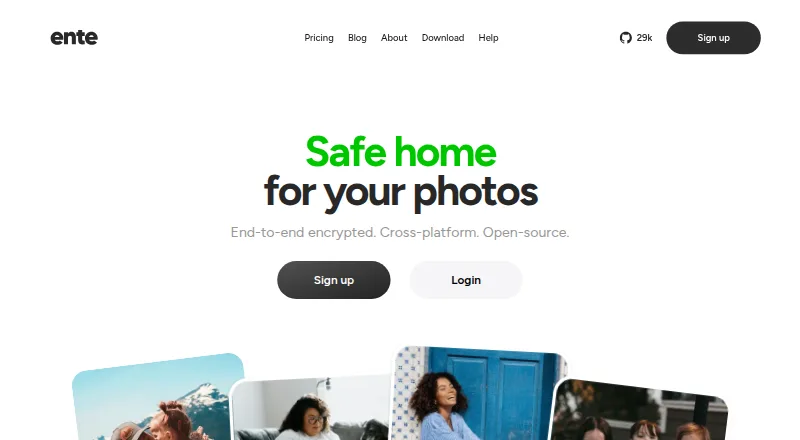
What Ente Photos is
Ente Photos is a photo backup and access service that encrypts photos and metadata on your device before upload. Its apps can back up new photos in the background, and on-device AI recognizes faces and photo elements to support natural-language search. You can revisit stories from previous years, share encrypted albums or browser links, and set a password or expiry for a link. Album owners can also let others contribute photos, including people who do not have an Ente account. Ente documents imports from Google Photos, Apple Photos, Amazon Photos, and local storage; its desktop app supports incremental export. The service is available on Android, iOS, Linux, macOS, web, and Windows, and supports RAW photos and video backup. The free plan includes 10 GB and one replica. Paid plans start with Starter at $2.49 a month for 50 GB. Paid subscribers can share storage with up to five family members, each with a private space. Ente says it stores three encrypted copies across three providers and EU locations.
Who it suits
It suits people who want encrypted photo backup across devices, with search, sharing, and library import tools. Families can share paid-plan storage while keeping separate private spaces.
What it does well
- Background backup encrypts new photos on the device.
- On-device AI supports face and natural-language search.
- Links can have passwords or expiry settings.
- Imports are documented for four sources.
- Desktop app supports incremental export.
What to know first
- Losing both password and recovery key can make data unrecoverable.
- Free plan includes 10 GB and one replica.
Limits
The Free plan provides 10 GB, one replica, and 100 Locker items. Starter costs $2.49 a month and includes 50 GB, three replicas, and 1000 Locker items; its listed annual billing is $29.88/yr.
Plans
| Plan | Billed and limits | Price |
|---|---|---|
| Free | free forever · 10 GB · end-to-end encryption · automatic backups · on-device AI · album sharing · public links · 1 replica · 100 Locker items · community support | Free |
| Pro+ | $19.99/mo or $239.88/yr · 2000 GB · everything in free · family plan · human support · 3 replicas · 1000 Locker items | $19.99 a month |
| Starter | $2.49/mo or $29.88/yr · 50 GB · everything in free · family plan · human support · 3 replicas · 1000 Locker items | $2.49 a month |
| Popular | $4.99/mo or $59.88/yr · 200 GB · everything in free · family plan · human support · 3 replicas · 1000 Locker items | $4.99 a month |
| Pro | $9.99/mo or $119.88/yr · 1000 GB · everything in free · family plan · human support · 3 replicas · 1000 Locker items | $9.99 a month |
As ente.com lists them, read 15 Oct 2026. The maker's own page has the final word.
Getting started
- Visit https://ente.com/.
- Choose the Free plan or a paid storage plan.
- Install the app for Android, iOS, Linux, macOS, or Windows, or use the web app.
- Import a library from Google Photos, Apple Photos, Amazon Photos, or local storage.
- Enable photo backup in the app to upload new photos in the background.
Overview
Ente Photos is an encrypted photo library and backup service for people who want their collection available across phones, computers and the web. It suits users who value private storage and searchable photos more than effortless account recovery. Its combination of background backup, sharing and on-device search is compelling, provided you take responsibility for your recovery key.
Key features
New photos are encrypted on the device before the apps back them up in the background. Photos and metadata remain encrypted before upload, and Ente says it cannot view them. That design is a meaningful privacy safeguard, while the recovery trade-off is strict: lose both your password and recovery key while logged out on every device, and neither your account nor data can be recovered.
On-device AI recognizes faces and key elements in photos, enabling face search and natural-language queries without sending that analysis to Ente. Memories gather images into stories from previous years, which you can revisit or share. Original-quality storage, RAW photo support, video backup and cloud sync make the service useful for a mixed library, not just phone snapshots.
Sharing covers encrypted albums and browser links; links can have a password or expiry. Album owners can also let others contribute photos, including people without an Ente account through a browser link. That makes Ente more flexible for group collections than a private archive alone.
Ente documents importing from Google Photos, Apple Photos, Amazon Photos and local storage. Its desktop app supports incremental export, a practical safeguard against lock-in. Ente says Photos has undergone multiple security audits, including assessments by Cure53 with Symbolic Software and an audit on behalf of CERN. It also says it keeps three encrypted copies across three providers and three locations in the EU.
Pricing
The free plan costs nothing and includes 10 GB, one replica and 100 Locker items. It is a useful starting point, but the storage cap and single replica make it less suited to a growing archive.
Paid plans add family sharing, human support, three replicas and 1,000 Locker items. Each supports sharing storage with up to five family members, each with a separate private space:
- Starter: $2.49 a month, billed $2.49/mo or $29.88/yr, for 50 GB.
- Popular: $4.99 a month, billed $4.99/mo or $59.88/yr, for 200 GB.
- Pro: $9.99 a month, billed $9.99/mo or $119.88/yr, for 1000 GB.
- Pro+: $19.99 a month, billed $19.99/mo or $239.88/yr, for 2000 GB.
Starter fits a modest library shared with family; Popular gives a larger collection more room without changing the included support or replica count. Pro and Pro+ are for users whose photo and video archives need substantially more capacity. The lower paid tiers give up storage, not the listed family features or redundancy.
Platforms
Ente Photos is available on Android, iOS, Linux, macOS, Windows and the web. That breadth suits households mixing mobile and desktop devices, and the desktop app also supports incremental export.
Who it's for
Choose Ente if you want encrypted, original-quality photo and video backup across devices, private sharing, and on-device search. Its imports and incremental export also help users moving an existing library or keeping an exit route. It is a poor fit if you want a provider to restore an account after losing every recovery credential.
Pros and cons
- Pros: Device-side encryption covers photos and metadata, and on-device AI supports face and natural-language search.
- Pros: Password- or expiry-protected browser links and collaborative albums accommodate recipients without accounts.
- Pros: Paid plans include three replicas and private family spaces for up to five family members.
- Cons: The free tier has 10 GB and one replica, limiting its appeal for large or redundancy-conscious libraries.
- Cons: Losing both password and recovery key while logged out on all devices means permanent loss of access and data.
Alternatives
Choose Lomorage if you prefer free software with external storage, no rate limit and no account-number limitation, and are prepared to supply the storage yourself.
Amazon Photos, Flickr, Synology Photos, Tonfotos, Damselfly, Google Photos and PicApport are other photo-library options to compare.
Browse Photo Management Software, Secure Cloud Storage, Photo Backup Software and Photo Storage Services for more choices.
Verdict
Ente Photos is the right pick for people who want encrypted cross-device backup with useful private sharing and on-device search. Its strongest case is the mix of privacy and practical library tools; look elsewhere if losing account credentials must not mean losing the archive.
Verdict
Ente Photos combines cross-device backup with encrypted sharing and on-device search. Keep the recovery key safe: Ente cannot recover an account when both it and the password are lost and all devices are logged out.
Questions
Is Ente Photos free?
Yes. The Free plan costs nothing and includes 10 GB, one replica, and 100 Locker items.
What do paid plans cost?
Starter is $2.49 a month, Popular is $4.99 a month, Pro is $9.99 a month, and Pro+ is $19.99 a month. Listed annual billing is $29.88/yr, $59.88/yr, $119.88/yr, and $239.88/yr, respectively.
Which platforms does it support?
Ente Photos is available on Android, iOS, Linux, macOS, Windows, and the web.
Can I import or export my photos?
Ente documents imports from Google Photos, Apple Photos, Amazon Photos, and local storage. The desktop app supports incremental export of a user's data.
How does photo encryption work?
Photos and metadata are encrypted on the user's device before upload. Ente says it cannot view them.
Can Ente recover my account if I lose my credentials?
If you lose both your password and recovery key while logged out of all devices, Ente cannot recover the account or data.
Facts from Ente Photos's own pages
- Account recovery limit
- If a user loses both their password and recovery key while logged out of all devices, Ente says it cannot recover the account or data. · ente.com, 28 Sept 2026
- API availability
- Ente says it does not currently provide a public API for third-party integrations. · ente.com, 15 Oct 2026
- Audits
- Ente says Photos has undergone multiple security audits, including assessments by Cure53 with Symbolic Software and an audit on behalf of CERN. · ente.com, 28 Sept 2026
- Automatic backup
- The apps back up new photos in the background after encrypting them on the device. · ente.com, 28 Sept 2026
- CLI
- The open-source CLI supports incremental exports, cron automation and NAS backups, but not two-way synchronization. · ente.com, 15 Oct 2026
- Collaboration
- Album owners can let others add photos, including through a browser link for people without an Ente account. · ente.com, 28 Sept 2026
- Company
- Ente says it began building an open-source company in 2020, funded by customer subscriptions; the About page does not state a headquarters. · ente.com, 28 Sept 2026
- Company size and headquarters
- LinkedIn lists Ente as a privately held company headquartered in Dover, Delaware, with a stated size of 2–10 employees. · linkedin.com, 15 Oct 2026
- Documentation and support
- Help is offered through documentation, Discord, email support and GitHub issue reporting. · ente.com, 15 Oct 2026
- Encryption
- Photos and metadata are encrypted on the user's device before upload, and Ente says it cannot view them. · ente.com, 28 Sept 2026
- Encryption algorithms
- The security FAQ lists XChaCha20 and XSalsa20 encryption, Poly1305 authentication and Argon2id key derivation. · ente.com, 15 Oct 2026
- End-to-end encryption
- Photos, videos and metadata are encrypted on the device before upload so Ente says it cannot read them. · ente.com, 15 Oct 2026
- Export
- The desktop app supports incremental export of a user's data. · ente.com, 28 Sept 2026
- Face recognition
- Face detection and grouping run on the device. · ente.com, 15 Oct 2026
- Face recognition and search
- On-device AI recognizes faces and key elements in photos to support natural-language search. · ente.com, 28 Sept 2026
- Family plans
- A paid subscription can include up to five additional family members without an extra subscription charge, while each person keeps a private library. · ente.com, 15 Oct 2026
- Founded
- Ente says it began building as an open-source company in 2020. · ente.com, 15 Oct 2026
- Funding
- Crunchbase lists one pre-seed funding round for Ente Technologies, Inc., with the amount obscured on the public page. · crunchbase.com, 15 Oct 2026
- Guest view
- Guest view lets someone browse selected photos or albums without access to the rest of the account or destructive actions. · ente.com, 15 Oct 2026
- Headquarters
- United States of America · ente.com, 23 Sept 2026
- Import and export
- The desktop app imports libraries from Google Photos and Apple Photos, and exports can resume after interruption. · ente.com, 15 Oct 2026
- Imports
- Ente documents importing libraries from Google Photos, Apple Photos, Amazon Photos, and local storage. · ente.com, 28 Sept 2026
- Legal name
- Google Play identifies the developer as Ente Technologies, Inc., with a Wilmington, Delaware address. · play.google.com, 15 Oct 2026
- Licence
- The main Ente repository is released under the GNU Affero General Public License version 3.0. · github.com, 15 Oct 2026
Where Ente Photos stands on Freedom251
- Photo Management Software#1 of 37
- Photo Storage Services#2 of 71
- Photo Backup Software#1 of 25
- Secure Cloud Storage#2 of 30