Freedom251 › Image Vectorization Software
R2V
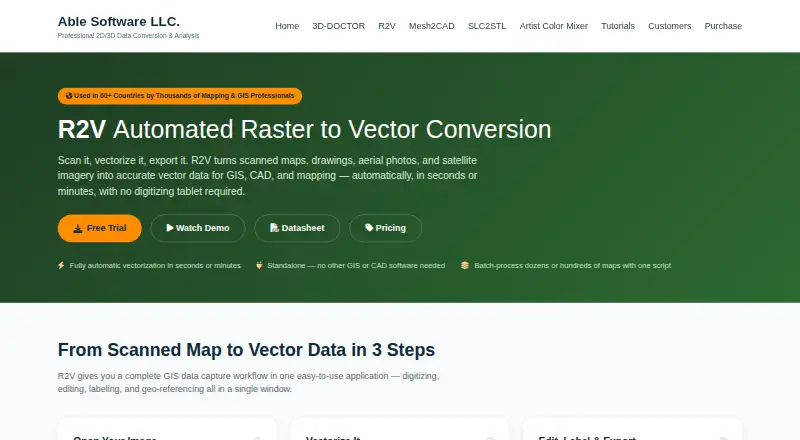
What R2V is
R2V is Windows desktop software that converts scanned maps, drawings, aerial photos, and satellite imagery into vector data for GIS, CAD, and mapping. It can automatically extract lines, boundaries, and polygons using image thresholding, while interactive tracing follows lines between points selected by the user. Editing features include polygon creation, layer controls, line labeling, and text detection and recognition. For georeferencing, R2V supports GeoTIFF, control points, and world or TAB files, as well as coordinate conversion among UTM, latitude/longitude, and State Plane NAD27/NAD83. Custom scripts can process batches of maps; the vendor describes running 50 or 500 maps from one command. R2V can also create 3D terrain from labeled contours and export formats such as USGS DEM, ASCII Grid, DXF, VRML, STL, and XYZ. The application runs without ArcGIS, CAD, or other software for digitizing and editing, then exports to formats used by those systems. The single-user license costs $395, paid once and includes one year of updates and email support. A full-featured trial is available, with no duration stated.
Who it suits
R2V suits mapping and GIS professionals digitizing contour, parcel, soil, flood, aerial, satellite, or CAD material. It is for Windows users who need vector conversion, editing, or batch map processing.
What it does well
- Automatic extraction of lines, boundaries, and polygons
- Supports georeferencing and coordinate conversion
- Custom scripts process batches of maps
- Creates 3D terrain from labeled contours
- Runs without separate GIS or CAD software
What to know first
- Windows application only
- No free plan
- Single-user license costs $395, paid once
Limits
R2V has no free plan. The Single User license includes one named user, one year of updates, and email support; the 2-User Pack includes two named users, one year of updates, and priority support.
Plans
| Plan | Billed and limits | Price |
|---|---|---|
| Single User | One-time payment · One named user · One year updates · Email support | $395, paid once |
| 2-User Pack | One-time payment · Two named users · One year updates · Priority support | $595, paid once |
| Site License | Quote · Unlimited users at one site · Three year updates · Premium support | On request |
As ablesoftware.com lists them, read 9 Oct 2026. The maker's own page has the final word.
Getting started
- Open the R2V website
- Use a Windows 10/11 64-bit computer with 4 GB RAM and 1 GB disk space
- Start the full-featured trial without a credit card
- Install R2V as a Windows desktop application
- Choose a Single User, 2-User Pack, or Site License plan
Verdict
R2V brings scanning conversion, vector editing, georeferencing, and batch processing into a Windows application. Check its supported formats and the listed license cost against your workflow before choosing it.
Questions
How much does R2V cost?
The Single User plan is $395, paid once with a one-time payment. The 2-User Pack is $595, paid once with a one-time payment; the Site License is quote-based.
Is there a free plan or trial?
There is no free plan. A full-featured trial is available without a credit card.
Which platforms support R2V?
R2V is a Windows desktop application. System requirements list Windows 10/11 64-bit, 4 GB RAM, and 1 GB disk space.
What files can R2V import and export?
Inputs include TIFF/GeoTIFF, JPEG, GIF, PNG, BMP, RLC, and raw satellite formats. Exports include Shapefile, Arc/Info Generate, MIF/MID, DXF, IGES, SVG, MapGuide SDL, DEM, ASCII Grid, XYZ, VRML, and STL.
Can R2V process maps in batches?
Yes. Custom scripts can apply processing steps to batches, with runs of 50 or 500 maps described from one command.
Does R2V work without ArcGIS or CAD software?
Yes. R2V runs independently for digitizing and editing, then exports to formats used by GIS and CAD systems.
Facts from R2V's own pages
- 3D terrain
- R2V creates 3D data from labeled contours and exports terrain as USGS DEM, ASCII Grid, DXF, VRML, STL, or XYZ. · ablesoftware.com, 9 Oct 2026
- Automatic vectorization
- It extracts lines, boundaries, or polygons from scanned maps with one command and automatic image thresholding. · ablesoftware.com, 9 Oct 2026
- Batch processing
- Custom scripts can apply processing steps to batches of maps, with the vendor describing runs of 50 or 500 maps from one command. · ablesoftware.com, 9 Oct 2026
- Editing and OCR
- R2V provides vector editing, polygon creation, layer controls, line labeling, and built-in text detection and recognition. · ablesoftware.com, 9 Oct 2026
- Formats
- Image inputs include TIFF/GeoTIFF, JPEG, GIF, PNG, BMP, RLC, and raw satellite formats; vector exports include Shapefile, Arc/Info Generate, MIF/MID, DXF, IGES, SVG, and MapGuide SDL. · ablesoftware.com, 9 Oct 2026
- Georeferencing
- It supports georeferencing with GeoTIFF, control points, or world/TAB files and coordinate conversion between UTM, latitude/longitude, and State Plane NAD27/NAD83. · ablesoftware.com, 9 Oct 2026
- Image size
- The vendor says there is no software limit on image size and describes support for images larger than 65,536 by 65,536 pixels. · ablesoftware.com, 9 Oct 2026
- Intended users
- The vendor presents R2V for mapping and GIS professionals handling contour, parcel, soil, flood, aerial, satellite, and CAD digitizing workflows. · ablesoftware.com, 9 Oct 2026
- Interactive tracing
- Interactive tracing follows a line between user-selected points and can capture multiple lines with two clicks. · ablesoftware.com, 9 Oct 2026
- Platform and requirements
- R2V is a Windows application; the downloads page lists Windows 10/11 64-bit, 4 GB RAM, and 1 GB disk space as system requirements. · ablesoftware.com, 9 Oct 2026
- Purpose
- R2V converts scanned maps, drawings, aerial photos, and satellite imagery into vector data for GIS, CAD, and mapping. · ablesoftware.com, 9 Oct 2026
- Standalone use
- R2V runs without ArcGIS, CAD, or other software for digitizing and editing, and exports to formats used by those systems. · ablesoftware.com, 9 Oct 2026
- Support and updates
- The listed single-user license includes one year of updates and email support, while the 2-user pack includes priority support. · ablesoftware.com, 9 Oct 2026
- Trial
- The vendor offers a full-featured R2V trial with no credit card required; the R2V page does not state the trial duration. · ablesoftware.com, 9 Oct 2026
Where R2V stands on Freedom251
- Image Vectorization Software#24 of 26