Freedom251 › Vector Graphics Software
Super Vectorizer Pro
What Super Vectorizer Pro is
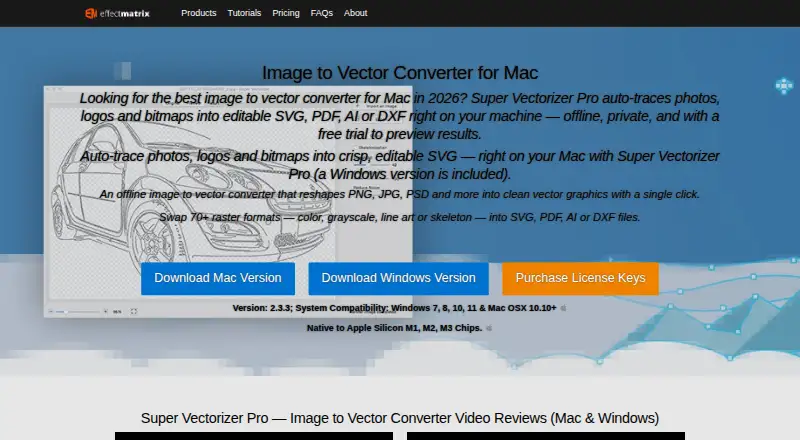
Super Vectorizer Pro converts raster images into editable vector files, including SVG, PDF, AI, and DXF. It reads more than 70 image formats, including PNG, JPG, PSD, TIFF, and BMP. Tracing options include edge, color, grayscale, skeletonization, and line modes; automatic tracing supports up to 64 colors. Live previews, segmentation editing, smoothing, and straight, curved, and corner anchor points are available for shaping results. The maker describes processing as offline on the user’s machine, and the app handles one image at a time rather than batch conversion. It runs on Windows 7, 8, 10, and 11, and macOS 10.10 or later; the maker says it is native to Apple Silicon M1, M2, and M3 chips. There is no free plan, but a 10-day trial is available. The Mac and Windows licenses each cost $29.99 a year; the Universal License costs $39.99 a year and covers one Mac and one Windows computer.
Who it suits
Super Vectorizer Pro may suit hobbyists or design companies that need to convert raster images into editable vectors. It is designed for desktop use on Windows or macOS, with offline processing and one-image-at-a-time conversion.
What it does well
- Reads more than 70 image formats
- Exports SVG, PDF, AI, and DXF
- Offers multiple tracing modes
- Processes images offline
What to know first
- Converts one image at a time
- No free plan
- 10-day trial only
Limits
The trial lasts 10 days. Licenses cover one Mac, one Windows computer, or one Mac plus one Windows computer, and the app processes one image at a time.
Plans
| Plan | Billed and limits | Price |
|---|---|---|
| Mac License | One-year; 1 Mac · 1 Mac | $29.99 a year |
| Windows License | One-year; 1 Win · 1 Win | $29.99 a year |
| Mac License | Lifetime; 1 Mac · 1 Mac | $39.99, paid once |
| Universal License | One Year; 1 Mac + 1 Windows · 1 Mac + 1 Windows | $39.99 a year |
| Windows License | Lifetime; 1 Win · 1 Win | $39.99, paid once |
| Universal License | Lifetime; 1 Mac + 1 Windows · 1 Mac + 1 Windows | $49.99, paid once |
As svgvector.com lists them, read 7 Oct 2026. The maker's own page has the final word.
Getting started
- Open the Super Vectorizer Pro website
- Choose the Mac, Windows, or Universal license
- Use the 10-day trial before purchasing
- Install the desktop app on the supported operating system
- Import a supported raster image and select a tracing mode
Verdict
Super Vectorizer Pro offers a range of tracing modes and vector export formats for Windows and macOS. Its one-image-at-a-time workflow and annual license costs are important considerations.
Questions
What does Super Vectorizer Pro export?
It exports editable AI, SVG, DXF, and PDF vector files.
Which operating systems are supported?
It supports macOS 10.10 or later and Windows 7, 8, 10, and 11. The maker says it is native to Apple Silicon M1, M2, and M3 chips.
Is there a free plan?
No. A 10-day trial is available, and paid annual licenses start at $29.99 a year.
How much is the Universal License?
The Universal License costs $39.99 a year and covers one Mac plus one Windows computer.
Can it process images offline?
Yes. The maker describes processing as offline on the user's machine.
Who provides support?
EffectMatrix Software Studio makes the app with eTinySoft as a cooperating partner. Lifetime license holders receive free technical support, while one-year license holders receive it within one year.
Facts from Super Vectorizer Pro's own pages
- Compatibility
- The product page lists Windows 7, 8, 10, and 11 and macOS 10.10 or later, and says it is native to Apple Silicon M1, M2, and M3 chips. · svgvector.com, 7 Oct 2026
- Editing features
- The maker says the app provides live tracing previews, segmentation editing, smoothing, and straight, curved, and corner anchor points. · svgvector.com, 7 Oct 2026
- Input formats
- The product page says the app reads more than 70 image formats, including PNG, JPG, PSD, TIFF, and BMP. · svgvector.com, 7 Oct 2026
- Integrations
- The maker says exported vector files work with Illustrator, Corel, and other vector image editors. · svgvector.com, 7 Oct 2026
- Limit
- The maker says the app works on one image at a time. · svgvector.com, 7 Oct 2026
- Maker and founding
- EffectMatrix Software Studio says it was founded in 2002 and works with eTinySoft as a cooperating partner. · svgvector.com, 7 Oct 2026
- Offline processing
- The maker describes the image vectorizer as offline and says it works on the user's machine. · svgvector.com, 7 Oct 2026
- Purpose
- The app converts raster images into editable vector files including SVG, PDF, AI, and DXF. · svgvector.com, 7 Oct 2026
- Security and privacy
- The maker describes the app as offline and private; the purchase page states online payments are secure and offers a 30-day refund guarantee. · svgvector.com, 7 Oct 2026
- Support
- The purchase page says lifetime license holders get free technical support, while one-year license holders get free technical support within one year. · svgvector.com, 7 Oct 2026
- Tracing modes
- Tracing options include edge, color, grayscale, skeletonization, and line modes, with automatic tracing supporting up to 64 colors. · svgvector.com, 7 Oct 2026
- Who it is for
- The maker describes it as suitable for personal and professional projects, including hobbyists and graphic design companies. · svgvector.com, 7 Oct 2026
Where Super Vectorizer Pro stands on Freedom251
- Vector Graphics Software#41 of 51
- Image Vectorization Software#23 of 26