Freedom251 › Image Vectorization Software
WinTopo
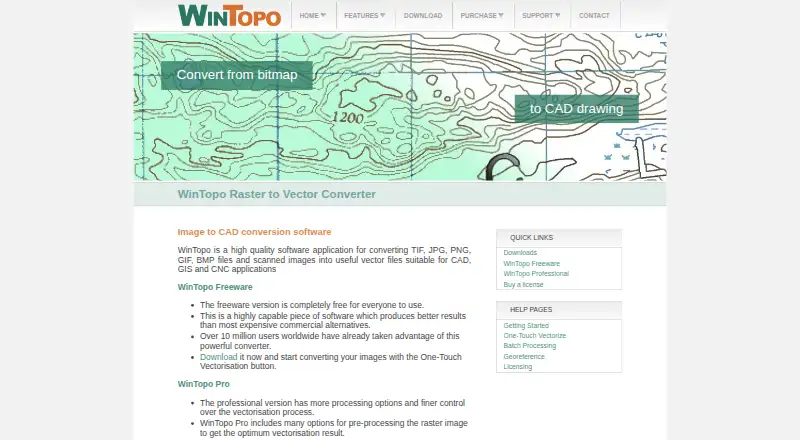
What WinTopo is
WinTopo converts TIF, JPG, PNG, GIF and BMP files, as well as scanned images, into vector files for CAD, GIS and CNC applications. Its One-Touch Vectorisation feature turns a raster image into vector output with a single click, while batch conversion supports processing multiple images together. Documented export formats include DXF, SHP, PDF, MIF, ARC, DI, WMF, EMF, ASC and WTX.
WinTopo Freeware is described as completely free and unrestricted for small volumes of raster-to-vector conversion. WinTopo Pro adds image processing tools, more advanced vectorisation algorithms and options, georeferencing, and manual vector digitising and editing over the raster image. It can also extract coordinate georeference information from GeoTIFF images. The Pro trial includes all features, but an unlicensed copy saves only a sample of the vector result. A first Pro license costs 200.00 GBP once and activates saving, printing and exporting on one computer; an additional license costs 150.00 GBP once for one specific computer. WinTopo is Windows desktop software published by SoftSoft Ltd in Biggleswade, England, UK.
Who it suits
WinTopo suits Windows users who need to turn raster images or scans into vector files for CAD, GIS or CNC work. Freeware is intended for small volumes, while Pro adds batch processing, georeferencing and manual vector editing.
What it does well
- One-click raster-to-vector conversion is available.
- Supports batch conversion.
- Exports to DXF, SHP, PDF, MIF and other formats.
- Pro supports georeferencing, including GeoTIFF coordinate information.
- Freeware is unrestricted for small conversion volumes.
What to know first
- Runs on Windows only.
- An unlicensed Pro trial saves only a sample of the vector result.
- Each Pro license applies to one specific computer.
Limits
WinTopo Freeware is described as unrestricted for small volumes of raster-to-vector conversion. An unlicensed WinTopo Pro trial saves only a sample of the vector result; a first license activates saving, printing and exporting on one specific computer.
Plans
| Plan | Billed and limits | Price |
|---|---|---|
| WinTopo Freeware | completely free · unrestricted · small-volume raster-to-vector conversion | Free |
| WinTopo Pro — Additional License | Each license is for one specific computer | £150, paid once |
| WinTopo Pro additional license | one-time · one license required for each additional computer | £150, paid once |
| WinTopo Pro — 1st License | Activates Save, Print and Export on one specific computer | £200, paid once |
| WinTopo Pro first license | one-time · activates one specific computer · license required for full save, print and export | £200, paid once |
As wintopo.com lists them, read 15 Oct 2026. The maker's own page has the final word.
Getting started
- Visit the WinTopo website.
- Choose WinTopo Freeware or WinTopo Pro.
- Download WinTopo for Windows.
- Install the version suited to your computer’s architecture.
- Use the Pro trial to try its features, or license Pro to save, print and export.
Verdict
Choose WinTopo for Windows raster-to-vector conversion, especially if you need its one-click workflow or documented CAD, GIS and CNC output formats. Pro is the option to consider for image processing, georeferencing and manual vector editing; its licenses are tied to specific computers.
Questions
How much does WinTopo cost?
WinTopo Freeware is free. The first WinTopo Pro license costs 200.00 GBP once, and an additional license costs 150.00 GBP once.
Is there a free plan or trial?
Yes. Freeware is available for small volumes of raster-to-vector conversion, and WinTopo Pro can be tried with all features. An unlicensed Pro copy saves only a sample of the vector result.
Which platforms does WinTopo support?
WinTopo is desktop software for Windows. The maker says it generally runs on Windows 7 or higher.
What file formats can WinTopo export?
Documented formats include DXF, SHP, PDF, MIF, ARC, DI, WMF, EMF, ASC and WTX.
What does WinTopo Pro add?
Pro adds image processing tools, batch conversion, advanced vectorisation options, georeferencing, and manual vector digitising and editing over the raster image.
Who makes WinTopo?
WinTopo is published by SoftSoft Ltd, located in Biggleswade, England, UK.
Facts from WinTopo's own pages
- API and SDK
- The published developer-oriented documentation describes command-line switches but does not present a web API, SDK or programming library. · wintopo.com, 15 Oct 2026
- Architecture
- WinTopo Pro installs a 64-bit version on 64-bit computers and a 32-bit version on 32-bit computers; Freeware is 32-bit and runs on either. · wintopo.com, 8 Oct 2026
- Batch conversion
- WinTopo Pro supports unattended processing of multiple raster files through command-line operation. · wintopo.com, 15 Oct 2026
- Command-line extensibility
- The Pro command-line interface is explicitly described as usable by third-party developers to incorporate WinTopo processing into their applications. · wintopo.com, 15 Oct 2026
- Company headquarters
- The maker gives its address as 12a-18a Hitchin Street, Biggleswade, SG18 8AX, UK. · wintopo.com, 15 Oct 2026
- Company incorporation
- A UK company-information listing records SoftSoft Limited as incorporated on 25 June 1999 and active. · companiesintheuk.co.uk, 15 Oct 2026
- Company legal name
- The maker identifies itself as SoftSoft Ltd, registered in England under company number 3796496. · wintopo.com, 15 Oct 2026
- Company size classification
- The same company listing classifies SoftSoft Limited as a private micro company. · companiesintheuk.co.uk, 15 Oct 2026
- Customer claim
- The maker says WinTopo Pro customers include NASA, Microsoft, MIT, British Telecom, BAE Systems, Motorola, EDS and US Department of Defence branches. · wintopo.com, 15 Oct 2026
- Digitising and editing
- The manual covers drawing and editing polylines, moving or inserting vertices, joining polylines, deleting vectors and snap modes. · wintopo.com, 15 Oct 2026
- Documentation and support
- WinTopo provides an online help manual, contextual help, preview images and an email support team. · wintopo.com, 15 Oct 2026
- Download data use
- The download page says submitted name, company, and email details will only be used with respect to the software. · wintopo.com, 8 Oct 2026
- DXF behavior
- DXF export uses POLYLINE entities, with Pro offering choices for polyline arcs or separate ARC entities. · wintopo.com, 15 Oct 2026
- Export formats
- Documented vector outputs include DXF, SHP, PDF, MIF, ARC, DI, WMF, EMF, ASC and WTX. · wintopo.com, 15 Oct 2026
- Georeferencing
- WinTopo Pro can map raster pixels to vector coordinates using control points and can use up to 200 points. · wintopo.com, 15 Oct 2026
- Headquarters
- Biggleswade, England, UK · wintopo.com, 28 Sept 2026
- Independent feature coverage
- Softpedia lists importing SHP, ARC and WTX, zooming, cropping, erasing, thinning, edge detection, undo, resizing, rotation, brightness, gamma, contrast, printing and clipboard copy. · softpedia.com, 15 Oct 2026
- Independent version record
- Clubic lists version 1.76 with an update date of 8 June 2026 and Windows as the operating system. · clubic.com, 15 Oct 2026
- Input formats
- The product accepts TIF, GIF, JPG, PNG and BMP images. · wintopo.com, 15 Oct 2026
- Installer architecture
- Pro installs a 64-bit build on 64-bit Windows and a 32-bit build on 32-bit Windows; Freeware is 32-bit and runs on both. · wintopo.com, 15 Oct 2026
- Licence model
- Freeware needs no licence code, while Pro requires a paid licence tied to a computer serial number. · wintopo.com, 15 Oct 2026
- Limit: accuracy and free edition
- Clubic notes that accuracy varies with the image, advanced functions are limited and the free version is restricted. · clubic.com, 15 Oct 2026
- Limit: technical tuning
- Softonic says adjusting vectorisation can be too technical for some users. · wintopo.softonic.com, 15 Oct 2026
- Limit: vector drawing
- Softonic lists the absence of dedicated vector drawing tools as a drawback. · wintopo.softonic.com, 15 Oct 2026
Where WinTopo stands on Freedom251
- Image Vectorization Software#20 of 26