Freedom251 › Image Vectorization Software
Vextractor
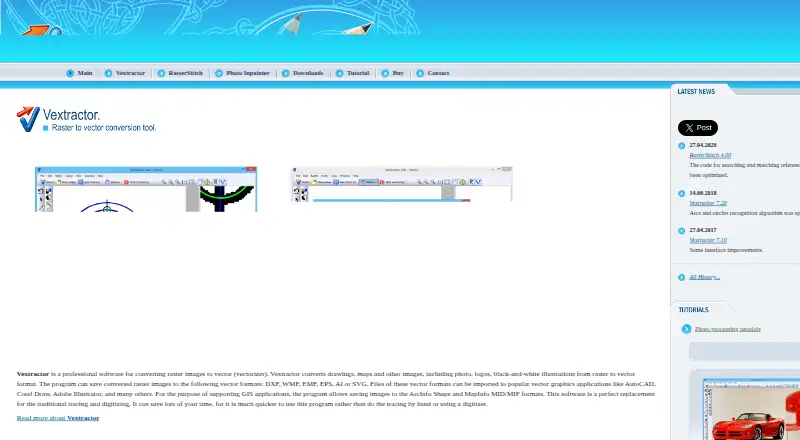
What Vextractor is
Vextractor converts raster drawings, maps, photos, logos, and illustrations into vector files on Windows. It can trace centerlines or object outlines, smooth polylines with Bezier curves, and use full-color tracing with a maximum of 256 colors. Batch conversion is available, and a built-in vector editor lets users revise conversion results or create vector objects manually. Raster inputs include BMP, TIFF/GeoTIFF, GIF, JPEG, PNG, TGA, PCX, and several portable bitmap formats. Output options include DXF, DXB, SHP, MapInfo MID/MIF, WMF, EMF, SVG, EPS, AI, and ASCII XYZ. TWAIN32-compatible scanners can supply images. GIS users can georeference from known-coordinate points or supported world files, while CAD options include coordinate systems, image dimensions, and polyline elevation values. The current listed version is 7.20 for 32-bit and 64-bit Windows. A free trial is available, but its demo limits saved data size and adds watermarks. Automatic results depend partly on source-image quality and are not guaranteed to be perfect.
Who it suits
Vextractor may suit CAD professionals, GIS users, and people preparing designs for CNC cutting or routing. It is for Windows users who need raster-to-vector conversion and manual editing tools.
What it does well
- Converts several raster image types into vector files
- Offers batch conversion and a vector editor
- Supports georeferencing using coordinate points and world files
- Exports to CAD, GIS, and illustration formats
- Free trial available
What to know first
- Demo saves are size-limited and watermarked
- Automatic vectorization may not be perfect
- Windows only
Plans
| Plan | Billed and limits | Price |
|---|---|---|
| Vextractor (6–10 licenses) | 6–10 licenses · price per license | $70, paid once |
| Vextractor (3–5 licenses) | 3–5 licenses · price per license | $75, paid once |
| Vextractor (2 licenses) | 2 licenses · price per license | $80, paid once |
| Vextractor (1 license) | 1 license | $99.95, paid once |
As vextrasoft.com lists them, read 8 Oct 2026. The maker's own page has the final word.
Verdict
Vextractor combines conversion, vector editing, and GIS and CAD options in a Windows application. Source-image quality affects automatic results, so the demo limitations are worth considering before purchase.
Facts from Vextractor's own pages
- CAD features
- Users can set a coordinate system, specify image dimensions, and assign elevation values to polylines. · vextrasoft.com, 8 Oct 2026
- Conversion limitation
- The maker says automatic vectorization does not guarantee perfect results and depends partly on the quality of the source image. · vextrasoft.com, 8 Oct 2026
- Current listed version
- The download page lists Vextractor 7.20 for 32-bit and 64-bit Windows. · vextrasoft.com, 8 Oct 2026
- Demo limitation
- The demo version restricts the size of data that can be saved and adds watermarks to vector images. · vextrasoft.com, 8 Oct 2026
- Editing
- The software includes a vector editor for editing vectorization results and creating vector objects manually. · vextrasoft.com, 8 Oct 2026
- GIS features
- It supports georeferencing by known-coordinate points and referencing through GeoTIFF and ArcInfo/ArcView World files. · vextrasoft.com, 8 Oct 2026
- Intended users
- The maker describes use cases for CAD professionals, GIS users, and people preparing designs for CNC cutting or routing. · vextrasoft.com, 8 Oct 2026
- Payment security
- The purchase page says credit-card data are transmitted using secure, encrypted HTTP. · vextrasoft.com, 8 Oct 2026
- Purpose
- Vextractor converts raster drawings, maps, photos, logos, and illustrations into vector files. · vextrasoft.com, 8 Oct 2026
- Raster input
- Supported raster formats include BMP, TIFF/GeoTIFF, GIF, JPEG, PNG, TGA, PCX, and several portable bitmap formats. · vextrasoft.com, 8 Oct 2026
- Scanner support
- Vextractor supports TWAIN32-compatible scanners for importing or acquiring images. · vextrasoft.com, 8 Oct 2026
- Support
- VextraSoft lists technical support by email and says demo users may also send questions. · vextrasoft.com, 8 Oct 2026
- Vectorization
- It can draw centerlines or object outlines and smooth polylines with Bezier curves. · vextrasoft.com, 8 Oct 2026
- Vector output
- Supported output formats include DXF, DXB, SHP, MapInfo MID/MIF, WMF, EMF, SVG, EPS, AI, and ASCII XYZ. · vextrasoft.com, 8 Oct 2026
Where Vextractor stands on Freedom251
- Image Vectorization Software#26 of 26