Freedom251 › Artifact repository software
pypiserver
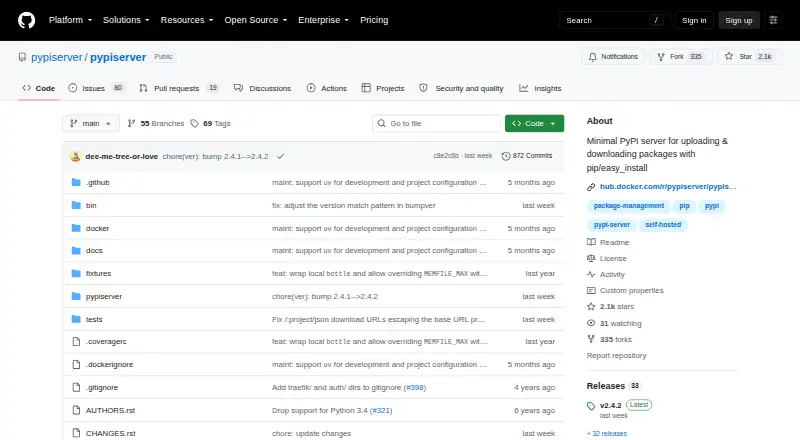
What pypiserver is
pypiserver is a minimal, self-hosted package index for uploading and downloading Python packages with pip or easy_install. It serves files from regular directories, including wheels, bdists, eggs, and associated PGP signatures. Standard packaging tools such as pip and twine can use it as an index. Packages can be uploaded with pip, setuptools, twine, or pypi-uploader, or copied to the server with scp. Upload protection can use an Apache htpasswd file, and API users can provide custom authentication callables; the maintainers strongly advise password-protecting uploads. The documentation recommends placing the server behind a reverse proxy for HTTPS. It can run as a WSGI application, with documented integrations for Docker, nginx, Apache, gunicorn, Paste, and WSGI servers. A default health endpoint returns HTTP 200 when the service is running and can be configured. The current version supports Python 3.10+ and PyPy3. The free open-source plan is listed as free. Its API covers only what is needed for common package operations rather than the full PyPI API, and accepted documentation uploads are not saved to disk.
Who it suits
pypiserver suits users who want to host their own Python packages in a self-hosted index for standard packaging tools. It may fit teams comfortable managing package upload protection and server deployment.
What it does well
- Serves packages from regular directories.
- Supports standard tools such as pip and twine.
- Uploads can use password-based or custom authentication.
- Includes a configurable health endpoint.
What to know first
- Current version supports Python 3.10+ and PyPy3.
- It does not implement the full PyPI API.
- Documentation uploads are not saved to disk.
- Thousands of packages can slow default request handling.
Limits
The current version supports Python 3.10+ and PyPy3. Its API covers only the operations needed by tools such as easy_install, pip install, and search; accepted documentation uploads are not saved. By default, it scans the package directory for each request, which can noticeably slow service with thousands of packages.
Plans
| Plan | Billed and limits | Price |
|---|---|---|
| pypiserver | Open-source package server; self-hosted; minimal PyPI-compatible API | Free |
As github.com lists them, read 10 Oct 2026. The maker's own page has the final word.
Getting started
- Open the project website and choose a deployment route, such as Docker or a WSGI server.
- Set up a Linux or Windows service, or run it in a supported server environment.
- Configure the package directory and, if needed, upload authentication.
- Use pip, setuptools, twine, pypi-uploader, or scp to add packages.
- Configure a reverse proxy if you need HTTPS.
pypiserver is a free, open-source package index that you run yourself to distribute Python packages through familiar tooling. It is a strong fit for teams wanting a small, directory-backed private index, provided they are comfortable operating the service and its surrounding security controls. The main appeal is focused Python package delivery; the main caution is that it is not a full PyPI implementation or a broad artifact repository.
Overview
This project keeps package hosting deliberately narrow. It serves your own Python distributions from ordinary directories and exposes the PyPI-compatible interfaces needed by pip, easy_install, and search. That makes it practical when the requirement is simply “publish and install our packages” rather than a central system for many artifact types.
Because it is self-hosted, you control storage and deployment instead of relying on a hosted registry. You also take responsibility for updates, network exposure, authentication, backups, and capacity planning. The current series supports Python 3.10 and newer, plus PyPy3; older Python versions are untested and unsupported.
Key features
Directory-backed package serving
pypiserver recursively scans regular directories and serves wheels, source distributions, eggs, and accompanying PGP signatures. Existing filesystem workflows can therefore remain intact, and the format coverage handles common Python release artifacts without introducing a separate storage layer.
The default request-time scan is also its clearest scaling constraint. With thousands of packages, repeatedly walking the directory can noticeably slow responses. Directory caching can improve that behavior, but larger indexes should be planned with this limitation in mind.
Flexible publishing and access control
Packages can arrive through pip, setuptools, twine, pypi-uploader, or a direct scp copy. That range supports automated publishing pipelines as well as occasional administrative uploads. Uploads may be protected with an Apache htpasswd file, and API users can provide custom authentication callables. The maintainers strongly advise password-protecting uploads, so an exposed, unauthenticated publishing endpoint is a poor fit for private code.
Deployment and operations
The API returns a WSGI application that can run under a supported or user-selected WSGI server. Documented combinations include nginx, Apache, gunicorn, Paste, and other WSGI deployments. Official Docker images are published for main-branch pushes and development, alpha, beta, and final releases. Linux systemd instructions and Windows service guidance using NSSM broaden its deployment options.
pypiserver includes a default /health endpoint returning HTTP 200 when the service is up, with a configurable endpoint option. For encrypted connections, the documentation recommends placing it behind a reverse proxy that provides HTTPS. These pieces are useful for monitoring and production integration, but they still require you to assemble and maintain the surrounding infrastructure.
Important boundaries
The implementation covers only the PyPI API needed for easy_install, pip install, and search, not the complete PyPI API. It accepts documentation uploads but does not save those documents to disk. There is no upstream proxy and no container-artifact support, so teams seeking dependency caching, compliance workflows, or a mixed-language repository need another layer or another product.
Pricing
pypiserver — free. The open-source package server has no paid plans, free-trial period, seat charge, usage quota, or renewal term. The trade-off is operational rather than financial: hosting, securing, scaling, and supporting the installation remain your responsibility.
Platforms
pypiserver is self-hosted and listed for API, Linux, macOS, and Windows environments. Linux users can follow systemd service guidance; Windows operators can use NSSM service instructions. Docker images and WSGI deployment options provide additional ways to fit it into an existing environment.
Who it's for
Choose pypiserver if you need an inexpensive internal index for your own Python packages and already manage servers, reverse proxies, or containers. It suits small and midsize package collections where ordinary directories and standard Python clients are advantages, and where a narrow API is sufficient.
Look elsewhere if you need the full PyPI API, persistent package documentation, an upstream mirror, container artifacts, or a repository that scales without tuning directory access. The request-time scan and self-managed HTTPS and authentication are material considerations for large or tightly governed installations.
Pros and cons
- Pro: familiar Python tooling. pip, easy_install, twine, and related upload paths can use the index directly.
- Pro: straightforward storage. Recursive scans of ordinary directories make package files easy to place and manage.
- Pro: deployment flexibility. WSGI servers, Docker, nginx, Apache, gunicorn, Paste, systemd, and NSSM are documented options.
- Pro: useful operational hook. A configurable health endpoint supports basic service monitoring.
- Con: partial API. It does not implement the complete PyPI interface, limiting clients and workflows that expect broader functionality.
- Con: scaling work. Scanning the package directory for every request can slow service as collections grow, although caching can help.
- Con: documentation persistence gap. Uploaded documentation is accepted but not written to disk.
- Con: security is your job. Password protection and a reverse proxy for HTTPS are recommended rather than an all-in-one managed control plane.
Alternatives
For a wider comparison, see Package Registries and Artifact repository software.
- Inedo ProGet is the better direction when you want a freemium repository with unlimited feeds for private packages and Docker, plus a free trial, even though its free edition has limited security and compliance features.
- aptly suits users seeking a free CLI tool with an HTTP REST service for package management rather than a Python-focused index.
- npm is more appropriate for JavaScript package publishing, with a free public-package plan and paid options.
- Bioconductor is a free open-source choice for R and bioinformatics packages across web and self-hosted platforms.
- CPAN is aimed at Perl software and documentation distribution.
- LuaRocks targets Lua package management and module hosting.
- R-universe provides free public R package publishing through GitHub-backed registries.
- CocoaPods is the relevant free ecosystem for macOS and iOS libraries.
Verdict
pypiserver is a sensible recommendation for Python teams that want a free, self-hosted, low-overhead index and can handle authentication, HTTPS, and service operations themselves. Choose it for focused package distribution from familiar directories; choose another repository when you need complete PyPI behavior, durable documentation, upstream or container support, or easier scaling at large package counts.
Verdict
pypiserver provides a focused, self-hosted route for serving Python packages, with several upload methods and deployment options. Its limited API and default package-directory scanning behavior matter when planning how to use it.
Questions
How much does pypiserver cost?
It is free and open source. The listed plan is free.
Which Python versions does it support?
The current version works with Python 3.10+ and PyPy3. Older versions are untested and unsupported by the current series.
How can packages be uploaded?
Uploads can use pip, setuptools, twine, or pypi-uploader, and packages can also be copied to the server with scp.
Can uploads be protected?
Yes. Uploads can use an Apache htpasswd file, and API users can configure custom authentication callables. The maintainers advise password-protecting uploads.
Does it provide HTTPS?
The documentation recommends putting pypiserver behind a reverse proxy to provide HTTPS.
What are the API and documentation limits?
It implements the PyPI operations needed by common package tools rather than the full API. It accepts documentation uploads but does not save them to disk.
Facts from pypiserver's own pages
- API and servers
- Its API returns a WSGI application that can be run with supported or user-chosen WSGI servers. · github.com, 10 Oct 2026
- API limit
- pypiserver implements only enough of the PyPI API for easy_install, pip install, and search, rather than the full API. · github.com, 9 Oct 2026
- Authentication
- Uploads can be protected with Apache htpasswd authentication, and API users can configure a custom authentication callable. · github.com, 10 Oct 2026
- Clients
- Standard Python packaging tools including pip and twine can use it as a package index. · github.com, 9 Oct 2026
- Deployment
- The project publishes Docker images for main branch pushes and dev, alpha, beta, and final releases. · github.com, 10 Oct 2026
- Docker
- Official Docker images are built for main pushes and development, prerelease, and final releases. · github.com, 9 Oct 2026
- Documentation limitation
- It accepts documentation uploads but does not save them to disk. · github.com, 9 Oct 2026
- Health checks
- It provides a default /health endpoint that returns HTTP 200 when the service is up and supports a configurable endpoint. · github.com, 9 Oct 2026
- HTTPS
- The documentation recommends putting pypiserver behind a reverse proxy to provide HTTPS. · github.com, 9 Oct 2026
- Integrations
- The documentation shows integration with pip, easy_install, setuptools, twine, Docker, and reverse proxies including Nginx and Traefik. · github.com, 10 Oct 2026
- Intended users
- The project describes itself as a self-hosted package index for users who want to serve their own Python packages. · github.com, 9 Oct 2026
- License
- The project’s remaining code is distributed under the zlib/libpng license, and its bundled Bottle copy is MIT-licensed. · github.com, 10 Oct 2026
- Limitations
- It does not implement the full PyPI API and documents that it accepts documentation uploads but does not save them to disk. · github.com, 10 Oct 2026
- Package formats
- It supports wheels, source distributions, eggs, and accompanying PGP signatures. · github.com, 10 Oct 2026
- Platform support
- The README includes Windows service instructions using NSSM and systemd service instructions for Linux. · github.com, 10 Oct 2026
- Purpose
- pypiserver is a minimal PyPI-compatible server for uploading and downloading Python packages with pip or easy_install. · github.com, 10 Oct 2026
- PyPI compatibility
- It implements the PyPI interfaces needed for standard packaging tools such as pip and twine to use it as a package index. · github.com, 10 Oct 2026
- Python support
- The current version works with Python 3.10+ and PyPy3; older Python versions are not tested and the 1.x series is unsupported. · github.com, 10 Oct 2026
- Scale limit
- The server scans the package directory for each incoming HTTP request by default, which can noticeably slow down service for thousands of packages; directory caching can improve performance. · github.com, 9 Oct 2026
- Security guidance
- The project strongly advises password-protecting uploads and describes HTTPS deployment through a reverse proxy as the preferred approach. · github.com, 10 Oct 2026
- Storage
- It serves packages from regular directories and scans package directories recursively. · github.com, 10 Oct 2026
- Support
- The maintainers direct users to GitHub Discussions and a Zulip community chat, and direct bug reports to GitHub’s bug tracker. · github.com, 10 Oct 2026
- Uploading
- Packages can be uploaded with pip, setuptools, twine, pypi-uploader, or copied to the server with scp. · github.com, 9 Oct 2026
- Upload methods
- Packages can be uploaded with pip, setuptools, twine, pypi-uploader, or copied with scp. · github.com, 10 Oct 2026
Where pypiserver stands on Freedom251
- Artifact repository software#31 of 64
- Package Registries#17 of 28