Freedom251 › Image Upscaling Software

PixelPanda Image Upscaler
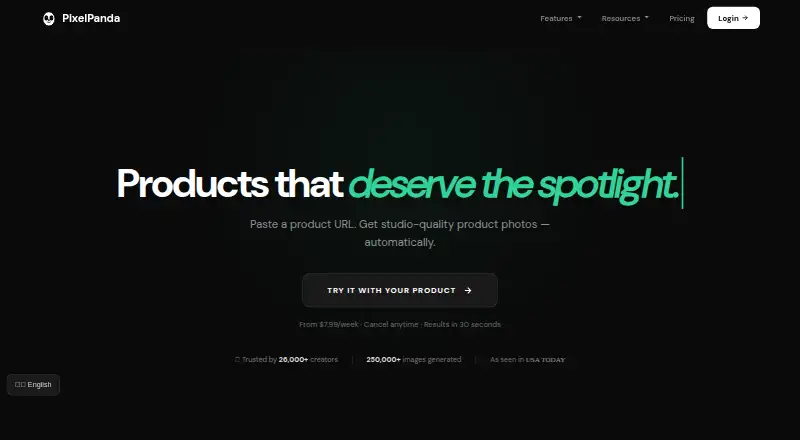
What PixelPanda Image Upscaler is
PixelPanda Image Upscaler is a web-based AI photoshoot platform with image enlargement among its tools. The upscaler offers 2x, 4x, or 8x scaling and uses Real-ESRGAN to restore image detail. It accepts JPG, PNG, and WebP, supports batch processing, and provides API access. The free option allows one upscale per day without an account or five per day with a free account; signing up removes the download watermark, and 4x is unlocked by signing up.
PixelPanda also offers product photography, UGC videos, background removal, headshots, and custom avatars. Product imagery can use 12 scene templates and custom backgrounds. Paid image tools include text removal, AI enhancement, style transfer, colorization, and unblur. Its REST API supports single jobs, batches of up to 100 images, and webhook notifications. Listed integrations include WordPress, WooCommerce, Etsy, Zapier, Make, n8n, Chrome, Figma, and ComfyUI, though some store integrations are marked beta or coming soon. Paid plans include full commercial rights for created content. A one-time 10 AI credits purchase costs $1.99, paid once; the free upscaler costs nothing.
Who it suits
PixelPanda suits e-commerce sellers, marketers, agencies, and content creators who need image upscaling alongside other AI image or video tools. Its API and batch features may suit workflows that process multiple images.
What it does well
- Upscaling offers 2x, 4x, and 8x enlargement
- Accepts JPG, PNG, and WebP
- REST API supports batches up to 100 images
- Free account allows five upscales per day
- Paid plans include commercial rights for created content
What to know first
- Free use is limited to five upscales daily with an account
- Without an account, the free limit is one upscale per day
- Some store integrations are marked beta or coming soon
- Commercial rights are specified for paid plans
Limits
The free upscaler permits one image per day without an account or five per day with a free account. Free use includes 2x upscaling; signing up unlocks 4x. The listed 10 AI credits option costs $1.99, paid once and provides 10 credits; 2x upscaling costs 1 credit and 8x costs 2 credits.
Plans
| Plan | Billed and limits | Price |
|---|---|---|
| 10 Credits | One-time purchase; no subscription · 10 credits | $1.99 a month |
| Lite | $7/month · 100 credits/month | $7 a month |
| Weekly | Weekly billing; cancel anytime · 280 credits per week | $7.99 a month |
| Starter | $24/month · 1,125 credits/month · 111+ AI models · credits roll over and never expire · commercial rights | $24 a month |
| Growth | $39/month · 2,050 credits/month | $39 a month |
| Pro | $59/month · 3,475 credits/month | $59 a month |
| Free image upscaler | 1 free upscale/day without an account · 5/day with a free account · 2x free · sign up to unlock 4x | Free |
| Impulse | one-time · 50 credits · no subscription · credits never expire | $10, paid once |
The first 8 of 9 plans, as pixelpanda.ai lists them, read 22 Sept 2026. The maker's own page has the final word. Every plan
Getting started
- Open https://pixelpanda.ai/ in a web browser.
- Choose the image upscaler and upload a JPG, PNG, or WebP image.
- Select 2x, 4x, or 8x enlargement, subject to the free-plan limits.
- Create a free account to raise the daily limit to five and remove the download watermark.
- For API use, connect through the REST API for single jobs, batches, and webhook notifications.
- Choose a paid plan if you need paid image tools or full commercial rights.
PixelPanda Image Upscaler is a web-based AI upscaler within a wider suite for product imagery and creator content. It fits e-commerce sellers, marketers, agencies, and creators who need enlargement alongside other production tools. Occasional users can start free, while regular or integrated workloads need a credit plan.
Overview
The upscaler enlarges JPG, PNG, and WebP files at 2x, 4x, or 8x, using Real-ESRGAN to restore detail. Web access, batch processing, and an API cover both individual edits and repeat jobs. The free allowance is practical for light demand but too small for a continuous image pipeline.
PixelPanda is also an AI photoshoot platform with product photography, UGC videos, background removal, headshots, and custom avatars. Product imagery includes 12 scene templates and custom backgrounds. That breadth benefits teams producing several kinds of content; a user who only wants enlargement may find the surrounding toolkit unnecessary.
Key features
Upscaling and image tools
Free use provides 2x enlargement, while signing up unlocks 4x; 8x is paid. Without an account, the upscaler allows one image per day, and a free account raises that to five. Signing up removes the download watermark. Paid image tools add background removal, text removal, AI enhancement, style transfer, colorization, and unblur, making this a broader editing workspace rather than a single-purpose enlarger.
Automation and integrations
The REST API handles single jobs, batches of up to 100 images, and webhook notifications. Live integrations include WordPress, WooCommerce, Etsy, Zapier, Make, n8n, Chrome, Figma, and ComfyUI, although several store connections are marked beta or coming soon. Confirm a required connection's status before committing a production workflow.
Video and support
UGC talking-head videos offer lip-synced speech in more than 35 languages and cost 50 credits per video. Paying customers receive in-app founder chat, with an average response time under five minutes. Paid plans include full commercial rights for created content.
Pricing
PixelPanda uses freemium access and credit-based paid options. The free image upscaler costs nothing, with one upscale daily without an account or five daily with a free account. It is suitable for occasional personal edits, not volume work.
The 10 AI credits option costs $1.99, paid once as a one-time purchase; credits never expire. One credit covers a 2x upscale and two credits an 8x upscale, making it a low-risk way to handle sporadic jobs. The 10 Credits plan is $1.99 a month but is also billed as a one-time purchase with no subscription and 10 credits. Impulse costs $10 a month, billed as a one-time purchase, for 50 credits. These small packs avoid recurring commitment but run out quickly for batch users.
Lite is $7 a month for 100 credits monthly. Weekly costs $7.99 a month on weekly billing, can be canceled anytime, and supplies 280 credits per week. They suit modest recurring use, though their quotas are substantially below the higher tiers.
Starter costs $24 a month for 1,125 credits, 111-plus AI models, credits that roll over and never expire, and commercial rights. Growth is $39 a month for 2,050 credits, while Pro is $59 a month for 3,475 credits. These tiers are aimed at agencies and production teams with sustained demand; Starter is the only listed tier with rollover, model-count, and commercial-rights terms stated alongside its quota.
Stripe processes payments. Subscriptions can be canceled in billing settings, with access continuing through the period already paid.
Platforms
PixelPanda is available through the web, an API, and an extension. The API's 100-image batch limit and webhooks are the clearest fit for automated services; integrations extend its reach into commerce, automation, design, and node-based workflows.
Who it's for
Choose PixelPanda when an e-commerce or content operation needs upscaling plus product scenes, background work, avatars, or multilingual talking-head video in one credit system. The free tier suits occasional enlargement. Dedicated upscaling users and high-volume teams should compare quota economics and integration readiness before choosing it.
Pros and cons
Pros
- Up to 8x enlargement: supports substantial size increases, with Real-ESRGAN detail restoration.
- Automation coverage: API batches of up to 100 images and webhooks support repeat processing.
- Broader creative toolkit: product scenes, editing tools, and multilingual UGC videos reduce the need for separate services.
- Flexible credit purchases: one-time packs do not expire, useful for irregular demand.
Cons
- Strict free cap: one daily upscale without an account or five with one limits sustained free use.
- Credit consumption can rise quickly: an 8x upscale costs two credits, while each UGC video costs 50.
- Integration uncertainty: several store connections are beta or coming soon.
- Plan complexity: one-time purchases and monthly or weekly billing make quota comparisons less straightforward.
Alternatives
Real-ESRGAN is the better choice for users seeking a free, open-source tool across desktop, web, and self-hosted platforms without PixelPanda's broader content suite.
NextGenUp suits readers wanting a completely free MIT-licensed, open-source option with no subscription, watermark, or account.
Bigjpg is worth considering for a freemium service spanning mobile, desktop, web, and API access, with a free plan capped at 20 pictures per month and 4x enlargement.
Krea Enhancer fits users who prefer compute-unit plans, including 100 units per day free and paid monthly tiers.
LetsEnhance offers API-oriented freemium processing with 10 signup credits and defined input and output limits.
SupaRes is an alternative API and web service with a free one-time quota of 10 processing credits.
PicWish Image Upscaler is another freemium API option with limited daily non-HD downloads on its free plan.
Upscale.media provides a free monthly allowance of three credits and three downloads, with a listed annual subscription.
For a wider comparison, browse the Image Upscaling Software list.
Verdict
PixelPanda is a strong fit for sellers and creative teams that will use its upscaler alongside product photography, editing, video, or API automation. Its main reason to choose is the combination of 8x enlargement, batch-capable integration, and broader content tools. Look elsewhere if you need only a dedicated enlarger, a generous free quota, or a fully open-source workflow.
Verdict
PixelPanda pairs a free, limited daily upscaler with a broader set of image and video tools. The free allowance is capped, while paid plans include commercial rights for created content.
Questions
Is PixelPanda Image Upscaler free?
Yes. The free upscaler allows one upscale per day without an account and five per day with a free account.
What does the free upscaler include?
It includes 2x upscaling. Signing up unlocks 4x and removes the download watermark.
What file formats does it accept?
It accepts JPG, PNG, and WebP.
Does PixelPanda offer API access?
Yes. Its REST API supports single jobs, batches of up to 100 images, and webhook notifications.
How much does the 10 AI credits option cost?
It costs $1.99, paid once and includes 10 credits. A 2x upscale uses 1 credit, and an 8x upscale uses 2 credits.
Do paid plans include commercial rights?
The pricing page says paid plans include full commercial rights for created content.
Facts from PixelPanda Image Upscaler's own pages
- API
- PixelPanda offers a REST API with single jobs, batch processing for up to 100 images, and webhook notifications. · pixelpanda.ai, 30 Sept 2026
- API access
- Yes · pixelpanda.ai, 22 Sept 2026
- Audience
- PixelPanda describes its intended users as e-commerce sellers, marketers, agencies, and content creators. · pixelpanda.ai, 30 Sept 2026
- Batch processing
- Yes · pixelpanda.ai, 22 Sept 2026
- Commercial use
- The pricing page says paid plans include full commercial rights for created content. · pixelpanda.ai, 30 Sept 2026
- Free limits
- The free upscaler allows one upscale per day without an account and five per day with a free account; the page says signing up removes the download watermark. · pixelpanda.ai, 30 Sept 2026
- Free plan
- Yes · pixelpanda.ai, 22 Sept 2026
- Input formats
- The upscaler accepts JPG, PNG, and WebP images up to 50MB. · pixelpanda.ai, 30 Sept 2026
- Integrations
- The integrations page lists live connections including WordPress, WooCommerce, Etsy, Zapier, Make, n8n, Chrome, Figma, and ComfyUI; several store integrations are marked beta or coming soon. · pixelpanda.ai, 30 Sept 2026
- Maximum scale
- 8x · pixelpanda.ai, 22 Sept 2026
- Other image tools
- Paid image tools include background removal, 8x upscaling, text removal, AI enhancement, style transfer, colorization, and unblur. · pixelpanda.ai, 30 Sept 2026
- Payment and cancellation
- Stripe handles payments, and subscriptions can be canceled in billing settings with access through the already-paid period. · pixelpanda.ai, 30 Sept 2026
- Product
- PixelPanda is a web-based AI photoshoot platform with tools for product photography, UGC videos, background removal, image upscaling, headshots, and custom avatars. · pixelpanda.ai, 30 Sept 2026
- Product imagery
- Product photos can use 12 scene templates and custom backgrounds, according to the pricing page. · pixelpanda.ai, 30 Sept 2026
- Support
- The home page says the founder provides in-app chat to paying customers, with an average response time under five minutes. · pixelpanda.ai, 30 Sept 2026
- Upscaling
- Its upscaler offers 2x, 4x, or 8x enlargement and uses Real-ESRGAN to restore image detail. · pixelpanda.ai, 30 Sept 2026
- Upscaling method
- both · pixelpanda.ai, 22 Sept 2026
- Video
- UGC talking-head videos include lip-synced speech in more than 35 languages and cost 50 credits per video. · pixelpanda.ai, 30 Sept 2026
Where PixelPanda Image Upscaler stands on Freedom251
- Image Upscaling Software#6 of 99