Freedom251 › Web Design Software

Pencil Project
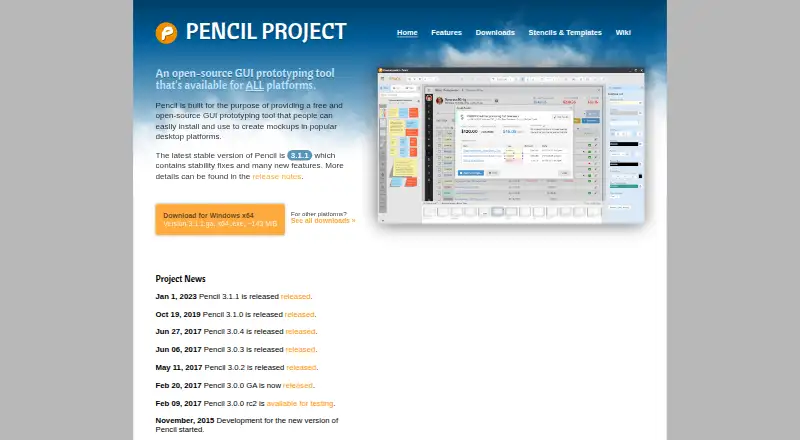
What Pencil Project is
Pencil Project is a free, open-source desktop tool for making GUI mockups and diagrams. Its built-in stencils cover desktop, web, Android, and iOS interfaces, while connectors and flowchart shapes can be used to map processes. Elements can link to other pages in the same document; in web exports, those links become hyperlinks. Drawings can be exported as PNG files, web pages, OpenOffice or LibreOffice text documents, Inkscape SVG, or Adobe PDF. The clipart browser connects to OpenClipart.org and lets users add vector clipart by dragging it into a project. Stencil collections and export templates are also available as add-ons. Pencil runs on Linux, macOS, and Windows, with downloads listed for Fedora, Ubuntu, other GNU/Linux distributions, and Windows. The macOS download is a universal DMG for Intel and Apple Silicon. Pencil is published under GNU General Public License version 2; Evolus also describes a commercial source-code license. The latest stable release listed is version 3.1.1. Nightly development builds are described as unstable and used at the user's own risk.
Who it suits
Pencil suits people creating interface mockups or diagrams on a desktop system. It may also fit users who need several export formats or linked pages in web mockups.
What it does well
- Free plan costs nothing.
- Built-in stencils cover four interface types.
- Exports include PNG, SVG, PDF, and web pages.
- Mockup links become hyperlinks in web exports.
- Runs on Linux, macOS, and Windows.
What to know first
- Nightly development builds are warned to be unstable.
- No free trial is listed.
Limits
The free Pencil plan costs nothing and includes the desktop app. There is no free trial.
Plans
| Plan | Billed and limits | Price |
|---|---|---|
| Pencil | Completely free; desktop app | Free |
As pencil.evolus.vn lists them, read 8 Oct 2026. The maker's own page has the final word.
Getting started
- Open the Pencil Project website and go to its downloads.
- Choose a build for Fedora, Ubuntu, another GNU/Linux distribution, Windows, or macOS.
- On macOS, download the universal DMG for Intel and Apple Silicon.
- Install and launch the desktop app.
- Create mockups with the built-in stencils, or add stencil collections and export templates as add-ons.
Pencil Project is a free, open-source desktop application for making GUI mockups, wireframes, and diagrams. It suits designers, developers, students, and teams that want a local tool without a subscription. Its broad stencil coverage and export choices make it a capable starting point, although teams needing hosted collaboration or advanced product-management workflows should look elsewhere.
Overview
Pencil focuses on visual planning rather than finished interface production. Built-in collections cover desktop, web, Android, and iOS controls, while diagram shapes and connectors handle flowcharts and related maps. That combination lets one document move from rough screen layout to basic process explanation without switching applications.
The application is published under the GNU General Public License version 2. Evolus also describes a commercial source-code license, which may matter to organizations with proprietary redistribution requirements. The latest stable release is version 3.1.1, identified as containing stability fixes and new features. Nightly development builds are explicitly unstable, so production work should stay on stable releases.
Key features
Interface stencils and diagrams
Collections for desktop, web, Android, and iOS provide platform-specific starting points instead of forcing every control to be drawn from generic boxes. GUI mockups, wireframes, desktop UI, web UI, Android UI, and iOS UI are all supported diagram types. Connectors and flowchart shapes add enough structure for user flows and system diagrams, making Pencil useful when a project needs both screen sketches and explanatory charts.
Interactive documents and clipart
Elements can link to pages within the same document. In web exports, those links become hyperlinks, so a prototype can demonstrate navigation rather than merely show static screens. The clipart browser integrates with OpenClipart.org and accepts vector artwork by drag and drop, expanding the built-in vocabulary for illustrations and annotations.
Exports and add-ons
Drawings can be exported as PNG images, web pages, OpenOffice or LibreOffice text documents, Inkscape SVG, and Adobe PDF. This range covers quick sharing, editable office handoff, vector work, and printable review packs. Stencil collections and export templates can be installed as add-ons, giving specialized projects a way to extend the base installation.
Pricing
| Plan | Price | Includes |
|---|---|---|
| Pencil | free | Completely free desktop app |
There is no trial period because the product is free, and no paid tier, seat charge, quota, or renewal term is stated. That makes Pencil straightforward for individual work, education, and budget-sensitive teams. The trade-off is that there is no commercial plan offering hosted services or extra organizational controls; users who need those should compare paid or freemium alternatives.
Platforms
Pencil runs on Linux, macOS, and Windows. Downloads include Fedora and Ubuntu builds, support for other GNU/Linux distributions, Windows packages, and a universal macOS DMG for both Intel and Apple Silicon. The downloads page also provides a SHA-1 checksum link, useful for verifying installers before deployment.
Who it's for
Choose Pencil for local-first wireframing, interface planning across major mobile and desktop platforms, and diagram work that benefits from clickable page links. It is particularly suitable when export flexibility and zero software cost matter more than browser-based teamwork. It is less suitable for organizations seeking a managed collaboration service, since the product is presented as a desktop application and its free plan has no stated team workspace features.
Pros and cons
- Pro: Platform-specific stencils for desktop, web, Android, and iOS speed up realistic early layouts.
- Pro: Links between document pages survive as hyperlinks in web exports, enabling a navigable prototype.
- Pro: PNG, web, office-document, SVG, and PDF exports support varied review and handoff needs.
- Pro: Free, open-source licensing removes subscription and seat-cost barriers.
- Con: It is a desktop tool, so readers wanting browser-based collaboration should consider another category of product.
- Con: Nightly builds are unstable and carry an explicit risk warning; cautious users should use the stable release.
- Con: The commercial source-code license is separate from the GPLv2 publication, which may require legal review for proprietary redistribution.
Alternatives
For a wider category view, browse Wireframing Software, Web Design Software, Prototyping Software, UI design tools, Game UI Design Software, or Diagram Software.
Fluid UI is the better choice when you want a freemium service spanning web, mobile, Linux, macOS, and Windows, with a free account and trial-backed paid plans. Pick Mockplus for a freemium option whose Basic plan allows 10 users, 10 active projects, unlimited designs, three project folders, and one admin. Justinmind fits teams wanting interactive UI design and wireframing with one free project and unlimited screens and viewers.
Quickmock is worth choosing when a free, open-source project with an MIT license is the priority. Frame0 offers a no-time-limit free tier with all built-in shapes and 1,500 icons for users who prefer a freemium desktop product. MockFlow suits users wanting a free browser-and-desktop option with one editor and five reviewers. Banani is aimed at web users comfortable with a credit-based free plan, while Draftium is a fit for web prototyping capped at three free prototypes.
Verdict
Choose Pencil Project if you want a no-cost, open-source desktop wireframing and diagram tool with platform-aware stencils, clickable page flows, and unusually broad export support. Look elsewhere if your priority is hosted collaboration, shared team administration, or a managed prototyping workflow rather than a local application.
Verdict
Pencil combines interface-specific stencils, diagram shapes, and a range of export options in a desktop tool. Its links between document pages can carry through to web exports as hyperlinks.
Questions
How much does Pencil Project cost?
The Pencil plan is free, and the desktop app is completely free.
Is Pencil Project open source?
Yes. It is published under GNU General Public License version 2. Evolus also describes a commercial source-code license.
Which platforms does Pencil Project support?
It runs on Linux, macOS, and Windows. The downloads page lists Fedora and Ubuntu builds, other GNU/Linux distributions, Windows, and macOS.
What can I create with Pencil Project?
It supports GUI mockups, wireframes, flowcharts, desktop UI, web UI, Android UI, and iOS UI.
What file formats can Pencil Project export?
Exports include PNG, web pages, OpenOffice or LibreOffice text documents, Inkscape SVG, and Adobe PDF.
Does Pencil Project have a free trial?
No. Pencil Project is free and has no free trial.
Facts from Pencil Project's own pages
- Add-ons
- Stencil collections and export templates can be installed into Pencil as add-ons. · pencil.evolus.vn, 8 Oct 2026
- Build stability
- The site warns that nightly development builds are unstable and should be used at the user's own risk. · pencil.evolus.vn, 8 Oct 2026
- Clipart integration
- The clipart browser integrates with OpenClipart.org and supports adding vector clipart by drag and drop. · pencil.evolus.vn, 8 Oct 2026
- Diagramming
- Connectors and flowchart shapes can be used to draw diagrams. · pencil.evolus.vn, 8 Oct 2026
- Diagram types
- GUI mockups,wireframes,flowcharts,desktop UI,web UI,Android UI,iOS UI · pencil.evolus.vn, 20 Sept 2026
- Download verification
- The downloads page provides a SHA-1 checksum link for verifying downloads. · pencil.evolus.vn, 8 Oct 2026
- Export formats
- Drawings can be exported as PNG files, web pages, OpenOffice or LibreOffice text documents, Inkscape SVG, and Adobe PDF. · pencil.evolus.vn, 8 Oct 2026
- Free plan
- Yes · pencil.evolus.vn, 20 Sept 2026
- Interactive mockups
- Elements can link to pages in the same document, and those links become hyperlinks in web exports. · pencil.evolus.vn, 8 Oct 2026
- Interface stencils
- Built-in shape collections cover desktop, web, Android, and iOS interfaces. · pencil.evolus.vn, 8 Oct 2026
- Latest stable release
- The home page identifies version 3.1.1 as the latest stable release and says it contains stability fixes and new features. · pencil.evolus.vn, 8 Oct 2026
- License
- Pencil is published under GNU General Public License version 2; the page also describes a commercial source-code license available from Evolus. · pencil.evolus.vn, 8 Oct 2026
- macOS support
- The downloads page offers a universal macOS DMG for Intel and Apple Silicon. · pencil.evolus.vn, 8 Oct 2026
- Purpose
- Pencil is a free, open-source GUI prototyping tool for creating mockups. · pencil.evolus.vn, 8 Oct 2026
- Support
- The site invites users to support continued development through donations. · pencil.evolus.vn, 8 Oct 2026
- Supported systems
- The downloads page lists builds for Fedora and Ubuntu Linux, other GNU/Linux distributions, Windows, and macOS. · pencil.evolus.vn, 8 Oct 2026
Where Pencil Project stands on Freedom251
- Web Design Software#14 of 41
- Ui Ux Designing Software#8 of 22
- Prototyping Software#11 of 30
- Wireframing Software#11 of 29
- Interface Design Tools#10 of 26
- UI/UX Design Tools#11 of 26
- UI design tools#16 of 37
- Diagramming tools#21 of 46
- Game UI Design Software#15 of 32
- Wireframe Tools#11 of 22
- Diagramming Software#24 of 44
- Diagram Software#20 of 36
- Prototyping tools#17 of 30