PaizaCloud Cloud IDE
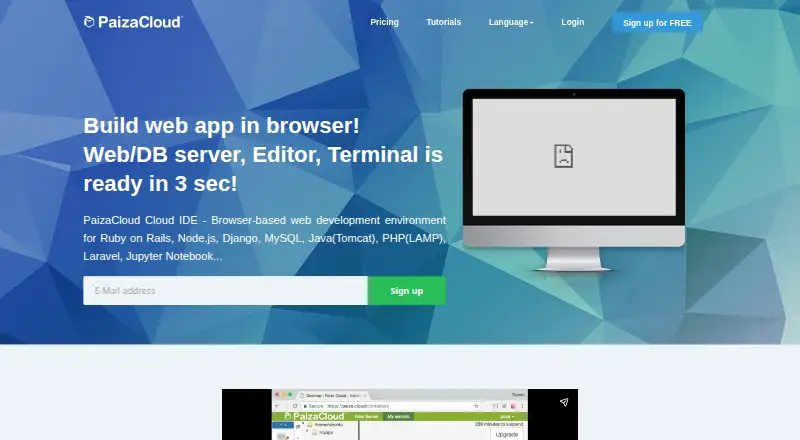
What PaizaCloud Cloud IDE is
PaizaCloud Cloud IDE is a browser-based development environment that brings an editor, web server, database server, and terminal into a cloud workspace. The maker says a new Linux development server starts in about three seconds. Its browser interface includes file management, a file editor, terminal, and in-browser browser, and users can install or create additional apps. Listed environments include LAMP, PHP, Ruby on Rails, JSP, Django, Node.js, Laravel, Go, Express, and MEAN stack, alongside Jupyter Notebook and Git. Users can share a server workspace and connect over SSH. The cloud environment runs Linux (Ubuntu 18.04), while recommended client systems include Windows 8.1 or later, Mac OS X 10.13 or later, iOS 12 or later, and Android 8 or later. The free plan includes one server, up to 24 hours of lifetime, and up to four hours of continuous running while the browser is open. Paid plans start at $9.80/mo. Public application publishing is available on BASIC, not FREE or LITE.
Who it suits
It suits programming beginners, teachers, instructors, schools, and bootcamps, as well as people who want to code without setting up a local environment.
What it does well
- Browser workspace includes editor, server, and terminal
- New Linux development server starts in about three seconds
- Workspace sharing and SSH connections are supported
- Free plan includes one server
What to know first
- Free server lifetime is up to 24 hours
- Continuous running is limited to four hours while browser is open
- Public application publishing is unavailable on FREE and LITE
Limits
FREE includes one server, 1 GB of disk, a server lifetime of up to 24 hours, and up to four continuous running hours while the browser is open. LITE costs $9.80 per month and has three servers, 2 GB of disk, and the same four-hour continuous-running limit; public application publishing is unavailable on both FREE and LITE.
Plans
| Plan | Billed and limits | Price |
|---|---|---|
| FREE | 24-hour server lifetime · online while browser is open, max 4 hours · 1 server · service publishing unavailable · 2 CPU cores · 2 GB memory · 1 GB disk | Free |
| BASIC | $19.80/month - ($21.78/month- incl. tax) · Unlimited server lifetime · always-on · service publishing available · 1 always-on server plus 3 limited-running servers · each additional always-on server +1,980 yen/month · 2 CPU cores · 2 GB memory · 4 GB disk | $19.80 a month |
| LITE | $9.80/month - ($10.78/month- incl. tax) · Unlimited server lifetime · online while browser is open, max 4 hours · 3 servers · service publishing unavailable · 2 CPU cores · 2 GB memory · 2 GB disk | $9.80 a month |
As paiza.cloud lists them, read 3 Oct 2026. The maker's own page has the final word.
Getting started
- Open the PaizaCloud website in a browser.
- Choose the FREE plan or a paid plan.
- Start a Linux development server.
- Use the browser tools to manage files, edit code, and work in the terminal.
- Install or create additional apps as needed.
- Share the server workspace or connect to it over SSH if needed.
Overview
PaizaCloud Cloud IDE is a browser-based development environment for building and running projects on a Linux server. It is best suited to learners, educators and developers who want a ready-made workspace rather than a local setup. Its strongest case is the combination of editing tools and project services in one browser workspace; the free tier’s short runtime and the BASIC-only publishing option narrow its appeal for public deployments.
Key features
The workspace brings file management, a code editor, terminal, web server and database server together in the browser. An in-browser browser provides a way to view web applications from the same workspace, and users can install or create additional apps. The maker says a new development server starts in about three seconds, which can make it practical to get a lesson or coding session underway without first configuring a machine.
Listed environments include LAMP, PHP, Ruby on Rails, JSP, Django, Node.js, Laravel, Go, Express and MEAN stack, as well as Jupyter Notebook and Git. That range suits varied web-development exercises and projects, though the cloud environment is specified as Linux (Ubuntu 18.04). Workspace sharing and SSH access add collaboration and command-line options, but do not change the plan’s runtime or publishing limits.
Pricing
FREE costs nothing. It includes one server, up to 24 hours of server lifetime, up to four hours of continuous running while the browser is open, and 1 GB of disk. Application publishing is unavailable. It is a useful way to try the workspace or run short sessions, but the caps make it a poor fit for persistent work or a public application.
LITE costs $9.80 a month, billed monthly. It raises the allocation to three servers, unlimited server lifetime and 2 GB of disk, but continuous running remains limited to four hours while the browser is open, and application publishing is still unavailable. It suits users who need more than one server and longer-lived environments, not those who need an always-on public app.
BASIC costs $19.80 a month, billed monthly. It includes one always-on server plus three limited-running servers, unlimited server lifetime, application publishing and 4 GB of disk. Additional always-on servers cost $19.80 per month each. This is the appropriate tier for publishing a public web application, while its higher cost and one included always-on server may be more than a learner needs.
Platforms
PaizaCloud runs in a browser and lists Android, iOS, Linux, macOS and Windows among its platforms. Recommended client systems include Windows 8.1 or later, Mac OS X 10.13 or later, iOS 12 or later and Android 8 or later. The cloud development environment itself runs Linux (Ubuntu 18.04).
Who it's for
The ready-to-use browser workspace makes PaizaCloud a sensible choice for programming beginners, teachers, instructors, schools and bootcamps, as well as developers who want to code without setting up a local environment. Its shared workspaces can support collaborative teaching or project work. Choose another approach if you need public application publishing without BASIC, or continuous running without keeping the browser open on the lower tiers.
Pros and cons
- Pros: Editor, terminal, web server and database server are combined in one browser workspace, reducing the need to assemble a development setup locally.
- Pros: A wide selection of listed language environments and tools supports varied web-development work.
- Pros: Workspace sharing and SSH access offer collaboration and command-line access.
- Cons: FREE limits server lifetime to 24 hours and continuous running to four hours with the browser open, restricting longer sessions.
- Cons: FREE and LITE cannot publish applications, so public deployment requires BASIC at $19.80 a month.
- Cons: Even LITE retains the four-hour continuous-running limit while the browser is open.
Alternatives
For a browser-based code editor on a free plan, ICEcoder is an alternative; its free plan is an MIT-licensed IDE framework. For a standalone editor rather than PaizaCloud’s hosted server workspace, consider Visual Studio Code, which has a free plan and supports Linux, macOS, Windows and web.
If a free code editor with a stated allowance for accepted edit predictions and external-agent or API-key support is a better fit, consider Zed. Apache NetBeans is a free IDE and platform for commercial or non-commercial use under Apache License 2.0. For a free open-source PHP IDE framework for Eclipse, consider Eclipse PHP Development Tools. IntelliJ IDEA offers a free core plan for Java and Kotlin. OpenIDE is a freemium IDE, and Geany is a free option.
Browse PHP IDEs, Cloud Development Environments or Coding Playgrounds to compare more options.
Verdict
PaizaCloud is a strong fit for learners, educators and developers who want a browser workspace with project services already in place, varied listed environments and shared access. The key reason to choose it is that it puts editing and server-side development tools together without requiring a local environment. Look elsewhere if you need public publishing on a free or lower-cost tier, or want the lower plans to run continuously without the browser open.
Verdict
PaizaCloud puts development tools and listed language environments in a browser workspace, with free and paid options. Check the free plan's runtime limits and the BASIC-only publishing availability against your needs.
Questions
Is PaizaCloud free?
Yes. The FREE plan costs $0.00 per free and includes one server.
How much do paid plans cost?
LITE costs $9.80 per month, billed monthly. BASIC costs $19.80 per month, billed monthly.
Which plan supports public application publishing?
BASIC includes public web application publishing. Publishing is unavailable on FREE and LITE.
Which devices can I use to access it?
The listed platforms include Android, iOS, Linux, macOS, web, and Windows. Recommended client systems include Windows 8.1 or later, Mac OS X 10.13 or later, iOS 12 or later, and Android 8 or later.
What does PaizaCloud provide for development?
It provides a browser-based editor, web server, database server, and terminal. Listed environments include LAMP, PHP, Ruby on Rails, JSP, Django, Node.js, Laravel, Go, Express, and MEAN stack.
Who operates PaizaCloud?
The maker identifies paiza株式会社 (Paiza, Inc.) as the operator. The maker is based in Minato, Tokyo, Japan, and was founded in 2012.
Facts from PaizaCloud Cloud IDE's own pages
- Browser tools
- The browser UI includes file management, a file editor, terminal, and an in-browser browser; users can install or create additional apps. · paiza.cloud, 3 Oct 2026
- Founded
- 2012 · paiza.cloud, 28 Sept 2026
- Free plan
- No · paiza.cloud, 20 Sept 2026
- Headquarters
- Minato, Tokyo, Japan · paiza.cloud, 28 Sept 2026
- Intended users
- The maker describes the service for programming beginners, teachers, instructors, schools, bootcamps, and people who want to code without setting up an environment. · paiza.cloud, 3 Oct 2026
- Languages and stacks
- Listed environments include LAMP, PHP, Ruby on Rails, JSP, Django, Node.js, Laravel, Go, Express, MEAN stack, and tools such as Jupyter Notebook and Git. · paiza.cloud, 3 Oct 2026
- Operating system
- The specifications list Linux (Ubuntu 18.04) for the cloud development environment. · paiza.cloud, 3 Oct 2026
- Product
- PaizaCloud is a browser-based cloud development environment with an editor, web server, database server, and terminal. · paiza.cloud, 3 Oct 2026
- Provider
- The maker identifies paiza株式会社 (Paiza, Inc.) as the operator of PaizaCloud. · paiza.co.jp, 3 Oct 2026
- Publishing limit
- Public web application publishing is available on BASIC; FREE and LITE list publishing as unavailable. · paiza.cloud, 3 Oct 2026
- Security certification
- Paiza Inc.’s company information page displays an ISMS/ISO 27001 certification registration mark. · paiza.co.jp, 3 Oct 2026
- Server launch
- The maker says a new Linux development server starts in about three seconds. · paiza.cloud, 3 Oct 2026
- SSH
- The product supports SSH connections to its server. · paiza.cloud, 3 Oct 2026
- Paid from
- 9.8 · paiza.cloud, 20 Sept 2026
- Support contact
- The PaizaCloud page lists [email protected] for inquiries and volume licensing requests. · paiza.cloud, 3 Oct 2026
- Supported client systems
- Recommended client operating systems include Windows 8.1 or later, Mac OS X 10.13 or later, iOS 12 or later, and Android 8 or later. · paiza.cloud, 3 Oct 2026
- Workspace sharing
- Users can share their server workspace environment with others. · paiza.cloud, 3 Oct 2026
Where PaizaCloud Cloud IDE stands on Freedom251
- Cloud IDEs#7 of 27
- Coding Playgrounds#40 of 138
- PHP IDEs#9 of 23
- Cloud Development Environments#14 of 27