
AWS Cloud9
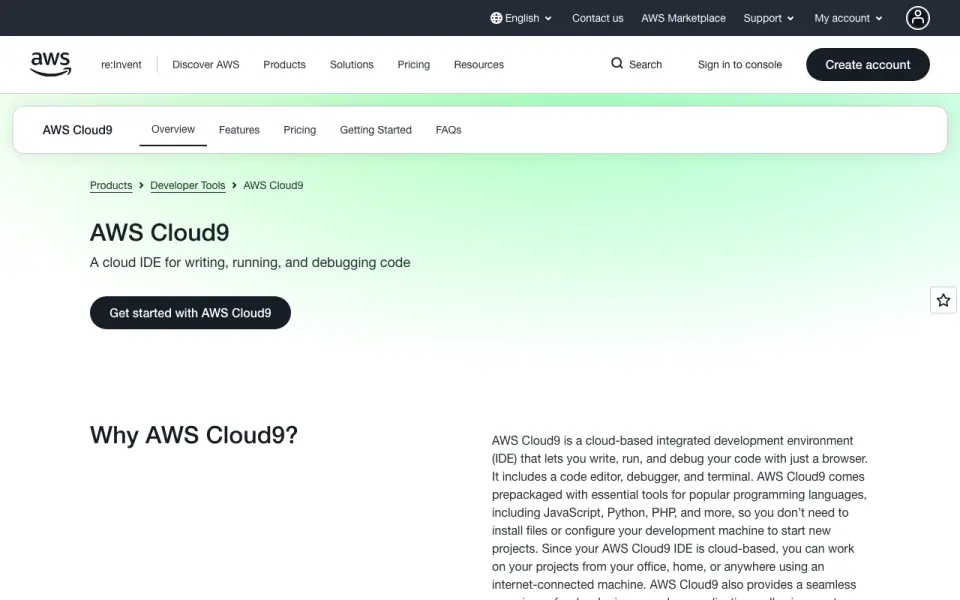
What AWS Cloud9 is
AWS Cloud9 is a browser-based IDE for writing, running, and debugging code, combining an editor, debugger, and terminal. It supports more than 40 programming languages, including JavaScript, Python, PHP, Ruby, Go, and C++. Users can create an environment on a new EC2 instance or connect to an existing Linux server over SSH. The editor offers auto-completion, code folding, hinting, syntax highlighting, and more than 30 color schemes. EC2 environments include tools such as Git, Docker, language runtimes, package managers, and an AWS CLI authenticated with the logged-in user's permissions. Cloud9 also provides tools for building and deploying Node.js or Python AWS Lambda functions and supports AWS SAM. IAM users in the same AWS account can collaborate on IDE work and command-line sessions in real time. Cloud9 itself has no additional service charge, but EC2 compute, EBS storage, and other AWS resources are billed at normal AWS rates. EC2 setups require users to handle tasks such as patching and backups. EC2 environments default to stopping 30 minutes after the IDE closes; restarting may end terminal sessions and delay reopening.
Who it suits
Cloud9 suits developers who want a browser-based coding environment, especially those working with supported languages or AWS services. It can also serve people evaluating AWS services.
What it does well
- Supports more than 40 programming languages
- Connects to EC2 or Linux servers over SSH
- Offers real-time collaboration for same-account IAM users
- Includes tools for AWS Lambda and AWS SAM
- No additional service charge for Cloud9
What to know first
- EC2 compute and storage are billed separately
- Users handle patching and backups for EC2 environments
- Restarting may end active terminal sessions
Limits
Cloud9 has no additional service charge, but EC2 compute, EBS storage, and other AWS resources are billed at normal rates. EC2 environments default to stopping 30 minutes after the IDE closes; restarting can end active terminal sessions and cause a wait before the IDE reopens.
Plans
| Plan | Billed and limits | Price |
|---|---|---|
| AWS Cloud9 | No additional charge for Cloud9; AWS resource usage is billed at normal rates. · EC2 compute and storage charged separately · existing Linux server via SSH has no additional Cloud9 charge | Free |
As aws.amazon.com lists them, read 4 Oct 2026. The maker's own page has the final word.
Getting started
- Open the AWS Cloud9 website.
- Create a Cloud9 environment on a new EC2 instance or connect to an existing Linux server over SSH.
- Use a recent version of Chrome, Safari, Firefox, or Microsoft Edge.
- Write, run, and debug code in the browser IDE.
Overview
AWS Cloud9 is a browser-based IDE that brings code editing, debugging and terminal work into an AWS-connected environment. It is strongest for developers building on AWS, especially Lambda projects, rather than those seeking an editor whose main appeal is independence from a cloud provider. The service itself adds no charge, but compute, storage and EC2 maintenance remain part of the cost.
Key features
Cloud9 supports more than 40 languages, including JavaScript, Python, PHP, Ruby, Go and C++. Its editor has auto-completion, code folding, hinting and syntax highlighting, plus more than 30 color schemes. That is broad coverage for general coding, though the more persuasive reason to choose Cloud9 is its AWS integration, not a uniquely differentiated editor.
Environments can run on a new EC2 instance or connect to an existing Linux server over SSH. EC2 setups include Git, Docker, language runtimes, package managers and an AWS CLI authenticated with the logged-in user's permissions. This can save setup time for AWS work. SSH is a useful alternative for teams with a server already in place; code and related data remain on that server rather than an AWS EBS volume.
For serverless development, Cloud9 provides tools to create, edit, run, debug and deploy Lambda functions in Node.js or Python, and supports AWS SAM. This makes it a practical fit for AWS-based serverless work, but less compelling for projects that do not use those services.
Users can share an environment with IAM users in the same AWS account, collaborating in real time on IDE features and command-line sessions. That is useful when a team wants a shared AWS workspace, but the account restriction makes it less suitable for collaboration across separate AWS accounts. EC2 environments store code and related data on an EBS volume in the user's AWS account; SSH environments store them on the connected Linux server.
Cloud9 creates an EC2 instance, an 8-GB EBS volume, a security group and a CloudFormation stack for EC2 environments. Users are responsible for tasks such as patching and backups. Environments default to stopping 30 minutes after the IDE closes; reopening can require a wait, and restarting can end active terminal sessions. This helps limit idle compute, but interrupts persistent terminal work.
Pricing
The AWS Cloud9 plan costs nothing, with no additional charge for the Cloud9 service. EC2 compute, EBS storage and other AWS resources are billed at normal AWS rates, so the IDE is not a guarantee of a cost-free workspace. Users connecting an existing Linux server over SSH incur no additional Cloud9 charge, though the server remains their responsibility.
There are no lower Cloud9 tiers with reduced feature sets to compare. The meaningful choice is whether to use an EC2 environment, with separate AWS compute and storage charges, or connect by SSH to an existing Linux server. Cloud9 is a good fit for AWS users comfortable managing those resources; readers seeking a single predictable IDE subscription should account for the separate usage costs before choosing it.
Platforms
Cloud9 is available on the web and supports Linux environments. AWS says recent versions of Chrome, Safari, Firefox and Microsoft Edge are fully supported, giving users several mainstream browser options without requiring a desktop IDE installation.
Who it's for
Cloud9 suits developers already using AWS, people building Lambda functions, and those evaluating AWS services who want a coding environment connected to their account. It can also serve developers using common languages who prefer browser-based work. It is a weaker choice for teams that need cross-account collaboration or want to avoid EC2 upkeep and usage-based resource bills.
Pros and cons
- Pro: Lambda and AWS SAM tools, plus an AWS CLI authenticated with the user's permissions, make AWS development more direct.
- Pro: More than 40 supported languages and preinstalled tools such as Git and Docker cover a wide range of coding needs on EC2 environments.
- Pro: Sharing supports real-time work on IDE features and command-line sessions for IAM users in the same AWS account.
- Con: EC2 compute, EBS storage and other AWS resources cost extra at normal rates, despite there being no Cloud9 service charge.
- Con: Users must handle EC2 tasks such as patching and backups, and automatic stopping can interrupt terminal sessions or delay reopening.
- Con: Collaboration is scoped to IAM users in the same AWS account, limiting its fit for teams working across accounts.
Alternatives
For a different browser-based coding option, Replit has a free Starter plan with daily usage, one live project and one background task at a time, and supports mobile, desktop and web platforms. Choose it when those project and task caps suit the work and broader platform coverage matters more than Cloud9's AWS integration.
GitHub Codespaces offers 2-core compute at $0.18 a month and 4-core compute at 0.36 USD, with usage billed monthly. It may suit readers comparing compute sizes and monthly usage billing; Cloud9 is the alternative when AWS-connected tooling is the priority.
Playcode has a free plan with three projects or published sites, one collaborator and required Playcode branding. It is worth considering when those limits fit the project.
JupyterLab is free, open-source software that can be installed locally with pip. Choose it when local installation and open-source software are a better fit than an AWS-connected browser IDE.
Coder offers a free Community plan with unlimited self-hosted workspaces, up to five active Coder Agents and one platform integration. It is an option for readers who specifically want self-hosted workspaces.
Datalore has a free Cloud plan with 120 CPU S machine hours, 10 GB cloud storage, two parallel notebooks and one workspace. Those caps make it an alternative for notebook work that fits within them.
Deepnote offers a free plan with up to three editors, five projects and unlimited Basic machines with 5. It is an alternative when those editor and project limits fit.
CodePen has a free plan with unlimited public Pens and three files per Pen. Its Starter plan costs $8 a month, billed at $96/year, and allows 50 files per Pen, 5 MB media files and 2 GB. It may suit work organized around public Pens and those file limits.
Browse more options in Coding Playgrounds, Cloud Development Environments or IDE Software.
Verdict
Choose AWS Cloud9 if you develop on AWS and want an IDE with Lambda tools, AWS CLI access and shared sessions in one browser-based environment. Its service has no additional charge, but AWS resource billing and EC2 upkeep are the central trade-offs. Look elsewhere if you need cross-account collaboration or want to avoid managing cloud resources.
Verdict
Cloud9 combines coding, debugging, terminal access, and AWS development tools in a browser-based IDE. Its own service has no additional charge, but AWS resource costs and EC2 upkeep remain the user's responsibility.
Questions
Does AWS Cloud9 have a free plan?
Yes. The Cloud9 plan is free, with no additional charge for Cloud9. AWS resource usage is billed at normal rates.
What platforms does Cloud9 support?
The listed platforms are Linux and web. AWS says recent versions of Chrome, Safari, Firefox, and Microsoft Edge are fully supported.
Which programming languages can I use?
Cloud9 supports over 40 programming languages, including JavaScript, Python, PHP, Ruby, Go, and C++.
Can I use Cloud9 for AWS Lambda development?
Yes. It includes tools for creating, editing, running, debugging, and deploying Node.js or Python Lambda functions, and supports AWS SAM.
Where is my code stored?
For EC2 environments, code and related data are stored on the associated EBS volume in your AWS account. For SSH environments, they are stored on the connected Linux server.
Can people collaborate in Cloud9?
IAM users in the same AWS account can collaborate in real time on IDE features and command-line sessions.
Facts from AWS Cloud9's own pages
- Auto-hibernation
- EC2 environments default to stopping 30 minutes after the IDE closes; restarting can end active terminal sessions and cause a wait when reopening the IDE. · aws.amazon.com, 4 Oct 2026
- AWS access
- Cloud9 EC2 environments include a preinstalled AWS CLI authenticated with the logged-in AWS user's permissions. · aws.amazon.com, 4 Oct 2026
- Browser support
- AWS says Cloud9 is fully supported on recent versions of Chrome, Safari, Firefox, and Microsoft Edge. · aws.amazon.com, 4 Oct 2026
- Collaboration
- Users can share an environment for real-time collaboration on IDE features and command-line sessions with IAM users in the same AWS account. · aws.amazon.com, 4 Oct 2026
- Data storage
- Code and related data are stored on the associated EBS volume in the user's AWS account for EC2 environments, or on the connected Linux server for SSH environments. · aws.amazon.com, 4 Oct 2026
- Editor features
- The editor includes auto-completion, code folding, hinting, syntax highlighting, and more than 30 color schemes. · aws.amazon.com, 4 Oct 2026
- Environments
- Users can create a Cloud9 environment on a new EC2 instance or connect an existing Linux server over SSH. · aws.amazon.com, 4 Oct 2026
- Free plan
- Yes · aws.amazon.com, 20 Sept 2026
- Intended users
- AWS describes Cloud9 as usable by anyone who writes code and specifically notes developers using common languages, AWS developers, and people evaluating AWS services. · aws.amazon.com, 4 Oct 2026
- Languages
- Cloud9 supports over 40 programming languages, including JavaScript, Python, PHP, Ruby, Go, and C++. · aws.amazon.com, 4 Oct 2026
- Preinstalled tools
- Cloud9 EC2 environments include tools such as Git and Docker, plus language runtimes and package managers such as Node.js and Python. · aws.amazon.com, 4 Oct 2026
- Pricing
- Cloud9 has no additional service charge, but EC2 compute, EBS storage, and other AWS resources used through it are billed at normal AWS rates. · aws.amazon.com, 4 Oct 2026
- Product
- AWS Cloud9 is a browser-based IDE for writing, running, and debugging code, with an editor, debugger, and terminal. · aws.amazon.com, 4 Oct 2026
- Resource management
- For EC2 environments, Cloud9 creates an EC2 instance, an 8-GB EBS volume, a security group, and a CloudFormation stack; users remain responsible for tasks such as patching and backups. · aws.amazon.com, 4 Oct 2026
- Serverless development
- Cloud9 includes tools to create, edit, run, debug, and deploy AWS Lambda functions written in Node.js or Python, and supports AWS SAM. · aws.amazon.com, 4 Oct 2026
Where AWS Cloud9 stands on Freedom251
- Cloud IDEs#3 of 27
- Coding Playgrounds#23 of 138
- Cloud Development Environments#6 of 27
- IDE Software#12 of 53