Freedom251 › Coding Playgrounds

Eclipse Che
by Eclipse Che
What Eclipse Che is
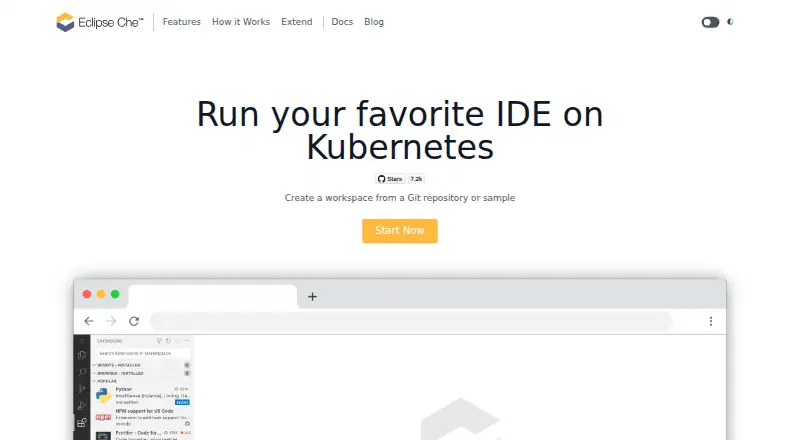
Eclipse Che runs development IDEs in Kubernetes and lets users create workspaces from a Git repository or sample. Online use requires a browser. Available IDEs include Visual Studio Code and JetBrains IDEs, while GitHub, GitLab and Bitbucket identities can be connected through OAuth. Workspaces use Devfiles, YAML configuration that can be versioned alongside application source code. Teams can share a development setup by URL, and Che can run on public or private Kubernetes clusters. Workspace access uses OIDC authentication, with Kubernetes RBAC checking whether users can enter a workspace. The project supports air-gapped networks, enterprise TLS certificates, proxies and FIPS. Code is cloned to a persistent volume by default, but other workspace file changes are wiped when a workspace stops unless they are stored on persistent volume. Eclipse Che is free and open source, with web and self-hosted availability. Community support is linked through project Slack, chat and a mailing list. The maker and headquarters are listed in Brussels, Belgium; the Eclipse Foundation was created in January 2004 as an independent not-for-profit corporation.
Who it suits
Eclipse Che suits development teams that want browser-accessible workspaces on Kubernetes and need to configure them with Devfiles. Its self-hosted deployment and enterprise environment support may fit organizations with their own infrastructure requirements.
What it does well
- Runs on public or private Kubernetes clusters
- Offers Visual Studio Code and JetBrains IDEs
- Connects GitHub, GitLab and Bitbucket identities
- Code is cloned to persistent storage by default
- Free and open source
What to know first
- Workspace changes can be wiped when it stops
- Changes must be stored on persistent volume to persist
- Online use requires a browser
Plans
| Plan | Billed and limits | Price |
|---|---|---|
| Eclipse Che | No pricing or usage limits stated on the pages reviewed | Free |
As eclipse.dev lists them, read 9 Oct 2026. The maker's own page has the final word.
Getting started
- Visit https://eclipse.dev/che/.
- Choose web access in a browser or deploy Che on a public or private Kubernetes cluster.
- Create a workspace from a Git repository or sample.
- Connect a GitHub, GitLab, or Bitbucket identity through OAuth.
- Configure the workspace with a Devfile and use a persistent volume for changes that must remain after stopping.
Verdict
Eclipse Che provides Kubernetes based development workspaces with several IDE and Git identity options. Teams should account for how workspace files persist when a workspace stops.
Questions
Is Eclipse Che free?
Yes. It is listed as free and open source, with a plan price of $0.
Which platforms are listed?
The listed platforms are Linux, self-hosted, and web. A browser is the only requirement for using Che online.
Which IDEs are available?
The site identifies Visual Studio Code and JetBrains IDEs as available options.
Which Git hosts can users connect?
Users can connect GitHub, GitLab, or Bitbucket identities using OAuth.
Do workspace changes persist after stopping?
Code is cloned to a persistent volume by default. Other workspace file changes are wiped when a workspace stops unless stored on a persistent volume.
Can teams deploy Eclipse Che themselves?
Yes. Che can be deployed on public or private Kubernetes clusters, including self-hosted environments.
Facts from Eclipse Che's own pages
- Authentication and authorization
- Workspace access requires authentication with OIDC, and Kubernetes RBAC checks whether a user may access a workspace. · eclipse.dev, 9 Oct 2026
- Browser access
- The product page says a browser is the only requirement for using Che online. · eclipse.dev, 9 Oct 2026
- Community support
- The project site links to community Slack, chat, and a mailing list. · eclipse.dev, 9 Oct 2026
- Enterprise environments
- The site says Che workspaces support air-gapped networks, enterprise TLS certificates, proxies, and FIPS. · eclipse.dev, 9 Oct 2026
- Git integrations
- Users can connect GitHub, GitLab, or Bitbucket identities using OAuth. · eclipse.dev, 9 Oct 2026
- Headquarters
- Brussels, Belgium · eclipse.dev, 28 Sept 2026
- IDE options
- The site identifies Visual Studio Code and JetBrains IDEs as IDEs available with Eclipse Che. · eclipse.dev, 9 Oct 2026
- Kubernetes deployment
- Eclipse Che can be deployed on public or private Kubernetes clusters. · eclipse.dev, 9 Oct 2026
- Maker
- The Eclipse Foundation describes itself as an international non-profit association supporting open-source collaboration. · eclipse.org, 9 Oct 2026
- Maker history
- The Eclipse Foundation says it was created in January 2004 as an independent not-for-profit corporation. · eclipse.org, 9 Oct 2026
- Persistence limit
- Workspace file changes are wiped when a workspace stops unless they are stored on a persistent volume; code is cloned to a persistent volume by default. · eclipse.dev, 9 Oct 2026
- Purpose
- Eclipse Che runs development IDEs in Kubernetes and lets users create workspaces from a Git repository or sample. · eclipse.dev, 9 Oct 2026
- Workspace configuration
- Development workspaces are defined with Devfiles, YAML files that can be versioned with application source code. · eclipse.dev, 9 Oct 2026
- Workspace sharing
- The site says teams can share a development setup using a URL. · eclipse.dev, 9 Oct 2026
Where Eclipse Che stands on Freedom251
- Coding Playgrounds#26 of 138
- Web Development IDEs#9 of 44
- IDE Software#11 of 53
- Cloud IDEs#6 of 27
- Java IDEs#7 of 23
- Cloud Development Environments#12 of 27