Freedom251 › Robotics Education Software

Ozobot Classroom
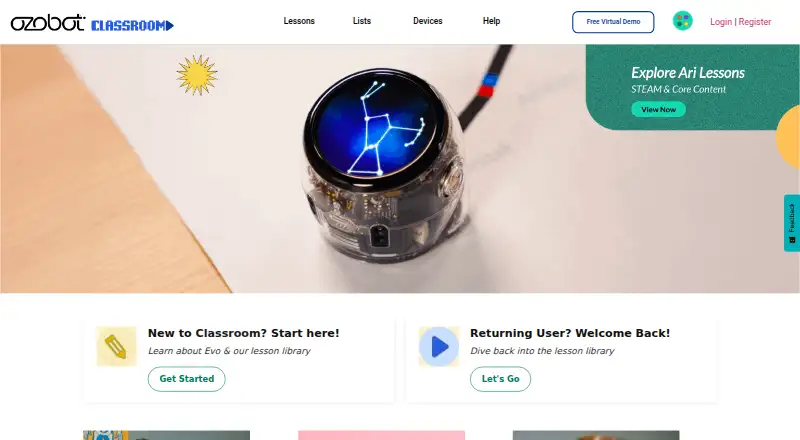
What Ozobot Classroom is
Ozobot Classroom is a free K–12 STEAM lesson portal and companion software for educators using Ozobot robots in schools. Its library contains about 700 standards-aligned lessons across grades K–12, covering computer science, math, ELA, science and social-emotional learning. Lessons can use screen-free Color Codes or on-screen Ozobot Blockly coding. Teachers can use pacing guides with up to 30 lessons per grade, create and share lessons, and set up and manage devices. The web application needs no download; teachers use Chromebook, Mac or Windows 10 computers with Chrome or Edge. Students can use Color Codes without a screen or OzoBlockly on computers and tablets, including iPads and Android tablets. Teachers can share lesson links through Google Classroom or another LMS, but roster imports through the former Classes feature are no longer available. Ozobot says Classroom is FERPA- and COPPA-compliant, collects no student data and does not let educators create student accounts. Bit robots cannot connect to Classroom devices because they are not Bluetooth-enabled, so some features are unavailable with Bit.
Who it suits
Ozobot Classroom is aimed at K–12 teachers using Ozobot robots in schools. It suits educators looking for coding lessons, planning guides and classroom device management.
What it does well
- Free educator account includes about 700 lessons.
- Lessons cover grades K–12 and multiple subjects.
- Supports screen-free Color Codes and Ozobot Blockly.
- Teachers can create and share lessons.
- No student data is collected, according to Ozobot.
What to know first
- Roster importing through the former Classes feature is unavailable.
- Bit robots cannot connect to Classroom devices.
- Some Classroom features are unavailable with Bit.
Limits
Classroom is free. Bit robots cannot connect to Classroom devices, leaving some features unavailable with Bit.
Plans
| Plan | Billed and limits | Price |
|---|---|---|
| Ozobot Classroom | Free educator account · 700 lessons · teacher-focused portal | Free |
| Free | Educator account · free lesson library · pacing guides · lesson creation · device management · compatible Ozobot hardware required for robot activities | Free |
As classroom.ozobot.com lists them, read 30 Sept 2026. The maker's own page has the final word.
Getting started
- Open the Ozobot Classroom website.
- Use a Chromebook, Mac, or Windows 10 computer with Chrome or Edge as a teacher.
- Access the web application without downloading software.
- Use Color Codes with students without a screen, or use OzoBlockly on a computer or tablet.
- Share lesson links through Google Classroom or another LMS.
Ozobot Classroom is a free K–12 teaching portal for schools using Ozobot robots. It is best for educators who want a substantial cross-subject lesson library and teacher tools around robot activities. The main caveat is hardware and setup: check robot compatibility and teacher device requirements before planning around its connected features.
Overview
Classroom brings robot activities, curriculum and classroom management into one web application. Its roughly 700 standards-aligned lessons span computer science, math, English language arts, science and social-emotional learning from kindergarten through grade 12. Educators can also create and share lessons with the Ozobot community, making the portal more than a fixed collection of activities.
The breadth is its strongest case for school use: teachers can draw from several subjects and age groups rather than treat robot coding as a standalone enrichment activity. It is still built specifically for Ozobot classrooms, so schools without compatible robots have less reason to choose it.
Key features
Lessons and coding
Students can follow screen-free Color Codes or use on-screen Ozobot Blockly. That gives teachers a way to introduce robot coding without requiring a device for every learner, while tablet and computer options support screen-based work. Pacing guides provide up to 30 lessons per grade level and link computer science foundations with math, ELA and STEAM; they offer a useful sequence for planning, though the cap means they are not a complete year-long curriculum by themselves.
Teacher tools and compatibility
Teachers can set up and manage devices, and Boosted Bluetooth can update as many as 18 bots at once, a practical advantage when preparing a classroom set. Bit is not Bluetooth-enabled and cannot connect to Classroom devices, so some features are unavailable with that robot. The supported robot list includes Evo, Ari and ORA.
Teachers use the web application on Chromebook, Mac or Windows 10 with Chrome or Edge; no download is needed. Students can use Color Codes without a screen or OzoBlockly on a computer or tablet, including iPads and Android tablets. Teachers can share lesson links through Google Classroom or another LMS, but roster imports through the former Classes feature are no longer available.
Privacy and support
Ozobot says Classroom is FERPA- and COPPA-compliant, collects no student data and does not let educators create student accounts. For setup help, Ozobot provides a Classroom Help page with setup and Color Code resources, as well as support by email and phone.
Pricing
Ozobot Classroom: free. The free educator account includes the teacher-focused portal and 700 lessons. There is no paid tier or seat quota in the plan details provided, so the main trade-off is not a subscription cap but dependence on Ozobot robots and the platform’s device requirements. Schools using Bit should account for its missing Bluetooth connection before relying on device management features.
Platforms
Classroom is a web application for teachers using Chrome or Edge on Chromebook, Mac or Windows 10 computers. Students can use OzoBlockly on computers and tablets, including iPads and Android tablets; screen-free Color Codes do not require a student screen. Ozobot also identifies iOS and Android among supported platforms.
Who it's for
This is a strong fit for K–12 teachers and schools already using compatible Ozobot robots who want standards-aligned lessons, cross-subject pacing support and tools for managing devices. It is a weaker fit for schools seeking a robot-agnostic coding environment, or those that need student accounts and roster imports.
Pros and cons
- Pros: About 700 lessons across K–12 and multiple subjects give teachers breadth without a software fee.
- Pros: Screen-free Color Codes and on-screen Blockly support different classroom device setups.
- Pros: Community lesson sharing and device management add teacher utility beyond the curriculum library.
- Cons: Bit cannot connect to Classroom devices, leaving some features unavailable.
- Cons: Teachers need a Chromebook, Mac or Windows 10 computer running Chrome or Edge, and roster importing is no longer supported.
Alternatives
For a different robot-centered coding option, EdScratch is free to use with an Edison robot and runs in a browser without additional software. mBlock is a better direction for readers seeking a free platform that combines block-based and Python coding with AI and IoT features. PictoBlox offers a free plan for individuals and non-commercial use; commercial users should contact its maker.
FinchBlox, Rocksi, and Sphero Edu are other free options. Thymio Suite is a desktop download that requires a Thymio robot, while True Robotics Playground is a web-based block-coding platform for True Robotics kits connecting over Bluetooth or USB. Browse Robotics Education Software for more options.
Verdict
Ozobot Classroom is an easy recommendation for K–12 schools already using compatible Ozobots: its free account combines a broad lesson library, planning resources and teacher tools. Look elsewhere if you need roster imports, student accounts or a platform independent of Ozobot hardware, and check Bit compatibility before depending on connected device features.
Verdict
Ozobot Classroom provides a free lesson library and teacher tools for schools using Ozobot robots. Check the robot and device requirements first, especially if using Bit or roster imports.
Questions
How much does Ozobot Classroom cost?
The Ozobot Classroom plan is free.
Which platforms can teachers use?
Teachers use the web application on Chromebook, Mac, or Windows 10 computers with Chrome or Edge.
Can students use it without a screen?
Yes. Students can use Color Codes without a screen. OzoBlockly is available on computers and tablets, including iPads and Android tablets.
Does it support Google Classroom?
Teachers can share lesson links through Google Classroom or another LMS. The former Classes feature for importing rosters is no longer available.
Which Ozobot robots are supported?
The listed supported robots are Evo, Ari, and ORA. Bit is not Bluetooth-enabled and cannot connect to Classroom devices.
Facts from Ozobot Classroom's own pages
- API availability
- The reviewed Classroom pages describe LMS linking and robot programming tools but do not document a public Ozobot Classroom REST API or self-hosting package. · classroom.ozobot.com, 15 Oct 2026
- Children’s privacy
- The privacy policy says Ozobot does not knowingly collect information from children under 13 except a parent email for password reminders or resets. · ozobot.com, 15 Oct 2026
- Coding approaches
- Lessons support screen-free Color Codes and on-screen Ozobot Blockly coding. · ozobot.com, 30 Sept 2026
- Company founding
- LinkedIn lists Ozobot as founded in 2012. · linkedin.com, 15 Oct 2026
- Company headquarters
- LinkedIn lists Ozobot headquarters in Newport Beach, California. · linkedin.com, 15 Oct 2026
- Company legal identity
- The Google Play listing identifies the developer as Ozo Edu, Inc. · play.google.com, 15 Oct 2026
- Company size
- LinkedIn lists Ozobot at 11–50 employees and as privately held. · linkedin.com, 15 Oct 2026
- Company technology description
- LinkedIn says Ozobot combines screen-free coding, OzoBlockly, JavaScript and Python editors, LMS integrations and augmented-reality learning. · linkedin.com, 15 Oct 2026
- Device management
- The Devices area lets educators update, rename and label individual Evo robots or multiple robots. · ozobot.com, 15 Oct 2026
- Educator planning
- Pacing guides provide up to 30 lessons per grade level and connect computer science foundations with math, ELA, and STEAM. · ozobot.com, 30 Sept 2026
- Google Classroom integration
- A 2021 update added Google Classroom sign-in, roster import, remote assignments and grade synchronization. · ozobot.com, 15 Oct 2026
- Google Play app scope
- The Evo Android app provides access to Ozobot Blockly, Classroom, FAQs and related Evo functions. · play.google.com, 15 Oct 2026
- Google Play data disclosure
- Google Play lists no third-party data sharing, possible collection of app activity and performance data, encryption in transit and compliance with the Play Families Policy. · play.google.com, 15 Oct 2026
- Hardware limitation
- Ozobot says Bit is not Bluetooth-enabled, so it cannot connect to Classroom devices and some Classroom features are unavailable with Bit. · ozobot.com, 30 Sept 2026
- Headquarters
- Newport Beach, California, United States · classroom.ozobot.com, 28 Sept 2026
- Integration
- Teachers can share lesson links through Google Classroom or another LMS; the former Classes feature for importing rosters is no longer available. · ozobot.com, 30 Sept 2026
- Integration limitation
- The former Classes roster-import area has been removed, so current workflows use shareable lesson links through Google Classroom or another LMS. · ozobot.com, 15 Oct 2026
- Intended users
- Ozobot describes Classroom as a teacher-facing K–12 portal for educators using Ozobot robots in schools. · ozobot.com, 30 Sept 2026
- Lesson authoring
- Educators can create, upload and submit their own lessons for review and sharing. · classroom.ozobot.com, 15 Oct 2026
- Lesson creation
- Educators can create and share their own lessons with the Ozobot community. · classroom.ozobot.com, 30 Sept 2026
- Lesson filters
- Teachers can filter lessons by grade, subject and availability of student-facing videos. · ozobot.com, 15 Oct 2026
- Lesson library
- The library contains almost 700 standards-aligned lessons covering kindergarten through grade 12 and subjects including computer science, math, ELA, science and SEL. · ozobot.com, 15 Oct 2026
- Licence status
- Ozobot Classroom is delivered as a hosted web application and its product pages do not publish an open-source licence for the Classroom service. · ozobot.com, 15 Oct 2026
- Limit: app feature regressions
- Google Play reviewers report that an update removed older Color Code and sensor features, leaving some users with driving-only functionality. · play.google.com, 15 Oct 2026
Where Ozobot Classroom stands on Freedom251
- Robotics Education Software#6 of 26