Freedom251 › Robotics Education Software
Calypso
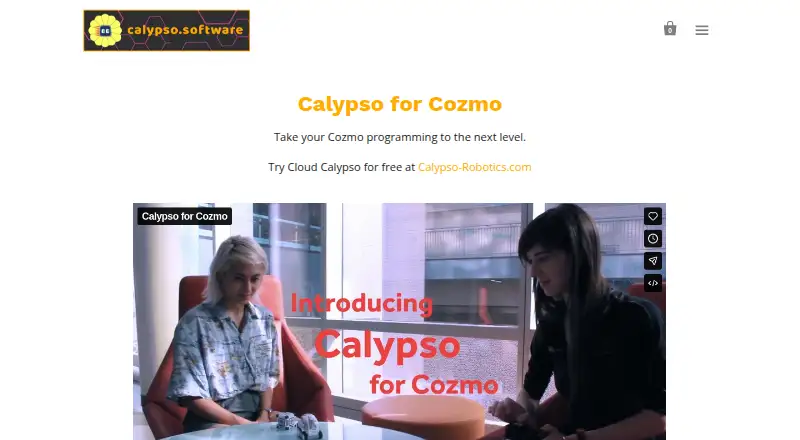
What Calypso is
Calypso is a tile-based programming framework for teaching robot logic and behavior through Cozmo. It is described as suitable for learners of all ages and supports programming and computational-thinking learning. Its Cozmo software includes gamepad control, computer vision, artificial intelligence, and English-only speech recognition; the site also offers free curriculum activities in those areas. Calypso works with any Cozmo robot, but the robot is purchased separately. Desktop downloads are offered for Windows, macOS, and Ubuntu Linux. Listed requirements are 64-bit Windows 10 or macOS 10.13 or later and at least 6GB of RAM. To use a physical robot, you also need an iOS or Android phone or tablet capable of running the free Cozmo app. The Chrome-based cloud version runs a simulator rather than controlling a physical robot; cloud saving requires a free account. Calypso for Cozmo costs 14.95 USD once for personal, non-commercial use.
Who it suits
Calypso suits learners, families, and educators looking to explore programming and robot behavior with Cozmo. It includes curriculum activities and supports both simulator use and physical-robot control, with different device requirements for each.
What it does well
- Suitable for learners of all ages.
- Includes gamepad control and computer vision.
- Free curriculum activities cover three topics.
- Cloud simulator works without an account.
- Works with any Cozmo robot.
What to know first
- Cozmo robot must be purchased separately.
- Physical robot use requires an iOS or Android device.
- Cloud version cannot control a physical robot.
- Desktop use requires 6GB RAM minimum.
Limits
The listed 14.95 USD once license is for personal, non-commercial use, and the Cozmo robot is sold separately. Cloud Calypso runs in simulator mode and cannot control a physical robot.
Plans
| Plan | Billed and limits | Price |
|---|---|---|
| Calypso for Cozmo | Personal, non-commercial use · Cozmo robot sold separately · Institutional licensing by request | $14.95, paid once |
As calypso.software lists them, read 30 Sept 2026. The maker's own page has the final word.
Getting started
- Visit calypso.software.
- Choose downloadable software for Windows, macOS, or Ubuntu, or use Cloud Calypso in Chrome.
- For desktop use, meet the stated operating-system and memory requirements.
- For physical robot use, obtain a Cozmo robot and an iOS or Android device that runs the free Cozmo app.
- Use Cloud Calypso without an account, or create a free account to save programs in the cloud.
- Purchase the 14.95 USD one-time personal, non-commercial license for Calypso for Cozmo.
Overview
Calypso is a block-based programming framework for teaching robot behavior through Cozmo. It is best suited to learners who want to explore coding alongside a compatible robot, with a simulator for trying programs without one. Its focused Cozmo support is also its main constraint: this is not a general-purpose robotics platform.
Calypso combines tile coding with gamepad control, computer vision, artificial intelligence, and English-only speech recognition. Free curriculum activities address those same technical areas, giving educators a starting point for structured learning rather than just an editor.
Calypso is associated with Visionary Machines LLC, a Pittsburgh-based startup originating from Carnegie Mellon University. Browse Robotics Education Software for a broader category view.
Key features
Programming and robot interaction
Tile-based coding gives learners a visual way to build logic and behavior for Cozmo. The included gamepad control offers another way to interact with the robot, while computer vision, AI, and speech recognition extend the topics learners can explore. The English-only speech capability may make this feature a poor fit for multilingual activities.
The simulator is useful for exploring programs without controlling a physical robot. Cloud Calypso runs in Chrome in simulator mode only; it cannot operate a physical Cozmo. It can be used without an account, though saving programs in the cloud requires a free account.
Curriculum and classroom use
Free activities cover computer vision, speech recognition, and AI, and classroom tools are included among Calypso’s capabilities. The product is described as suitable for all ages and supports programming and computational-thinking learning, but the robot-specific focus means educators should choose it for Cozmo work rather than broader hardware coverage.
For institutional Cloud Calypso licenses, schools can administer student accounts using pseudonyms or ID numbers. Teachers and school administrators can see the contents of those accounts. The software does not collect personal information; the store collects purchase information for billing and software update notices.
Pricing
Calypso is freemium, with a free plan and a paid Calypso for Cozmo plan at $14.95, paid once. The paid license is for personal, non-commercial use, and Cozmo must be purchased separately. That makes the plan a relatively direct choice for an individual Cozmo owner, but it is not the institutional route: institutional licensing is by request through ReadyAI.
The free cloud simulator lowers the barrier to trying the coding environment, and a free account enables cloud saving. It does not substitute for physical-robot control, which requires the desktop software and a compatible mobile device running the free Cozmo app. No seat quota or trial term is stated for the paid plan. Institutional pricing is custom pricing.
Platforms
Downloadable desktop selections are offered for Windows, MacOS, and Ubuntu. The stated requirements are 64-bit Windows 10 or MacOS 10.13 or higher and at least 6GB of RAM; Ubuntu is offered as a download selection, but no corresponding system requirement is stated. Cloud Calypso runs in Chrome. Using a physical Cozmo also requires an iOS or Android phone or tablet capable of running the free Cozmo app.
Calypso works with any Cozmo robot, but the robot is sold separately. This combination of desktop coding software and mobile robot app adds a device requirement that simulator-only learners can avoid.
Who it's for
Calypso suits individuals, families, and educators looking for a visual introduction to programming through Cozmo, especially where the free curriculum activities can support lessons on AI, vision, or speech. The simulator makes it possible to begin without a robot, while physical interaction requires both Cozmo and a suitable mobile device.
It is less suitable for buyers who need a broader range of robot compatibility, non-English speech recognition, or a personal license for commercial or institutional use. Schools considering Cloud Calypso should also account for teacher and administrator visibility into student account contents.
Pros and cons
- Pros: Tile coding, a simulator, and free activities provide several entry points for learning with Cozmo.
- Pros: Computer vision, AI, gamepad control, and speech recognition support work beyond basic block sequencing.
- Pros: Cloud simulation can be used without an account, with a free account needed only for saving programs in the cloud.
- Cons: Physical robot use depends on a separately purchased Cozmo and an iOS or Android device running its app.
- Cons: Cloud Calypso cannot control the physical robot, and speech recognition is English-only.
- Cons: The stated paid license is personal and non-commercial; institutions need to pursue separate licensing.
Alternatives
Choose PictoBlox if a free individual, non-commercial option across mobile, desktop, and web platforms better suits your needs.
Ozobot Classroom is a free educator account with 700 lessons and a teacher-focused portal, making it the alternative to consider when those classroom resources matter more than Cozmo-specific coding.
Sphero Edu offers free app and web access, with a compatible Sphero robot required for robot programming; consider it when working with that robot family instead of Cozmo.
VEXcode is worth considering for free block-based VR work across 15 playgrounds with basic graphics, alongside curriculum, activities, and online resources.
mBlock is a free coding platform with both block-based and Python coding plus AI and IoT features, a better fit when those modes and topics are priorities.
Trackio is another free option.
True Robotics Playground is also free.
Wonder Workshop Blockly has a free tier for up to 35 students, one teacher, and one classroom, with Blockly puzzle tracking; it requires a physical Dash robot, so it suits Dash classrooms rather than Cozmo projects.
Verdict
Choose Calypso if you want a visual, curriculum-supported way to teach programming concepts through Cozmo, with a simulator available before committing to the robot. Its main trade-offs are the Cozmo-only focus, device requirements for physical use, and personal non-commercial license; readers needing different hardware or institutional licensing should look elsewhere.
Verdict
Calypso combines tile-based coding, robot interaction, and free learning activities around Cozmo. Check its device requirements and personal, non-commercial license before choosing it for classroom or other institutional use.
Questions
Does Calypso have a free plan?
Calypso's pricing note includes a free plan. Cloud Calypso can be used without an account; saving programs in the cloud requires a free account.
How much does Calypso for Cozmo cost?
The listed license is 14.95 USD once. It is for personal, non-commercial use.
Which platforms does Calypso support?
Downloadable software is offered for Windows, macOS, and Ubuntu Linux. Cloud Calypso runs in Chrome, and using a physical Cozmo robot requires an iOS or Android phone or tablet that can run the free Cozmo app.
Does Calypso work without a Cozmo robot?
Cloud Calypso runs in simulator mode in Chrome and does not control a physical robot. Calypso for Cozmo works with any Cozmo robot, sold separately.
Is Calypso open source?
The listed facts do not describe Calypso as open source.
Who makes Calypso?
The company is Visionary Machines LLC, described as a Pittsburgh-based startup originating from Carnegie Mellon University.
Facts from Calypso's own pages
- Built-in features
- Calypso for Cozmo includes gamepad control, computer vision, artificial intelligence, and English-only speech recognition. · calypso.software, 30 Sept 2026
- Cloud account
- Cloud Calypso can be used without an account, while saving programs in the cloud requires a free account. · calypso.software, 30 Sept 2026
- Cloud version
- Cloud Calypso runs in simulator mode in a Chrome browser and cannot control a physical robot. · calypso.software, 30 Sept 2026
- Company
- Visionary Machines LLC is described as a Pittsburgh-based startup originating from Carnegie Mellon University. · calypso.software, 30 Sept 2026
- Curriculum
- The site offers free curriculum activities covering computer vision, speech recognition, and artificial intelligence. · calypso.software, 30 Sept 2026
- Desktop platforms
- The product page offers Windows, MacOS, and Ubuntu selections for the downloadable software. · calypso.software, 30 Sept 2026
- Headquarters
- West Mifflin, Pennsylvania, United States · calypso.software, 28 Sept 2026
- Learning
- The product is described as suitable for all ages and supports learning programming and computational thinking. · calypso.software, 30 Sept 2026
- License limits
- The listed license is for personal, non-commercial use; institutional licensing is directed to ReadyAI. · calypso.software, 30 Sept 2026
- Mobile requirement
- Using the physical robot requires an iOS or Android phone or tablet capable of running the free Cozmo app. · calypso.software, 30 Sept 2026
- Privacy
- The Help Center says the Calypso software does not collect personal information and that the store collects purchase information for billing and software update notices. · calypso.software, 30 Sept 2026
- Purpose
- Calypso is a tile-based programming framework for teaching robot logic and behavior with Cozmo. · calypso.software, 30 Sept 2026
- Robot compatibility
- Calypso works with any Cozmo robot, which must be purchased separately. · calypso.software, 30 Sept 2026
- Student accounts
- For institutional Cloud Calypso licenses, schools can administer student accounts, which may use pseudonyms or ID numbers; student account contents are visible to teachers and school administrators. · calypso.software, 30 Sept 2026
- Support
- The site links to a Help Center, curriculum, forum, and contact page. · calypso.software, 30 Sept 2026
- System requirements
- The site lists 64-bit Windows 10 or MacOS 10.13 or higher and at least 6GB of RAM as requirements. · calypso.software, 30 Sept 2026
Where Calypso stands on Freedom251
- Robotics Education Software#3 of 26