Freedom251 › Robotics Education Software
Thymio Suite
What Thymio Suite is
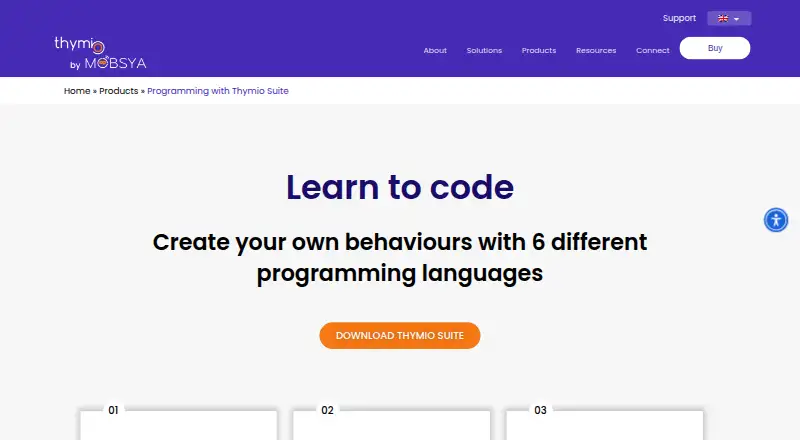
Thymio Suite is software for connecting to, programming, configuring, and updating Thymio robots. Its desktop programming choices include VPL, VPL 3, Scratch, Blockly, Python through the Thonny editor with a Thymio extension, and Aseba. VPL uses drag-and-drop blocks, while Scratch can connect a robot’s interactions with the Scratch stage and sprites. The product page describes Python programming as coming soon, though use through Thonny and the Thymio extension is documented. Desktop downloads support Windows, macOS, and Linux; the listed software version is Thymio Suite 2.4.0. Thymio Suite Mobile is available for iOS and Android tablets and offers VPL 3 and Scratch. Direct tablet connection to a robot requires Thymio 2 or later. A free simulator supports collaborative access to simulated robots by people on the same network. The Suite is free, but connecting and programming a physical robot with the desktop software requires a Thymio robot. Mobsya describes Thymio as an open-source educational robot for learners of all ages. Documentation and frequently asked questions are available through the support center.
Who it suits
Thymio Suite suits learners of different ages who want to program or configure Thymio robots. Its visual programming choices and simulator may also suit people beginning with coding.
What it does well
- Free software for Thymio robots.
- Offers VPL, Scratch, Blockly, and Aseba programming.
- Tablet app supports iOS and Android.
- Free simulator supports collaboration on the same network.
What to know first
- Desktop use requires a Thymio robot to connect and program.
- Direct tablet connection requires Thymio 2 or later.
- Python programming is described as coming soon on the product page.
Limits
The desktop software requires a Thymio robot to connect and program. Direct tablet connection requires Thymio 2 or later; tablet programming lists VPL 3 and Scratch.
Plans
| Plan | Billed and limits | Price |
|---|---|---|
| Thymio Suite | Desktop software download; requires a Thymio robot to connect and program | Free |
As thymio.org lists them, read 5 Oct 2026. The maker's own page has the final word.
Getting started
- Open the Thymio Suite product page.
- Download Thymio Suite 2.4.0 for Windows, macOS, or Linux, or use Thymio Suite Mobile on an iOS or Android tablet.
- Connect a Thymio robot to use the desktop software.
- For direct tablet connection, use Thymio 2 or later.
- Choose an available programming environment, or use the free simulator.
Verdict
Thymio Suite offers several coding approaches across desktop and tablet, plus a free simulator. Check the robot requirement and tablet connection limit if you plan to use physical hardware.
Questions
How much does Thymio Suite cost?
Thymio Suite is free.
Which platforms are supported?
The desktop download supports Windows 7–11 in 32-bit and 64-bit versions, MacOS X 10.13–12, and Linux. The mobile app is available for iOS and Android tablets.
Which programming languages and environments are available?
Desktop options include VPL, VPL 3, Scratch, Blockly, Python through Thonny with a Thymio extension, and Aseba. The tablet app lists VPL 3 and Scratch.
Do I need a robot to use the software?
The desktop software requires a Thymio robot to connect and program. A free simulator is also available.
Can I connect a Thymio robot directly from a tablet?
Yes, if the robot is Thymio 2 or later.
Who makes Thymio Suite?
The product is associated with Mobsya, which describes Thymio as an open-source educational robot for learners of all ages.
Facts from Thymio Suite's own pages
- Audience
- Mobsya describes Thymio as an open-source educational robot and its learning journeys as intended for learners of all ages. · thymio.org, 5 Oct 2026
- Beginner programming
- VPL uses drag-and-drop blocks to create a first program in five minutes. · thymio.org, 5 Oct 2026
- Desktop platforms
- The download page lists Windows 7–11 in 32-bit and 64-bit versions, MacOS X 10.13–12, and Linux for Suite 2.4.0. · thymio.org, 5 Oct 2026
- Founded
- 2010 · thymio.org, 28 Sept 2026
- Headquarters
- Chemin de la Ruyère 116, CH-1020 Renens, Switzerland · thymio.org, 28 Sept 2026
- Programming languages
- The desktop Suite provides VPL, VPL 3, Scratch, Blockly, Python via Thonny, and Aseba. · thymio.org, 5 Oct 2026
- Purpose
- Thymio Suite lets users connect to, program, configure, and update Thymio robots from a computer. · thymio.org, 5 Oct 2026
- Python availability
- The product page describes Python programming as coming soon; Python use is also documented through the third-party Thonny editor and a Thymio-specific extension. · thymio.org, 5 Oct 2026
- Scratch integration
- Scratch programming can create interactions between Thymio, the Scratch stage, and Scratch sprites. · thymio.org, 5 Oct 2026
- Security and privacy
- The maker’s website says necessary cookies are always enabled and third-party analytics cookies are stored only with user consent. · thymio.org, 5 Oct 2026
- Simulator
- The Thymio simulator can be used for free and supports collaborative access to simulated robots by people on the same network. · thymio.org, 5 Oct 2026
- Software version
- The maker’s download page offers Thymio Suite 2.4.0. · thymio.org, 5 Oct 2026
- Support
- The maker’s support center provides documentation and frequently asked questions to help users resolve issues. · thymio.org, 5 Oct 2026
- Tablet connection requirement
- The tablet setup instructions say Thymio 2+ is required to connect tablets directly to Thymio robots. · thymio.org, 5 Oct 2026
- Tablet support
- Thymio Suite Mobile is available for iOS and Android tablets, and its two listed programming languages are VPL 3 and Scratch. · thymio.org, 5 Oct 2026
Where Thymio Suite stands on Freedom251
- Robotics Education Software#14 of 26