Freedom251 › Virtual Meeting Room Software

Overte
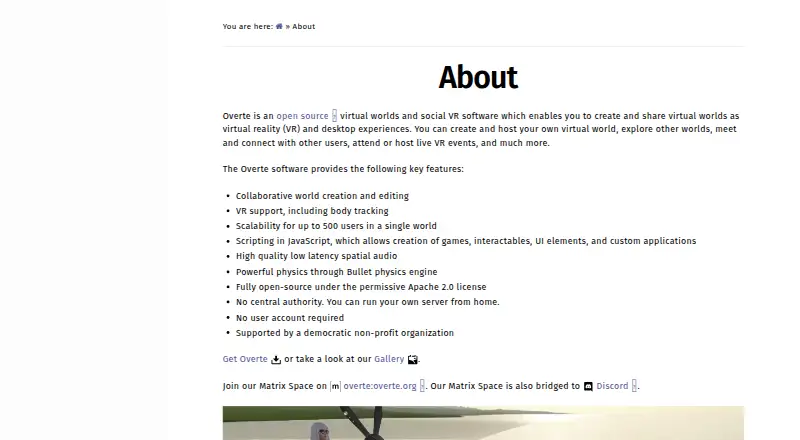
What Overte is
Overte is software for creating, hosting, and visiting shared virtual worlds through VR or desktop experiences. Users can explore worlds, meet others, and attend or host live VR events. Its tools support collaborative world creation and editing, and VR support includes body tracking. A single world can scale to up to 500 users. JavaScript scripting can add games, interactive elements, interface components, and custom applications; users can also import 3D objects into a virtual environment. The software includes spatial audio and physics powered by the Bullet physics engine. Overte is free and open source under the Apache 2.0 license, with Linux and Windows releases, source code, and Docker images listed for download. It can be self-hosted, including from a home server, and does not require a user account. Overte e.V., a non-profit association registered in Germany, is behind the project; membership is not required to use or develop it. Community discussion is available through Matrix and Discord, which are bridged. Documentation covers security for Interface and servers, including crash reporting and asset security.
Who it suits
Overte may suit people who want to build or visit shared VR or desktop worlds, host live events, or run a world server themselves. Its collaborative editing and scripting tools may also fit users creating interactive environments.
What it does well
- Free and open source under Apache 2.0
- Collaborative world creation and editing
- VR support includes body tracking
- Worlds can scale to up to 500 users
- No user account required
What to know first
- Listed releases support Linux and Windows
- Self-hosting requires users to run a server
Plans
| Plan | Billed and limits | Price |
|---|---|---|
| Overte | Open-source virtual worlds and social VR software · Apache 2.0 license | Free |
As overte.org lists them, read 7 Oct 2026. The maker's own page has the final word.
Getting started
- Visit https://overte.org/
- Choose a Linux or Windows release, source code, or Docker image from the downloads page
- Install or deploy the software on a supported platform
- Use an account-free setup, or run a server from home if you want to self-host
- Join the project’s Matrix or Discord community for discussion
Overview
Overte is a free, open-source platform for building and sharing persistent virtual worlds on desktop or in VR. It is best suited to communities, educators, event hosts and technically inclined creators who want to shape the environment themselves. The main trade-off is control and extensibility versus the simplicity of a conventional meeting service.
You can host worlds, explore them, meet other users and run live VR events. A single world supports up to 500 participants, while guest access, screen sharing and role-based access controls make it practical for public gatherings as well as private spaces. No account is required, and the project says a server can run from home, although operating a world remains a more involved task than joining a hosted call.
Key features
Collaborative building and scripting
People can create and edit worlds together, import any 3D object into an environment and use JavaScript for games, interactable objects, interface elements and custom applications. That combination gives developers and artists a broad canvas for bespoke experiences. It is excessive for teams that only need a ready-made room with standard conferencing controls.
Immersive interaction
VR support includes body tracking, with spatial audio described as high quality and low latency. Physics are powered by the Bullet engine, so interactive scenes can behave more like spaces than slide decks. These capabilities favor social VR, simulations and events where movement and proximity matter; they are less important for a straightforward voice meeting.
Persistent rooms and administration
Persistent rooms let a world remain available beyond a single session. Role-based access controls, guest access and screen sharing cover core community and event needs, while a capacity of 500 participants leaves room for sizeable gatherings. The software also publishes security information for the Interface, server and metaverse server, including crash reporting and asset security.
Open infrastructure
Overte is released under the Apache 2.0 license and has no central authority. Linux and Windows downloads are joined by source code and Docker images, supporting both conventional installation and self-managed deployments. Discussion takes place through Matrix and Discord, with the Matrix Space bridged to Discord. The website's privacy policy says its log files may record IP address, browser type, ISP, timestamps, referring and exit pages and possibly click counts, without linking those logs to personally identifiable information.
Pricing
| Plan | Price | What you get |
|---|---|---|
| Overte | free | Open-source virtual worlds and social VR software under the Apache 2.0 license |
There is no paid tier, trial period or subscription renewal to weigh. The free plan includes persistent rooms, spatial audio, guest access, screen sharing, role-based access controls and rooms for up to 500 participants. Its cost advantage is straightforward, but you take on the work of creating or hosting a world rather than paying for a turnkey managed workspace.
Platforms
Overte runs on Linux and Windows and can be self-hosted. Source code and Docker images are available for deployments that need more control over the server environment. The project is backed by Overte e.V., a German non-profit association; membership is not required to use or develop the software.
Who it's for
Choose Overte if you need a customizable social VR space, collaborative world-building tools, JavaScript extensibility or the ability to operate a server without a central account system. It is a strong fit for creator communities, persistent virtual venues and organizers of immersive events. Look elsewhere if your priority is an immediately usable, standardized meeting room with minimal administration.
Pros and cons
Pros
- Fully free and open source: the Apache 2.0 license permits use and development without a paid plan.
- High ceiling for custom worlds: collaborative editing, arbitrary 3D-object imports and JavaScript support games, interfaces and bespoke applications.
- Large persistent spaces: rooms support up to 500 participants and include guest access, spatial audio, screen sharing and role-based controls.
- Deployment choice: Linux, Windows, source and Docker options support self-hosting, including a server run from home.
Cons
- More operational responsibility: self-hosting and world creation demand more technical involvement than a hosted meeting product.
- Desktop and Linux/Windows focus: the published platform list does not include mobile or browser clients.
- Privacy is not zero-collection: overte.org's policy describes server logs containing technical and navigation data, even though they are not linked to personally identifiable information.
Alternatives
Virtual Meeting Room Software is the broader category to browse when you want to compare meeting-focused products.
- Hubs is the closer alternative for open-source, customizable worlds with Community Edition self-hosting and support across Android, iOS, Linux, macOS, web and Windows.
- WorkAdventure is better when a freemium service with a 10-user free plan and web and mobile reach fits a lighter deployment.
- Glue suits teams wanting a conventional freemium workspace with defined member, space, session and storage allowances.
- Samudaia is an early-access free option for a team-sized workspace across Linux, macOS, web and Windows.
- Topia is aimed at browser-based gatherings with a 50-person demo capacity and paid per-user upgrades.
- Watch2Gether is the pick for synchronized media viewing rather than world creation.
- Tangle fits teams seeking desktop collaboration with server and room member limits, screensharing and customizable avatars.
- flat.social is a lightweight web option for up to five people with spatial audio and video rooms.
Verdict
Overte is the right choice for creators and communities that value open-source control, self-hosting and genuinely programmable virtual worlds. Its strongest reason to choose it is the unusual combination of collaborative building, immersive interaction and a 500-person persistent space at no software cost. Look elsewhere if you want a polished, browser-first meeting service with less setup and no responsibility for running the world.
Verdict
Overte combines collaborative world building, scripting, and social VR or desktop experiences, with self-hosting available and no account required. Its listed platforms are Linux and Windows, and a world can scale to up to 500 users.
Questions
How much does Overte cost?
The Overte plan is free. The software is free and open source under the Apache 2.0 license.
Which platforms does Overte support?
The listed platforms are Linux, Windows and self-hosted. Downloads include Linux and Windows releases, source code and Docker images.
Do I need an account to use Overte?
No user account is required. Users can also run a server from home.
How many people can join a world?
A single world can scale to up to 500 users.
Who is behind Overte?
Overte e.V., a non-profit association registered in Germany, is behind the project. Association membership is not required to use or develop the software.
What does Overte’s privacy policy say it collects?
The policy says overte.org uses log files that collect IP addresses, browser type, ISP, timestamps, referring and exit pages, and possibly click counts. It says these are not linked to personally identifiable information.
Facts from Overte's own pages
- Audio and physics
- Overte lists high quality low latency spatial audio and physics powered by the Bullet physics engine. · overte.org, 7 Oct 2026
- Downloads
- The downloads page lists Linux and Windows releases, source code, and Docker images. · overte.org, 7 Oct 2026
- Headquarters
- Paderborn, Germany · overte.org, 28 Sept 2026
- Importing 3D objects
- The documentation says users can import any 3D object into their virtual environment. · docs.overte.org, 7 Oct 2026
- Integrations and community
- The project links to Matrix and Discord for discussion, and says its Matrix Space is bridged to Discord. · overte.org, 7 Oct 2026
- Open source
- Overte is fully open source under the Apache 2.0 license. · overte.org, 7 Oct 2026
- Organization
- Overte e.V. is the association behind Overte and is a non-profit association registered in Germany; association membership is not required to use or develop the software. · overte.org, 7 Oct 2026
- Privacy
- The website privacy policy says overte.org uses log files that collect IP addresses, browser type, ISP, timestamps, referring and exit pages, and possibly click counts; it says these are not linked to personally identifiable information. · overte.org, 7 Oct 2026
- Purpose
- Overte lets people create and share virtual worlds as VR and desktop experiences, host worlds, explore, meet users, and attend or host live VR events. · overte.org, 7 Oct 2026
- Scripting
- JavaScript scripting can be used to create games, interactables, UI elements, and custom applications. · overte.org, 7 Oct 2026
- Security
- The documentation provides security information for Interface, the server, and the metaverse server, with sections on crash reporting and asset security. · docs.overte.org, 7 Oct 2026
- Self hosting and accounts
- The site says there is no central authority, users can run a server from home, and no user account is required. · overte.org, 7 Oct 2026
- VR
- VR support includes body tracking. · overte.org, 7 Oct 2026
- World building
- The software supports collaborative world creation and editing. · overte.org, 7 Oct 2026
- World capacity
- The site says a single world can scale to up to 500 users. · overte.org, 7 Oct 2026
Where Overte stands on Freedom251
- Virtual Meeting Room Software#6 of 22