Freedom251 › Virtual Event Platforms

flat.social
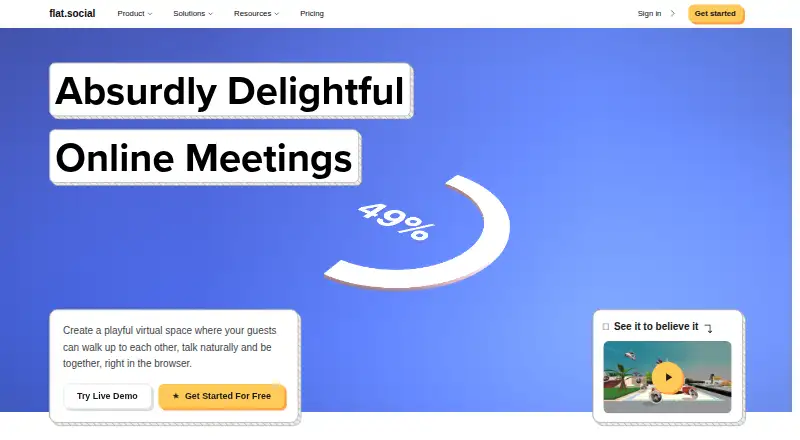
What flat.social is
flat.social is a browser-based meeting and events space built around conversations in a shared room. Participants move around, with audio volume and video connection responding to how close they are to one another. A flat can combine Open Spatial rooms for mingling, Conference rooms for presentations and Chat rooms for text. Participants can draw, write and add images to shared whiteboards and sticky notes. Built-in activities include football, chess, surfing, dice and arcade cabinets. Conference rooms support screen sharing and speaker or gallery layouts. Guests can join from a link, and the service runs in Chrome, Edge, Firefox and Safari. The free plan allows up to five people at once with unlimited session length. A Day Pass costs $2 per seat for 24 hours, with a 10-seat minimum and room for up to 100 people. Monthly pricing starts at $6 a month per seat, with paid capacity listed up to 100 seats; larger capacity can be discussed with the company. Slack users can start a flat with /flat and schedule recurring weekly events.
Who it suits
flat.social suits remote teams, educators, workshop facilitators and virtual event organisers who want spatial conversations or shared activities. Its rooms also support presentations and text chat.
What it does well
- Free plan allows up to five people at once.
- Unlimited session length on the free plan.
- Guests can join from a link.
- Shared whiteboards and sticky notes.
- Conference rooms support screen sharing.
What to know first
- Free plan is limited to five people at once.
- Day Pass requires a 10-seat minimum.
- Paid capacity is listed up to 100 seats.
Limits
The Free plan supports up to five people at once. Day Pass requires at least 10 seats and lasts 24 hours; Monthly covers 10 to 100 seats. The pricing page says larger capacity can be discussed with the company.
Plans
| Plan | Billed and limits | Price |
|---|---|---|
| Free | $0 forever · Up to 5 people at once · Unlimited session length · Spatial audio + video rooms · Your own maps & look · Embed button for your site | Free |
| Day Pass | $2 per seat / day · Minimum 10 seats · Valid for 24 hours · Up to 100 people · One-off events, no subscription | $2, paid once |
| Monthly | $6 per seat / month · 10 to 100 seats · Attendance insights & analytics · Remove flat.social branding · Roles & advanced access control · Priority support | $6 a month |
As flat.social lists them, read 2 Oct 2026. The maker's own page has the final word.
Getting started
- Open https://flat.social/ in Chrome, Edge, Firefox, or Safari.
- Use the Free plan for up to five people, or choose Day Pass or Monthly for a larger group.
- Invite guests with a link.
- If using Slack, start a flat with /flat or schedule a recurring weekly event.
- Choose room types for mingling, presenting, or text chat.
Verdict
flat.social combines proximity-based conversation with presentation, chat and shared-room activities. Its free plan is limited to five people, while paid plans list capacity up to 100 seats.
Questions
Is flat.social free?
Yes. The Free plan costs nothing and allows up to five people at once with unlimited session length.
How much do paid plans cost?
Day Pass is $2, paid once, billed at $2 per seat for 24 hours, with a 10-seat minimum. Monthly is $6 a month, billed at $6 per seat per month, for 10 to 100 seats.
Which browsers does flat.social support?
It runs in Chrome, Edge, Firefox, and Safari. Guests can join from a link.
Does flat.social integrate with Slack?
Yes. Slack users can start a flat with the /flat command and schedule recurring weekly events.
How many people can use a flat?
The Free plan supports up to five people at once. Paid plans list capacity up to 100 seats, and larger capacity can be discussed with the company.
Facts from flat.social's own pages
- Activities
- Built-in activities include football, chess, surfing, dice, and arcade cabinets. · flat.social, 2 Oct 2026
- Browser support
- The features page says the service runs in Chrome, Edge, Firefox, and Safari, and guests can join from a link. · flat.social, 2 Oct 2026
- Calls and AI
- The privacy policy says calls are not recorded, transcribed, or analyzed, and conversations are not used to train AI. · flat.social, 2 Oct 2026
- Capacity limit
- The pricing page lists paid capacity of up to 100 seats and says larger capacity can be discussed with the company. · flat.social, 2 Oct 2026
- Collaboration
- Participants can draw, write, and add images to shared whiteboards and sticky notes in a room. · flat.social, 2 Oct 2026
- Data handling
- The privacy policy says account and room data use Firebase, uploaded images use DigitalOcean, and real-time media is relayed through LiveKit self-hosted by the company. · flat.social, 2 Oct 2026
- Presentations
- Conference rooms support screen sharing and speaker or gallery layouts. · flat.social, 2 Oct 2026
- Room types
- A flat can combine Open Spatial rooms for mingling, Conference rooms for presenting, and Chat rooms for text. · flat.social, 2 Oct 2026
- Slack integration
- The Slack Marketplace listing says users can start a flat with the /flat command and schedule recurring weekly events. · slack.com, 2 Oct 2026
- Spatial conversations
- Audio volume and video connection respond to how close participants are to one another in a shared room. · flat.social, 2 Oct 2026
- Support
- The contact page says the team typically responds to inquiries within 24 hours. · flat.social, 2 Oct 2026
- What it does
- flat.social is a browser-based virtual meeting and events space where participants move around and talk with people nearby. · flat.social, 2 Oct 2026
- Who it is for
- The maker describes use by remote teams, educators, workshop facilitators, and virtual event organizers. · flat.social, 2 Oct 2026
Where flat.social stands on Freedom251
- Virtual Event Platforms#9 of 47
- Virtual Study Room Apps#12 of 37
- Virtual Meeting Room Software#8 of 22