Freedom251 › Chord Finder Software

OtoTheory
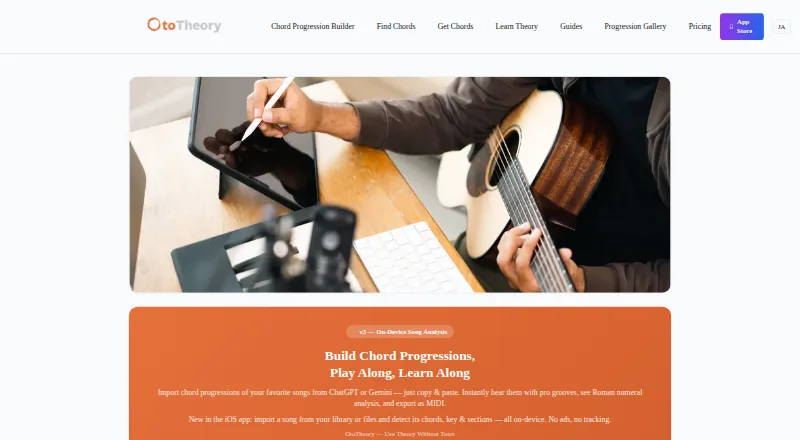
What OtoTheory is
OtoTheory is a chord progression builder and music theory companion for guitar, bass, and keyboard players, songwriters, composers, self-learners, and DAW users. Its iOS app can identify chords, key, and song sections from imported audio or an on-device guitar or piano recording. You can paste progressions from ChatGPT, Claude, or Gemini for Roman numeral analysis and playback with grooves. The app lists 19 groove patterns and more than 50 progression presets; OtoTheory AI suggests chords based on feel, theory, and emotion. Pro exports MIDI in Groove, Groove + Theory, or Chords Only modes, including BPM, section markers, and chord names. The maker says these exports can be used with Logic Pro, Cubase, Ableton, and other DAWs. OtoTheory is available on iOS and the web, but the web version has a smaller feature set and Pro is iOS-only. The free iOS plan allows three local sketch saves and has no MIDI or audio export. Paid options include Pro from $5.99/mo, an annual plan at $49.99/year, and Lifetime for $99.99 once.
Who it suits
OtoTheory suits guitar, bass, and keyboard players, songwriters, composers, self-learners, and DAW users who want to build or analyze progressions. It is also intended for beginners.
What it does well
- Analyzes chords, key, and song sections on iOS
- Includes 19 groove patterns and 50+ presets
- Exports MIDI with BPM and section markers on Pro
- Offers chord playback and reverse chord lookup
What to know first
- Free plan limits users to three local sketch saves
- Free plan has no MIDI or audio export
- Pro is iOS-only; web features are limited
Limits
The free iOS plan allows three local sketch saves and does not include MIDI or audio export. The web version has limited grooves and presets, and Pro is iOS-only.
Plans
| Plan | Billed and limits | Price |
|---|---|---|
| Free | iOS app · 3 local sketch saves · MIDI/audio export unavailable | Free |
| Lifetime | One-time purchase · iOS only · all Pro features forever · unlimited MIDI/audio export, saves, and iCloud sync | $99.99, paid once |
| Pro | Monthly or annually; annual plan is $49.99/year · iOS only · 7-day free trial · unlimited MIDI/audio export · unlimited saves and iCloud sync · Pro-exclusive grooves | On request |
As ototheory.com lists them, read 29 Sept 2026. The maker's own page has the final word.
Getting started
- Open OtoTheory on the web or use the iOS app.
- Choose the free plan, which includes three local sketch saves.
- Use the 7-day free trial to explore Pro features on iOS.
- Choose Pro, listed from $5.99/mo with an annual plan at $49.99/year, or Lifetime for $99.99 once.
OtoTheory is a chord-progression and music-theory workspace for guitar, bass and keyboard players, songwriters, composers and DAW users. It is best for people who want to understand a song and develop their own harmony in the same workflow. The strongest value is on iOS; the free tier and web edition impose meaningful limits for anyone who needs regular exporting or the full preset library.
Overview
OtoTheory covers several stages of writing: finding chords, examining a recording, trying alternate voicings, building a progression and moving the result into a DAW. Beginners and self-learners get theory-oriented guidance, while more experienced composers can use grooves, presets and MIDI output to turn sketches into arrangements. Its platform split is important: the web app is a reduced version, and Pro features are restricted to iOS.
Key features
The progression generator, reverse chord lookup, voicing explorer, chord playback and chord-chart export address both discovery and practice. More than 50 chord-progression presets and 19 groove patterns supply usable starting points instead of leaving every idea to a blank canvas. Playback makes it possible to judge a progression by ear, while voicing tools help players adapt it to guitar, bass or keyboard.
On iOS, song analysis works on imported audio or on a guitar or piano recording made on the device. It identifies chords, key and song sections, which is useful when learning how a reference track is organized or checking a newly recorded idea. You can paste progressions from ChatGPT, Claude or Gemini for Roman-numeral analysis and groove playback. OtoTheory AI proposes chords through the maker’s three-part approach of feel, theory and emotion; that is more useful for guided exploration than a basic chord dictionary.
Pro MIDI export offers Groove, Groove + Theory and Chords Only modes, with BPM, section markers and chord names. The maker says these files work with Logic Pro, Cubase, Ableton and other DAWs, so the feature is aimed at a songwriting workflow that leaves the app. AirDrop can move exports to a Mac. Optional iCloud sync on iOS keeps Pro sketches across devices, while free sketches remain local.
Pricing
| Plan | Price | What you get |
|---|---|---|
| Free | 0.00 USD | iOS app, three local sketch saves; no MIDI or audio export |
| Pro | From $5.99/mo; $49.99/year | iOS only, seven-day trial, unlimited MIDI/audio export and saves, iCloud sync, Pro grooves |
| Lifetime | 99.99 USD one time | iOS only, all Pro features forever, unlimited exports and saves, iCloud sync |
The Free plan is suitable for trying the core tools or keeping a small number of experiments, but three saves and no export make it a poor fit for an ongoing production archive. Pro suits active iOS songwriters who prefer a recurring cost and need unlimited storage and export; its seven-day trial gives a short evaluation window. Lifetime costs more upfront but makes sense for long-term iOS users who would otherwise keep paying monthly or annually. None of the paid plans extend Pro to the web version.
Platforms
OtoTheory runs on iOS and the web. The web edition has a subset of iOS functions, including limited grooves and presets, so it works better for lighter exploration than as a complete replacement for the mobile app. Pro is iOS-only. Pro sketches can use Apple CloudKit-backed iCloud sync, while web sketches are stored in browser localStorage. Communications use HTTPS, and the maker says it does not sell personal data.
Who it's for
Choose OtoTheory if you are a beginner, self-learner, songwriter or composer who wants theory explanations alongside practical progression building. Guitar, bass and keyboard players benefit from the instrument coverage, chord playback and voicing exploration. DAW users have a clear reason to pay for Pro when BPM-aware MIDI with section markers is part of their process. It is less suitable for someone who needs full functionality in a browser, Android support or a generous free export tier.
Pros and cons
Pros
- Broad writing workflow: analysis, generation, voicings, grooves and export sit in one product.
- Useful song analysis: iOS can identify chords, key and sections from audio or a guitar/piano recording on-device.
- DAW-oriented export: Pro MIDI modes include BPM, section markers and chord names.
- Long-term option: the Lifetime plan avoids recurring payments while retaining Pro features.
- Clear data controls: sketches stay on-device or in the user’s iCloud account on iOS, and web sketches stay in localStorage.
Cons
- Free plan is restrictive: only three local saves and no MIDI or audio export limit serious free use.
- Platform inequality: the web version has fewer grooves and presets, and Pro cannot be bought for web use.
- Paid access is iOS-dependent: Android users cannot use the mobile app, while desktop users receive the reduced web experience.
- Trial is brief: seven days may be tight for evaluating a complete songwriting workflow.
Alternatives
Pick ChordU instead if you need Android support, web access and a $5.00-per-month Premium plan with uploads, downloads and MusicOnly mode. Chord Analyser is a better choice for a straightforward Android or iOS chord-analysis app without a free trial. Choose Chordio for iOS and macOS workspaces with built-in sounds, an on-screen keyboard and real-time MIDI chord detection. ChordSequence suits users who want a free Android/web tool with no paywall or usage limit and WAV and MIDI export. Harmony Pro is the free macOS, Windows and web alternative. Autochords is a lower-cost iOS option when free app features and selected Pro progressions are enough. Chord ai fits Android or iOS users seeking unlimited basic free use and a $9.00 monthly advanced tier. ChordProgressions.org is the simplest choice for a free, browser-based studio.
Verdict
OtoTheory is a strong choice for iOS-based songwriters, players and composers who want analysis, theory-led exploration, grooves and DAW-ready MIDI in one place. Its main reason to choose it is the unusually complete progression-to-export workflow. Look elsewhere if you need Android, full browser parity or meaningful free exports; the three-save cap and iOS-only Pro access quickly become practical constraints.
Verdict
OtoTheory brings progression building, song analysis, grooves, and theory tools together for players and composers. Check its iOS-only Pro restriction and free-plan export limits against your workflow.
Questions
Is OtoTheory free?
Yes. Its free iOS plan costs nothing and includes three local sketch saves. MIDI and audio export are unavailable on that plan.
How much does OtoTheory Pro cost?
Pro is listed from $5.99/mo, with monthly or annual billing. The annual plan is $49.99/year, and a 7-day free trial is offered.
Is there a lifetime option?
Yes. Lifetime costs $99.99 as a one-time purchase and includes Pro features forever, unlimited MIDI and audio export, unlimited saves, and iCloud sync.
What platforms does OtoTheory support?
OtoTheory is available on iOS and the web. Pro is iOS-only, and the web version offers a subset of iOS features.
Which DAWs can use its MIDI exports?
The maker says exported MIDI can be used with Logic Pro, Cubase, Ableton, and other DAWs.
Who makes OtoTheory, and where is it based?
OtoTheory is based in Tokyo, Japan.
Facts from OtoTheory's own pages
- AI chord import
- Users can paste chord progressions from ChatGPT, Claude, or Gemini for Roman numeral analysis and playback with grooves. · ototheory.com, 29 Sept 2026
- AI suggestions
- OtoTheory AI suggests chords using three layers of musical understanding described as feel, theory, and emotion. · ototheory.com, 29 Sept 2026
- Data handling
- Sketches are stored locally on the device or in the user’s iCloud account for Pro, while web sketches are stored in browser localStorage. · ototheory.com, 29 Sept 2026
- DAW compatibility
- The maker says MIDI exports can be used with Logic Pro, Cubase, Ableton, and other DAWs. · ototheory.com, 29 Sept 2026
- Grooves and presets
- OtoTheory lists 19 groove patterns and more than 50 chord progression presets. · ototheory.com, 29 Sept 2026
- Headquarters
- Tokyo, Japan · ototheory.com, 23 Sept 2026
- Integrations
- The iOS app offers optional iCloud sync for Pro, and exported MIDI can be transferred to a Mac with AirDrop. · ototheory.com, 29 Sept 2026
- Intended users
- The maker describes OtoTheory as intended for beginners, songwriters and composers, self-learners, and guitar, bass, and keyboard players. · ototheory.com, 29 Sept 2026
- MIDI export
- Pro exports progressions in Groove, Groove + Theory, or Chords Only modes, with BPM, section markers, and chord names. · ototheory.com, 29 Sept 2026
- Privacy and security
- The privacy policy says communications use HTTPS, iOS cloud sync uses Apple CloudKit’s encrypted infrastructure, and OtoTheory does not sell personal data. · ototheory.com, 29 Sept 2026
- Product
- OtoTheory is a chord progression builder and music theory companion for guitar, bass, keyboard players, and DAW users. · ototheory.com, 29 Sept 2026
- Song analysis
- The iOS app detects chords, key, and song sections from imported audio or a guitar or piano recording on-device. · ototheory.com, 29 Sept 2026
- Support
- The support page lists [email protected] and says it typically responds within two business days, excluding weekends and holidays. · ototheory.com, 29 Sept 2026
- Web limits
- The web version offers a subset of iOS features, with limited grooves and presets; Pro is iOS-only. · ototheory.com, 29 Sept 2026
Where OtoTheory stands on Freedom251
- Chord Finder Software#17 of 27