Freedom251 › Chord Finder Software
Roland Chord Director
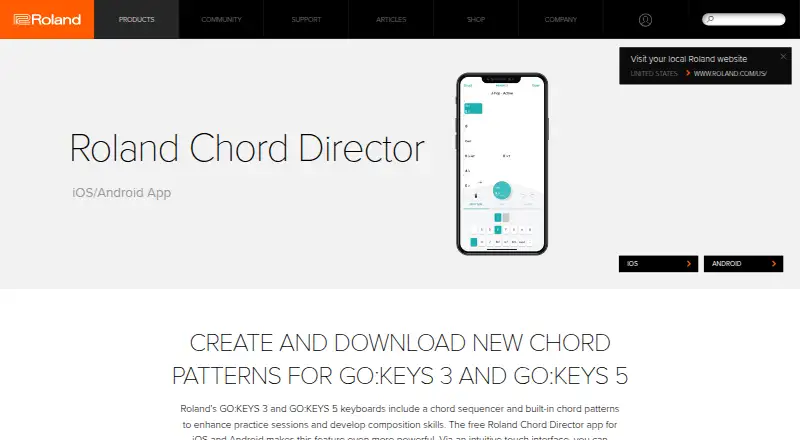
What Roland Chord Director is
Roland Chord Director is a free companion app for Roland GO:KEYS 3 and GO:KEYS 5 keyboards. It adds ready-made chord patterns that you can load onto a supported keyboard with a touch, and it lets you edit keys and patterns from the app. You can also build new patterns from your own chord progressions. The app connects to the keyboard over Bluetooth, bringing those patterns into playing favorite songs or developing new compositions with a full-band sound.
The app is available for iOS and Android through the App Store and Google Play. A free Roland Account is required to access the pre-made chord patterns. GO:KEYS 3 and GO:KEYS 5 added support for Chord Director in system program version 1.11. The Free plan costs nothing. Roland directs product questions to its Knowledge Base and handles product support through BACKSTAGE. Google Play says the Android app may collect personal information, app activity, and device or other IDs; it reports that data is encrypted in transit and users can request deletion.
Who it suits
Chord Director suits GO:KEYS 3 and GO:KEYS 5 owners who want to use ready-made chord patterns or create their own progressions from a mobile app. It can support playing favorite songs and developing compositions with a full-band sound.
What it does well
- Ready-made chord patterns load to the keyboard with a touch.
- Edit keys and patterns through a touch interface.
- Create patterns from personal chord progressions.
- Connects to the keyboard via Bluetooth.
- Available for iOS and Android.
What to know first
- Requires a free Roland Account to access pre-made patterns.
- Companion app is for GO:KEYS 3 and GO:KEYS 5 keyboards.
- Requires keyboard system program version 1.11 for app support.
Limits
Access to pre-made chord patterns requires a free Roland Account. The app is a companion for GO:KEYS 3 and GO:KEYS 5, which added support in system program version 1.11.
Plans
| Plan | Billed and limits | Price |
|---|---|---|
| Free | Requires a free Roland Account to access pre-made chord patterns · Companion app for GO:KEYS 3 and GO:KEYS 5 | Free |
As roland.com lists them, read 9 Oct 2026. The maker's own page has the final word.
Getting started
- Install the app through the App Store or Google Play.
- Create or use a free Roland Account to access pre-made chord patterns.
- Connect the app to a GO:KEYS 3 or GO:KEYS 5 keyboard via Bluetooth.
- Load or edit a pattern, or create one from your own chord progression.
Verdict
Choose Roland Chord Director if you use a GO:KEYS 3 or GO:KEYS 5 and want mobile access to chord patterns, editing, and progression creation. The main reason to look elsewhere is that it is a companion for those two keyboard models rather than a standalone chord app.
Questions
How much does Roland Chord Director cost?
The plan is Free.
Is a Roland Account required?
A free Roland Account is required to access pre-made chord patterns.
Which platforms are supported?
Roland lists the app for iOS and Android, through the App Store and Google Play.
Which keyboards work with the app?
It is a companion app for GO:KEYS 3 and GO:KEYS 5. Those keyboards added support in system program version 1.11.
How does the app connect to the keyboard?
It connects via Bluetooth.
What does Google Play say about Android data?
Google Play says the app may collect personal info, app activity, and device or other IDs. It reports encryption in transit and that users can request deletion.
Facts from Roland Chord Director's own pages
- Account requirement
- A free Roland Account is required to access pre-made chord patterns. · roland.com, 9 Oct 2026
- Android data safety
- Google Play says the app may collect personal info, app activity, and device or other IDs; it reports that data is encrypted in transit and users can request deletion. · play.google.com, 9 Oct 2026
- Chord patterns
- The app provides additional ready-made chord patterns that can be loaded into the keyboard with a touch. · roland.com, 9 Oct 2026
- Create patterns
- Users can create new patterns using their own chord progressions. · roland.com, 9 Oct 2026
- Editing
- Users can edit keys and chord patterns through a touch interface. · roland.com, 9 Oct 2026
- Intended use
- Roland describes the app as a way to use chord patterns for favorite songs and new compositions with a full-band sound. · roland.com, 9 Oct 2026
- Keyboard connection
- The app connects to the keyboard via Bluetooth. · roland.com, 9 Oct 2026
- Keyboard support
- GO:KEYS 3 and GO:KEYS 5 added support for the Chord Director app in system program version 1.11. · roland.com, 9 Oct 2026
- Purpose
- Roland Chord Director is a companion app for the GO:KEYS 3 and GO:KEYS 5 keyboards. · roland.com, 9 Oct 2026
- Support
- Roland directs product questions to its Knowledge Base and says product support is handled through BACKSTAGE. · roland.com, 9 Oct 2026
- Supported platforms
- Roland lists the app for iOS and Android, with availability through the App Store and Google Play. · roland.com, 9 Oct 2026
Where Roland Chord Director stands on Freedom251
- Chord Finder Software#19 of 27