Freedom251 › Chord Finder Software
SongEngine
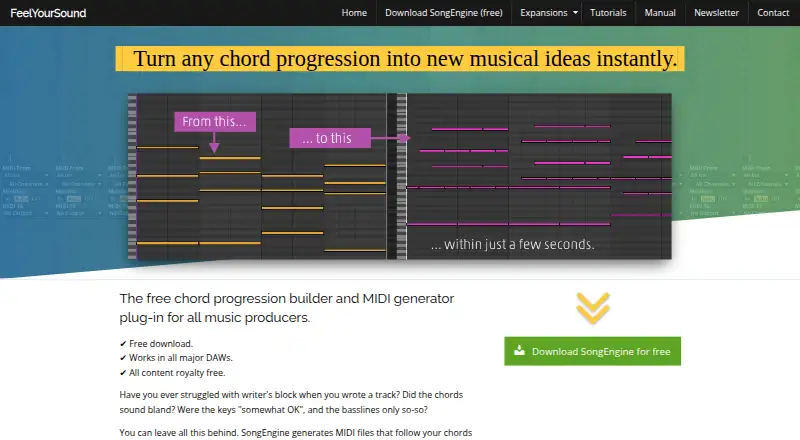
What SongEngine is
SongEngine is a music plug-in that creates chord progressions and generates basslines, phrases, and melodies to fit them. Users can build chords with Chord Pads, import MIDI progressions, or generate progressions inside the plug-in. Its free core includes more than 60 presets for basslines, arpeggios, phrases, and melodies. Live Mode transforms MIDI chords sent from a keyboard or DAW into new MIDI phrases in real time. Generated parts can be dragged into a DAW as standard MIDI files; an optional MassExporter can write hundreds of phrases to a computer folder. SongEngine runs as a VST2, VST3, or AU plug-in and needs a compatible host, such as FL Studio or Ableton Live. Windows support covers versions 7, 8, 10, and 11 in 64-bit. macOS support starts at 10.13 and requires a 64-bit Intel or Apple Silicon processor. There is no official Linux build. The maker says the software is not an AI tool and that generated MIDI files may be used in commercial releases.
Who it suits
SongEngine suits music makers working in a compatible DAW who want to build progressions or generate related MIDI parts. It is also suited to users who want a free core with presets and MIDI export.
What it does well
- Free core includes more than 60 presets.
- Live Mode creates MIDI phrases in real time.
- Exports generated parts as standard MIDI files.
- Generated MIDI files may be used in commercial releases.
- Supports Windows and macOS.
What to know first
- Requires a compatible VST2, VST3, or AU host.
- There is no official Linux build.
- No free trial is listed.
Limits
The free plan is the core plug-in with 60+ presets. Optional expansion packs add generators and patterns, and paid options start at $22.
Plans
| Plan | Billed and limits | Price |
|---|---|---|
| SongEngine core | Core plug-in · 60+ presets | Free |
As feelyoursound.com lists them, read 30 Sept 2026. The maker's own page has the final word.
Getting started
- Visit the SongEngine website
- Download the free core plug-in
- Install it on Windows 7, 8, 10, or 11 in 64-bit, or macOS 10.13 or later on a 64-bit Intel or Apple Silicon processor
- Open it in a compatible VST2, VST3, or AU host such as FL Studio or Ableton Live
- Build or import a chord progression, then generate parts and drag them into the DAW as MIDI
Verdict
SongEngine offers chord and phrase generation within a compatible DAW, with generated parts available as MIDI. Check host and operating-system support before choosing it.
Questions
Is SongEngine free?
Yes. The SongEngine core plan is $0.00 USD and includes the core plug-in with 60+ presets.
How much do paid options cost?
Paid options start at $22.
Which operating systems does SongEngine support?
It supports Windows 7, 8, 10, and 11 in 64-bit, and macOS 10.13 or later on a 64-bit Intel or Apple Silicon processor. There is no official Linux build.
Does SongEngine work on its own?
It runs as a VST2, VST3, or AU plug-in and requires a compatible host, such as FL Studio or Ableton Live.
Can I use SongEngine MIDI in commercial releases?
Yes. The maker says generated MIDI files may be used in commercial releases.
Is SongEngine an AI tool?
No. The maker says it is not an AI tool and that human musicians crafted its algorithms.
Facts from SongEngine's own pages
- Chord input
- Users can build chords with Chord Pads, import MIDI chord progressions, or generate progressions in SongEngine. · feelyoursound.com, 30 Sept 2026
- Commercial use
- The maker says generated MIDI files may be used in commercial releases. · feelyoursound.com, 30 Sept 2026
- DAW compatibility
- SongEngine is a VST2, VST3, and AU audio plug-in that requires a compatible host such as FL Studio or Ableton Live. · feelyoursound.com, 30 Sept 2026
- Export
- Generated parts can be dragged into a DAW as standard MIDI files, and an optional MassExporter can write hundreds of phrases to a computer folder. · feelyoursound.com, 30 Sept 2026
- Extensions
- Optional expansion packs add generators and patterns tailored to genres including Trance, Hip Hop, House, and Chillout. · feelyoursound.com, 30 Sept 2026
- How it is made
- The maker says SongEngine is not an AI tool and that its algorithms were crafted by human musicians. · feelyoursound.com, 30 Sept 2026
- License use
- The manual says add-on and extension licenses can be used on as many computers as the user owns, including Windows and macOS computers. · feelyoursound.com, 30 Sept 2026
- Linux limitation
- There is no official Linux build; the manual says users have reported it working with Wine. · feelyoursound.com, 30 Sept 2026
- Live Mode
- Live Mode transforms MIDI chords sent from a keyboard or DAW into new MIDI phrases in real time. · feelyoursound.com, 30 Sept 2026
- macOS support
- The download page lists macOS 10.13 and later, requiring a 64-bit Intel or Apple Silicon processor. · feelyoursound.com, 30 Sept 2026
- Presets
- The free core includes 60+ presets for basslines, arpeggios, phrases, and melodies. · feelyoursound.com, 30 Sept 2026
- Purpose
- SongEngine creates chord progressions and generates basslines, phrases, and melodies that fit them automatically. · feelyoursound.com, 30 Sept 2026
- Support
- The developer invites users to email with questions, bug reports, or ideas and says he can be contacted in English or German. · feelyoursound.com, 30 Sept 2026
- Windows support
- The download page lists Windows 7, 8, 10, and 11, with 64-bit support. · feelyoursound.com, 30 Sept 2026
Where SongEngine stands on Freedom251
- Chord Finder Software#20 of 27