Freedom251 › Work Order Management Software
OpsFlow
What OpsFlow is
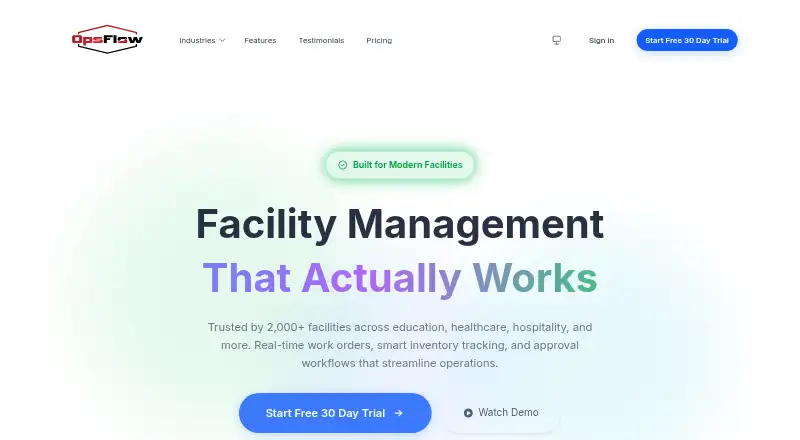
OpsFlow is web-based facility management software for handling work orders, inventory, approvals, and analytics. Work orders can be assigned automatically according to building, trade, or urgency. Inventory tracking covers multiple buildings and can trigger low-stock alerts. Approval rules can use cost, priority, or department to route requests automatically. A dashboard tracks response times, costly patterns, and buildings needing attention. Teams can schedule recurring preventive maintenance and follow reminders and completion status. Phone users can submit requests, update work orders, and add photos. OpsFlow is presented for facilities teams in education, healthcare, hospitality, manufacturing, government, business, and property management. The company states that the product is SOC 2 Type II certified, GDPR compliant, and uses 256-bit encryption. A free plan and a 30-day free trial are available; the trial does not require a credit card. The pricing note lists paid plans from $25/mo. The site also lists monthly plans: Small District at $119 a month, Medium District at $99 a month, Large District at $89 a month, and Enterprise at $79 a month. These plans specify site counts, SMS allowances, storage, users, and platform access. The company reports serving more than 2,000 facilities and processing more than 500,000 work orders.
Who it suits
OpsFlow suits facilities teams that coordinate work across buildings and need work order assignment, inventory alerts, approval routing, or recurring maintenance. Its listed target settings include education, healthcare, hospitality, manufacturing, government, business, and property management.
What it does well
- Automatically assigns work orders by building, trade, or urgency.
- Tracks inventory across buildings and alerts on low stock.
- Routes approvals using cost, priority, or department rules.
- Schedules recurring maintenance with reminders and completion tracking.
- Phone users can update work orders and add photos.
What to know first
- The free plan’s quotas and feature limits are not described in the listed plan facts.
- Monthly district and enterprise plans list site, SMS, and storage allowances.
Plans
| Plan | Billed and limits | Price |
|---|---|---|
| Medium District | $1,068.00 per site per year (= $89.00 per site/month, billed annually) · 6-10 sites · 5,000 SMS/month · 250 GB storage · Unlimited users · Full platform access | $1,068 a year |
| Small District | $1,284.00 per site per year (= $107.00 per site/month, billed annually) · 1-5 sites · 1,000 SMS/month · 100 GB storage · Unlimited users · Full platform access | $1,284 a year |
| Enterprise | $852.00 per site per year (= $71.00 per site/month, billed annually) · 26+ sites · Unlimited SMS/month · Unlimited storage · Unlimited users · Full platform access | $852 a year |
| Large District | $960.00 per site per year (= $80.00 per site/month, billed annually) · 11-25 sites · 15,000 SMS/month · 500 GB storage · Unlimited users · Full platform access | $960 a year |
As opsflow.com lists them, read 5 Oct 2026. The maker's own page has the final word.
Getting started
- Visit the OpsFlow website.
- Start with the free plan or begin the 30-day trial without a credit card.
- Use OpsFlow on the web, including from a phone to submit requests, update work orders, or add photos.
- Choose a monthly plan based on the listed site, SMS, storage, and user allowances.
Verdict
Choose OpsFlow if your facilities team needs coordinated work orders, inventory, approvals, and maintenance tracking across buildings. Compare plan allowances against your site count, SMS use, and storage needs; paid pricing is listed from $25/mo, while the detailed monthly plans range from 79.00 USD to $119 a month.
Questions
Is there a free plan or trial?
Yes. OpsFlow lists a free plan and a 30-day free trial that does not require a credit card.
How much do paid plans cost?
The pricing note says paid plans start at $25/mo. Listed monthly plans are Small District at $119 a month, Medium District at $99 a month, Large District at $89 a month, and Enterprise at $79 a month.
Which platforms does OpsFlow support?
OpsFlow is listed for the web, and users can submit requests, update work orders, and add photos from a phone.
What do the listed monthly plans include?
They specify site counts, SMS allowances, storage, users, and platform access. Enterprise lists 26+ sites, unlimited SMS and storage, unlimited users, and full platform access.
Who is OpsFlow for?
It is presented for facilities teams in education, healthcare, hospitality, manufacturing, government, business, and property management.
What security measures does the company state?
OpsFlow states that it is SOC 2 Type II certified, GDPR compliant, and uses 256-bit encryption.
Facts from OpsFlow's own pages
- Analytics
- Its dashboard tracks response times, costly patterns, and buildings needing attention. · opsflow.com, 30 Sept 2026
- Approvals
- Approval rules can be set by cost, priority, or department, with requests routed automatically. · opsflow.com, 30 Sept 2026
- Intended users
- The site presents OpsFlow for facilities teams in education, healthcare, hospitality, manufacturing, government, business, and property management. · opsflow.com, 30 Sept 2026
- Inventory
- The product tracks inventory across buildings and supports automatic low-stock alerts. · opsflow.com, 30 Sept 2026
- Mobile use
- The site says users can submit requests, update work orders, and add photos from a phone. · opsflow.com, 30 Sept 2026
- Preventive maintenance
- Teams can schedule recurring maintenance and receive reminders and completion tracking. · opsflow.com, 30 Sept 2026
- Product
- OpsFlow is facility management software for managing work orders, inventory, approvals, and analytics. · opsflow.com, 30 Sept 2026
- Scale
- The about page reports service to more than 2,000 facilities and processing more than 500,000 work orders. · opsflow.com, 30 Sept 2026
- Security
- The site states that OpsFlow is SOC 2 Type II certified, GDPR compliant, and uses 256-bit encryption. · opsflow.com, 30 Sept 2026
- Support
- The about page lists 24/7 customer support, while the pricing page describes dedicated email and chat support for education. · opsflow.com, 30 Sept 2026
- Support response
- The pricing page says the support team typically responds within a few hours. · opsflow.com, 30 Sept 2026
- Trial
- OpsFlow offers a 30-day free trial without requiring a credit card. · opsflow.com, 30 Sept 2026
- Work orders
- Work orders can be automatically assigned by building, trade, or urgency. · opsflow.com, 30 Sept 2026
Where OpsFlow stands on Freedom251
- Work Order Management Software#9 of 38