Freedom251 › Painting Contractor Software
OPS
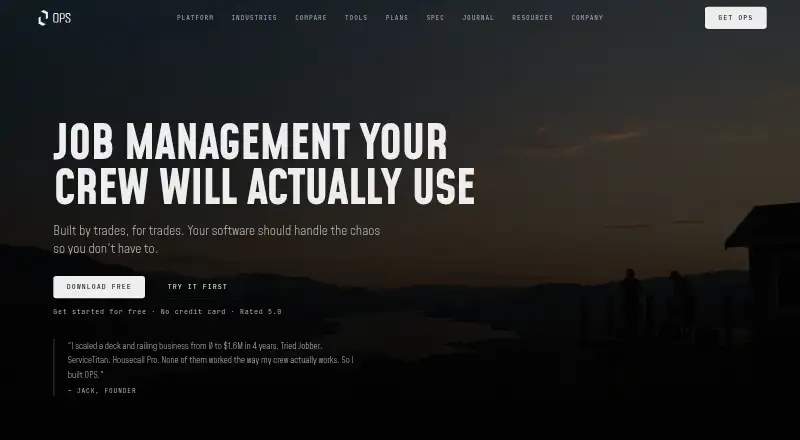
What OPS is
OPS is job management software for service-based businesses and trades crews. Its iOS and web app brings project tracking, crew scheduling, photo documentation, client management, estimates, invoicing, and job-site navigation together. Crews can annotate job photos with arrows and notes, then keep those images organized with the related job. The app works without cell signal: it saves changes locally and syncs them when connectivity returns. Five permission roles range from Admin to Crew, with field workers limited to tasks assigned to them.
OPS supports estimate building, job scheduling, and crew management. Invoicing and payments are listed, while invoicing and accounting, pipeline, and inventory are marked in development on the platform page. The terms list Stripe, Bubble.io, Supabase, AWS, Firebase, Sign-In with Apple, and optional QuickBooks or Sage integrations. Stripe processes subscription and client invoice payments; OPS says it does not store card details. Customers own their uploaded photos, client data, project records, and notes. The service is intended for businesses and their employees, rather than individual consumers. OPS offers a 30-day trial for up to 10 users with full feature access. Paid plans start at C$90 a month for Starter, which allows up to 3 users. The home page says customers can speak directly with the founder for support.
Who it suits
OPS suits service businesses and trades crews that coordinate jobs, crews, estimates, and client records from iOS or the web. It may be especially useful for field teams that need to work through periods without cell signal and sync their changes later.
What it does well
- Works offline and syncs local changes when connectivity returns.
- Job photos can be annotated and organized with the relevant job.
- Five permission roles limit field workers to assigned tasks.
- The 30-day trial includes full feature access for up to 10 users.
- Customers own their uploaded photos, client data, project records, and notes.
What to know first
- There is no free plan; the trial lasts 30 days.
- Starter supports up to 3 users.
- Invoicing and accounting, pipeline, and inventory are marked in development.
Limits
The free trial lasts 30 days and supports up to 10 users; the account is suspended at trial end unless a paid subscription is activated. Starter, the least expensive paid plan, costs C$90 a month and supports up to 3 users.
Plans
| Plan | Billed and limits | Price |
|---|---|---|
| Free Trial | 30 days · up to 10 users · full feature access | Free |
| Team | $140/mo or $1,344/yr (20% off) · up to 5 users · full feature access · unlimited project & photo storage | C$140 a month |
| Business | $190/mo or $1,824/yr (20% off) · up to 10 users · full feature access · unlimited project & photo storage | C$190 a month |
| Starter | $90/mo or $864/yr (20% off) · up to 3 users · full feature access · unlimited project & photo storage | C$90 a month |
As opsapp.co lists them, read 7 Oct 2026. The maker's own page has the final word.
Getting started
- Visit the OPS website.
- Start the 30-day free trial, which supports up to 10 users and does not require payment information.
- Use OPS on iOS or the web.
- Activate a paid subscription before the trial ends to avoid account suspension.
- Choose Starter, Team, or Business based on team size.
Verdict
Choose OPS if a service business needs job tracking, scheduling, photo records, and estimates across field and office work. Offline saving and role-based task access are useful for crews working at job sites. Look elsewhere if you need a free plan, more than three users on the Starter plan, or features marked in development.
Questions
How much does OPS cost?
The free trial costs nothing for 30 days. Starter is C$90 a month, Team is C$140 a month, and Business is C$190 a month. The listed annual billing options are $864/yr, $1,344/yr, and $1,824/yr, respectively, each described as 20% off.
Does OPS have a free plan or trial?
OPS has no free plan, but it offers a 30-day free trial for up to 10 users with full feature access. The trial requires no payment information and does not automatically convert to paid; the account is suspended at trial end unless a paid subscription is activated.
Which platforms does OPS support?
OPS lists iOS and web.
Can OPS be used without cell signal?
Yes. It saves changes locally while offline and syncs them when connectivity returns.
Which integrations does OPS list?
The terms list Stripe, Bubble.io, Supabase, AWS, Firebase, and Sign-In with Apple, plus optional QuickBooks or Sage integrations.
Who is OPS intended for?
OPS describes the service as intended for businesses and their employees, not individual consumers.
Facts from OPS's own pages
- Audience
- The terms describe the service as intended for businesses and their employees, not individual consumers. · opsapp.co, 7 Oct 2026
- Data ownership
- The terms say customers own uploaded photos, client data, project records, and notes. · opsapp.co, 7 Oct 2026
- Feature availability
- Invoicing and accounting, pipeline, and inventory are marked in development on the platform page. · opsapp.co, 7 Oct 2026
- Headquarters
- Victoria, British Columbia, Canada · opsapp.co, 28 Sept 2026
- Integrations
- The terms list Stripe, Bubble.io, Supabase, AWS, Firebase, Sign-In with Apple, and optional QuickBooks or Sage integrations. · opsapp.co, 7 Oct 2026
- Job management
- The app brings project tracking, crew scheduling, photo documentation, client management, estimates, invoicing, and job-site navigation together. · opsapp.co, 7 Oct 2026
- Offline mode
- OPS works without cell signal, saves changes locally, and syncs them when connectivity returns. · opsapp.co, 7 Oct 2026
- Payments
- The terms state that Stripe processes subscription payments and client invoice payments, and that OPS does not store credit card details. · opsapp.co, 7 Oct 2026
- Photo markup
- Users can annotate job photos with arrows and notes, and keep them organized with the job. · opsapp.co, 7 Oct 2026
- Product
- OPS is job management software for service-based businesses and trades crews. · opsapp.co, 7 Oct 2026
- Roles
- OPS describes five permission roles, from Admin to Crew, with field workers limited to assigned tasks. · opsapp.co, 7 Oct 2026
- Support
- The home page says customers can speak directly with the founder and describes support without tickets or chatbots. · opsapp.co, 7 Oct 2026
- Trial terms
- The terms say a trial does not require payment information, does not automatically convert to paid, and the account is suspended at trial end unless a paid subscription is activated. · opsapp.co, 7 Oct 2026
Where OPS stands on Freedom251
- Painting Contractor Software#10 of 22